
 Customer reviews for SAMSUNG 65" Class TU700D-Series Crystal Ultra HD 4K Smart TV UN65TU700DFXZA for
Member photos







 +1563 images
Great price
[This review was collected as part of a promotion.] I love the smart tv function which allows me to have all my streaming services at the touch of a button and don't forget the Samsung tv channels. I was able to cancel my tv subscription which basically paid for the tv in the first 6 mths of owning it.
Reasonable TV for the Price
[This review was collected as part of a promotion.] The single biggest issue is that when the picture is dark as is the case with some movies, it is exceedingly difficult to see the picture. The second quibble is that the remote lacks advance 30 seconds and repeat 10 seconds options. The buttons are also exceedingly small. Nonetheless, for a very low cost option, this unit serves me well.
Nycha: Thank you for purchasing the TU7000 TV and for your review. Your thoughts regarding the remote design is important to us and will be shared with our internal teams. I am very sorry you are viewing scenes that appear too dark. A new firmware update has been released to address this issue. You may also need to manually reboot your TV after the update by either unplugging the AC cord or by pressing and holding the power button on the remote until the TV powers off and back on. Using your TV's remote, navigate to Settings, and select Support. Select Software Update, and then select Update Now. New updates will be downloaded and installed on your TV. Updates usually take a few minutes; please do not turn off the TV until the update is complete. When the update is finished, the TV will restart automatically. You may want to enable automatic updates for convenience. Select Settings > Support > Software Update, then select Auto Update. If you need further assistance or have any questions, please contact Samsung Customer Support. 1-800-SAMSUNG (8AM -12AM EST, 7 days a week) On the Samsung website and click on the SUPPORT link in the upper right corner for: 1) Contact Us Options (LiveChat, Remote Support, Facebook, Twitter) 2) Product Support 3) Manuals and Downloads 4) Warranty Info 5) Product Registration: Registering your product gives you access to easy warranty support, convenient opt-in to special promos and offers, faster troubleshooting and service, and quick notification of system updates 6) Samsung Community: A great resource for getting help from Samsung moderators and customers and more 7) …and more product, repair, order, and care options ~ Samsung Solutions
Beautiful picture and perfect size!
[This review was collected as part of a promotion.] We use our tv for video games, streaming, just watching tv and movies. The video games always look magnificent when we play on there and it's got great volume control as well. The features are great and really allow you to change the settings to adjust for your eyes and ears so it really feels like it's made for you.
Immediately exceeded my expectations
[This review was collected as part of a promotion.] In the search for a new bedroom 4K television, the Crystal UHD TU7000 took the prize. As soon as I turned it on, I was greeted by a sleek and fast set up process that took no longer than 3 minutes - connecting my cable and WiFi capabilities. As soon as set up was finished, I changed inputs to where my Nintendo Switch was already running - and was IMMEDIATELY blown away by the vibrant colors and the clear picture. I couldn't believe how good it looked and had to see how video would look. The TV comes with most standard video streaming apps installed, which is great - with pretty fast launch times. Upon trying some video on both Netflix and Hulu, I was confident I made the right choice buying this TV.With the fast and sleek menu/load speeds, the breathtaking picture, wide selection of apps on the Samsung HUB (Steam Link being my favorite so far), I can say that I am sold on any and all Samsung products. Highly recommend this product as your next 4K TV.
Very Disappointed
[This review was collected as part of a promotion.] I had high hopes when buying the TV in April 2020 but I have been disappointed. First, the sound quality is an issue. It seems every show/channel I watch requires a dramatically different level of volume. One channel its set to 15, another channel its has to be up to 80. I know its the TV because I had the exact same setup of channels on my previous TV and never had the issue. Secondly, there is a lag in remote performance. Always, even after multiple updates, no change. Lastly and most importantly, the picture quality is very concerning. Overall brightness is not very good. Beware if you have a lot of natural light in the room. Also, sometimes it decides to pick a specific color, say green, and change it to a blinding white or solid black with persistent digitized appearance. The only remedy is to unplug the TV which seems to correct the issue for a few days. I thought this might update related or a specific streaming service thing with incoming signal but it happens on every type of input and after multiple updates. I will be contacting Samsung service on the next occurrence as this seems to be a persistent issue per reviews starting in May/June timeframe but not before. Hopefully they can resolve the issues. When there are no issues, the TV looks great and is a good value, especially at the current price.
Tv is ok. Remote + source interface lacks
the tv is fine, picture and sound are up to par. but man, the user unterface on this tv is pretty rough. feedback is incredibly slow, and the remote itself doesnt help much. we have the newer model of this tv as well and it is much improved however. still, there remains my largest complaint with samgsung tvs, and i have this issue with both this model and the newer one i have: the dreaded samsung tv plus app. the samsung tv plus app may be the sole reason i would not commit to another samsung tv going forward. i feel like anytime i hit a button i immediately get launched into the app. or if im in another app for too long itll just automatically boot me out and start playing tv plus. it drives me insane and i wish i could delete it but have had no such luck. awful.
Hi Sean, Thank you for purchasing the Samsung TU7000 and for sharing your feedback regarding the user interface and Samsung TV Plus. The details you have shared are important to us and will be shared with our product teams. Please know, Samsung TV Plus can be disabled, removing the channels from your default guide. Should you want to disable TV plus, follow the steps below: 1) Navigate to the Samsung TV Plus app and press and hold the enter or select button on the remote. This will bring up two options. ‘Move’ and ‘Remove’. 2) Navigate to ‘Remove’ and select. This option brings up the ability to remove the app icon or disable the service. 3) Navigate to ‘Disable’ and select. This will remove the service from the launcher bar and the channels from the TV Guide. Alternatively, you can leave TV Plus enabled and utilize the Autorun Last App feature to automatically start the last app you used once the TV is turned on. To enable this feature, follow the steps below: 1) Navigate to Settings > General > Smart Features > Autorun Smart Hub 2) Enable the Autorun Smart Hub feature 3) Navigate to Settings > General > Smart Features > Autorun Last App 4) Enable the Autorun Last App feature To optimize the smart TV performance, please try Device Care option under the Support Menu. Go to Settings > Support> Device Care > Start Device Care. This improves your apps performance as it frees up unused cached memory and closes background apps. We also recommend you check that your TV is running the latest firmware. Using your TV's remote, navigate to Settings, and select Support. Select Software Update, and then select Update Now. New updates will be downloaded and installed on your TV. Updates usually take a few minutes; please do not turn off the TV until the update is complete. When the update is finished, the TV will restart automatically. I hope these tips help you further enjoy your new Samsung TV. Should you ever have questions or need help, please call us at 1-800-SAMSUNG (ask for TVs), available 8AM - 12AM EST, 7 days a week. For additional support resources, visit us on the Samsung website and click on the ‘Support’ link in the upper right corner of the homepage for: 1) Chat with Us/Product Help: To begin a chat or find solutions, choose ‘TVs & Home Theater’ and select your model & topic. 2) Register a Product: For access to easy warranty support, convenient opt-in to special promos and offers, faster troubleshooting and service, and quick notification of system updates. 3) Manuals & Software 4) Warranty Info 5) Contact Us ~ Samsung Solutions
Love it!
[This review was collected as part of a promotion.] Love my new Samsung Smart TV! Great picture & sound quality. It's also very easy to use & offers access to a ton of apps, including Samsung TV, which is a great bonus! I couldn't be happier with the purchase and have zero complaints. Definitely recommend.
I only purchase Samsung TVs for my home.
[This review was collected as part of a promotion.] I live alone and I play my TV 14 to 16 hours a day. Keeps me from being lonely and keeps my ADHD brain occupied. The only short coming it has (and it's very minute) is the sound. I like it loud. I also grew up with 5 brothers and sisters, so they were always trying to talk over it. But they couldn't. The quality if of the video is exceptional, I stream alot of movies and really into gaming. And I will always purchase Samsung TVs for my home.
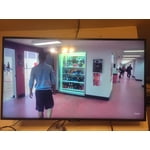
the product has great features
[This review was collected as part of a promotion.] I have enjoyed my experience so far with the tv very much. It ha all of ht features I was looking for and the size is perfect. It is easy to navigate and since I put it on the wall there is a lot of floor space. I would defintely recommned this tv to my family and friends. Especially the Samsung brand.
Great 4K Increase!
[This review was collected as part of a promotion.] Recently purchase this 65" 4K unit as an upgrade the 58" 4K . What a difference in size makes when video content is so clear. I'm enjoying the vibrant color contrast, an the increased refresh rate. I would recommend the purchase of this T.V.