Skip to Main Content
Sam's Club
Sam's Club
All Departments
All Services
Customer reviews for SAMSUNG 65" Class TU700D-Series Crystal Ultra HD 4K Smart TV UN65TU700DFXZA for
SAMSUNG 65" Class TU700D-Series Crystal Ultra HD 4K Smart TV UN65TU700DFXZA
4.5 out of 5 stars
stars
11.3K ratings10.3K reviews
  1. 5 stars70% (7,942)
  2. 4 stars18% (1,994)
  3. 3 stars5% (589)
  4. 2 stars3% (284)
  5. 1 star5% (523)

Member photos

  • +1563 images
Sort by |
Showing 1,761-1,770 of 10,373 reviews
Jun 17, 2022
Reviewer name: Dagger
5 out of 5 stars
5 out of 5 stars review

Amazing TV

[This review was collected as part of a promotion.] Amazing and easy to navigate. Setting up process was equally easy. I use it for streaming movies. Love the app options and the ability to search apps. I watch the TV for relaxation.. The TV most likely does and offers more than what I'm even aware of. I have no complaints and certainly would get another without hesitation...

Review from Samsung US
Helpful?3V8BU16WBLTL13878902648
Dec 25, 2020
Reviewer name: Lily
2 out of 5 stars
2 out of 5 stars review

Just no

i've had my samsung) a few months. i don't like it. i don't like when it asks me if i'm still watching. when i work i leave it on for my dog. there's a lot of apps you can't get. peacock for example. i also got a vizio. just about every app you can find is available.

Review from Samsung US
Helpful?3V8BU16WBLTL13878902648
reply from OBA

Lily: Thank you for purchasing the Samsung TU7000 TV and for your review. Samsung offers hundreds of apps in our App Store that you can download, and we are continuously adding more premium content and new services to our Smart TV platform. Auto Power Off automatically turns off the TV to reduce unnecessary power consumption if the TV Controller and the remote control are not used for the set period of time. You can disable this feature or set the period of time by going to: Home > Settings > General > Eco Solution > Auto Power Off I hope this tip helps. If there is anything we can do to further assist and improve your user experience, please do let us know by contacting Samsung Customer Support. 1-800-SAMSUNG (ask for TVs), available 8AM -12AM EST, 7 days a week Or visit us on the Samsung website and click on the ‘Support’ link in the upper right corner of the homepage for: 1) Contact Us Options (LiveChat, Remote Support, Facebook, Twitter) 2) Product Support 3) Manuals and Downloads 4) Warranty Info 5) Product Registration: Registering your product gives you access to easy warranty support, convenient opt-in to special promos and offers, faster troubleshooting and service, and quick notification of system updates 6) Samsung Community: A great resource for getting help from Samsung moderators and customers and more 7) …and more product, repair, order, and care options ~ Samsung Solutions

Jul 19, 2022
Reviewer name: SYSKIYOU
5 out of 5 stars
5 out of 5 stars review

Great TV with nice features
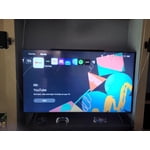
[This review was collected as part of a promotion.] It's a great tv. Clear picture and nice sound. We are using the stand that it came with that works fine. Came with Samsung TV which I use often for cartoons for my kids. It's hooked up to internet, you can access streaming services straight from the TV and also smart things which let's me control the TV with my phone. We do a lot of gaming and it's great for that as well.

Review from Samsung US
Helpful?3V8BU16WBLTL13878902648
Dec 10, 2021
Reviewer name: Chad
5 out of 5 stars
5 out of 5 stars review

TV nice, remote is not

we are very pleased with our samsung products. our main complant is the remote control. unlike the remote for our q60 series, this remote is bad beyond words. the location of the buttons used most are are too low on the remote to find or use with one hand. again, let me stress that the q60 series remote is perfect. the 7 series remote looks and feels like a remote from 1985. i'd like to throw it back to 1985. hopefully the ordered universal remote contol will work. the only other issue with the tu7000 is trying to find the perfect display settings to get the contrast just right. out of the box, the blacks seem to be crushed a little too much. however not that big of a deal. the colors are fantasic. sound is good. and as of december 2021 the price is excellent.

Review from Samsung US
Helpful?3V8BU16WBLTL13878902648
Oct 25, 2022
Reviewer name: Boardhound
4 out of 5 stars
4 out of 5 stars review

beautiful, big, and easy to start out of the box

[This review was collected as part of a promotion.] Had this one for a few weeks now after my old Vizio gave up the ghost. So far so good. Like having a movie screen in our downstairs lounge. Only complaint is the UX when you turn it on. There are too many things going on with too many visuals to know what is selected. Big pro – bluetooth connectivity to my stereo is seamless. (now I just need to sell my old sound bar). Had no desire to spend 4 digits on a TV. So this was a perfect solution at a good price.

Review from Samsung US
Helpful?3V8BU16WBLTL13878902648
Oct 26, 2020
Reviewer name: Blondie
5 out of 5 stars
5 out of 5 stars review

Great picture, useful extras

[This review was collected as part of a promotion.] I was excited to see the extra features offered with this tv as I have it located in my basement and was only intending to use it for streaming. I was pleasantly surprised to see the additional channels offered from Samsung without having to pay extras and without having to attach to a digital antenna. The picture quality is great. Sound is pretty basic as is the case with most tv speakers, so I was not expecting tremendous sound quality and would not count this as a negative. My only qualm with the tv is that it has a little lag time with responsiveness when maneuvering apps or toggling between icons on the home screen.

Review from Samsung US
Helpful?3V8BU16WBLTL13878902648
Oct 21, 2020
Reviewer name: Tvguy
5 out of 5 stars
5 out of 5 stars review

Perfect TV for the bedroom

[This review was collected as part of a promotion.] The 43" Class TU7000 Crystal UHD 4K Smart TV is a great size tv for the bedroom that we have. I had to upgrade to this TV because I needed a smart TV for certain apps for the kids. This TV is super easy to navigate and loading apps is lightning fast! A++

Review from Samsung US
Helpful?3V8BU16WBLTL13878902648
Oct 26, 2022
Reviewer name: Cindypltnm
5 out of 5 stars
5 out of 5 stars review

Best upgrade entertainment for our family!!

[This review was collected as part of a promotion.] We loved our new entertainment and the quality is unmatched. There's a program for everyone in our home and navigating the settings was very user friendly. Our new system surround sound was a huge impact on movie nights now. So happy with our TV!

Review from Samsung US
Helpful?3V8BU16WBLTL13878902648
Jan 13, 2021
Reviewer name: ehhh
3 out of 5 stars
3 out of 5 stars review

Looks greats but has some issues.

i've had my tv for about a month now. good- picture quality is great, easy to figure out and use, wide range of apps available to download. bad -within first 3 days tv wouldnt pick up wifi signal so i had to reboot entire tv (re-sign-in to all apps) just to reconnect. hasnt happened since. -hdr constantly malfunctions while playing playstation 4 video games (picture becomes extremely sharp impossible to even see whats going on), - tv sometimes has hard time picking up hdmi signals (sometimes have to turn my cable box on and off to get the tv to pick up the signal) -randomly switches between apps when first starting up (will open youtube & quickly switch to another app before finally going to the app i selected on the control)

Review from Samsung US
Helpful?3V8BU16WBLTL13878902648
reply from OBA

ehhh: Thank you for purchasing the Samsung TU7000 TV and for your review. I am very sorry you are experiencing WiFi connection issues. A recent firmware update is available which may help improve your connection. (1420.0 released on 1/5/21) Using your TV's remote, navigate to Settings, and select Support. Select Software Update, and then select Update Now. New updates will be downloaded and installed on your TV. Updates usually take a few minutes; please do not turn off the TV until the update is complete. When the update is finished, the TV will restart automatically. You may also want to enable automatic updates for future convenience. Select Settings > Support > Software Update, then select Auto Update. Additionally, your TV has several self-diagnosis tools built in that can help solve problems with signal, network, picture, or sound. Go to Settings > Support> Device Care > Start Device Care You may also want to clear out your TV's temporary storage space by pressing and holding the Power button for 6 seconds until your TV turns off and back on again. Should your problem persist, please contact Samsung Customer Support: 1-800-SAMSUNG (ask for TVs), available 8AM -12AM EST, 7 days a week Or visit us on the Samsung website and click on the ‘Support’ link in the upper right corner of the homepage for: 1) Contact Us Options (LiveChat, Remote Support, Facebook, Twitter) 2) Product Support 3) Manuals and Downloads 4) Warranty Info 5) Product Registration: Registering your product gives you access to easy warranty support, convenient opt-in to special promos and offers, faster troubleshooting and service, and quick notification of system updates 6) Samsung Community: A great resource for getting help from Samsung moderators and customers and more 7) …and more product, repair, order, and care options ~ Samsung Solutions

Jun 18, 2022
Reviewer name: Russell
5 out of 5 stars
5 out of 5 stars review

Good tv, nice hdr and video quality

[This review was collected as part of a promotion.] It's a really good improvement from having a “32” LG tv it's way bigger and has way better videos quality due to the tv having 4k hdr. It helps me play my video games because most of them are in 4k and I can finally visualize the true picture.

Review from Samsung US
Helpful?3V8BU16WBLTL13878902648