
 Customer reviews for SAMSUNG 65" Class TU700D-Series Crystal Ultra HD 4K Smart TV UN65TU700DFXZA for
Member photos








 +1563 images
Decent for the price.
[This review was collected as part of a promotion.] Home use, streaming and Ota. Screen clarity is decent for entry level, could be brighter. Menu settings are easy to navigate and the processor does a decent job controlling functions. Annoying that app menu pops up when turned on. Internet browser works well even though no physical keyboard or mouse. Can stream video through browser which is nice. The onboard sound is decent with full tonal quality and richness. Recommend turning bass down as there is distortion when playing action scenes. Optical works well. Volume is obviously fixed in this setting and receiver volume must be used. If tv speakers are used when using optical, there is a chamber/hall effect that is Annoying. Turning down tv will remedy. Remote works well but button feel and layout in dark room settings is cause for many mis presses on remote unless you can memorize the lay out by feel. Have owned the 65 and 55 models about one year. Longevity remains to be seen. Overall, for this price point there are options with a brighter picture. Vizio comes to mind. However the sound on that brand is lacking and if not internet connected a message appears center screen telling you to connect to internet and will not go away on ANY source. And as of 1 year ago, there was no way to turn this notification off. Overall, am satisfied with both purchases.
Great product!
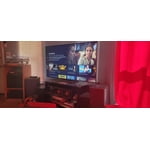
[This review was collected as part of a promotion.] I am in love with this product. The video quality is amazing, and looks even better in game mode! I love the the sensory lighting adjustments. Makes it so you get perfect picture. The user interface is easy to navigate. Only thing that is lacking for me is the sound when watching tv comes through low so volume has to be at a higher setting, but a sound bar would be an easy fix. In game mode sound quality come through louder and allows for the player to get a decent gaming experience. Would definitely recommend this product. Great value for your money. Very easy setup.
Excellent T.V. with loads of features
[This review was collected as part of a promotion.] Samsung makes some of the finest televisions on the market. Set-up is as easy as it gets and the picture is amazing. I purchased this t.v. for my wife's exercise room and she was very happy with the voice command remote and the Chrystal clear picture. Internet access is extremely easy and nice.
Fine TV, Lousy Remote
tv has met expectation aside form the occasional network communication issue a poorly designed remote. every one has different preferences but it feels like this remote was designed to put the least used buttons at your fingertips and the most used out of the way. often need to turn on the light to use. antithesis of intuitive...
Ross: Thank you for your feedback regarding the TU7000 Standard remote. We appreciate you sharing your experience with using it and will share your thoughts with our design teams. A firmware update is available which may help improve your network connection. Using your TV's remote, navigate to Settings, and select Support. Select Software Update, and then select Update Now. New updates will be downloaded and installed on your TV. Updates usually take a few minutes; please do not turn off the TV until the update is complete. When the update is finished, the TV will restart automatically. You may also want to enable automatic updates for future convenience. Select Settings > Support > Software Update, then select Auto Update. Should your problem persist, please contact Samsung Customer Support: 1-800-SAMSUNG (ask for TVs), available 8AM -12AM EST, 7 days a week Or visit us on the Samsung website and click on the ‘Support’ link in the upper right corner of the homepage for: 1) Contact Us Options (LiveChat, Remote Support, Facebook, Twitter) 2) Product Support 3) Manuals and Downloads 4) Warranty Info 5) Product Registration: Registering your product gives you access to easy warranty support, convenient opt-in to special promos and offers, faster troubleshooting and service, and quick notification of system updates 6) Samsung Community: A great resource for getting help from Samsung moderators and customers and more 7) …and more product, repair, order, and care options ~ Samsung Solutions
Excellent Product!!!!
[This review was collected as part of a promotion.] We've gone through 4 or 5 TVs in the last few years. We've tried the "bargain" or "lesser known" TVs. No comparison!!Picture is Amazing! Sound in Great for built in speakers! Apps and phone connectivity are Wonderful!!Very Very Happy with our purchase. So much so we got a 48", same series, same model, for the bedroom.Manage everything with Samsung SMART THINGS app!! The remotes on my phone, so I don't loose it anymore!!!
Tv ok
only had tv for couple hours, would return it if it wasn't such a pain. tv picture is good after a few settings changes. my biggest problem with tv is wifi, it freezes up when streaming. ended up using roku to stream with, no problem with roku. get that its a entry level samsung tv but disappointing considering that hold wifi signal
Hi Dan R, We appreciate your review and feedback on the Samsung TU7000 TV issue of freezing up while streaming. Please know that Samsung prides itself on high-quality products and a great customer experience. We are here to help you! Please ensure your TV’s firmware is up to date, which includes updates to improve lag. You can check this by going to Settings > Support > Software Update and then easily update from there. You may also want to further optimize performance with the self-diagnostic tool, which checks memory, frees up unused cached memory, and closes background apps. Go to Settings > Support > Device Care > Start Device Care. I hope this tip helps improve your enjoyment. For more help, please call us at 1-800-SAMSUNG, 8 AM - 12 AM EST, seven days a week. LiveChat with an agent, as well as manuals, software, and warranty info, can be found at the ‘Support’ link on our Samsung website. ~ Samsung Advisor
Great TV, disappointed with the remote
[This review was collected as part of a promotion.] Picture clarity is great. Sound pretty good for built-in speakers. Easy setup. Only dissatisfaction is with the remote control. We have a 55 inch Samsung smart tv that included a smart remote with voice input. My wife has difficulty with this remote. Too many buttons for visually handicap person.
Samsung Great Value and Super
[This review was collected as part of a promotion.] Samsung TU700D is a TV that comes with pretty solid build quality if you consider that we are talking about the lowest cost per 55" Samsung offering this year and certainly is not giving away its budget nature when you first look at it. Audio quality is good, but really needs the Samsung sound bar for best audio visuals. We love the remote design and functionality, simple to use, and it will get the job done just fine for the price you pay. If you are looking for an extremely low budget, affordable TV point of view then the Samsung TU7000 is an excellent model that can offer you many hours of casual viewing pleasure either for streaming, broadcasting or gaming.
Cheap TV but u get what u pay for
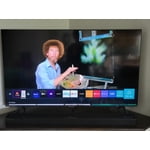
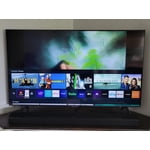
this tv is inexpensive. the picture is decent unless you're watching sports or movies with fast moving objects. the picture gets temporarily blurry where the fast objects are. also, the smart hub and remote control response are awful. the tv comes with a bunch of apps already downloaded and you can't remove them if you don't want them, nor can you relocate them in the smart hub. so, the remote and tv don't communicate well, and the smart hub is full of apps we don't use. this makes for extremely frustrating experiences every time we use the tv. there is nothing interfering with the remote signal that we can find. other than those issues, the tv works fine.
HappyMomNWife: While it’s great to hear that you’re loving the performance of your TU7000 TV, I’m very sorry to hear of the difficulties you experienced with blurry images and remote issues. For optimal motion image performance, you may want to adjust the picture clarity setting by going to: Settings > Picture > Expert Settings > Picture Clarity Settings - Off: Picture Clarity Settings will always be off - Auto: Picture Clarity Settings will automatically activate and deactivate based on the type of program being watched - Custom: Allows custom adjustments and settings to be used. By selecting the Custom option, you can access these advanced settings for Judder Reduction, LED Clear Motion, and Noise Reduction. To optimize the smart TV performance, please try Device Care option under the Support Menu. Go to Settings > Support > Device Care > Start Device Care This service checks memory and frees up unused cached memory and closes background apps. Please also be sure you are running the latest firmware. You can check to see what software version your TV is using and if there is an available update through the settings on your TV. Go to: Settings > Support > Software Update. Should you need further assistance with features or other product usage, please reach out to Samsung Support at 1-800-SAMSUNG (ask for TVs), available 8AM - 12AM EST, 7 days a week. For additional support resources, visit us on the Samsung website and click on the ‘Support’ link in the upper right corner of the homepage for: 1) Chat with Us/Product Help: To begin a chat or find solutions, choose ‘TVs & Home Theater’ and select your model & topic. 2) Manuals, Software, & Warranty Info Samsung is committed to providing the best possible product experience, quality, and value, and we are always here to help with any of your questions or concerns. ~ Samsung Advisor
Slim profile with great picture
[This review was collected as part of a promotion.] I bought this mostly for the looks and the fact it fit well in the space I have for it. The built in speakers are OK although to do movie content justice you do need a sound bar. I was surprised I needed a Samsung account (along with all the inherent privacy sales) in order to load apps on it. It was a cumbersome and disconcerting way to install your TV. Overall the video quality is good and sound quality OK although the built in speakers have very little bass. The remote is bluetooth which is great and can be used from a decent distance. The TV has a cell phone app but it only controls the audio, not the channel guide, etc. I'm not sure why they didn't include that function, it would be nice to control the TV fully. Also it is unfortunate you cannot use the optical audio out at the same time as the TV speakers. If I could use both then I could use other speakers and not need a soundbar, but due to their software it isn't possible. It seems inevitable I will need one, or maybe even win one.