Customer reviews for SAMSUNG 65" Class TU700D-Series Crystal Ultra HD 4K Smart TV UN65TU700DFXZA for
Member photos








 +1563 images
Pleasantly Surprised by this affordable tv
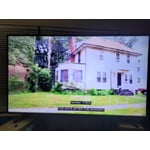
[This review was collected as part of a promotion.] I recently received my 58" Class TU7000 Crystal UHD 4K Smart TV. We decided to put it in our son's room. The price point on this tv was very affordable and I was not expecting anything fancy from this tv. Let me tell you, I was wrong! Setup was incredibly easy. Loved Samsung's easy setup app! The picture is crystal clear with vibrant colors. The sound is amazing! My son and I both were shocked by the tv sound as most tvs have subpar sound and you need to add surround sound or a sound bar. Not on this tv! The sound is great right out of the box. The remote is extremely easy to use also and includes dedicated buttons for Netflix, Amazon Prime Video, and Samsung TV Plus. We have Samsung Galaxy phones so we are also able to use our phones as remotes, so that is also a great feature. Love the Smart TV apps on my home page. Only negative is that you cannot remove them after adding them in initial setup. If we had known that we would have not included some of them. Other than that, we absolutely love this tv and highly recommend it for a great picture, ease of use and fabulous sound.

Fantastic "Crystal" Clear Picture
[This review was collected as part of a promotion.] Great TV for our bedroom use, with a fantastic bright picture. Could use more smart TV wireless internet pre-programmed connections. Disappointed with the reception using our HD Digital Antenna since cancelling our cable service with COX due to outrageous charges (inconsistent picture reception at times, with basic channels either not able to view or reception going in and out)... may need a booster. Also, TV does not have ANY manual controls on the television itself, like on/off button, programing, etc. , as you must rely strictly on the remote control device only.
Exceeds Expectations
[This review was collected as part of a promotion.] This was my first time buying a Samsung TV and so far I have not been disappointed. The picture quality is great for casual use in the living room. It has many helpful and interesting features like Samsung TV channels and self-service. What amazed me when first setting up this TV was how easy it was to get help. I had some troubleshooting in the beginning but I placed a report on the help inquiry portal and within less than a minute I got a call from a helpful and reliable person. Overall, my first impressions are great and I recommend it to other people who are looking for a smart TV that has everything you could need.
Horrible experience! Never buy Samsung
I bought the TV few weeks back and throw it in the garbage! It failed to get connected to my wifi / hotspot and all available networks which work properly. I tried contacting Samsung I failed because they have a ridiculous Automated system. I went back to the store and bought an LG TV which I used to have before and it works perfectly. Samsung TVs are not recommended at all and this issue is repetitive with many people (I tried all the tricks you mentioned on your website, you know that there's a problem but you have never tried to resolve it) keep it up Samsung! Well done!
Hi Mamdouh, thank you for sharing your thoughts with us. We’re sorry to hear that you’re disappointed, and we will be sure to share your feedback with our teams so we can continually improve our products, services, and processes. Thanks again.
Fantastic TV, terrible remote
i've had this smart tv for over a year now and i love the features and ease of setup. however, the remote control is a disappointing inferior version of the one that came with my last samsung tv, a 50" mu6300. the lack of a voice search feature is sorely missing and would enhance the experience of this tv, even if it had to cost a bit more as this unit is an entry level and a great value for the price. another irritating feature of the remote is the pre-installed netflix and prime buttons which get pressed unintentionally all the time. come on mr. samsung, give us the better remote and i'll give you two more stars. thanks for all
Hi Norm F, We appreciate your feedback on the TU7000 TV remote; please know it will be shared with our internal teams. If there’s anything we can ever help with, please call us at 1-800-SAMSUNG, 8 AM - 12 AM EST, seven days a week. Or visit us on the Samsung website and click on the ‘Support’ link for: 1) LiveChat 2) Manuals, Software, & Warranty Info ~ Samsung Advisor
Great picture
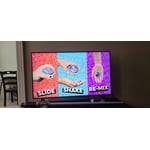
[This review was collected as part of a promotion.] The built-in game mode is fantastic, the resolution is very good and clear, and the game mode can be set to automatic, so when you turn on your gaming system it automatically switches the television.
Arcade: Thank you for purchasing the Samsung TU7000 TV. I am glad to see that you are enjoying your new television featuring our ultra-fast Crystal Processor 4K and HDR for stunning definition and a naturally crisp and vivid picture. If you should have any questions or concerns with usage, features, or how to best optimize your settings, Samsung Customer Support is here to help. Call us at 1-800-SAMSUNG (ask for TVs), available 8AM - 12AM EST, 7 days a week. For additional support resources, visit us on the Samsung website and click on the ‘Support’ link in the upper right corner of the homepage for: 1) Chat with Us/Product Help: To begin a chat or find solutions, choose ‘TVs & Home Theater’ and select your model & topic. 2) Register a Product: For access to easy warranty support, convenient opt-in to special promos and offers, faster troubleshooting and service, and quick notification of system updates. 3) Manuals & Software 4) Warranty Info 5) Contact Us Samsung is committed to providing the best possible product experience, quality, and value, and we are always here to help with any of your questions or concerns. ~ Samsung Advisor
HATE HATE HATE the teeny poorly designed remote!!!
absolutely hate the remote control but i seriously love the tv but the remote leaves a lot to be desired. it either needs to be 3” longer or the main direction arrows need to be more mid location. it's extremely difficult to hang onto!!! in fact, i can honestly say i really really hate it!! hate hate hate hate hate hate the remote control!!!!!
Picture skips / difficult remote
we have had this tv for about 2 weeks. the picture quality looks good generally. however, we have noticed an issue where the picture seems to skip frequently while watching certain programs. we never had this issue with our previous tv. the remote control is also very difficult to master and is not intuitive, especially when switching between input sources or apps. even though it's a smart tv and has apps, we may have to go out and get a roku streaming stick in order to have a more user friendly remote control.
Steve K: Thank you for purchasing the TU7000 TV and for your review. Your thoughts regarding the remote design is important to us and will be shared with our internal teams. If your TV is flickering or dimming sporadically, you may need to disable some of the energy efficiency features. Disable Ambient Light Detection, Power Saving Mode, Motion Lighting, or Contrast Enhancer. Settings > General> Eco Solution> Ambient Light Detection Settings > General> Eco Solution> Power Saving Mode Settings > General> Eco Solution> Motion Lighting Settings > Picture > Expert Settings > Contrast Enhancer Run Picture Test. When the tested image quality is normal, check the signal of the connected device. Settings > Support > Device Care > Self Diagnosis > Picture Test I hope this helps. If your issue persists, please reach out to Samsung Customer Support, and a representative will gladly assist you. 1-800-SAMSUNG (8AM -12AM EST, 7 days a week) Or visit us on the Samsung website and click on the SUPPORT link in the upper right corner for: 1) Contact Us Options (LiveChat, Remote Support, Facebook, Twitter) 2) Product Support 3) Manuals and Downloads 4) Warranty Info 5) Product Registration: Registering your product gives you access to easy warranty support, convenient opt-in to special promos and offers, faster troubleshooting and service, and quick notification of system updates 6) Samsung Community: A great resource for getting help from Samsung moderators and customers and more 7) …and more product, repair, order, and care options Again, thank you for taking the time to share your thoughts on this product. Your feedback helps us continuously deliver best-in-class products and service. ~ Samsung Solutions
Does the job
[This review was collected as part of a promotion.] This replaced a working LG tv, although it is much bigger. I find the color is a bit off. The Power and Energy Saving is a nice feature, but it does not get to a low enough brightness. I find it is still too bright especially for night viewing. The biggest issue I have is the remote control. I always have to turn on a lamp to push the correct buttons because it has no light. How do you spend that much money for a mediocre remote control? I have hit the wrong button many times, partly because the buttons at the bottom of the remote are too small. The special buttons for Netflix and Prime and Samsung TV are useless and take up too much room on the remote.
btsworldwide: Thank you for purchasing the TU7000 TV and for your review. I am sorry to hear that you are not happy with the brightness levels of your picture. If the colors on your TV are correct but just a little too dark or bright you can try the different Picture Modes or manually adjust the Brightness settings to your liking. Dynamic Picture Mode will make pictures brighter and clearer in bright viewing environments. Go to: Settings > Picture > Picture Mode > Dynamic Or manually adjust the Brightness and other settings to your liking. Press the HOME button on your remote, then navigate to: Settings > Picture > Expert Settings You may also want to disable Power Saving Mode which automatically adjusts the brightness to reduce the TV’s power consumption. Go to Settings> General> Eco Solution> Power Saving Mode. Ambient Light Detection will also automatically adjust the brightness level of the TV, according to the ambient light level, to reduce power consumption. If Ambient Light Detection has adjusted the screen brightness to a too bright or dark level, you can select Minimum Brightness to manually adjust the minimum screen brightness. Go to Settings> General> Eco Solution> Ambient Light Detection Please also be sure you are running the latest firmware. You can check to see what software version your TV is using and if there is an available update through the settings on your TV. Go to: Settings>Support>Software Update. You may want to enable automatic updates for convenience. Select Settings > Support > Software Update, then select Auto Update. I hope this helps to improve your picture. Should you need further assistance, please contact Samsung Customer Support. Call us at 1-800-SAMSUNG (ask for TVs), available 8AM - 12AM EST, 7 days a week. For additional support resources, visit us on the Samsung website and click on the ‘Support’ link in the upper right corner of the homepage for: 1) Chat with Us/Product Help: To begin a chat or find solutions, choose ‘TVs & Home Theater’ and select your model & topic. 2) Manuals, Software, & Warranty Info Samsung is committed to providing the best possible product experience, quality, and value, and we are always here to help with any of your questions or concerns. ~ Samsung Advisor
Excellent Choice!
[This review was collected as part of a promotion.] I love the clearness of colors on this screen. So prestine, vivid colors that enhances everything you watch. Highly recommend this tv. Plenty of app storage, internet access, you can do so much with this tv.