Skip to Main Content
Sams Club
Sams Club
Customer reviews for SAMSUNG 55" Class Q6-Series 4K Ultra HD Smart QLED TV QN55Q6DAAFXZA for
SAMSUNG 55" Class Q6-Series 4K Ultra HD Smart QLED TV QN55Q6DAAFXZA
4.6 out of 5 stars
stars1,348 ratings1,284 reviews
  1. 5 stars74% (996)
  2. 4 stars18% (248)
  3. 3 stars4% (51)
  4. 2 stars1% (19)
  5. 1 star3% (34)
Write a review

Customer photos

  • +20 images
Sort by |
Showing 971-980 of 1,284 reviews
Jan 27, 2022
Anonymous
1 out of 5 stars review

Worst TV I've ever purchased

other than a good picture this tv is the worst i have ever purchased. the app interface is terrible. it constantly disconnects from the internet and blue tooth devices. the apps constantly freeze. apple airplay does not connect. it is a bummer because i have had samsung tv's in the past that were great. this might be the last one for me.

Review from Samsung US
Helpful?6YW7ERS0HTVS13877667901
reply from Samsung Brand Ambassador

Hi there, Thank you for choosing Samsung’s Q60A TV and for sharing the connectivity issues you are experiencing. Please be sure your firmware is up to date with version 1903.0 which includes various performance updates. You can check this by going to: Settings > Support > Software Update. If this firmware version is not yet available on your TV, you can download the update on a USB drive and manually update your TV: 1. On Samsung's website (upper right corner), go to: Support > Manuals & Software > Find your TV model. 2. Download the update and extract it to the root of a USB thumb drive. (Do not put it in any folders on the thumb drive.) 3. Connect the USB thumb drive to a USB port on your TV. 4. Navigate to Settings > Support > Software Update, select Update Now, and then select Yes. 5. Follow the on-screen instructions to install the updated software. If your apps are freezing, not loading, or crashing, you can try cold booting your TV by holding down the power button on your remote for 5+ sec until the TV turns off and on again, deleting and downloading the apps again, and completing full reset of Smart Hub to correct the issue. Additionally, to optimize the Smart TV performance, please try Device Care option under the Support Menu. Go to Settings > Support> Device Care > Start Device Care. I hope these tips help resolve your concerns. Should you need further assistance, please contact our Customer Support at 1-800-SAMSUNG (ask for TVs), available 8AM - 12AM EST, 7 days a week. For additional support resources, visit us on the Samsung website and click on the ‘Support’ link in the upper right corner of the homepage for: 1) Chat with Us/Product Help: To begin a chat or find solutions, choose ‘TVs & Home Theater’ and select your model & topic. 2) Manuals, Software, & Warranty Info ~ Samsung Specialist

Apr 3, 2021
Boooy930g
3 out of 5 stars review

Nice but simple.

[This review was collected as part of a promotion.] its amazing for gaming which is what I mostly use it for but at the same time it shows a lot of its spec when it mean to watch movies. With the surround system its like I have a cinema in my room. Pretty impressive as if design and the style of the specs. I honestly would not want more or less.

Review from Samsung US
Helpful?6YW7ERS0HTVS13877667901
reply from Samsung Brand Ambassador

Boooy930g: I am happy to hear that you are enjoying your new 2021 Q60A TV. I’m glad to hear that you are enjoying both your TV watching and gaming experience. Have you had a chance to try out the Super Ultrawide GameView & Game Bar? Both features are designed to optimize your gaming experience with an on-screen menu that lets you check input lag, FPS, HDR, wireless headset settings and more through an easy-to-access menu and expanding your view with multiple aspect ratios. Should you ever have questions or need help, you can reach us at 1-800-SAMSUNG (ask for TVs), available 8AM -12AM EST, 7 days a week. Or text HELP to 62913. For additional support resources, visit us on the Samsung website and click on the ‘Support’ link in the upper right corner of the homepage for: 1) More ‘Contact Us’ options – LiveChat, Facebook, Twitter, Samsung Community, Samsung Members app 2) Manuals & Software 3) Warranty Info 4) Product Registration: For access to easy warranty support, convenient opt-in to special promos and offers, faster troubleshooting and service, and quick notification of system updates. ~ Samsung Solutions

Apr 10, 2021
Lisa44
2 out of 5 stars review

I don't know

[This review was collected as part of a promotion.] I need a TV that shows good great movie theater showing has access to all channels all apps that's available able to mount on the wall or put on the stand the remote should be able to talk to remote and it'll pull up whatever I want to watch but whatever I want the TV to do didn't do it by my voice

Review from Samsung US
Helpful?6YW7ERS0HTVS13877667901
reply from Samsung Brand Ambassador

Lisa44: Thank you for sharing your user experience with the 2021 Q60A QLED Smart TV. Your TV has 3 Voice Assistants to choose from: Bixby, Amazon Alexa, or Google Assistant. You will first need to select which Voice Assistant you would like to help control your TV. You will also need to be connected to the internet. After selecting your Voice Assistant, you can change the settings by going to: Settings > General > Voice > Voice Assistant. Once your Voice Assistant is selected, you can press the Microphone button on your remote to help navigate the settings menu, change the volume, or even search for content. For further assistance with this feature, please contact Samsung Customer Support. You can reach us at 1-800-SAMSUNG (ask for TVs), available 8AM -12AM EST, 7 days a week. Or text HELP to 62913. For additional support resources, visit us on the Samsung website and click on the ‘Support’ link in the upper right corner of the homepage for: 1) More ‘Contact Us’ options – LiveChat, Facebook, Twitter, Samsung Community, Samsung Members app 2) Manuals & Software 3) Warranty Info 4) Product Registration: For access to easy warranty support, convenient opt-in to special promos and offers, faster troubleshooting and service, and quick notification of system updates. ~ Samsung Solutions

Apr 16, 2022
munro
1 out of 5 stars review

Samsung continues to compromise on quality

Keeps dropping into samsung tv poor ux on remote poor stand - not able to rotate

Review from Samsung Canada
Helpful?6YW7ERS0HTVS13877667901
reply from Operations

Hi munro, thank you for sharing your feedback. At Samsung.ca, we always aim to satisfy our valued customers and would love to help. Please feel free to contact us at 1-800-SAMSUNG or via live chat on our website (http://www.samsung.com/ca/support/) for assistance. Thanks! 

Apr 28, 2022
Cliff Z
5 out of 5 stars review

Works great

Can stream content from my iPhone to the Tv or stream content right from the internet over wifi.

Review from Samsung Canada
Helpful?6YW7ERS0HTVS13877667901
reply from Operations

That's great, Cliff! We're happy to see that you love your new Samsung smart tv. ML

Jun 15, 2022
Moviebuff
4 out of 5 stars review

Great picture, great TV

No other complaints about this TV except its ability to see night scenes when lights are dim.

Review from Samsung Canada
Helpful?6YW7ERS0HTVS13877667901
reply from Operations

Hi Moviebuff, thanks so much for your kind words! We sincerely appreciate your feedback and will share this with our team. We hope you enjoy many years of great entertainment with your Samsung TV! 

Jun 6, 2022
Tyzzf
5 out of 5 stars review

Great features
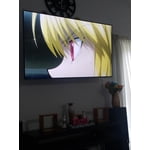
"I bought this a month ago and I am happy that I chose Samsung for my TV"

Review from Samsung Canada
Helpful?6YW7ERS0HTVS13877667901
reply from Operations

Thank you, Tyzzf! We love to hear positive feedback and we’re delighted you’re enjoying your new Samsung TV. 

Apr 26, 2021
61933
5 out of 5 stars review

Its such a great tv my hole family loves it

[This review was collected as part of a promotion.] We love our TV and we up date our Samsung TV ever year

Review from Samsung US
Helpful?6YW7ERS0HTVS13877667901
Apr 4, 2021
Hbvbvbjbnn
5 out of 5 stars review

Love it

[This review was collected as part of a promotion.] Enjoy the tv ever much antenna tv show Gcvuvuvuvhigvuu

Review from Samsung US
Helpful?6YW7ERS0HTVS13877667901
Sep 29, 2021
coolshopper
5 out of 5 stars review

I love my tv

[This review was collected as part of a promotion.] A great decision to get this tv. good color and more. excellet for family time best

Review from Samsung US
Helpful?6YW7ERS0HTVS13877667901