Skip to Main Content
Sams Club
Sams Club
Customer reviews for SAMSUNG 55" Class Q6-Series 4K Ultra HD Smart QLED TV QN55Q6DAAFXZA for
SAMSUNG 55" Class Q6-Series 4K Ultra HD Smart QLED TV QN55Q6DAAFXZA
4.6 out of 5 stars
stars1,348 ratings1,284 reviews
  1. 5 stars74% (996)
  2. 4 stars18% (248)
  3. 3 stars4% (51)
  4. 2 stars1% (19)
  5. 1 star3% (34)
Write a review

Customer photos

  • +20 images
Sort by |
Showing 941-950 of 1,284 reviews
Sep 15, 2021
Rdm2012
5 out of 5 stars review

This product has great apps

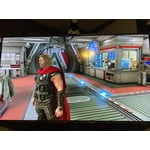
[This review was collected as part of a promotion.] I use my TV for gaming and streaming mostly. Going from apps to gaming is very seamless. The picture clarity is also very amazing. 4k is the best.

Review from Samsung US
Helpful?6YW7ERS0HTVS13877667901
Nov 20, 2021
Fletch25
5 out of 5 stars review

More than a TV

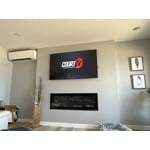
(This review was collected as part of a promotion.) We have the TV in our home office, the art feature makes the space much more enjoyable. It's now our favourite room in the house.

Review from Samsung Canada
Helpful?6YW7ERS0HTVS13877667901
reply from Operations

Thank you, Fletch25! We love to hear positive feedback and we’re delighted you’re enjoying your new Samsung TV. 

Mar 3, 2022
Pilsnerdude
2 out of 5 stars review

Not the picture resolution/clarity I expected

Had this for a couple months now, picture quality is not great for things like - split screens, news casts etc. live faces, sports eg. hockey pucks, footballs blurry

Review from Samsung Canada
Helpful?6YW7ERS0HTVS13877667901
reply from Operations

Hi Pilsnerdude, thank you for sharing your concern with us. Would you be able to share some more details with us so we can help? Give us a call at 1-800-SAMSUNG or use the live chat on our website (www.samsung.com/ca/support) 

Jul 23, 2021
GandTDrinker
5 out of 5 stars review

Perfect Picture and Really Good Sound

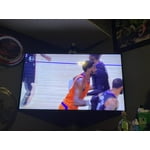
[This review was collected as part of a promotion.] I use this TV for movies and sports. It's in a smaller space and fits perfectly. The picture quality is top notch and I really like the sound quality. Far better that previous year's flat panels.

Review from Samsung US
Helpful?6YW7ERS0HTVS13877667901
Apr 26, 2021
TommyP
5 out of 5 stars review

Picture Perfect

[This review was collected as part of a promotion.] Has amazing sound; the image is incredible and the QLED technology is just amazing. Would highly recommend this product.

Review from Samsung US
Helpful?6YW7ERS0HTVS13877667901
Oct 11, 2021
Love
5 out of 5 stars review

Great display and cuality

[This review was collected as part of a promotion.] Great display and cuality use for videos and movies great for movies no problem to move to one to another app. Excellent TV no problem since I buy it

Review from Samsung US
Helpful?6YW7ERS0HTVS13877667901
Sep 15, 2021
Samsung
5 out of 5 stars review

Amazing product

[This review was collected as part of a promotion.] It's a perfect tv for streaming shows, gaming and pretty much everything else you can do with the TV nowadays. The picture is absolutely astonishing. I would highly recommend this TV.

Review from Samsung US
Helpful?6YW7ERS0HTVS13877667901
Apr 30, 2021
Scotty13
5 out of 5 stars review

Make A Perfect Picture

i love my q60a 43" tv - i would love it even more if someone can help me get that perfect picture. can someone help with my settings to get that perfect picture? thank you, s

Review from Samsung US
Helpful?6YW7ERS0HTVS13877667901
reply from Samsung Brand Ambassador

Scotty13: Thank you for your review of the 2021 Samsung Q60A TV. You can view the embedded e-Manual that contains information about your TV's key features. You will also find step-by-step instructions on great features such as Multi View where you can watch what’s on your TV and your phone on the same screen at the same time and Tap View which allows you to mirror your phone on your TV with just a tap. The manual is available directly on your TV at: Settings > Support > Open e-Manual It is also available online on the Samsung website in the Download Center. If the picture you are seeing out-of-the-box are not to your liking, there are several picture settings you may want to try adjusting. You can select the Picture Mode that provides the best viewing experience. Go to Home > Settings > Picture > Picture Mode 1) Standard: Is the default mode suitable for general viewing environments. 2) Natural: Reduces eye strain for a comfortable viewing experience. 3) Movie: Is suitable for watching TV or movies in a dark room. 4) Dynamic: Makes the picture brighter and clearer in bright viewing environments. 5) Filmmaker Mode: You can watch the source content (e.g., movie) as it is. If the image is defined as Filmmaker Mode, it will automatically switch to Filmmaker Mode while watching. Filmmaker Mode™ is a trademark of UHD Alliance, Inc. You can also go to: Settings > Picture > Expert Settings > to manually fine tune your image. For further assistance with settings adjustments, please contact Samsung Customer Support. You can reach us at 1-800-SAMSUNG (ask for TVs), available 8AM -12AM EST, 7 days a week. Or text HELP to 62913. For additional support resources, visit us on the Samsung website and click on the ‘Support’ link in the upper right corner of the homepage for: 1) More ‘Contact Us’ options – LiveChat, Facebook, Twitter, Samsung Community, Samsung Members app 2) Manuals & Software 3) Warranty Info 4) Product Registration: For access to easy warranty support, convenient opt-in to special promos and offers, faster troubleshooting and service, and quick notification of system updates. ~ Samsung Solutions

Jun 29, 2021
Parcero23
5 out of 5 stars review

Best TV I've ever purchased.

[This review was collected as part of a promotion.] By far the best tv I've ever purchased. The picture quality is very real and its response to voice commands very accurate. Made the best choice no doubt.

Review from Samsung US
Helpful?6YW7ERS0HTVS13877667901
Nov 11, 2021
Dirk Diggler 2021
4 out of 5 stars review

Nice picture quality

(This review was collected as part of a promotion.) Nice picture quality but expected a bit better. Can't help but wish I had gone one one level down and one size up to a 58". Otherwise, lots of cool features/apps.

Review from Samsung Canada
Helpful?6YW7ERS0HTVS13877667901
reply from Operations

Thank you, Dirk Diggler 2021! We love to hear positive feedback and we’re delighted you’re enjoying your new Samsung TV.Â