Skip to Main Content
Sams Club
Sams Club
Customer reviews for SAMSUNG 55" Class Q6-Series 4K Ultra HD Smart QLED TV QN55Q6DAAFXZA for
SAMSUNG 55" Class Q6-Series 4K Ultra HD Smart QLED TV QN55Q6DAAFXZA
4.6 out of 5 stars
stars1,348 ratings1,284 reviews
  1. 5 stars74% (996)
  2. 4 stars18% (248)
  3. 3 stars4% (51)
  4. 2 stars1% (19)
  5. 1 star3% (34)
Write a review

Customer photos

  • +20 images
Sort by |
Showing 561-570 of 1,284 reviews
Apr 24, 2021
Tim1983
3 out of 5 stars review

Navigation could use some help

[This review was collected as part of a promotion.] The picture is great and love the size. The only two issues I have are with the sound the speakers could be louder, seems like I always have to use my Q70 soundbar to get good sound. And second the navigation menu needs to be more customizable and have a memory of where you were when you last turned off your tv.

Review from Samsung US
Helpful?6YW7ERS0HTVS13877667901
reply from Samsung Brand Ambassador

Tim1983: Thank you for choosing the 2021 Q60A QLED TV and for your review. There are several sound features you can enable/disable/adjust to your liking. 1) Auto Volume automatically adjusts the sound to a certain level when changing channels or switching to another external input. 2) Adaptive Volume automatically adjusts to a specific volume level while you are watching TV. The TV analyzes your volume usage history by time period to automatically adjust the volume when you use an app or switch to an external input source. 3) Several Sound Modes are likewise available to meet your personal preferences: Home > Settings > Sound > Sound Mode Also, some sources have their own volume control which might be set too low. Please check the volume control of the external device (cable box or satellite box, DVD, Blu-ray, etc.) connected to your TV. Also, check the cable connection between an external device and the TV and then try cable connection again. Please know that you can choose what your TV does when you turn it on by going to Settings > General > Smart Features 1) When you set Autorun Smart Hub to on, the TV displays the Home Screen automatically when you turn the TV on. 2) If Autorun Last App is set to on, the last used app is automatically run when you turn on the TV. You can turn this function on or off. If you have any questions about features, settings, etc., Samsung Customer Support is here to help. You can reach us at 1-800-SAMSUNG (ask for TVs), available 8AM -12AM EST, 7 days a week. Or text HELP to 62913. For additional support resources, visit us on the Samsung website and click on the ‘Support’ link in the upper right corner of the homepage for: 1) More ‘Contact Us’ options – LiveChat, Facebook, Twitter, Samsung Community, Samsung Members app 2) Manuals & Software 3) Warranty Info 4) Product Registration: For access to easy warranty support, convenient opt-in to special promos and offers, faster troubleshooting and service, and quick notification of system updates. ~ Samsung Solutions

Jun 30, 2021
Victor
4 out of 5 stars review

Gret picture but settings lacking

[This review was collected as part of a promotion.] I previously owned an LG. I set the TV timer to turn on at 5:00am as my morning alarm clock. I was very disappointed to find that this version Samsung did not have the wake up time feature. It seems like a very simple software feature and many older less expensive TV's have it. I may return it.

Review from Samsung US
Helpful?6YW7ERS0HTVS13877667901
Sep 25, 2021
Anonymous
5 out of 5 stars review

This product has great pictures. Love it.

[This review was collected as part of a promotion.] Love streaming movies, my favorite TV series, anime and more. Picture and sound dynamics is perfect. We upgraded to 75” Samsung smart TVs from our 65 Samsung UHD Smart TV Series 7 which is also great and now is in our room. And are great watching movies with the whole family. Even before Samsung is our trusted brand. This QLED 75” Smart TV is a great deal and my whole family is loving it .

Review from Samsung US
Helpful?6YW7ERS0HTVS13877667901
Jun 23, 2021
Qmon
5 out of 5 stars review

Amazing! Smooth! Easy to use! Great Features!

[This review was collected as part of a promotion.] This has been one of my favorite tvs to date. The colors are amazing and the contrast is great! The tv is fast. It goes into a sleep state instead of fully turning off each time. The app selection is good. Not great but good. Updates are slow but not sure if it needs a lot of updates. The main apps all work great. Netflix. Amazon. Samsung free tv channels! It's actually better than I expected. I've had many different brands and so far this Samsung has been my favorite. The feature set is great. The features include appletv Chromecast and smart cast. It works great and has great security requiring you to approve the device before it can cast. The different color scales, set up easy and different video modes are great. I like using natural at night and movie during the day. There's a game mode that activates automatically which works great. The speakers are great also with lots of sound modes. Different profiles. The different profiles work great with my soundbar or with just the tv alone. All in all a super solid experience with a super solid tv.

Review from Samsung US
Helpful?6YW7ERS0HTVS13877667901
Sep 25, 2021
CodyA
5 out of 5 stars review

Big and bright!

[This review was collected as part of a promotion.] Extremely satisfied with my purchase. We upgraded from a 55in 1080p/HD tv to this 75in QLED tv. We have large windows and lots of natural light in our living room, so we used to have bad glares anytime it was light out. Because the QLED has the ability to increase its brightness so much it helps fight the glare. It has a great picture too and extremely rich colors. Definitely the best TV I've ever owned.

Review from Samsung US
Helpful?6YW7ERS0HTVS13877667901
Jun 10, 2022
ditzy
5 out of 5 stars review

recommend

easy set up and I like the Samsung Tv plus feature, one reason why I bought this model. For those who don't have cable/satellite or OTA there is enough programming on the Samsung TV plus to satisfy basic tv watching needs from adult to children. The solar remote wasn't the best, I would recommend buying the USB cable to do a quick charge and in my opinion, it would be a bonus if one was supplied

Review from Samsung Canada
Helpful?6YW7ERS0HTVS13877667901
reply from Operations

Hi ditzy, thanks so much for your kind words! We sincerely appreciate your feedback and will share this with our team. We hope you enjoy many years of great entertainment with your Samsung TV! 

Apr 8, 2021
SammyNerd
5 out of 5 stars review

Great features!

[This review was collected as part of a promotion.] This is our family TV. We use it for home school for our daughter, general TV watching and always for movie night. We love the contrast and picture quality. We purchased it about a year after it came out and therefore got it at an amazing price. Not too say it was priced to high when it came out, however we didn't need a TV then and it may have been out of our budget. We have had a minor issue or two with HDMI ports not working. Seems to be random and has only happened twice. A restart of the TV fixes the issue. We are very satisfied and will definitely purchase Samsung TVs in the future.

Review from Samsung US
Helpful?6YW7ERS0HTVS13877667901
Oct 20, 2021
Jluc
1 out of 5 stars review

Screen Defect
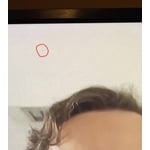
i purchased this 32” q60 tv and it had a screen defect! i had to return it!

Review from Samsung US
Helpful?6YW7ERS0HTVS13877667901
reply from Samsung Brand Ambassador

Jluc, Thank you for your review of the Samsung Q60A TV and for sharing the issues that have caused you to return your unit. Your experience is very important to us and will be shared with our product team. Should you ever decide to give Samsung TVs another try and have questions or need assistance with settings, setup, or features, please know we are always here to help. Call us at 1-800-SAMSUNG (ask for TVs), available 8AM - 12AM EST, 7 days a week. For additional support resources, visit us on the Samsung website and click on the ‘Support’ link in the upper right corner of the homepage for: 1) Contact Us: For additional Chat & Text options, choose ‘TVs & Home Theater’ and select your model & topic. 2) Manuals, Software, & Warranty Info We hope to regain you as a customer in the future. ~ Samsung Specialist

Apr 6, 2021
Ardi
5 out of 5 stars review

Good

[This review was collected as part of a promotion.] I use it for gaming and watch TV . Ebbdbd sheer shhe

Review from Samsung US
Helpful?6YW7ERS0HTVS13877667901
Sep 12, 2021
Sebaporte
5 out of 5 stars review

Impressive

[This review was collected as part of a promotion.] Very nice picture, easybtonset up, amazing colors Good price

Review from Samsung US
Helpful?6YW7ERS0HTVS13877667901