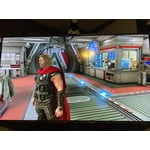
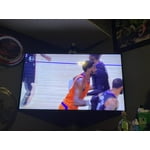
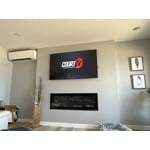
Customer reviews for SAMSUNG 55" Class Q6-Series 4K Ultra HD Smart QLED TV QN55Q6DAAFXZA forMember photos


+20 images
TV colors
[This review was collected as part of a promotion.] The tv is amazing because anything that you see whether is a movie or tv show. The colors always looks so sharp & bright! Enjoying how easy it is to set up & navigate through the different settings & all.
Can't find answers
[This review was collected as part of a promotion.] I have tried to find answers for removing/adding apps and cannot find it anywhere…..So, I keep my Roku box so i can stream music. It will not let my remove or move the disney+ app at all. I have tried to find a charging cord to have on had in case of emergency and it is listed no where. Where does one get help??
Hi Ddhill61, Thank you for purchasing Samsung Q60A QLED 4K Smart TV. Please know that you can remove apps you no longer want and free up memory space on your TV. There are some recommended apps that cannot be deleted but can be removed from the Home screen. Please know that the app you mentioned in your review can be deleted. 1) Press the Home button to open the TV's Home screen menu. 2) Navigate to select APPS, and then select the Settings icon in the top right corner. 3) Next, select the app you want to delete. 4) Finally, Select Delete, and select Delete again to confirm. To add apps: From your TV's Home screen, navigate to and select APPS, and then select the Search icon in the top-right corner. Next, enter the app you want to download and select it. You will see detailed information about the app. From here, select Install. The Solar Cell remote can be charged by using the solar cell or the USB-C port on the bottom of the remote. We recommend using an original Samsung charger, which is not included. I hope this helps resolve your concerns. Should you ever have questions or need help, please call us at 1-800-SAMSUNG (ask for TVs), available 8AM -12AM EST M-F (9AM – 6PM EST Sat). Or text HELP to 62913. For additional support resources, visit us on the Samsung website and click on the ‘Support’ link in the upper right corner of the homepage for: 1) More ‘Contact Us’ options – LiveChat, Facebook, Twitter, Samsung Community, Samsung Members app 2) Manuals & Software 3) Warranty Info 4) Product Registration: For access to easy warranty support, convenient opt-in to special promos and offers, faster troubleshooting and service, and quick notification of system updates. ~ Samsung Specialist
Great Picture
television is modestly priced with a great picture. clarity and colors are beautiful. i love the option of the rechargeable remote, however, be aware you have to buy your own charging cable as one is not provided. don't expect much charge on your remote either. it does have the option for solar charge but in my case i would have to place it outside. i personally feel there should be a charging cable included. overall, i am happy with the purchase but it would have at least been nice if something was stated clearly that the charging cable is not included. i would have given 5 stars if the cable had been included or something clearly stating it was not.
This product has great features
[This review was collected as part of a promotion.] Our Samsung tv is mostly on most of the day. If it isn't the kids watching it's a family member. It is mostly used for streaming and watching sports, news, etc. The screen quality is great, the pictures are seen clearly and very colorful. The only complaint is the menu function is a bit confusing but you eventually get a hang of it and if you try to use the internet it is slow other than that the TV works great we have not had any issues.
Only Samsung products in my house
[This review was collected as part of a promotion.] Honestly I was going to get a different style of TV and stuff but they didn't have it in stock I only do Samsung products through the quality Also the customer service is always explanationally great it's a great this was a divorce present or separation present from the wife after 21 years and I wouldn't change it for the world I was extremely happy with the quality eat of the picture the seaman similar functionality of all the apps and everything And this is why I ideal basically when it comes to electronics if it's not Samsung then I don't want it the appliances are the same way I'm actually getting in the process of getting more Samsung products for my household
Amazing picture quality
[This review was collected as part of a promotion.] It was a long time I was looking for a TV and I was searching and reading a lot of reviews! I ended up with getting this TV for it amazing picture quality, many features and it's price! I think in this price range is the best! Very friendly user! Good sounds quality
Product satisfaction review
[This review was collected as part of a promotion.] I've been a samsung cellphone user for years and loved every one of the cellphone's that I purchased. So when I started shopping for a new tv my wife suggested we try samsung, because of how much I loved the phones. We searched and found the one that we both loved, the quality of the picture, the dependability of the service, the amazing features that it has are just great for my family needs. This is truly the best purchase that I've made and I don't see me changing brands ever I'm sold on samsung for my electronic needs.
Don't buy this TV
This 43" TV has a mediocre picture quality at best and the sound is like listening through a tin can. I can't say anything positive about it. Can't wait to junk it and replace it with a different brand. My last TV was a Samsung it was a really good TV not this one. By By Samsung!
Great TV
[This review was collected as part of a promotion.] Great for gaming (game mode feature enhances the experience even more), really good size (several people have commented that it looks larger than a 50”), and lots of added features I'm still discovering a month later. My only complaint is that linking the universal remote to your gaming consoles results in them turning on every single time you turn on your TV. Wish there was a way to get rid of that while keeping the ability to use the remote to navigate on the console.
Great TV - with one compromise
[This review was collected as part of a promotion.] This TV has a beautiful picture, which is to be expected from QLED. Furthermore, it is very thin. I use this tv for my bedroom and it looks sleek. However for the good price and slimness there is one compromise. The sound quality of this tv is poor. I would recommend using a sound bar.
Hi PapaCaesars, Thank you for your purchase and review of Samsung's Q60A QLED 4K Smart TV and for sharing your feedback regarding the sound quality. There are several sound settings you can adjust to suit your personal sound preferences. Change the Sound Mode by going to: Settings > Sound > Sound Mode You can also customize the sound with Expert Settings by going to: Settings > Sound > Expert Settings You may also want to adjust some of the Intelligent Mode settings to your liking by going to Settings > General > Intelligent Mode Settings. Turn the options on or off to meet your needs: - Active Voice Amplifier is available only when the sound sensor of the TV is active and the sound output is set to TV Speaker, or a Samsung Soundbar interlinked with Adaptive Picture is connected. - Adaptive Sound+ provides optimized sound quality by analyzing the viewing space and the acoustic components of the content - Adaptive Volume Automatically adjusts to a specific volume level while you are watching TV. Another feature of your TV is OTS Lite (Object Tracking Sound Lite) which means that there are strategically placed dynamic speakers that track the action and move the sound around you. If you have, or plan to pair your TV with a Samsung Q-Series Soundbar, please take advantage of Q-Symphony which synchronizes both your TV speakers and soundbar to give you an excellent surround experience. To assist you with possible sound settings adjustments for a better audio experience, or choosing a Samsung Soundbar to complement your viewing enjoyment, please reach out to us at 1-800-SAMSUNG (ask for TVs), available 8AM -12AM EST M-F (9AM – 6PM EST Sat). Or text HELP to 62913. For additional support resources, visit us on the Samsung website and click on the ‘Support’ link in the upper right corner of the homepage for: 1) More ‘Contact Us’ options – LiveChat, Facebook, Twitter, Samsung Community, Samsung Members app 2) Manuals & Software 3) Warranty Info 4) Product Registration: For access to easy warranty support, convenient opt-in to special promos and offers, faster troubleshooting and service, and quick notification of system updates. ~ Samsung Specialist