Skip to Main Content
Sams Club
Sams Club
Customer reviews for SAMSUNG 55" Class Q6-Series 4K Ultra HD Smart QLED TV QN55Q6DAAFXZA for
SAMSUNG 55" Class Q6-Series 4K Ultra HD Smart QLED TV QN55Q6DAAFXZA
4.6 out of 5 stars
stars1,348 ratings1,284 reviews
  1. 5 stars74% (996)
  2. 4 stars18% (248)
  3. 3 stars4% (51)
  4. 2 stars1% (19)
  5. 1 star3% (34)
Write a review

Customer photos

  • +20 images
Sort by |
Showing 461-470 of 1,284 reviews
Jun 29, 2021
afoote3
5 out of 5 stars review

Full feature TV with great picture quality

[This review was collected as part of a promotion.] Great color saturation, nice sound. Easy to navigate through channels and Apps. Single remote with built-in Apps for Netflix, Amazon Video and Samsung TV (Huge selection of Over the Air channels). Remote is solar powered so as long as you remember to leave near a light source, you will never have to change batteries.

Review from Samsung US
Helpful?6YW7ERS0HTVS13877667901
Apr 16, 2022
Running Girl
5 out of 5 stars review

Perfect TV

(This review was collected as part of a promotion.) What a great TV. We really needed a new one and looked at lots of different brands, etc. We heard many people say how great SAMSUNG TV's are and so we bought this one. We love it. No problems at all.....it does so much and the picture is beautiful. I highly recommend!!!!

Review from Samsung Canada
Helpful?6YW7ERS0HTVS13877667901
reply from Operations

Thank you, Running Girl! We love to hear positive feedback and we’re delighted you’re enjoying your new Samsung TV. 

Dec 23, 2022
RussM
1 out of 5 stars review

Don't buy this TV

This 43" TV has a mediocre picture quality at best and the sound is like listening through a tin can. I can't say anything positive about it. Can't wait to junk it and replace it with a different brand. My last TV was a Samsung it was a really good TV not this one. By By Samsung!

Review from Samsung US
Helpful?6YW7ERS0HTVS13877667901
Apr 24, 2021
BELLALEXI19
5 out of 5 stars review

Best TV I've ever bought

[This review was collected as part of a promotion.] I love the fact that it has Netflix, Samsung TV plus, and many more free movie channels. As well as YouTube, and other apps that you can add on to your TV. It gives me so many more channels and connects to my Internet without a direct line. Before I had to connect my computer to my TV to get Netflix but now it jist connects to the Internet on its own. I don't need cable anymore I have all the channels that I need and want on my new TV. I do have an antenna for local channels. I love the fact that the picture goes all the way to the edge of the frame and that there's no big black frame around it. The picture sharp and clear. The sound is amazing. The only problem that I would see with it is the remote control is not very user friendly. But I do like the fact that I can connect it to my Samsung phone and operated through the smart things app.

Review from Samsung US
Helpful?6YW7ERS0HTVS13877667901
Oct 12, 2021
Davoman
5 out of 5 stars review

Great clarity

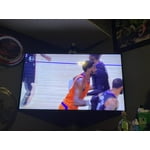
[This review was collected as part of a promotion.] Whether it be my boys games or movies at night I was super impressed with the sharpness and definition of the screen. Quality for value is excellent … was so good we got a 65” and a 55” (which works super well outside for sport).

Review from Samsung US
Helpful?6YW7ERS0HTVS13877667901
Oct 13, 2021
OHviaCT
4 out of 5 stars review

Excellent picture

[This review was collected as part of a promotion.] I needed a 43” TV to fit in an entertainment center and was torn between Sony and Samsung. I made the correct choice. I was happy to find several Samsung channels accessible in addition to the 50 channels I access by antenna. The only minor complaint is not being able to access a channel from the remote without scrolling or speaking. A keypad would help. An instruction guide would also help as there is a learning curve to get up and running.

Review from Samsung US
Helpful?6YW7ERS0HTVS13877667901
reply from Samsung Brand Ambassador

OHviaCT, I am happy to hear that you are enjoying the features of your new Q60A Smart TV and are enjoying Samsung TV+ which gives you subscription-free TV, movies, and sports with 150 channels and growing. To assist you in learning the various features, functions, and settings of your TV and remote, you can download the Q60A TV's User Manual, e-Manual, Remote Control Leaflet, and Quick Setup Guide on Samsung's website under ‘Support’ (top right corner) > Manuals & Software > TVs & Home Theater. From there, you can select the Q60A TV under QLED 4K TVs > A Model Lineup to download the guides you would like. The e-Manual is also embedded into the TV itself under Settings > Support > Open e-Manual. I hope this tip helps! Should you ever have questions or need help, please call us at 1-800-SAMSUNG (ask for TVs), available 8AM - 12AM EST, 7 days a week. For additional support resources, visit us on the Samsung website and click on the ‘Support’ link in the upper right corner of the homepage for: 1) Contact Us: For additional Chat & Text options, choose ‘TVs & Home Theater’ and select your model & topic. 2) Manuals & Software 3) Warranty Info 4) Register a Product: For access to easy warranty support, convenient opt-in to special promos and offers, faster troubleshooting and service, and quick notification of system updates. ~ Samsung Specialist

Apr 21, 2021
beluga55
5 out of 5 stars review

Great tv. A very good price

[This review was collected as part of a promotion.] used for watching tv and streaming tv and internet video. My 55 inch tv is perfect size for apartment. The 4k picture quality is stunning.I like the features including; Samsung plus, voice comand, and the many available apps. All things considered, This tv has been great

Review from Samsung US
Helpful?6YW7ERS0HTVS13877667901
Sep 13, 2021
GamerDude
5 out of 5 stars review

I was unaware of all that I was missing!!

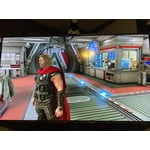
[This review was collected as part of a promotion.] I am one of those lucky people who were able to purchase a next-generation gaming console, but the television I was playing on left a lot to be desired. After buying this television, I was BLOWN AWAY! The clarity is astounding. The amount of control I have with the Game Mode option is awesome. The Smart Hub feature makes managing apps simple, and free television service with Samsung TV Plus makes this television an amazing value.

Review from Samsung US
Helpful?6YW7ERS0HTVS13877667901
Sep 15, 2021
JCMilll
5 out of 5 stars review

Great TV for the Price

[This review was collected as part of a promotion.] I got this Samsung Q60A during July 21'. Reading some of the reviews, it was a very mixed opinion on what this was being used for. Personally I use this tv in my bedroom. I have Apple TV 4K, Switch, and PS5 connected. Everything connected well. Make sure to go to each device and make sure all the right settings are selected, it's a little bit more than just the resolution being 4K. The tv itself easy to setup, connected easily, and it was able to pull the login for streaming services from my other Samsung TVs on the account. The remote is really neat, had it for a few months and I've yet to charge it. With the remote being solar, I have led strips around my room so it has the ability to charge from those. Sound could be better, but I mostly use the homepods connected to my Apple TV , I have a matchsing soundbar but once setting it up it was overkill. The standard sound on “amplify” is just fine for most people. Picture quality is great, no complaints there

Review from Samsung US
Helpful?6YW7ERS0HTVS13877667901
Jun 10, 2021
Beastabuelos
3 out of 5 stars review

Great display, terrible speakers

this tv has a beautiful display, but the speakers are absolutely terrible. basically no bass and rather quiet compared to my old tv, which was a 40 inch 4k samsung 6 series. i'll say the speakers are serviceable when you put the tv's sound setting to amplify (still not good) but they're basically gross sounding when set to game mode. i know a lot of people use headsets when playing video games, but i don't, i like to use my tv speakers. well it's so bad that i had to buy a sound bar. i'd definitely recommend this tv if you don't care much about sound and/or don't game. if you do though, definitely factor the price of a sound bar into the cost of this tv.

Review from Samsung US
Helpful?6YW7ERS0HTVS13877667901
reply from Samsung Brand Ambassador

Hello Beastabuelos, Thank you for choosing Samsung’s 2021 Q60A TV. I’m happy to hear that you are enjoying the 4K experience delivered to you by our Quantum Processor 4K Lite that transforms what you’re watching into stunning 4K. We appreciate your feedback regarding the sound quality of your new TV. One of the features of your TV is OTS Lite (Object Tracking Sound Lite) which means that there are strategically placed dynamic speakers that track the action and move the sound around you. If you have a Samsung Q-Series soundbar, please take advantage of Q-Symphony which synchronizes both your TV speakers and soundbar to give you an excellent surround experience. I see you have already tried out various Sound Modes offered on your TV; there are a few additional volume features you can also enable/disable/adjust to your liking. 1) Auto Volume automatically adjusts the sound to a certain level when changing channels or switching to another external input. 2) Adaptive Volume automatically adjusts to a specific volume level while you are watching TV. The TV analyzes your volume usage history by time period to automatically adjust the volume when you use an app or switch to an external input source. 3) Several Sound Modes are likewise available to meet your personal preferences: Home > Settings > Sound > Sound Mode Also, some sources have their own volume control which might be set too low. Please check the volume control of the external device (cable box or satellite box, DVD, Blu-ray, etc.) connected to your TV. Also, check the cable connection between an external device and the TV and then try cable connection again. Should you ever have questions or need help, please call us at 1-800-SAMSUNG (ask for TVs), available 8AM -12AM EST, 7 days a week. Or text HELP to 62913. For additional support resources, visit us on the Samsung website and click on the ‘Support’ link in the upper right corner of the homepage for: 1) More ‘Contact Us’ options – LiveChat, Facebook, Twitter, Samsung Community, Samsung Members app 2) Manuals & Software 3) Warranty Info 4) Product Registration: For access to easy warranty support, convenient opt-in to special promos and offers, faster troubleshooting and service, and quick notification of system updates. Thank you for choosing Samsung TVs! ~ Samsung Specialist