Skip to Main Content
Sam's Club
Sam's Club
Customer reviews for SAMSUNG 75" Class DU7200 Series 4K Smart TV for
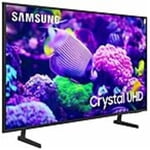
SAMSUNG 75" Class DU7200 Series 4K Smart TV
4.3 out of 5 stars
stars1,119 ratings1,016 reviews
  1. 5 stars62% (692)
  2. 4 stars19% (214)
  3. 3 stars9% (97)
  4. 2 stars5% (54)
  5. 1 star6% (62)

Member photos

  • +169 images
Sort by |
Showing 691-700 of 1,016 reviews
May 24, 2025
TV
4 out of 5 stars review

Good TV/Bad description in Specs

Great tv. However, this was purchased specificly for the optical output in the description. Guess what, there is no optical output. Do better Sams.

Helpful?5FRN1844BKE813872250918
May 7, 2025
April
1 out of 5 stars review

Not good

I use WOW internet, my tv goes off line every 40 to 60 seconds. Can’t watch anything, no idea how to correct the problem.

Review from Samsung US
Helpful?5FRN1844BKE813872250918
reply from Samsung Advisor

Hi April, Thank you for sharing your experience with Wi-Fi connectivity on your DU7200 TV. You might want to go through these steps to check your network connection: 1. Check the distance between the TV and your modem or access point. The distance should not exceed 50 ft. 2. Minimize interference by not using or turning off wireless devices. Also, verify that there are no obstacles between the TV and the modem or access point. (Wi-Fi strength can be decreased by appliances, cordless phones, stone walls/fireplaces, etc.) 3. Unplug both your TV and router. Remove both power cables, wait at least 30 seconds and plug them both back in. 4. Check the connection between your router and TV. Please review the points below: • Is your router connected to the TV using an ethernet cable? If not, we strongly recommend using an ethernet cable connection on your TV. This will ensure your TV maintains a consistent connection to the internet. • If you’re already connected using an ethernet cable, make sure that the ethernet cable is working and is not damaged. You can test the cable by connecting it to other devices, such as a laptop, to make sure that your ethernet cable is not damaged. • If connecting to your TV using an ethernet cable is not possible, please move your router as close to the TV as possible. There should not be any obstructions between your TV and router, such as walls, other electronic devices, etc. 5. Perform a network test to check if there is a network problem: Settings > Support > Device Care > Self Diagnosis> Smart Hub Connection Test 6. If you’re still experiencing issues, a factory reset may be needed. Keep in mind that this will restore all TV settings to factory defaults. Go to: Settings > All Settings > General & Privacy > Reset. I hope the above helps. Should your issue persist, please reach Samsung Support at 1-800-SAMSUNG, 8AM - 12AM EST, 7 days a week. Our LiveChat agents are also available by clicking on the ‘Support’ link on our website. ~ Samsung Advisor

Apr 3, 2025
Dawg
5 out of 5 stars review

The apps and things that you do on the samsung. I

My samsung is absolutely amazing. I maybe a little bias I just love samsung products. And whenever I get a chance I'm gonna purchase a bigger one.

Review from Samsung US
Helpful?5FRN1844BKE813872250918
Apr 21, 2025
None
1 out of 5 stars review

Picture

I’m not happy at all. After just 6 months there is a black, sometimes colorful stripe about 6” wide from top to bottom of the picture.

Review from Samsung US
Helpful?5FRN1844BKE813872250918
reply from Samsung Advisor

Hi None, We are glad that you reached out to us regarding the display issues you are seeing on your Samsung DU7200 TV. I have a few recommendations that may resolve the line you are seeing on your screen. First, let's ensure you are running the latest Firmware. Go to Settings> Support> Software Update. Next, run a diagnostic test. Go to Home > Settings > Support > Device Care > Self Diagnosis > Picture Test. If there are no issues during the Picture Test, this means your TV is working fine. To identify and fix the issue, first, try replacing the cable of the external device that is showing lines. - If the lines still appear after replacing the cable, troubleshoot the external device. - If lines appear during the Picture Test, proceed to the next step. If lines appear during your test, the TV will need service. Please reach out to us so we can schedule a warranty appointment. 1-800-SAMSUNG, 8 AM - 12 AM EST, seven days a week. LiveChat with an agent, as well as manuals, software, and warranty info, can be found at the ‘Support’ link on our Samsung website. ~ Samsung Advisor

May 3, 2025
Tim S
5 out of 5 stars review

Best picture and sound for the value.

Great picture and features for the price. All of my TVs in my house are Samsung now.. total of 9 now.

Review from Samsung US
Helpful?5FRN1844BKE813872250918
Apr 20, 2025
RMROGER
5 out of 5 stars review

SAMSUNG 43" SMART TV

I love the clearness of the picture. It is as if the actors or animals are in the room. Even the cat thinks the birds are room.

Review from Samsung US
Helpful?5FRN1844BKE813872250918
Feb 6, 2025
Arianna
4 out of 5 stars review

Good

Good picture quality. Over all great quality, the only thing I will like for the TV to have higher volume and sound.

Review from Samsung US
Helpful?5FRN1844BKE813872250918
Feb 21, 2025
FLSunshine
5 out of 5 stars review

Easy set up - awesome picture !

Easy set up and excellent picture. This is my 3rd Samsung over the last 15 years and, as usual, did not disappoint !

Review from Samsung US
Helpful?5FRN1844BKE813872250918
Apr 19, 2025
Smith
5 out of 5 stars review

Great purchase

We love our Samsung tv! Good size, clear picture. My only complaint is where the speaker is located, but even that is not a deal breaker for me.

Review from Samsung US
Helpful?5FRN1844BKE813872250918
May 20, 2025
Anonymous
4 out of 5 stars review

almost perfect

I only purchase Samsung TV's. I am disappointed with the remote. not as user friendly as other models.

Review from Samsung US
Helpful?5FRN1844BKE813872250918