Skip to Main Content
Sam's Club
Sam's Club
Customer reviews for SAMSUNG 75" Class DU7200 Series 4K Smart TV for
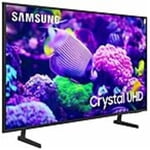
SAMSUNG 75" Class DU7200 Series 4K Smart TV
4.3 out of 5 stars
stars1,119 ratings1,016 reviews
  1. 5 stars62% (692)
  2. 4 stars19% (214)
  3. 3 stars9% (97)
  4. 2 stars5% (54)
  5. 1 star6% (62)

Member photos

  • +169 images
Sort by |
Showing 471-480 of 1,016 reviews
May 20, 2025
Panch
4 out of 5 stars review

Good Electronic Device

We like color and background contrast lighting. Sound is above average for other household tvs. I can not get our Bose sound system to be recognized by this tv, need technical assistance.

Review from Samsung US
Helpful?5FRN1844BKE813872250918
Aug 20, 2024
Tlab39
4 out of 5 stars review

The picture is stunning and amazing

[This review was collected as part of a promotion.] Used it for streaming Hulu, Netflix and other streaming services to include connecting the Amazon fire tv.

Review from Samsung US
Helpful?5FRN1844BKE813872250918
Oct 24, 2024
Ox1981
4 out of 5 stars review

Great TV at Great Price

[This review was collected as part of a promotion.] Use the TV for our Roku and Gaming. Great picture that looks amazing in 4K. One of the best quality pictures I've seen for a Non-OLED/QLED/QNED TV. Got a 2nd one for daughter and son in law.

Review from Samsung US
Helpful?5FRN1844BKE813872250918
Mar 10, 2025
Almost Happy
3 out of 5 stars review

Not user friendly.

Not user friendly. Too many apps scattered all over the place. Difficult to navigate. Lots of trouble finding my favorite apps. Finally, don't buy this TV for the Spectrum app. It works, but not so good.

Review from Samsung US
Helpful?5FRN1844BKE813872250918
reply from Samsung Advisor

Hi Almost Happy, Thank you for your purchase. We understand sometimes there is a learning curve when you get a new TV! This is why we created step-by-step guides, to make it easier for you. To learn about your TV go to https://www.samsung.com/us/support/answer/ANS00062169/ We are also always available and happy to help you with any questions you may have. You can call us at 1-800-SAMSUNG, 8 AM - 12 AM EST, seven days a week. Our LiveChat agents are also available by clicking on the ‘Support’ link on our website. ~Samsung Advisor

Feb 5, 2025
Louie
3 out of 5 stars review

Picture

Overall picture quality is excellent. Sound, fair. My only disappointment, no connection for my TV ears (back of tv) and I'd like to know why it was never considered during design and build of this model.

Review from Samsung US
Helpful?5FRN1844BKE813872250918
reply from Samsung Advisor

Hi Louie, Please know that the DU7200 TV has a built-in tuner and a coaxial input to connect an external antenna. If you need further assistance, we would be happy to help! Please feel free to contact Samsung Support at 1-800-SAMSUNG, available from 8 AM to 12 AM EST, seven days a week. You can also chat with us on Samsung.com for immediate assistance. ~Samsung Advisor

Feb 20, 2025
PKDNPT
2 out of 5 stars review

Waste of money

I tried this television for a few months now. The picture is absolutely horrible unless the room is totally dark. If the sun is shining in you can see nothing.

Review from Samsung US
Helpful?5FRN1844BKE813872250918
reply from Samsung Advisor

Hi PKDNPT, It’s unfortunate to hear you’re not fully satisfied with the brightness of your DU7200 TV’s picture. Please know that we are here to help you. First, let’s ensure you are running the latest Firmware Update. Go to Settings> Support> Software Update. Next, If the colors on your TV are correct but just a little too dark or bright, you can try adjusting Picture Modes, Contrast, Brightness, or Sharpness settings. For darker scenes, I recommend Dynamic Picture Mode, which makes pictures brighter and clearer in bright viewing environments. Go to Settings > All Settings> Picture > Picture Mode > Dynamic. Or you can manually adjust the Brightness by pressing the HOME button on your remote, then navigating to Settings > All Settings> Picture > Expert Settings. You may also want to disable Power Saving Mode, which automatically adjusts the brightness to reduce the TV’s power consumption. Go to Settings > All Settings> General > Eco Solution> Power Saving Mode. I hope this helps to improve your picture. Should you need further assistance, please contact us at 1-800-SAMSUNG, 8 AM - 12 AM EST, seven days a week. Or visit us on the Samsung website and click on the ‘Support’ link for: 1) LiveChat 2) Manuals, Software, & Warranty Info ~ Samsung Advisor

Apr 19, 2025
Rooster
5 out of 5 stars review

Great TV

Had this tv since late December and couldn’t be happier. Wonderful picture and good sound. I have an audio system which works with this tv seamlessly. Couldn’t be happier. Samsung tv is the best.

Review from Samsung US
Helpful?5FRN1844BKE813872250918
Feb 5, 2025
Kdub
3 out of 5 stars review

It is ok

It is ok changed from LG in main room. Thought apps you would be able to add more apps. Also thought it would be easier to cast to tv from devices. Not that easy Mx.

Review from Samsung US
Helpful?5FRN1844BKE813872250918
reply from Samsung Advisor

Hi, Thank you for your review. Please know your TV has a built-in app store with hundreds of apps available to choose from. If you need more help, we have step by step guides available to assist you: https://www.samsung.com/us/support/answer/ANS00062199/ You can also call us with any questions. You can contact us for further help at 1-800-SAMSUNG, 8 AM - 12 AM EST, seven days a week. Our LiveChat agents are also available by clicking on the ‘Support’ link on our website. ~Samsung Advisor

Apr 19, 2025
Jaksun
3 out of 5 stars review

Volume won’t come on

This was a Christmas gift and I am pleased with the picture and ease in operation. My rating is because often I lose volume. And it will take hours sometimes to get it back.

Review from Samsung US
Helpful?5FRN1844BKE813872250918
reply from Samsung Advisor

Hi Jaksun, We appreciate you sharing details of the sound issue you’re experiencing on your DU7200 TV. There are a few troubleshooting steps I recommend trying: 1) Please check the volume control of your TV, and then check the volume control of any external devices (cable box or satellite box, DVD, Blu-ray, etc.) connected to your TV. Also, check the cable connection between any external device and the TV and then try the cable connection again. 2) Set Sound Output to the TV Speaker by going to Settings > All Settings> Sound > Sound Output. 3) Check whether Digital Output Audio Format is set to Pass-Through by going to Settings > All Settings> Sound > Expert Settings > Digital Output Audio Format > Auto. I hope this helps. Should your issue persist, please contact Samsung Customer Support at 1-800-SAMSUNG, 8 AM - 12 AM EST, seven days a week. Our LiveChat agents are also available by clicking on the ‘Support’ link on our website. ~ Samsung Advisor

Nov 27, 2024
Shopoholic
5 out of 5 stars review

Great buy any size

[This review was collected as part of a promotion.] I'm a Samsung lover phone tvs everything the best part is the Crystal clear picture the sound and you can pair sync to any phone

Review from Samsung US
Helpful?5FRN1844BKE813872250918