Skip to Main Content
Sam's Club
Sam's Club
Customer reviews for SAMSUNG 75" Class DU7200 Series 4K Smart TV for
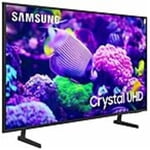
SAMSUNG 75" Class DU7200 Series 4K Smart TV
4.3 out of 5 stars
stars1,119 ratings1,016 reviews
  1. 5 stars62% (692)
  2. 4 stars19% (214)
  3. 3 stars9% (97)
  4. 2 stars5% (54)
  5. 1 star6% (62)

Member photos

  • +169 images
Sort by |
Showing 431-440 of 1,016 reviews
Feb 5, 2025
ArmsteadHI
5 out of 5 stars review

Thank you Samsung!

We bought 2 units for a new house, this 43 for the bedroom and a 55 for the living room. We are very happy with the features, quality, App and synch across all platforms.

Review from Samsung US
Helpful?5FRN1844BKE813872250918
Feb 10, 2025
Mike
3 out of 5 stars review

Hard to use remote

TV is good however Remote is too small and not easy to use.. 3 Stares because of the remote.. would have been 5 stares if better and easier friendly remote..

Review from Samsung US
Helpful?5FRN1844BKE813872250918
reply from Samsung Advisor

Hi Mike, Thank you for sharing your opinion on the DU7200 TV remote. We understand there can be a learning curve when you get a new TV! This is why we have built a guide built into the TV that teaches you how to use your remote. You can learn how to use your Samsung Remote by going to Home> (left directional button) Settings> Support> Remote Control Guide. If you need more help, Samsung is here for you. Please call us at 1-800-SAMSUNG, 8 AM - 12 AM EST, seven days a week. Our LiveChat agents are also available by clicking on the ‘Support’ link on our website. ~Samsung Advisor

May 10, 2025
Hummingbird
3 out of 5 stars review

Clear picture

The back of the television doesn’t have enough auxiliary ports to hook up additional devices; like, sound bars, headphones, info entertainment centers. The picture is great and clear

Review from Samsung US
Helpful?5FRN1844BKE813872250918
reply from Samsung Brand Ambassador

Hummingbird: Thanks for sharing your thoughts. If there's anything we can do to improve your experience, please reach Samsung Support at 1-800-SAMSUNG, 8AM - 12AM EST, 7 days a week. Or visit us on the Samsung website and click on the ‘Support’ link for: • LiveChat • Manuals, Software, & Warranty Info ~ Samsung Ambassador

Dec 5, 2024
MMB123
5 out of 5 stars review

Clear tv, good sound, easy to use

[This review was collected as part of a promotion.] I use my tv to watch shows and moves and play video games, it works great for all of that. I highly recommend for the price.

Review from Samsung US
Helpful?5FRN1844BKE813872250918
Feb 20, 2025
Harry o
4 out of 5 stars review

The picture is awesome!

I'm happy with the picture. However, there are instances where I hear sound and no picture. If there are any suggestions I would appreciate it. I kept the box it came in just in case I have to take it back.

Review from Samsung US
Helpful?5FRN1844BKE813872250918
reply from Samsung Advisor

Hi Harry o, If your TV has a black screen even when it's on, it's quite possible it could actually be your external device and not your TV. Please try these troubleshooting steps for your blank screen issue: 1. Press the Home button on the remote. If the menu appears, the TV is powered on but is either not on the correct source or not receiving a signal. If the menu does not appear, the TV may be having power issues. Check the red standby light, a little red light at the edge of the TV that you aim the remote at. In normal use, the red standby light is on when the TV is off (indicating the TV is on standby), and the red standby light is off when the TV is in use (or doesn't have power). 2. Confirm that the TV is set to the same source as the external device. For instance, if your cable box is connected to HDMI 1, set the TV source to HDMI 1. If the TV is set to the correct source, but there is still no image, unplug and reconnect the AV connections one cable at a time from both ends of each cable. If there's any damage to the cable, it will need to be replaced. After reconnecting the external device, please turn it off and back on. 3. Test the HDMI cable. The test is designed for HDMI cords less than 6 feet long and may not give accurate results on longer cords. To perform the test, make sure the TV's source is still on the HDMI setting for the cable you want to test, and then navigate to Settings > Support > Self Diagnosis > Signal Information > HDMI Cable Test > Start Test. If the test says the cable is bad, replace the cable. Service is not required. 4. Test different external devices. The final thing to rule out is the external device you're using. Try connecting a different device or using a different source port. If the TV can display a picture in any other setup, then you've ruled the TV out as the cause of the issue. Keep trying various setups until you identify the device or cable that is not working and troubleshoot or replace it. The TV will need service if the issue persists after these steps. Please contact us so that we can better investigate your issue and assist you with a solution or replacement. If you need more help, Samsung is here for you! Please call us at 1-800-SAMSUNG, 8 AM - 12 AM EST, seven days a week. Our LiveChat agents are also available by clicking on the ‘Support’ link on our website. ~ Samsung Advisor

Mar 3, 2025
Noel
5 out of 5 stars review

Christmas Purchase to Remember

As they say size really matters... What a beautiful picture. What beautiful sound. What a great PRICE. "IT'S BEEN A GREAT SAVINGS OVER CABLE" AGAIN THANK YOU RLP

Review from Samsung US
Helpful?5FRN1844BKE813872250918
May 20, 2025
TJohn129
5 out of 5 stars review

An Excellent Product

You can't go wrong with a Samsung TV. We have one in our family room and we bought one for the wife's mother. I like how you push one button and all your apps are right there.

Review from Samsung US
Helpful?5FRN1844BKE813872250918
Mar 26, 2025
SjkS
4 out of 5 stars review

Good picture, good price.

I bought this after Christmas. The price was right and the picture quality is good. The only issue is there is no channel guide for my youtube tv subscription. You have to click through like a hotel tv.

Review from Samsung US
Helpful?5FRN1844BKE813872250918
Apr 19, 2025
Barb
5 out of 5 stars review

Samsung makes a great television!

I finally bought my new Samsung television and now only wish I had bought it sooner! The picture is great and I love all the features. Samsung definitely makes a great product.

Review from Samsung US
Helpful?5FRN1844BKE813872250918
Mar 13, 2025
Oldman
5 out of 5 stars review

Love the ease of going from TV to you tube or any.

I bought my 55" Samsung TV and I love it. 1000 percent over the Vizio I owned previously and their communist policy as to who owns the TV. I paid for it. So, why change or delete feature it came with just because you can.

Review from Samsung US
Helpful?5FRN1844BKE813872250918