
 Customer reviews for SAMSUNG 75" Class DU7200 Series 4K Smart TV for
Member photos


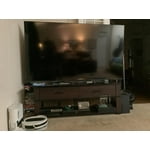



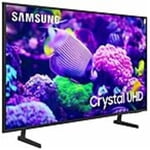
 +169 images
Great TV
I have had this TV for about 5 months & have no complaints. It replaced an older version that was starting to go. It has many nice features & picture is great. It was on sale, and I got it for a great price. It has so many features that I'm still find new ones. It does seem that I have the sound up on a higher number than my other models but not a problem. I love Samsung and have 4 of them in different sizes in each room.
Fantastic TV with easy, fast setup
[This review was collected as part of a promotion.] Purchased this tv to replace a 10+ year old 1st generation Samsung smart TV that stll worked perfectly but was not able to download new streaming apps. (We finally cut the cord!) The setup of my new DU7200D was totally seamless. The easiest tv I have ever set up. It even connected automatically to my 8 year old Samsung soundbar. Total time to unbox, setup, register, and connect to 4 streaming apps was less than 20 minutes. This tv is in our bedroom and the 43" size is perfect. Picture quality is fantastic. Good light balancing when room is dark or with all the lights on. Colors are vivid and natural and the blacks are black. Love the connectivity availability with my Samsung smart phone. I highly recommend this product to anyone looking for a great value.
Superb picture quality
[This review was collected as part of a promotion.] As a former TV commercial and program producer, picture quality has always been important to me. The Samsung 65” is clearly superior. I was amazed at the 4k upconversion of older programs. I watched an I Love Lucy episode and saw details that gave the impression of a live camera production! The Samsung was purchased for a downstairs living room in a basement apartment. Im considering replacing other big screens in my home!
Somewhat disappointed
I bought this unit based on a previous Samsung 40 inch tv that we purchased some 8 years ago. The picture quality of the old unit was quite a bit better than the new one. 23 steps to the left or right of center and the picture fades considerably. Didn’t have that issue with the old one. But the price was very good.
Hi, Thank you for sharing your thoughts on the picture quality of your DU7200 TV. I have a few recommendations that may improve your visual experience: Go to Home > Settings > All Settings > Picture > Picture Mode and select the mode that best fits your usage: 1) Standard: Default mode suitable for general viewing environments. 2) Natural: Reduces eye strain for a comfortable viewing experience. 3) Movie: Most suitable for watching TV or movies in a dark room. 4) Dynamic: Makes the picture brighter and clearer in bright viewing environments. 5) Filmmaker Mode: You can watch the source content (e.g., movie) as it is. If the image is defined as Filmmaker Mode, it will automatically switch to Filmmaker Mode while watching. You can also go to Settings > All Settings> Picture > Expert Settings > to manually fine-tune your image. If you need more help, Samsung is here for you. Call us at 1-800-SAMSUNG, 8 AM - 12 AM EST, seven days a week. Our LiveChat agents are also available by clicking on the ‘Support’ link on our website. ~ Samsung Advisor
Crystal UHD is a MUST have!
[This review was collected as part of a promotion.] My husband and I have always been huge fans of Samsung products, we have been wanting to upgrade our family TV for quite some time now but didn’t really want to rush into buying just anything, UNTIL we saw this Samsung tv - 85” crystal UHD while out shopping and we knew that this tv was the one. It did not disappoint! It’s very clear and you can certainly tell it’s a high def., smart tv. We love it! We find ourselves having more family time watching movies. Thank you Samsung
What a struggle!
We bought this tv six weeks ago for my aging father and the setup and controls are crazy. Samsung wants everything to be proprietary which makes it impossible to simplify for a significant senior citizen with less than optimal eyesight and hearing. We are struggling to get it to where he can watch it pretty much on his own and are threatening to return it soon to our place of purchase (Costco).
Hi Planetmiller, Thank you for choosing Samsung for your father. I appreciate your feedback and hope I can provide some tips that will make operating the TV easier for your father. First, to make it easier to see the Menu text on your screen, go to Settings> All Settings> General & Privacy> Accessibility> Zoom Menu and Text. In that same Menu, there are other Accessibility functions available that may make operating the TV more user-friendly as well. Next, you can choose what your TV does when you turn it on by going to Settings > All Settings> General > Smart Features. When you set Autorun Smart Hub to be on, the TV displays the Home Screen automatically when you turn the TV on. If Autorun Last App is set to on, the last used app automatically runs when you turn on the TV. You can turn this function on or off. There are also a few guides available that may make it easier to learn how to use the TV. You can learn how to use your Samsung Remote by going to Home> (left directional button) Settings> Support> Remote Control Guide. To learn about your TV go to https://www.samsung.com/us/support/answer/ANS00062199/. If you ever have questions or need help, Samsung is here for you! Give us a call at 1-800-SAMSUNG, 8 AM - 12 AM EST, seven days a week. Our LiveChat agents are also available by clicking on the ‘Support’ link on our website. Thanks for being a part of the Samsung family! ~ Samsung Advisor
Little disappointed
Disappointed. After setting up the TV, everything works fine for about a month and then the TV all of a sudden has no sounds. The TV had to be turned off several times and then the sounds came back. TV works fine and the it happened again few days later with sounds distorted. Restarted the TV again twice, nothing works. Waited few hours as I needed to go out, sounds returned when I got back and turned the unit back on. Obviously there was some defective someone. Unfortunately, I didn’t have time to engaged customer service with the issues as I had family issues to take care of. This is my second Sam Sung TV in the house. First one still functioning well purchased 5 yrs ago. I can’t say he same for this latest one even though it supposed to be better than the previous one that I have
Hi P in NY, We appreciate you sharing details of the sound issue you’re experiencing on your DU7200 TV. There are a few troubleshooting steps I recommend trying: 1) Please check the volume control of your TV, and then check the volume control of any external devices (cable box or satellite box, DVD, Blu-ray, etc.) connected to your TV. Also, check the cable connection between any external device and the TV and then try the cable connection again. 2) Set Sound Output to the TV Speaker by going to Settings > All Settings> Sound > Sound Output. 3) Check whether Digital Output Audio Format is set to Pass-Through by going to Settings > All Settings> Sound > Expert Settings > Digital Output Audio Format > Auto. I hope this helps. Should your issue persist, please contact Samsung Customer Support at 1-800-SAMSUNG, 8 AM - 12 AM EST, seven days a week. Our LiveChat agents are also available by clicking on the ‘Support’ link on our website. ~ Samsung Advisor
Love the clarity
[This review was collected as part of a promotion.] Disappointed that the connection to the internet is so erratic. My WiFi is strong and near the tv. Also, other devices are connected. But the tv frequently loses connection even though it says it is connected to the internet.
Don't buy
Crappy remote. Why no Mic? No access to mic. What was the reason? A basic feature that has been around for a very long time. Can be used with Alexa, oh goody. A device that gets things wrong a large percentage of the time and conversations end with yelling, so yay, put two lacking devices together so a company can save a few pennies. Also nothing intuitive about this interface, regret purchase is a challenge everyday.
Hi Lynn, We appreciate your purchase and understand your frustration. We are sorry for any confusion regarding voice assistants. You are correct, the DU7200 does not have voice assistants built in. However, they do work with Alexa. You can connect them to your existing Alexa device to ask them to turn on your TV, change channels, control volume, and more. Our DU8000 TV Series and above offer voice command and built-in voice assistants. We also understand there can be a learning curve when you get a new TV! This is why we have built a guide built into the TV that teaches you how to use your remote. You can learn how to use your Samsung Remote by going to Home> (left directional button) Settings> Support> Remote Control Guide. If you need assistance connecting your external Alexa device or if there’s anything we can ever help with, please call us at 1-800-SAMSUNG, 8 AM - 12 AM EST, seven days a week. Or visit us on the Samsung website and click on the ‘Support’ link for: 1) LiveChat 2) Manuals, Software, & Warranty Info ~ Samsung Advisor
This product is easy to use its features.
[This review was collected as part of a promotion.] I use my TV to see the daily news, for streaming, using different apps and it works excellently. It Smart feature helps me in using only one remote control for everything. Now I don’t have to be looking around which remote I have to use. It was an excellent choice when I selected this TV among so many other brands.