Skip to Main Content
Sam's Club
Sam's Club
All Departments
All Services
Customer reviews for SAMSUNG 85" Class - Q80 Series - QLED 4K Smart TV for
SAMSUNG 85" Class - Q80 Series - QLED 4K Smart TV
4.6 out of 5 stars
stars
794 ratings671 reviews
  1. 5 stars77% (613)
  2. 4 stars13% (107)
  3. 3 stars4% (28)
  4. 2 stars1% (9)
  5. 1 star5% (37)

Member photos

  • +181 images
Sort by |
Showing 581-590 of 671 reviews
Aug 3, 2022
Reviewer name: VibezzWrld
5 out of 5 stars
5 out of 5 stars review

I love this tv

[This review was collected as part of a promotion.] I use this TV for gaming and movies and it has very smooth transitioning and very clear. I would recommend this.

Review from Samsung US
Helpful?7925Z4IDQQZS13871700529
Jul 27, 2022
Reviewer name: Sallythatgirl
5 out of 5 stars
5 out of 5 stars review

My favorite TV so far

[This review was collected as part of a promotion.] I love my Samsung tv. The picture is phenomenal and samsungtv is a huge plus. My friends are jealous.

Review from Samsung US
Helpful?7925Z4IDQQZS13871700529
Jun 16, 2022
Reviewer name: Redbear
5 out of 5 stars
5 out of 5 stars review

I love it

[This review was collected as part of a promotion.] Awesome very clearly 4K tv and made me feel like attractive love on tv. Good volume and great view.

Review from Samsung US
Helpful?7925Z4IDQQZS13871700529
Oct 25, 2022
Reviewer name: MovieLover
5 out of 5 stars
5 out of 5 stars review

Great Movie TV
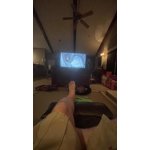
[This review was collected as part of a promotion.] Love my movies on this tv even older stuff looks better. I'll be buying more to replace the other tvs in my house. Great job Samsung.

Review from Samsung US
Helpful?7925Z4IDQQZS13871700529
Dec 9, 2022
Reviewer name: TV lover
5 out of 5 stars
5 out of 5 stars review

Will never regret

The picture on this tv is absolutely stunning and the sound is great. Having a bright qled tv for the living room beats an oled. TV responds fast like a good computer, very satisfying

Review from Samsung US
Helpful?7925Z4IDQQZS13871700529
Oct 26, 2022
Reviewer name: Zawashayyyy
5 out of 5 stars
5 out of 5 stars review

Great screen

[This review was collected as part of a promotion.] I bought this tv for gaming and it does not disappoint for quality viewing. The screen is an amazing size, and very thin - lightweight. I highly recommend this tv!

Review from Samsung US
Helpful?7925Z4IDQQZS13871700529
Oct 6, 2022
Reviewer name: Alabamakids
5 out of 5 stars
5 out of 5 stars review

Great picture

[This review was collected as part of a promotion.] We watch everything on it and enjoy the color and sound. Only draw back is the slow reaction of the menu pop up.

Review from Samsung US
Helpful?7925Z4IDQQZS13871700529
reply from Samsung Brand Ambassador

Alabamakids, We appreciate your feedback on the response time, and for optimal performance, we ask that you please ensure you've got the latest firmware version installed on your Q80BD TV. You can check this by going to: Home > Menu > Settings > Support > Software Update. You may also want to further optimize performance with the self-diagnostic tool, which checks memory, frees up unused cached memory, and closes background apps. Go to: Home > Menu > Settings > Support > Device Care > Start Device Care I hope these tips help you enjoy your new product. You can always contact us for further help at 1-800-SAMSUNG, 8AM - 12AM EST, 7 days a week. Our LiveChat agents are also available by clicking on the ‘Support’ link on our website. ~ Samsung Specialist

Oct 5, 2022
Reviewer name: Mauivacation
4 out of 5 stars
4 out of 5 stars review

Picture is so so

[This review was collected as part of a promotion.] Disappointing picture while viewing from an angle and in dark scenes has light patches. Have the previous model in another room where the picture is much better

Review from Samsung US
Helpful?7925Z4IDQQZS13871700529
reply from Samsung Brand Ambassador

Mauivacation, Thank you for sharing your thoughts on the picture quality of your 2022 Q80B TV. To ensure you’ve got the latest image quality updates, please confirm that your TV is up to date with the latest firmware version. You can check by going to: Home > Menu > Settings > Support > Software Update. If the picture you’re seeing is still not to your liking after updating firmware, there are several picture settings you may want to try adjusting. Go to Home > Menu > Settings > All Settings > Picture > Picture Mode ...and select the mode that best fits your usage: 1) Standard: Is the default mode suitable for general viewing environments. 2) Movie: Is suitable for watching TV or movies in a dark room. 3) Dynamic: Makes the picture brighter and clearer in bright viewing environments. 4) Filmmaker Mode: You can watch the source content (e.g., movie) as it is. If the image is defined as Filmmaker Mode, it will automatically switch to Filmmaker Mode while watching. You can also go to: Home > Menu > Settings > All Settings > Picture > Expert Settings to manually fine tune your image. For further assistance with settings adjustments, please contact Samsung Customer Support at 1-800-SAMSUNG, 8AM - 12AM EST, 7 days a week. Or visit us on the Samsung website and click on the ‘Support’ link for: • LiveChat • Manuals, Software, & Warranty Info ~ Samsung Specialist

Jul 20, 2022
Reviewer name: Mannyvce
5 out of 5 stars
5 out of 5 stars review

Beautiful quality.

[This review was collected as part of a promotion.] Completely different streaming experience, the quality and blacks on the screen are great. The remote as well easy to use and lightweight.

Review from Samsung US
Helpful?7925Z4IDQQZS13871700529
Oct 5, 2022
Reviewer name: Gerk222
5 out of 5 stars
5 out of 5 stars review

Great product

[This review was collected as part of a promotion.] Tv has great picture and love the smart TV feature.. also can sync my phone with the TV so it opens so many more options if I cannot get some apps to work..

Review from Samsung US
Helpful?7925Z4IDQQZS13871700529