
 Customer reviews for SAMSUNG 65” Class Q80D Series QLED Smart TV for
Member photos




 +106 images
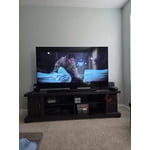
This TV is gorgeous
[This review was collected as part of a promotion.] From picture clarity to sound quality and the TV intuitive function, the product is a complete package for what I am looking for in a TV. In addition, my kid also loves gaming feature that is now a part of the TV. Tumbs up to job well done, Samsung Team.
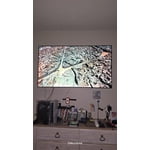
Stunning Caribbean Sea Clarity
[This review was collected as part of a promotion.] Jaw dropping is an understatement when it comes to the Samsung QN50Q80DAFXZA Samsung 50” Class Q80D QLED 4K Smart TV. Now I am coming from a previous TV that was almost 10 years old, so this upgrade had me gasping and saying my ooohhhs and ahhhs with the utmost of delight. Honestly I felt like a kid in a candy store. Not only was my picture clarity otherworldly, the sound that came out of this 50 inch visual dream box, was nothing short of loud, proud and magnificent. No complaints whatsoever! The unit doesn't come with wall mounting hardware, which honestly was a slight bummer. There is, however, a very high quality stand included. We mounted ours with a simple universal mount and couldn't be happier. The interface is super fast. Adding my streaming apps was a breeze and setting the TV up to the Samsung Smart Things App took seconds. It even allowed for me to use my smart phone as a remote once setup was complete. Very swift! The Remote: Well, talk about a whole new upgrade in the remote department of things. This remote can be charged using a port (wire not included however) or the best method, the solar cell on the back. I don't know why this tickled my fancy so much, but it did! Low on battery? Turn the remote over and face it towarda the sun. Very cool! I'm talking lighting fast, crystal clear clarity and sound that fills even a larger room. Hiccups? Well unfortunately I did run into a few small hiccups. The first was the lack of connection to my Alexa Cube. Granted normally you wouldn't need this device, because this Samsung TV has Alexa built into it. However, I use Alexa Studio as my surround sound because I prefer true surrou d sound over the sound that comes from the television. Sadly, the units wouldn't quite stay connected. This is not necessarily a deal breaker by any means. It just needed to be noted. The next small hiccup was that I found the user window to sometimes glitch up and freeze if I was trying to scroll or browse too quickly on the remote. Other than that though, my final thoughts are that this TV won't dissapoint. The clarity is unlike anything I've personally ever seen or owned before so I am incredibly happy. Is it perfect? No. But is it pretty darn close? Absolutely! I don't imagine anyone who was contemplating purchasing this unit would be dissapointed, nor would they regret their purchase.
Hi EmLynn5050, Thanks for choosing Samsung’s Q80D QLED! I’m happy to hear you’re enjoying the picture brought to you by our NQ4 AI Gen2 Processor. Using AI-Based deep learning, your TV analyzes content, precisely maps color, and directs light scene-by-scene to optimize content from any source into sharp 4K resolution. For the best performance of your new TV, it is recommend checking and (if available) installing the latest firmware updates; you can do this by going to Settings > Support > Software Update > Update Now. You may also want to further optimize performance with the self-diagnostic tool, which checks memory, frees up unused cached memory, and closes background apps. Go to: Home > Menu > Settings > Support > Device Care > Start Device Care If you're still having issues connecting your Alexa device, you may want to refer to Amazon's compatibility and setup instructions: https://www.amazon.com/b?ie=UTF8&node=18408486011 If you need more help, Samsung's here for you! Please feel free to give us a call at 1-800-SAMSUNG, 8AM - 12AM EST, 7 days a week. Or visit us on the Samsung website and click on the ‘Support’ link for: • LiveChat with an agent • Manuals, Software, & Warranty Info • Product Registration: For easy access to support, promos and offers, and more ~ Samsung Specialist
Very good midrange TV with a few niggling issues
I've had this TV now for approx. 5 months. Overall happy with the TV but it has a few shortcomings that should not be. On the good side the picture quality is excellent especially for a midrange model. Sound is good although I don't use the built-in speakers. The compact remote is excellent, I have not missed having a full size remote at all. The OS is reasonably quick and, so far, has had every app I've needed. The OS is where this falls off a bit, for some reason someone thought it would be a good idea to not have a search feature for apps - whomever that was should be let go. Secondly, the text input is unlike... every other text interface on the planet. It does not have a simple delete feature and no tab key. These oversights are inexcusable in what is otherwise a very good TV.
Great TV for the money
I bought this tv around Black Friday and very pleased with my purchase! The color and clarity is exceptional!!! Love the speakers! They act like surround sound by themselves without a sound bar or subwoofer! Excellent price!!!! Would highly recommend to others to snatch this tv when available!
Excellent TV
Very good screen details, easy to use. The only thing I don't like is that when the electric power or the Internet goes off it don't automatically reconnect to the wifi. Not good when the tv it's connected to smartthings and the automations don't work because the wifi didn't reconnect. As far as the rest of the tv settings it takes practice to get the best screen view. Excellent TV

65" replaces 55"
This replaced a 55" Bravia that's now residing on our outside deck. As a MBR TV it's very solid in it's picture clarity, color saturation and depth. Might have given it a 5, except for the lack of Fine tuning the sound - mine tends to be "bassy" and could benefit from a treble adjustment. Overall a very good performer, especially at the price point.
We Love This TV
[This review was collected as part of a promotion.] This new 55" TV exceeds our expectations! The color and clarity are amazing, and it has all the features we need and a few we don't understand just yet. We couldn't be happier with this product, and we highly recommend it!
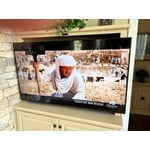
Great picture if you know how to adjust it!
I’ve had this tv for a couple of months and haven’t been able to get the picture adjusted and have tried everything all the online help from Samsung every YouTube video. The live picture is “ok” but video is not clear and older videos are really blurry. The picture is nowhere near as good as the 9 year old Vizio M that this one replaced perhaps I will pay a professional to come to my home and adjust the picture
EliNo, Thank you for sharing your thoughts on the picture quality of your Q80D TV. To ensure you’ve got the latest image quality updates, please confirm that your TV is up to date with the latest firmware version. You can check by going to: Home > Menu > Settings > Support > Software Update. If the picture you’re seeing is still not to your liking after updating firmware, there are several picture settings you may want to try adjusting. Go to Home > left direction button > Settings > All Settings > Picture > Picture Mode ...and select the mode that best fits your usage: 1. Standard: Is the default mode suitable for general viewing environments 2. Dynamic: Makes the picture brighter and clearer in bright viewing environments 3. Eco: Provided to save energy 4. Movie: Suitable for watching TV or movies in a dark room 5. Filmmaker Mode: Provides source content just as the creators intended. If the image is defined as Filmmaker Mode, it’ll automatically switch to Filmmaker Mode while watching. You can also fine-tune your picture with expert settings such as brightness, contrast, sharpness and more (All Settings > Picture > Expert Settings). For further assistance with settings adjustments, please contact Samsung Customer Support at 1-800-SAMSUNG, 8AM - 12AM EST, 7 days a week. Or visit us on the Samsung website and click on the ‘Support’ link for: • LiveChat • Manuals, Software, & Warranty Info ~ Samsung Specialist
Did Not Choose Wisely
Not a fan. Not ashamed to admit I made a bad choice. Should have gotten a different TV. Not the TV's fault. This is not Samsung's best TV. Color is off. Motion is obvious. Should have gotten a TV with better features and better processor. Black background is not very deep.
TackleBox 67, Thank you for sharing your thoughts on the picture quality of your Q80DD TV. To ensure you’ve got the latest image quality updates, please confirm that your TV is up to date with the latest firmware version. You can check by going to: Home > Menu > Settings > Support > Software Update. If the picture you’re seeing is still not to your liking after updating firmware, there are several picture settings you may want to try adjusting. Go to Home > left direction button > Settings > All Settings > Picture > Picture Mode ...and select the mode that best fits your usage: 1. Standard: Is the default mode suitable for general viewing environments 2. Dynamic: Makes the picture brighter and clearer in bright viewing environments 3. Eco: Provided to save energy 4. Movie: Suitable for watching TV or movies in a dark room 5. Filmmaker Mode: Provides source content just as the creators intended. If the image is defined as Filmmaker Mode, it’ll automatically switch to Filmmaker Mode while watching. You can also fine-tune your picture with expert settings such as brightness, contrast, sharpness and more (All Settings > Picture > Expert Settings). For further assistance with settings adjustments, please contact Samsung Customer Support at 1-800-SAMSUNG, 8AM - 12AM EST, 7 days a week. Or visit us on the Samsung website and click on the ‘Support’ link for: • LiveChat • Manuals, Software, & Warranty Info ~ Samsung Specialist
Best Samsung I have ever owned.
The Q80D is a Great TV. The 50" is only 60Hz Refresh Rate if you want 120Hz I would go 55" or larger. The picture is great. The first thing I would do is turn off intelligent mode for better picture control. Remote is easy to use and charge. I have been using this TV for a month and it is the best that I have ever had. It does have a few downsides. The home screen looks nice however even in 2024 the Tizen OS still feels sluggish to me. Speakers are great for a TV this size but if used in a large room, I would suggest a soundbar or Sound System setup as well. Overall I love the TV.
c3ntauri, We appreciate your feedback on the response time, and for optimal performance, we ask that you please ensure you've got the latest firmware version installed on your Q80D TV. You can check this by going to: Home > Menu > Settings > Support > Software Update. You may also want to further optimize performance with the self-diagnostic tool, which checks memory, frees up unused cached memory, and closes background apps. Go to: Home > Menu > Settings > Support > Device Care > Start Device Care I hope these tips help you enjoy your new product. You can always contact us for further help at 1-800-SAMSUNG, 8AM - 12AM EST, 7 days a week. Our LiveChat agents are also available by clicking on the ‘Support’ link on our website. ~ Samsung Specialist