Join Now
Skip to Main Content
Sam's Club
Sam's Club
All Departments
All Services
Customer reviews for Skylight 15" Touchscreen Calendar & Organizer + 3 Year Photo & Videos for
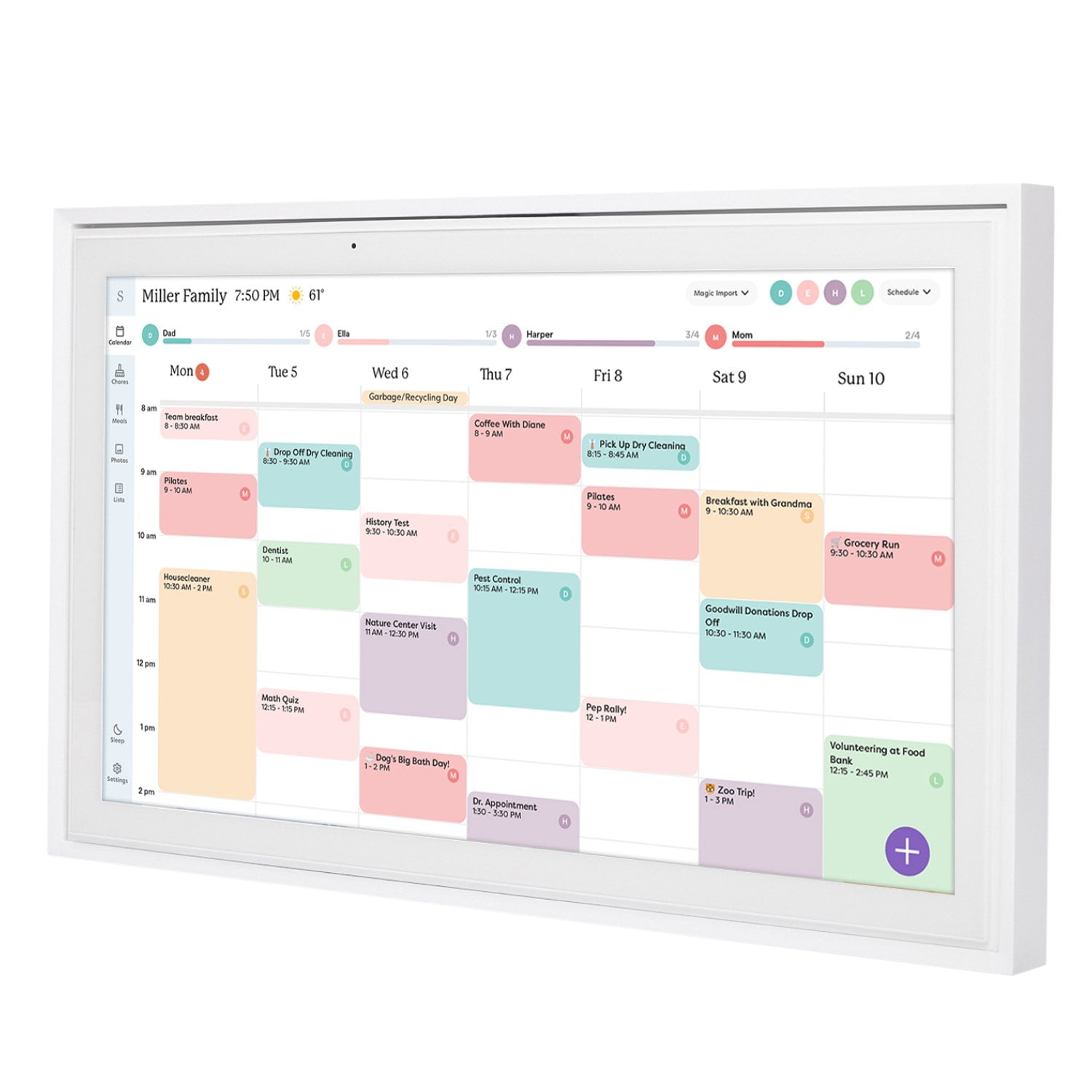
Skylight 15" Touchscreen Calendar & Organizer + 3 Year Photo & Videos
4.1 out of 5 stars
stars
1,956 ratings1,848 reviews
  1. 5 stars59% (1,151)
  2. 4 stars13% (250)
  3. 3 stars16% (309)
  4. 2 stars7% (131)
  5. 1 star6% (115)

Member photos

  • +48 images
Sort by |
Showing 751-760 of 1,848 reviews
Oct 4, 2024
Reviewer name: Kelsie T.
5 out of 5 stars
5 out of 5 stars review

Family Necessity

I wish I bought this when my kids were born! Keeping track of everyone's schedule (doctors visits, picture days, baseball games, etc) and being able to edit dates on my phone and it updates on the unit in real time has been impressive and invaluable. My kids love the chore chart and we also use it as a way to keep track of vitamin taking. It truly takes the "guessing" out of my day. I also love the slideshow of pictures that play on the high quality screen, it looks like a bright and beautiful picture frame. 10/10 Recommend

Review from skylightframe.com
Helpful?2H0DCOCQ499L13867269032
Jun 19, 2024
Reviewer name: Shayla C.
5 out of 5 stars
5 out of 5 stars review

Just. Yes.

If you're already using a google calendar or some form of calendar app THIS IS A NO bRAINER!!! To have it sync with the wall calendar is absolutely e.v.e.r.y.t.h.i.n.g. Using the “lists” as things pop up in the kitchen and then having my husband or I at the store and just go on the app to see what we need is amazing. I haven't even gotten into the “chore list” bc my kids are too young but I've been dabbling in the “meal plan” and it makes such a huge difference in knowing what's for dinner!

Review from skylightframe.com
Helpful?2H0DCOCQ499L13867269032
Jan 4, 2024
Reviewer name: Amanda P.
5 out of 5 stars
5 out of 5 stars review

Family planner!

This is the best purchase we have made for a long while. We have a chore list, a grocery list and everyones calendar on here. It is so helpful for a busy family like ours plus we get to add some pictures to scroll through when its not being used. There are a couple of things that I would like as options that arent available yet but I am not sure that anyone else would need/want them, so we are fine as is.

Review from skylightframe.com
Helpful?2H0DCOCQ499L13867269032
Jan 5, 2024
Reviewer name: Erica S.
3 out of 5 stars
3 out of 5 stars review

It's okay but it could be better

I'm annoyed that it doesn't have better features. For instance it doesn't let me just select a day and add event that way. Often I am quickly adding a date in someone is verbally telling me. I don't want to have to hit add event then change the date. I should be able to quickly select a day first. Also I would like to be able to select more design options for how my calendar looks.

Review from skylightframe.com
Helpful?2H0DCOCQ499L13867269032
Jan 4, 2024
Reviewer name: Lisa T.
3 out of 5 stars
3 out of 5 stars review

Nice but missing some key features

I wish I would have researched more. I'd love it to have voice command when entering events or list items. A also wish it sent out event reminders! I always forget to what I have on that calendar so I wind up having to put it in 2 calendars so I get an alert.

Review from skylightframe.com
Helpful?2H0DCOCQ499L13867269032
Feb 8, 2024
Reviewer name: Becky R.
5 out of 5 stars
5 out of 5 stars review

Best calendar for busy families!!

I have searched forever for an app or calendar that will allow my family to keep up with everyone's schedules efficiently. This. Is. It! If I'm being totally honest, I was hesitant to spend the money, but would do again and again for how organized it's keeping us! I love the color coding and the syncing of calendars - so nice having my work calendar included on the same screen as my family calendar. If you've been wondering if it's worth it, it is!

Review from skylightframe.com
Helpful?2H0DCOCQ499L13867269032
Jul 21, 2024
Reviewer name: Tracy G.
2 out of 5 stars
2 out of 5 stars review

Doesn't stay connected EVER

Continually disconnects from our Outlook. This was an issue from the day we bought it. According to the service dept there is only a work around, so we literally have to go in and update it every few weeks once we realize our calendar isn't sync'd. If we would have known this, we wouldn't have purchased it. :(

Review from skylightframe.com
Helpful?2H0DCOCQ499L13867269032
Jan 5, 2024
Reviewer name: Lesley L.
5 out of 5 stars
5 out of 5 stars review

Love it!

The skylight has been an absolute game changer for my family. My children love that they can all see our family schedule in one place. All of their activities are loaded, chores, meal plans. The extra bonus is the Photos. It's a fun surprise to them when I add them from my phone and they see new ones on the rotation.

Review from skylightframe.com
Helpful?2H0DCOCQ499L13867269032
Jul 23, 2024
Reviewer name: Kristen H.
3 out of 5 stars
3 out of 5 stars review

Great, but doesn't replace apple/google functionality.

The skylight frame itself is beautiful. We LOVE the photo frame functionality, and the chore list. I was hoping that this frame would be more robust and have more features for the price of the frame and considering it's a yearly/monthly subscription. Unfortunately, I don't think it is going to do the trick for me as I find that I am still needing to use other apps. The following things are not advertised as being included, so I don't think it's fair to give a poor review, but I am including some of the reasons why this calendar won't work for me in case it's helpful for others! -'lists' can't be reordered or edited once they've been started. All you can do is add another item or delete it. If you misspell an item, you can't change it. Nor can you 'sort' the list by dragging and dropping (I do this for my groceries and order it by dept). I'm used to Google keep, where I can order both my lists, AND order the items within each list. It also has headings, reminders, can add pictures, etc. -the menu planning is cool. It would be top notch if I could include a picture/screen shot of a recipe when I click on each recipe so that the recipe can be pulled up on the screen in my kitchen. I can include a link on the app on my phone, but NOT on the actual skylight calendar itself. The chores are awesome! My kids love it :) The calendar syncs seamlessly for the events. However, since skylight doesn't have a desktop options, I use google cal. Those events get synced, but the colour/labels don't match up in skylight, so I have to manually go in and change them all on the app on my phone, or on the device. It's not a huge deal, but it definitely takes a bunch of time! The photos are sent seamlessly to the device and the picture is beautiful! I've only used it for a week or so, and really wanted this to work, but I don't think it will be able to replace the functionality of the google apps I currently use.

Review from skylightframe.com
Helpful?2H0DCOCQ499L13867269032
Sep 2, 2024
Reviewer name: Eric M.
4 out of 5 stars
4 out of 5 stars review

Good But Not Great

Skylight frame is pretty good, but still has some development to do in order to be very useful. A few features that are challenging: - You can't access Skylight from a computer - There is no concept of a "chore" that isn't completed on a single day - You can create a "to do" list, but you can't assign tasks to a person, and it doesn't have the same visual as chores - Chores are autosorted in alphabetical order without the ability to change it

Review from skylightframe.com
Helpful?2H0DCOCQ499L13867269032