Skip to Main Content
Sam's Club
Sam's Club
All Departments
All Services
Customer reviews for SAMSUNG 32" Class N5300 Series Full HD Smart TV for
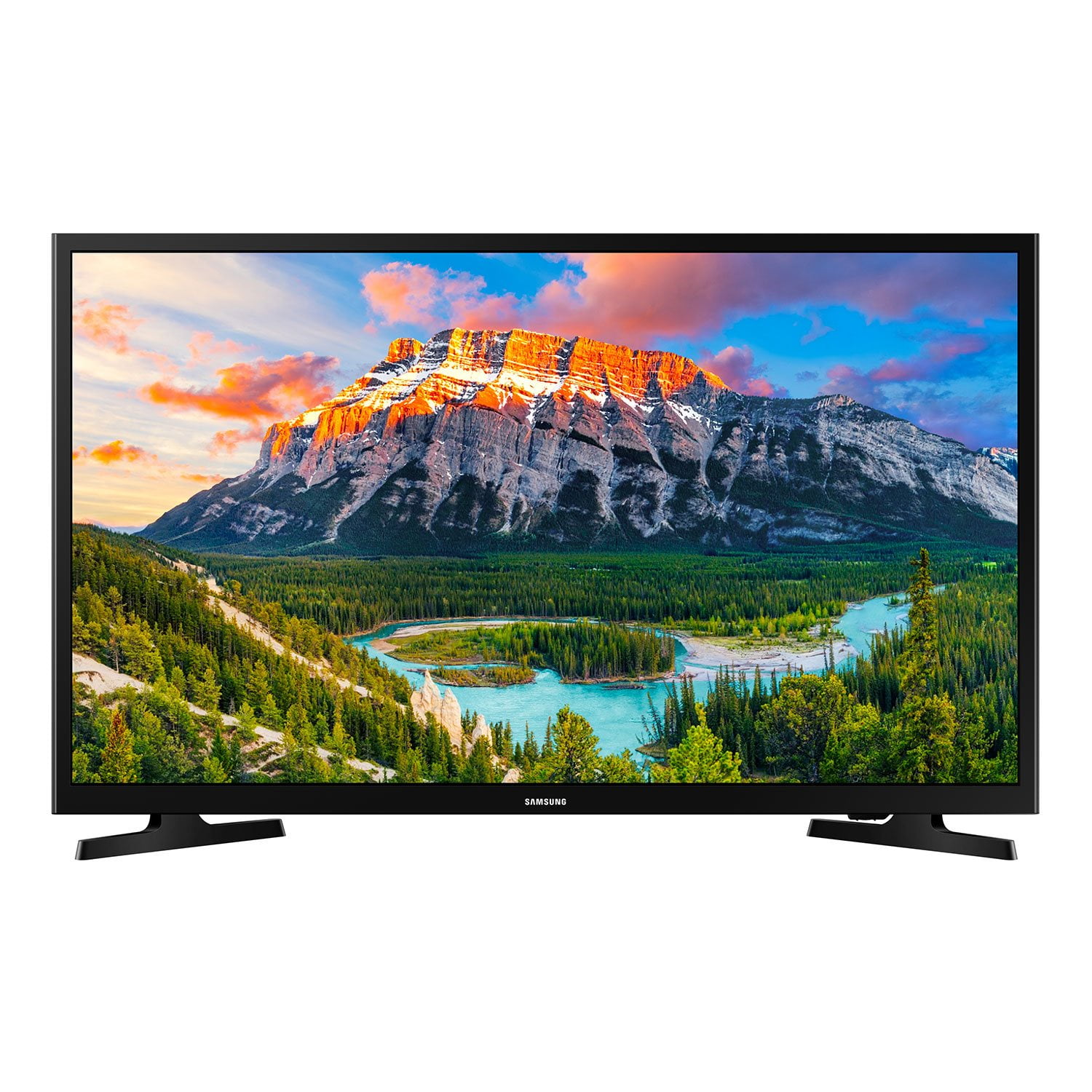
SAMSUNG 32" Class N5300 Series Full HD Smart TV
4.2 out of 5 stars
stars
1,383 ratings1,030 reviews
  1. 5 stars65% (900)
  2. 4 stars15% (205)
  3. 3 stars7% (96)
  4. 2 stars3% (39)
  5. 1 star10% (143)

Member photos

  • +14 images
Sort by |
Showing 681-690 of 1,030 reviews
Dec 18, 2019
Matt
1 out of 5 stars review

Verified Purchase

Poor quality

returned due to quality

Helpful?1YNF0WT3YG2G13864723838
Oct 6, 2021
Roger
5 out of 5 stars review

Verified Purchase

Small screen big picture

beautiful picture

Helpful?1YNF0WT3YG2G13864723838
Jan 27, 2023
Jennifer
5 out of 5 stars review

Verified Purchase

GREAT PRICE!! Sams wants to be 'Competitive!'

Awesome picture

Helpful?1YNF0WT3YG2G13864723838
Feb 18, 2021
BA
3 out of 5 stars review

Verified Purchase

ok

good picture, old remote

Helpful?1YNF0WT3YG2G13864723838
Feb 25, 2024
Melinda
5 out of 5 stars review

Verified Purchase

Great size for bedroom great for wall

Easy to work

Review from walmart.com
Helpful?1YNF0WT3YG2G13864723838
Aug 6, 2022
Joyce
5 out of 5 stars review

Verified Purchase

New Tv

Good buy for the price.

Helpful?1YNF0WT3YG2G13864723838
Oct 23, 2020
RichB
2 out of 5 stars review

Terrible user interface

I just got this to replace a tv in my kitchen. It was a pain needing to install an app and use my mobile phone to do the setup. Once completed the picture and sound seem fine. The user interface is awful. When the tv is powered up I see a screen telling me that I need to scan for channels or change the source. The tv is only connected to stream tv from wifi but that is not offered as a source to select. I found that by hitting the home button a screen listing all sorts of stuff I don't care about appears. I was able to find and install youtube tv which is the primary service that will be watched. Unfortunately it was added to the end of a list of apps and is off the screen. Every time the tv is powered on I need to go through this process and then scroll over to select youtube tv. There doesn't appear to be any way to change what is displayed or to make certain apps the default at power on. The user manual and support section at Samsung are useless. If you do not plan on connecting an external device as a source think twice about this one. I should have spent $100 less for the Vizio

Helpful?1YNF0WT3YG2G13864723838
Sep 7, 2019
DeaN4U2C
4 out of 5 stars review

The Right One

This was a purchase immediately after I returned a much less expensive tv that offered similar features. Set up was a snap. The unit worked out of the box. If you are like me and enjoy “bargains”, go ahead and try the less expensive brand. However, keep in mind, this tv works as promised. You may also skip frustration and shell out the extra bucks and start with the Samsung.

Helpful?1YNF0WT3YG2G13864723838
Aug 27, 2019
Yorkie mom
1 out of 5 stars review

Defective tv

Bought this tv for our kitchen on December 26 2018. That tv would not come on without you having to unplug it from the outlet and plug it back in and it would come back on. So we returned it on January 30th and exchanged it for another Samsung same tv.It went into our guest room. Because it was not used as much but it has the same issues. I called Samsung Support they do not have a repair company to fix our tv so we will have to find a box to pack it in and send it to back. If there are any issues with the tv we will be responsible for the charges. They said this tv should not be on surge protector because it may affect the tv. Although in instruction it says to use a surge protector. So Samsung I will never own another Samsung you ruined your reputation with us Beware this model is not a working tv

Helpful?1YNF0WT3YG2G13864723838
Jul 27, 2022
RHONDA
3 out of 5 stars review

TV Had Problems

TV has Hood picture but problems started 2 weeks after purchase. It wouldn't come on. After an hour of trying to figure it out, we unplugged it and waited a couple of hours. We plugged it back in, and it worked. Now, it will not hook up to the internet. Worked with my internet provider and tv provider and determined it was the tv. Taking it back before my 90 days are up.

Helpful?1YNF0WT3YG2G13864723838
reply from Supplier Response

Hi Rhonda, <br /><br />Thank you for your review of the Samsung N5300 TV and feedback on your experience with the internet connectivity. Please know we are here to help you. There are a few troubleshooting steps that may help with your internet connectivity issue. <br /><br />We suggest you try the following:<br /><br />1. Use 5G Wi-Fi if possible<br />2. Try wired LAN if available<br />3. Try repositioning the router, so there are no obstacles between your TV and the router<br /><br />Please also be sure you are running the latest firmware. You can check to see what software version your TV is using and if there is an available update through the settings on your TV. Go to: Settings &gt; Support &gt; Software Update. <br /><br />You may want to enable automatic updates for convenience. <br />Go to Settings &gt; Support &gt; Software Update, then select Auto Update.<br /><br />Additionally, to optimize the TV’s performance, please also try running Device Care, which improves your app&#39;s performance by freeing up unused cached memory and closing background apps. Go to: Settings &gt; Support &gt; Open e-Manual, then select Device Care.<br /><br />I hope these tips help improve your streaming experience. Samsung is committed to providing the best possible product experience, quality, and value. We back this Samsung TV with a 1-year limited manufacturer&#39;s warranty, including authorized repair for manufacturer defect, if purchased brand-new directly from an authorized seller. <br /><br />If you need further help, please call us at 1-800-SAMSUNG, 8 AM - 12 AM EST, seven days a week. Or visit us on the Samsung website and click on the ‘Support’ link for:<br />1) LiveChat with an agent<br />2) Manuals, Software, &amp; Warranty Info<br /><br />~ Samsung Advisor