Skip to Main Content
Sam's Club
Sam's Club
All Departments
All Services
Customer reviews for SAMSUNG 32" Class N5300 Series Full HD Smart TV for
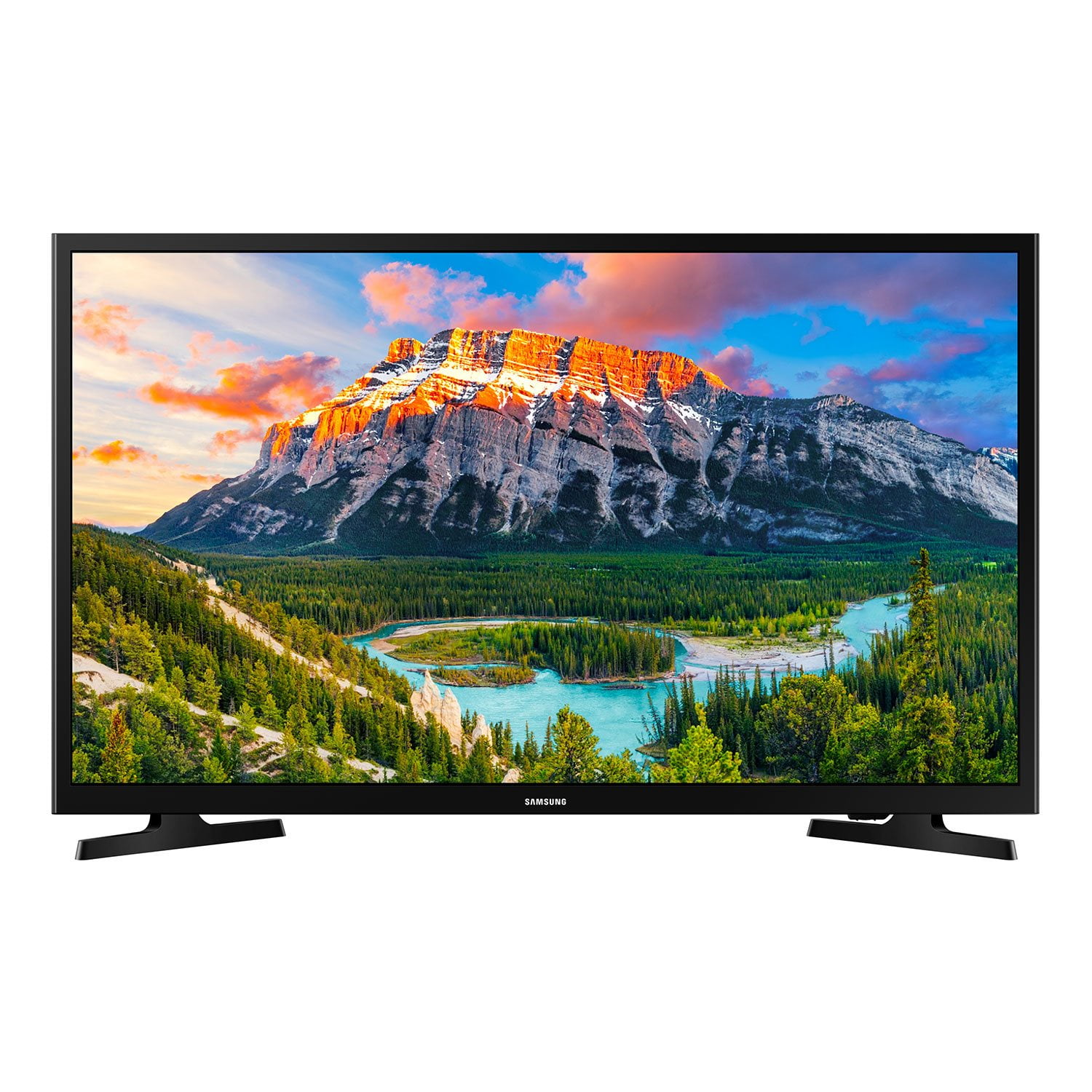
SAMSUNG 32" Class N5300 Series Full HD Smart TV
4.2 out of 5 stars
stars
1,383 ratings1,030 reviews
  1. 5 stars65% (900)
  2. 4 stars15% (205)
  3. 3 stars7% (96)
  4. 2 stars3% (39)
  5. 1 star10% (143)

Member photos

  • +14 images
Sort by |
Showing 1-10 of 1,030 reviews
Sep 24, 2022
Reviewer name: Lakeside
5 out of 5 stars
5 out of 5 stars review

Verified Purchase

Nice!

Perfect for second bedroom!!

Helpful?1YNF0WT3YG2G13864723838
Jan 17, 2019
Reviewer name: mcibet
5 out of 5 stars
5 out of 5 stars review

Verified Purchase

Samsung's TVs are always great!

Don't necessarily need 1080p on a 32" TV but the picture is better than 720p 32" TVs. So why not get the one with the better picture....?

Helpful?1YNF0WT3YG2G13864723838
Sep 2, 2018
Reviewer name: Pylot
4 out of 5 stars
4 out of 5 stars review

Verified Purchase

Not bad, but could be better

Bought this to replace a Vizio I purchased for my mom which was terrible. This is better, but not perfect. The picture and audio are good, but the tuning speed when changing channels is annoyingly slow. Additionally the on-screen font is not great for older people like my mom. They don't have room for a large TV, and a 32" TV across the room with a tiny font for the on-screen menus is less than optimal. It's better than the Vizio, though, so it stays...

Helpful?1YNF0WT3YG2G13864723838
Sep 20, 2018
Reviewer name: BEBOOP
4 out of 5 stars
4 out of 5 stars review

Verified Purchase

Samsung is a well-known manufacturer of electronic products and other household equipment for many many years. A reliable and trusted name. The 32 inch TV is perfect for my needs. And the sales price was even better. And the no hassle in and out pickup of this product was an enjoyable experience. In short, I sat at home on my derrière picked out when I wanted at a good price picked up the next day. And installed it that day. Mark this one as a good experience. The end Lee Wolf

Helpful?1YNF0WT3YG2G13864723838
Jul 19, 2018
Reviewer name: Larry
4 out of 5 stars
4 out of 5 stars review

Verified Purchase

Samsung TV

Picture and sound quality are very good. Setup was mostly easy with the exception of the network setup which was very cumbersome due to the system truncating the network password. All other parts of setup were fairly easy.

Helpful?1YNF0WT3YG2G13864723838
Apr 13, 2022
Reviewer name: Blackhawk
4 out of 5 stars
4 out of 5 stars review

Verified Purchase

I like it

There has been no issues as far as everything working on it correctly. The speakers are OK, better than another older 32" I have. Watching old programs like the X Files through my Dish Network receiver, the picture can be too dark during night time scenes but don't seem to has that issue when using the apps through the internet. Picture brightness is something I will be looking for in the next TV purchase. All in all, I like it.

Helpful?1YNF0WT3YG2G13864723838
Dec 16, 2022
Reviewer name: Buyingal
3 out of 5 stars
3 out of 5 stars review

Verified Purchase

Very sharp picture, BUT...

At first I loved this TV. The audio was clear and the picture was bright and sharp. My disappointment was that the remote does not have full function. When I'm watching premium channels and want to restart by pressing the bottom right arrow, it doesn't work. If I want to change channels, the up/down buttons do not work. I get the message, 'not available.' I called support and was told this TV does not have those functions when using such services as Verizon or Comcast. I have another Samsung that I can use either remote with full functions on both.

Helpful?1YNF0WT3YG2G13864723838
reply from Samsung

Hi Buyingal, <br /><br />Thank you for your feedback on the N5300 TV. Please know your review will be shared with our internal product teams. <br /><br />Please confirm you have completed these steps when programming your Samsung remote to your cable box.<br /><br />1) Connect an external device to the TV&#39;s HDMI port, and then power on the external device. Your TV will automatically recognize the device connected through HDMI and switch the output. If it doesn&#39;t automatically detect it, then keep following the steps to set up Universal Remote.<br /><br />2) Press the Home button on your TV remote to access the Home Screen. Using the directional pad on the remote, navigate to Source. When the selector is placed over Source, the Source menu will appear. Press UP on the directional pad to access Universal Remote.<br /><br />3) Select Universal Remote on the Source screen. Next, select Start and make sure the device you want to connect is turned on. When your desired device displays, select it. Follow the on-screen instructions to complete the setup and register the device. The instructions may vary depending on the chosen device type.<br /><br />4)Your TV and the remote will memorize the external device and its connection port (HDMI 1, HDMI 2, etc.) to make controlling everything even easier.<br /><br />If you continue to have issues, please call us again at 1-800-SAMSUNG, 8 AM - 12 AM EST, seven days a week. Our LiveChat agents are also available by clicking on the ‘Support’ link on our website.<br /><br />~ Samsung Advisor

Feb 2, 2024
Reviewer name: Kh
2 out of 5 stars
2 out of 5 stars review

Verified Purchase

Totally unhappy

It took me 2 days to figure this TV out and ev runtime I just want to. See local TV I have to go thru and program it again. Very frustrating for an older buyer.

Helpful?1YNF0WT3YG2G13864723838
reply from Samsung

Hi KH,<br /><br />I&#39;m truly sorry to hear that you are having difficulties with the user interface on your N5300 TV. If you ever have questions or need help with your TV, Samsung is here for you! Give us a call at 1-800-SAMSUNG, 8 AM - 12 AM EST, seven days a week. Our LiveChat agents are also available by clicking on the ‘Support’ link on our website.<br /><br />Thanks for being a part of the Samsung family!<br /><br />~ Samsung Advisor

Dec 26, 2021
Reviewer name: Lisa
1 out of 5 stars
1 out of 5 stars review

Verified Purchase

Arrived broken

Did not work upon arrival. When turned on just has lines on the screen

Helpful?1YNF0WT3YG2G13864723838
Sep 30, 2022
Reviewer name: Creeker69
1 out of 5 stars
1 out of 5 stars review

Verified Purchase

Samsung 32" TV

Very disappointed. I had an earlier Samsung of same type but was not able to update the SMART version (thanks Samsung, for building in obsolescence). The main issue is that different inputs have drastically different volume levels. So, if I am watching Netflix or other streaming service, I set the volume. When done, and I go back to HDMI for cable, the volume is low!!! Very low. (It is not the HDMI cable, changed it out to make sure,; it is not the cable box as volume output is maxed on cable box. Very annoying. I am considering taking this back and getting a fire stick for my older model 32" Samsung. I have three other (larger Samsungs) and I do not have that issue an any of them. It would be a good small TV for bedroom, Den Kitchen otherwise.

Helpful?1YNF0WT3YG2G13864723838
reply from Supplier Response

Hi Creeker69,<br /><br />I apologize for the inconvenience you have had with the inconsistent sound volume on your N5300 TV. Please review the following tips to help resolve your inconsistent volume issue. <br /><br />First, let&#39;s ensure you are running the latest Firmware. Go to Settings&gt; Support&gt; Software Update. <br /><br />Next, I recommend you try The Auto Volume function, which automatically adjusts the sound to a certain level when changing channels or switching to another external input. Go to Settings &gt; Sound &gt; Expert Settings &gt; Auto Volume &#61; On.<br /><br />You may also want to perform a Sound Test under Support &gt; Self Diagnosis &gt; Start Sound Test.<br /><br />If the issue persists, please reach out to us so that we can provide further troubleshooting. Call us at 1-800-SAMSUNG, 8 AM - 12 AM EST, seven days a week. Or visit us on the Samsung website and click on the ‘Support’ link for:<br />1) LiveChat with an agent<br />2) Manuals, Software, &amp; Warranty Info<br /><br />~ Samsung Advisor