Skip to Main Content
Sam's Club
Sam's Club
All Departments
All Services
Customer reviews for SAMSUNG 65" Class DU7200 Series 4K Smart TV for
SAMSUNG 65" Class DU7200 Series 4K Smart TV
4.3 out of 5 stars
stars
1,279 ratings1,091 reviews
  1. 5 stars64% (819)
  2. 4 stars18% (231)
  3. 3 stars8% (102)
  4. 2 stars5% (61)
  5. 1 star5% (66)

Member photos

  • +163 images
Sort by |
Showing 391-400 of 1,091 reviews
Feb 5, 2025
Reviewer name: Wilkesrichard
4 out of 5 stars
4 out of 5 stars review

Excellent

Unit is outstanding. Great Pic. Really Great. Easy and smooth to operate, except. Be sure to get a remote with voice recognition. Most of what I watch is streaming.

Review from Samsung US
Helpful?3BX78DZ2P7VO13854766773
Apr 2, 2025
Reviewer name: Annie
5 out of 5 stars
5 out of 5 stars review

Best Samsung TV
I brought the TV almost 40 days, I do like to watch Live Channel and Movies at home comforts. My family greatly appreciate the Size and the space occupancy.Thanks to Samsung

Review from Samsung US
Helpful?3BX78DZ2P7VO13854766773
Apr 19, 2025
Reviewer name: BillinNM
3 out of 5 stars
3 out of 5 stars review

User interface needs work

It's really hard to download apps. Remote control needs more features. "Fast forward" would nice. Called for support twice. I'm batting .500 TV itself is pretty good. Could REALLY use some documentation, tho.

Review from Samsung US
Helpful?3BX78DZ2P7VO13854766773
reply from Samsung Advisor

Hi BillinNM, We appreciate your review of the DU7200 TV. To learn how to use your Samsung remote and understand the settings on your TV, please use your remote to access the remote guide. Go to Home> (left directional button) Settings> Support> Remote Control Guide. If you need more help, Samsung is here for you. Please call us at 1-800-SAMSUNG, 8 AM - 12 AM EST, seven days a week. Our LiveChat agents are also available by clicking on the ‘Support’ link on our website. ~Samsung Advisor

Apr 19, 2025
Reviewer name: RayBob
4 out of 5 stars
4 out of 5 stars review

Yellow people?

Don't know if it's my satellite service or the TV, but sometimes people look jaundiced. Very yellow. Good picture most of the time. Very good sound for a little TV.

Review from Samsung US
Helpful?3BX78DZ2P7VO13854766773
Feb 20, 2025
Reviewer name: Chuck H
5 out of 5 stars
5 out of 5 stars review

Samsung TVs can't be beat for the price.

I will never buy a TV that isn't a SAMSUNG. I've owned several TVs over the years and none have come close to the service that Samsung brands have offered. I've never been disappointed with any of their applicances.

Review from Samsung US
Helpful?3BX78DZ2P7VO13854766773
Apr 20, 2025
Reviewer name: Billy P
3 out of 5 stars
3 out of 5 stars review

Will not play EWTN App content! Very Disappointe.

Bought TV about a month ago for my mother in law, and for some odd reason it will download but not play the content of the EWTN App. Very odd. But that’s one of the main reasons we bought it. She loves EWTN! Very disappointing!

Review from Samsung US
Helpful?3BX78DZ2P7VO13854766773
reply from Samsung Advisor

Hi Billy P, If apps are not working correctly, we recommend first checking for firmware updates on your TV. Go to Home > Settings > Support > Software Update. If you do have the latest firmware, then you can next try a cold boot. There are two ways to cold boot your TV: 1) Using the Remote: For most people, the easiest way is to hold down the Power button on the Samsung TV remote until the TV turns off and then on again. This should take about 5 seconds. 2) Using the Plug: If you do not have the remote, unplug your TV from the wall outlet or surge protector, leave it unplugged for 30 seconds, and then plug it back in. For more help, please contact Samsung TV Support at 1-800-SAMSUNG, available 8 AM – 12 AM EST, seven days a week. For more contact options, click here: https://www.samsung.com/us/support/contact/ We look forward to hearing from you. ~Samsung Advisor

Mar 5, 2025
Reviewer name: Fred Garvin
5 out of 5 stars
5 out of 5 stars review

Easy to use menu screens

This is my 4th Samsung tv. I like the free programs available along with the ease to figure things out. My only complaint is the new remote control is not user friendly period. I use my older ones.

Review from Samsung US
Helpful?3BX78DZ2P7VO13854766773
Apr 19, 2025
Reviewer name: cjinwg
2 out of 5 stars
2 out of 5 stars review

Mediocre at best.

Mediocre at best. TV shuts off randomly and whilst watching Samsung TV show will randomly switch to another Samsung channel. Will never buy Samsung again. This is the fourth Samsung I’ve owned and am going to another brand.

Review from Samsung US
Helpful?3BX78DZ2P7VO13854766773
reply from Samsung Advisor

Hi cjinwg, We appreciate you taking the time to let us know about your experience with your TV. So that we can better troubleshoot this issue and provide steps towards a solution, please contact Samsung Support at 1-800-SAMSUNG, 8AM - 12AM EST, 7 days a week. Or visit us on the Samsung website and click on the ‘Support’ link for: • LiveChat • Manuals, Software, & Warranty Info ~ Samsung Advisor

Feb 21, 2025
Reviewer name: Linda T
5 out of 5 stars
5 out of 5 stars review

Beautiful

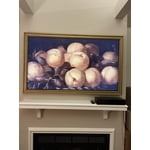
I absolutely love my frame tv - looks like beautiful piece of art - a friend visiting this week didn’t believe it was a tv until I switched over from art to tv. I bought a very pretty gold wooden frame for it. TV has great picture & sound !

Review from Samsung US
Helpful?3BX78DZ2P7VO13854766773
Apr 19, 2025
Reviewer name: Rwal21
2 out of 5 stars
2 out of 5 stars review

Random power off

I bought the TV a few months back and it works great when watching via a usb connection. However, whenever we try to watch anything via streaming straight to the TV it shuts off randomly.

Review from Samsung US
Helpful?3BX78DZ2P7VO13854766773
reply from Samsung Advisor

Hi Rwal21, Thank you for reaching out to us. If your TV appears to turn off by itself, try disabling some of the TV's energy efficiency functions. See if Sleep Timer has been enabled. The Sleep Timer automatically turns the TV off after a specific period of time. Go to: Settings > All Settings> General > System Manager > Time > Sleep Timer If the Sleep Timer has not been enabled, see if Auto Power Off or Off Timer has been enabled and disable it. - Settings > All Settings> General > Power and Energy Saving > Auto Power Off - Settings > All Settings> General > System Manager > Time > Off Timer If the TV continues to turn off by itself continuously, please get in touch with Samsung Customer Support at 1-800-SAMSUNG, 8 AM - 12 AM EST, seven days a week. Our LiveChat agents are also available by clicking on the ‘Support’ link on our website. ~ Samsung Advisor