Skip to Main Content
Sam's Club
Sam's Club
Customer reviews for SAMSUNG 65" Class DU7200 Series 4K Smart TV for
SAMSUNG 65" Class DU7200 Series 4K Smart TV
4.3 out of 5 stars
stars1,279 ratings1,091 reviews
  1. 5 stars64% (819)
  2. 4 stars18% (231)
  3. 3 stars8% (102)
  4. 2 stars5% (61)
  5. 1 star5% (66)

Member photos

  • +163 images
Sort by |
Showing 361-370 of 1,091 reviews
Feb 5, 2025
Dave
2 out of 5 stars review

Somewhat disappointed

I bought this unit based on a previous Samsung 40 inch tv that we purchased some 8 years ago. The picture quality of the old unit was quite a bit better than the new one. 23 steps to the left or right of center and the picture fades considerably. Didn’t have that issue with the old one. But the price was very good.

Review from Samsung US
Helpful?3BX78DZ2P7VO13854766773
reply from Samsung Advisor

Hi, Thank you for sharing your thoughts on the picture quality of your DU7200 TV. I have a few recommendations that may improve your visual experience: Go to Home > Settings > All Settings > Picture > Picture Mode and select the mode that best fits your usage: 1) Standard: Default mode suitable for general viewing environments. 2) Natural: Reduces eye strain for a comfortable viewing experience. 3) Movie: Most suitable for watching TV or movies in a dark room. 4) Dynamic: Makes the picture brighter and clearer in bright viewing environments. 5) Filmmaker Mode: You can watch the source content (e.g., movie) as it is. If the image is defined as Filmmaker Mode, it will automatically switch to Filmmaker Mode while watching. You can also go to Settings > All Settings> Picture > Expert Settings > to manually fine-tune your image. If you need more help, Samsung is here for you. Call us at 1-800-SAMSUNG, 8 AM - 12 AM EST, seven days a week. Our LiveChat agents are also available by clicking on the ‘Support’ link on our website. ~ Samsung Advisor

Jun 6, 2025
Charlie
1 out of 5 stars review

Worthless

Didn't last a month ,a line appeared on the bottom of the screen

Review from Samsung US
Helpful?3BX78DZ2P7VO13854766773
reply from Samsung Advisor

Hi Charlie, We appreciate your feedback regarding the screen abnormalities you’re seeing on your DU7200 TV. Please run a Picture Test to determine if the problem is caused by the TV. Picture Test displays a high-definition picture you can examine for flaws or faults. Go to Settings > Support > Device Care > Self Diagnosis > Picture Test. If this occurs on all sources and the picture test, this may require service. For help with setting up a service appointment, please contact Samsung Support at 1-800-SAMSUNG, 8 AM - 12 AM EST, seven days a week. Our LiveChat agents are also available by clicking on the ‘Support’ link on our website. ~Samsung Advisor

Jun 6, 2025
Farmwife
2 out of 5 stars review

Stops broadcast often

Changes to tuner one about every two hours. Does it automatically

Review from Samsung US
Helpful?3BX78DZ2P7VO13854766773
reply from Samsung Advisor

Hi Farmwife, We appreciate you taking the time to let us know about your experience with your TV. So that we can better troubleshoot this issue and provide steps towards a solution, please contact Samsung Support at 1-800-SAMSUNG, 8AM - 12AM EST, 7 days a week. Or visit us on the Samsung website and click on the ‘Support’ link for: •  LiveChat •  Manuals, Software, & Warranty Info ~ Samsung Advisor

Jun 6, 2025
Gato
4 out of 5 stars review

Local channels

I still have problems or a little confuse as to how to scan for local channels on my Samsung.

Review from Samsung US
Helpful?3BX78DZ2P7VO13854766773
Jun 5, 2025
Jovee
5 out of 5 stars review

Great features!

Lots of great features and pretty easy to use on start up.

Review from Samsung US
Helpful?3BX78DZ2P7VO13854766773
Jul 28, 2025
verinha
5 out of 5 stars review

great TV

loving my new TV !! great features, super light and it fulfills entertainment needs

Review from Samsung US
Helpful?3BX78DZ2P7VO13854766773
Jun 5, 2025
Judy
3 out of 5 stars review

What does this mean?

Too complicated for a technology challenged senior!

Review from Samsung US
Helpful?3BX78DZ2P7VO13854766773
reply from Samsung Advisor

Hi Judy, We appreciate your review of the DU7200 TV. To learn how to use your Samsung remote and understand the settings on your TV, please use your remote to access the remote guide. Go to Home> (left directional button) Settings> Support> Remote Control Guide. If you need more help, Samsung is here for you. Please call us at 1-800-SAMSUNG, 8 AM - 12 AM EST, seven days a week. Our LiveChat agents are also available by clicking on the ‘Support’ link on our website. ~Samsung Advisor

Jun 5, 2025
madkm
5 out of 5 stars review

Great little tv

Great little TV. Clarity and depth to the picture is awesome

Review from Samsung US
Helpful?3BX78DZ2P7VO13854766773
Jun 5, 2025
SJR1
4 out of 5 stars review

Great features but for the remote.
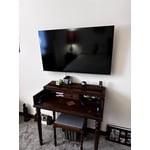
Great picture! remote not so good tiny button for volume ridiculus! All around too small remote.

Review from Samsung US
Helpful?3BX78DZ2P7VO13854766773
Jun 5, 2025
Suzy
5 out of 5 stars review

The larger size has truly helped.

Seems to be working well. Much easier to see at a distance.

Review from Samsung US
Helpful?3BX78DZ2P7VO13854766773