Skip to Main Content
Sam's Club
Sam's Club
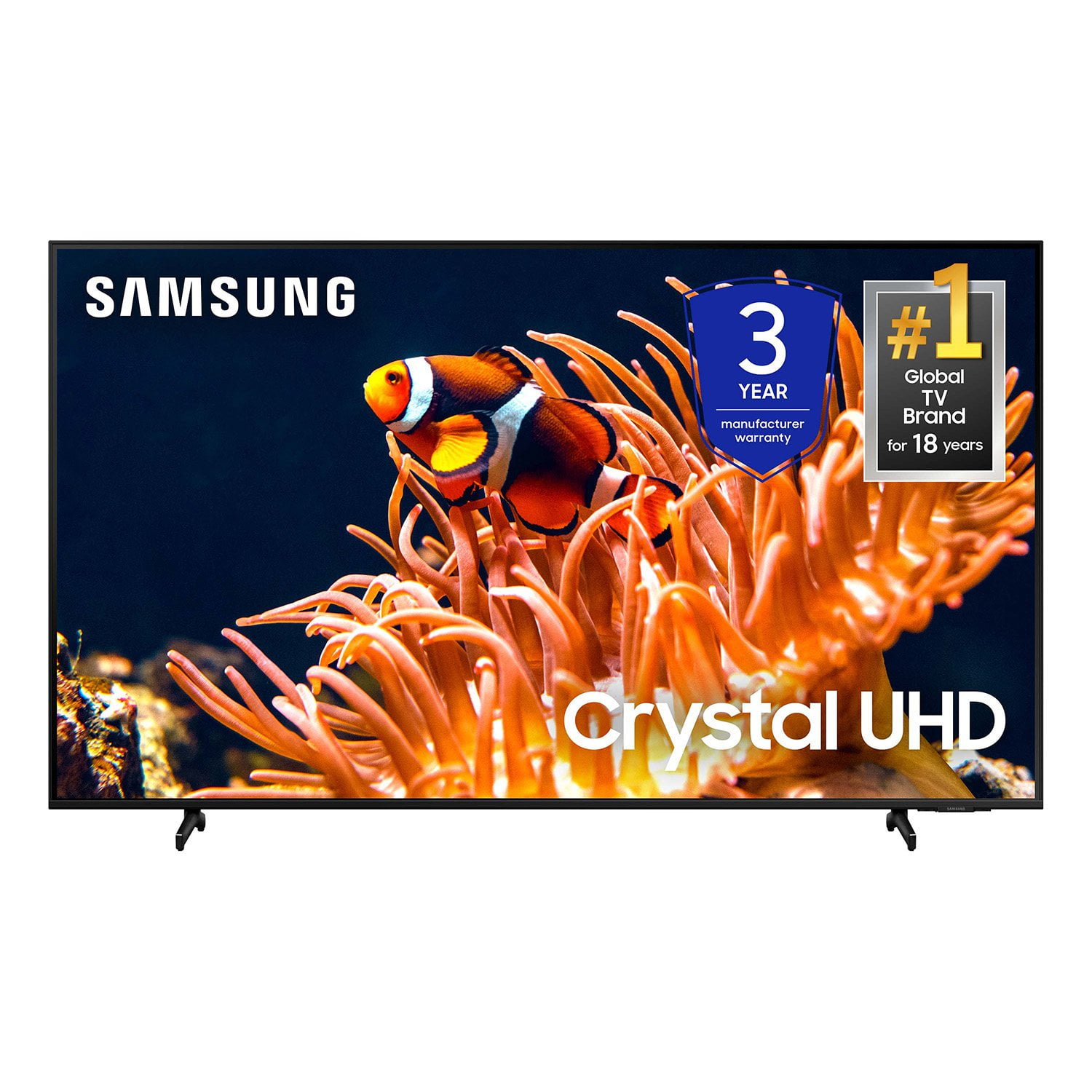
Customer reviews for SAMSUNG 65” Class DU8000 Series UHD 4K Smart TV for
SAMSUNG 65” Class DU8000 Series UHD 4K Smart TV
4.5 out of 5 stars
stars788 ratings784 reviews
  1. 5 stars74% (583)
  2. 4 stars13% (102)
  3. 3 stars5% (42)
  4. 2 stars3% (22)
  5. 1 star5% (39)

Member photos

  • +189 images
Sort by |
Showing 501-510 of 784 reviews
May 3, 2025
TheNameIsD
1 out of 5 stars review

Disposable tv I guess...

At less than seven months the sound keeps going mute. After four attempts with Samsung support and no fix I consider this tv a waste of money and will never purchase Samsung products again.

Review from Samsung US
Helpful?28HO1S43D6Y413848822577
reply from Samsung Advisor

Hi TheNameIsD, Thank you for your review and for sharing your experience with your DU8000 TV. If you’re not hearing any sound, whether using TV speakers or an external audio device, here are several steps that can help get things working again. 1. Start with Basic Checks • Make sure the TV isn’t muted and the volume is turned up. • If using an external audio device, ensure it’s powered on, set to the correct source, and the volume is turned up there as well. • Unplug your TV for 30 seconds, then plug it back in and power it on. 2. HDMI ARC / eARC Connection • Use a certified High-Speed HDMI cable with Ethernet. Connect it to the HDMI eARC ports on both the TV and the soundbar/receiver. • Enable these settings: o Settings > All Settings > Sound > Expert Settings > HDMI eARC Mode = Auto o Settings > All Settings > General & Privacy > External Device Manager > Anynet+ (HDMI-CEC) = On • Check the digital audio format: Settings > All Settings > Sound > Expert Settings > Digital Output Audio Format o If you're not sure what your connected device supports, set it to Auto. 3. Optical Audio Connection • Power on the soundbar/receiver before connecting the optical cable. • Select the correct sound output: Settings > All Settings > Sound > Sound Output = Optical • Try a different optical cable if no sound is coming through. 4. Bluetooth Audio Connection • Pair your Bluetooth device: Settings > All Settings > Sound > Sound Output > Bluetooth Speaker List • If your Bluetooth device doesn’t appear or won’t connect, move it closer to the TV, ensure it’s in pairing mode, and select Scan. • If paired but no sound, unpair the device and try reconnecting. 5. Wi-Fi / Wireless Speakers • Confirm the speakers and the TV are on the same Wi-Fi network. Use: Settings > All Settings > Sound > Sound Output > Wi-Fi Speaker Surround Setup • Reboot both the TV and the Wi-Fi speakers, and check your router for connection strength. 6. Other Helpful Tips • Run a Sound Test: Settings > Support > Device Care > Self Diagnosis > Sound Test • Update TV firmware to rule out compatibility issues: Settings > Support > Software Update > Update Now • If using a cable box or external streaming device, double-check that the device’s audio output settings are set to HDMI or the appropriate output. If you still don’t hear sound after following these steps, please don’t hesitate to reach out so we can assist further. You can call Samsung Support at 1-800-SAMSUNG, 8AM – 12AM EST, 7 days a week. Our LiveChat agents are also available by clicking the ‘Support’ link at Samsung.com. ~ Samsung Advisor

Mar 19, 2025
RB26king
5 out of 5 stars review

THIS IS SUCH A GREAT TV

[This review was collected as part of a promotion.] It is a really convenient tv considering it has xbox built in which i play on xbox and it just makes it 10x easier to use

Review from Samsung US
Helpful?28HO1S43D6Y413848822577
May 21, 2025
Mady205
5 out of 5 stars review

Love this TV excellent quality 👌

[This review was collected as part of a promotion.] Love this TV the quality is so perfect love gaming and watching movies I mean this Samsung quality is so beautiful!..

Review from Samsung US
Helpful?28HO1S43D6Y413848822577
Dec 6, 2024
ROMEDAGOD
5 out of 5 stars review

Samsung 65 UHD 4K

[This review was collected as part of a promotion.] Got this on black friday sale and this TV is excellent. 4k is great and user interface is smooth. Great for gaming, great for family times.

Review from Samsung US
Helpful?28HO1S43D6Y413848822577
May 5, 2025
Red bean
5 out of 5 stars review

Excellent picture

I bought this TV a few months ago, I really enjoyed watching it. I have three other Samsung televisions in my home. This is the brand that I love thank you.

Review from Samsung US
Helpful?28HO1S43D6Y413848822577
Nov 18, 2024
Allison
5 out of 5 stars review

Thought it was oled, great quality!

[This review was collected as part of a promotion.] Ive never owned an 85" tv before and i was blown away. The colours were so vibrant and the black levels were better than any other uhd tv I've seen.

Review from Samsung US
Helpful?28HO1S43D6Y413848822577
Nov 18, 2024
HAilHAil
5 out of 5 stars review

Love it! You gotta get one!

[This review was collected as part of a promotion.] SUPER easy set up---looks amazing---this was my Christmas present to the family this year, and we're all as happy as could be

Review from Samsung US
Helpful?28HO1S43D6Y413848822577
Sep 10, 2024
Mikeyps2
5 out of 5 stars review

Great for gaming and movies

[This review was collected as part of a promotion.] I upgraded my TV recently from a 46" 1080p to a 55" DU8000 and I absolutely love it. The UI is nice and the television is very responsive. It's been great fir games and movies!

Review from Samsung US
Helpful?28HO1S43D6Y413848822577
Nov 14, 2024
Hazeypoo
4 out of 5 stars review

Absolutely love it!

[This review was collected as part of a promotion.] I use this TV to play Xbox on and it's buttery smooth for 60fps. The HDR is truly amazing when watching movies. The price isn't to bad either. I've always loved Samsung products.

Review from Samsung US
Helpful?28HO1S43D6Y413848822577
Jul 4, 2024
Lovebigtv
5 out of 5 stars review

The tv has everything you want

[This review was collected as part of a promotion.] Great tv it is a big screen and the resolution it’s so great I recommend it if you love good quality images

Review from Samsung US
Helpful?28HO1S43D6Y413848822577