
 Customer reviews for SAMSUNG 85" Class Q7-Series 4K Ultra HD Smart QLED TV - QN85Q7DAAFXZA for
Member photos

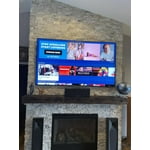
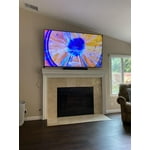



 +297 images
Great Upgrade
[This review was collected as part of a promotion.] This Samsung is an awesome upgrade. You get a lot of features for a really good price. It has several viewing features that are great for movies and tv shows. Works great in a living room that has a lot of light coming in, the tv is able to adjust to the lighting were it doesn't become hard to watch
IMPRESIVE QUALITY!!!
[This review was collected as part of a promotion.] I HAVE BEEN AMAZED BY THE BRILLIANT COLORS AND DEFINITION THAT THIS TELEVISION PRODUCES. MY NEIGHBORS THAT HAVE OBSERVED THE QUALITY OF THIS UNIT ARE ALSO IN AWE AND SOME ARE VERY JEALOUS. I SUSPECT THAT THEY WILL ALSO BE LOOKING MORE CLOSELY AT SAMSUNG FOR THEIR NEXT PURCHASE. THE TV HAS PRODUCED 'NO' PROBLEMS SINCE I'VE PURCHASED IT. ADDITIONALLY, I'M ALSO INTRIGUED WITH THE INTERNET CAPABILITY, AS WELL AS THE STATION LINE-UP'S BUILT INTO THE SYSTEM. OVERALL, I CAN CONFIDENTLY STATE THAT I CONSIDER THE BEST TELEVISION THAT I'VE EVER OWNED AND I'VE OWNED COUNTLESS TV'S OVER THE PAST SIX DECADES!!!!! I LOVE THIS TV SO MUCH THAT IT IS ON ROUGHLY 16 HOURS A DAY, SINCE I'M RETIRED AND MOSTLY HOMEBOUND!!! IT IS THE CENTER OF MY LATER LIFE, SINCE I WORKED OUTSIDE FOR OVER FIVE DECADES.
Minor issues/fixes
[This review was collected as part of a promotion.] First are you seriously the slowest SMARTTV internet conecction out there. From tje time i turn thr tv on it takes almost 2.5 mins for it to read the internet before you van select anything frim tje SMAR5 MENU. 2nd cant down load apps like VIZIO N LG
Hello Sandwoch2469, Thank you for choosing Samsung's Q70A TV and for your review. We appreciate your feedback regarding your TV's response time and apps. Please know Samsung offers hundreds of apps in our App Store that you can download, and we are continuously adding more premium content and new services to our Smart TV platform. In order to see our full offering of apps, you will need to be connected to the internet and logged into your Samsung.com account. To optimize the smart TV performance, please try Device Care option under the Support Menu. Go to Settings > Support> Device Care > Start Device Care This service checks memory and frees up unused cached memory and closes background apps. Please also be sure you are running the latest firmware. You can check to see what software version your TV is using and if there is an available update through the settings on your TV. Go to: Settings > Support > Software Update. You may also want to go through these steps to check your network connection: 1) Make sure that no items that can generate electromagnetic interferences are placed between the TV and the wireless/wired access point. 2) Check if the access point is turned on. If it is on, turn it off, wait 1 or 2 minutes, and then turn it on. Enter the correct password if required. 3) If the wireless connection fails, connect the TV to the access point via a LAN cable. If the TV can connect to the Internet normally via the wired connection, there might be a problem with the access point. In this case, try using a different access point. 4) Try a cold reboot of your TV by pressing and holding the power button for 5+ seconds until the TV turns off and on again. I hope these tips help! Should you ever have questions or need help, please call us at 1-800-SAMSUNG (ask for TVs), available 8AM -12AM EST M-F (9AM – 6PM EST Sat). Or text HELP to 62913. For additional support resources, visit us on the Samsung website and click on the ‘Support’ link in the upper right corner of the homepage for: 1) More ‘Contact Us’ options – LiveChat, Facebook, Twitter, Samsung Community, Samsung Members app 2) Manuals & Software 3) Warranty Info 4) Product Registration: For access to easy warranty support, convenient opt-in to special promos and offers, faster troubleshooting and service, and quick notification of system updates. We hope to hear from you. ~ Samsung Specialist
Sound is weak, otherwise very good TV
[This review was collected as part of a promotion.] Picture quality is very good from most angles, despite the enormous amount of glare from my apartment windows. The TV is good for watching movies and gaming (I didn't notice any issues when connecting the Nintendo Switch system). About a year after purchasing the TV, we decided to add a sound bar because the TV audio was just OK. It was a Samsung sound bar and the integration with the TV was straightforward.
One of the best!
[This review was collected as part of a promotion.] I have owned Samsung televisions for close to 20 years. In all of those years I have only had one set that didn't last at least 12 years. Our 46" still works but has some bad solder joints so we bought the Q70 65". It has the best picture of any tv in it's class, in my opinion. If you compare pictures with all of the other televisions in a showroom, Samsung is the hands-down winner in it's class. The HDR performance is outstanding as is the contrast. Nothing is as good as OLED but until Samsung releases the new Mini LED format, this QLED set is tops.
Grisp picture
[This review was collected as part of a promotion.] I love this TV, it has an amazing picture. The Samsung plus channels are great, even better than cable and other subscriptions. The remote control is simple but does limit some control. Wish there were more functions at your finger tips. Overall Great TV!
Best TV Ever Owned
[This review was collected as part of a promotion.] My Samsung TV is wonderful, watching movies is soooo good. Unlike any experience that I have ever had before!! When playing video games its like im in the game. The picture quality is so good, that I forget that I'm watching this wonderful TV lol. Great job Samsung!!!
Fantastic TV
Purchased this TV just before Christmas. Had to wait a couple months to take delivery but it was sure worth it. Wonderful colour, sound, perfect size for our family room, each to use controls. Went from a 40 inch TV to this 55 inch - great choice - we can now clearly ready the guide/instructions clearly. We added a sound bar for even more enjoyment.
Thank you, Scotlin! We love to hear positive feedback and we’re delighted you’re enjoying your new Samsung TV.
Very good quality picture!
[This review was collected as part of a promotion.] I find the quality of the clarity of the picture very good, but there is some serious need for major improvements in both the audio and the remote control!! Audio is very uneven in the levels of volume during a movie, fluctuating far outside of the spectrum of the video feed. Often having to move the volume control to 100, just to hear a program when the tv is 5 feet away from my head! Then, when a commercial comes on it practically blows the speakers and I must quickly 'mute' the volume until returning to the program!! Additionally, your computer only recognizes a select group of optical audio external compatibility. I personally use audio headsets for part of my evenings programming, but your computer chip doesn't recognize intentionally acclaimed external equipment like "Sennheiser" headphones!! As far as the remote control, it is poorly designed from what I have experienced so far in usage! How poorly alone is the fact that ALL volume functions are controlled with one very small lever device, that will likely be junk within a year!!!!! Additionally, your remote design reduced buttons by placing multiple functions within select buttons. This creates multiple misapplications of functions while attempting to watch programming. I will admit that I am still a beginner at mastering this units capabilities and functions, but I'm not exactly pleased with instructional documentation, 'without' using a voice command computer to dictate my usage or programming.
PlutoZass: Thank you for choosing the 2021 Q70A QLED 4K TV and taking the time to share your experience. I’m glad to hear that you are happy with the picture brought to you by our Direct Full Array designed to bring scenes to life with more precise contrast controlled by in-screen lighting that delivers deep blacks and pure whites with minimal halo or blooming. Adaptive Volume+ is a feature that automatically adjusts to a specific volume level while you are watching TV. The TV analyzes your volume usage history by time period to automatically adjust the volume when you use an app or switch to an external input source. You can turn this option on/off by going to Settings > General > Intelligent Mode Settings Your wireless headphones can be connected via Bluetooth by going to: Settings > Sound> Sound Output > Bluetooth Speaker List Your thoughts regarding the remote control design are appreciated and will be shared with our product team. Should you ever have questions or need help, you can reach us at 1-800-SAMSUNG (ask for TVs), available 8AM -12AM EST, 7 days a week. Or text HELP to 62913. For additional support resources, visit us on the Samsung website and click on the ‘Support’ link in the upper right corner of the homepage for: 1) More ‘Contact Us’ options – LiveChat, Facebook, Twitter, Samsung Community, Samsung Members app 2) Manuals & Software 3) Warranty Info 4) Product Registration: For access to easy warranty support, convenient opt-in to special promos and offers, faster troubleshooting and service, and quick notification of system updates. ~ Samsung Solutions
This product has great features
[This review was collected as part of a promotion.] I use my samsung tv for movies and videos. It is a great product, the resolución is fantastic. Menús easy to follow. But the remote control is not easy to handle, it is missing basic buttons, not easy to handle.