Skip to Main Content
Sams Club
Sams Club
Customer reviews for SAMSUNG 85" Class Q7-Series 4K Ultra HD Smart QLED TV - QN85Q7DAAFXZA for
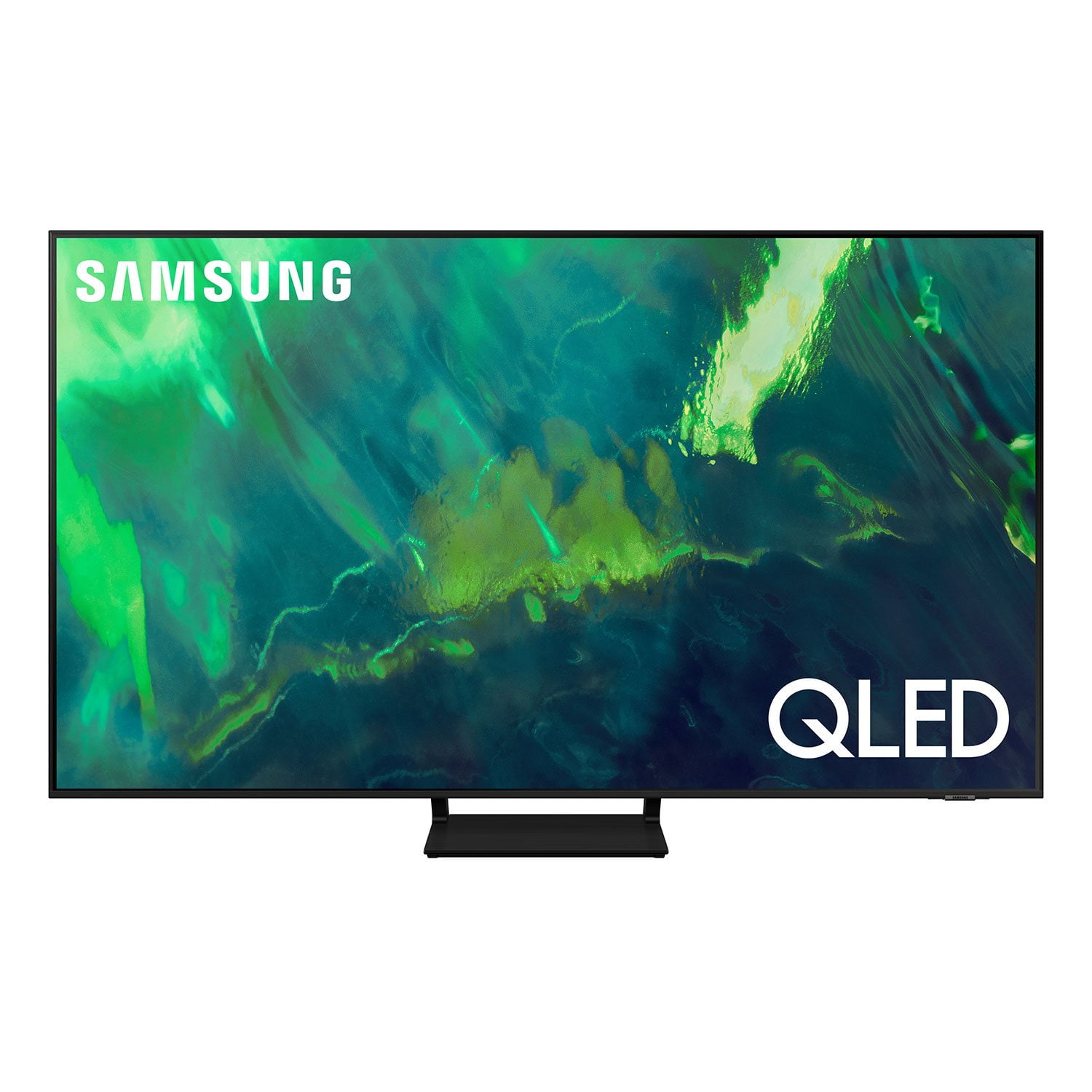
SAMSUNG 85" Class Q7-Series 4K Ultra HD Smart QLED TV - QN85Q7DAAFXZA
4.7 out of 5 stars
stars1,797 ratings1,775 reviews
  1. 5 stars80% (1,432)
  2. 4 stars15% (270)
  3. 3 stars3% (45)
  4. 2 stars1% (22)
  5. 1 star2% (28)
Write a review

Customer photos

  • +297 images
Sort by |
Showing 61-70 of 1,775 reviews
Jul 28, 2021
Moviebuff
5 out of 5 stars review

Beautiful display with lots of new features

[This review was collected as part of a promotion.] We replaced an older Samsung with this new one. What a fun experience! TV OS is new and responsive, all the apps are easy to use and in one place. Setup was quick and easy. Picture is BEAUTIFUL! There's a new Ambient feature that displays art and patterns when not in use. It's really cool. And did I mention how THIN this new model is. Makes my last one look like a dinosaur.

Review from Samsung US
Helpful?6VT5DVUKIND213737353383
Jul 24, 2021
markt
2 out of 5 stars review

Disappointed

[This review was collected as part of a promotion.] Spent extra thinking I was going to get a better TV. The sound doesn't match the picture. Had Samsung repair service come out, cable company come out and still no fix. Finally some one from Samsung called and sent out a software update. Fixed the problem somewhat , but sometimes the voice still doesn't match the picture. Not happy

Review from Samsung US
Helpful?6VT5DVUKIND213737353383
reply from Samsung Brand Ambassador

markt, Thank you for purchasing the Samsung Q70A TV. We appreciate your feedback regarding the sound delays you are still experiencing after updating your TV's firmware (ver. 1560.5). This delay could possibly be a source issue, but if you are hearing an audio delay across all sources/channels and you have a Home Theatre System or other speakers connected to your TV, you can access the Audio Delay settings to increase the audio delay. Go to: Settings > Sound > Expert Settings > Digital Output Audio Delay Please know that our 2021 TVs do have an audio Pass-Through feature. This feature allows the audio signal to be sent out unprocessed to an external Soundbar or receiver connected to the TV. The external Soundbar or receiver then processes the audio, thereby eliminating the added step of processing by the TV, which adds delay. On your TV go to: Settings > Sound > Expert Settings > Digital Audio Output Format > Pass-Through If you have tried this and your issue persists, please reach out to Samsung Customer Support so that we can provide further troubleshooting. You can call us at 1-800-SAMSUNG (ask for TVs), available 8AM -12AM EST M-F (9AM – 6PM EST Sat). Or text HELP to 62913. For additional support resources, visit us on the Samsung website and click on the ‘Support’ link in the upper right corner of the homepage for: 1) More ‘Contact Us’ options – LiveChat, Facebook, Twitter, Samsung Community, Samsung Members app 2) Manuals & Software 3) Warranty Info 4) Product Registration: For access to easy warranty support, convenient opt-in to special promos and offers, faster troubleshooting and service, and quick notification of system updates. ~ Samsung Specialist

Apr 27, 2022
Disappointed1234
3 out of 5 stars review

Cumbersome interface

Great screen but the onscreen interface is cumbersome to use and even has an Ad box that I cannot get rid of - seriously? I paid for this TV. The remote control is really poor - e.g. no source button. Three buttons fixed as Netflix, Prime Video, and Samsung TV Plus should be programmable - again advertising streaming products rather than let me assign.

Review from Samsung Canada
Helpful?6VT5DVUKIND213737353383
reply from Operations

Hi Disappointed1234, thanks so much for your kind words! We sincerely appreciate your feedback and will share this with our team. We hope you enjoy many years of great entertainment with your Samsung TV! 

Oct 5, 2022
Samsung1
5 out of 5 stars review

Best TV I've had

[This review was collected as part of a promotion.] Having smart tvs is such a great idea any app we stream from are super easy to open up and get started! When my kids get home and want to play games the TV automatically switch over to whatever source it's plugged into which makes it better for them not to complicate things. Anytime we stream from our phones to the TV is easy,simple, and awesome get to show videos and or pictures of the kids, playing games on the phone and competing with my kids is fun that way we can all watch. Just all around best thing we've bought. We have 4 samsung tvs and to say this they are well worth the price.

Review from Samsung US
Helpful?6VT5DVUKIND213737353383
Sep 6, 2021
Ahatz
5 out of 5 stars review

I have been watching TV wrong all my life!

[This review was collected as part of a promotion.] Not much of a tech guy, had the same TV since 2015. Recently I Bought a Q70A for my living room and oh boy blew me away. Great colors, mostly smooth and great for gaming! In love with it. Might have to pick up a second one for my room. Only con that I have is that there is some ghosting issues here and there while playing games on my PC.

Review from Samsung US
Helpful?6VT5DVUKIND213737353383
Jul 23, 2021
Fern
5 out of 5 stars review

Best TV I've owned

[This review was collected as part of a promotion.] This is my second samsung TV in 3 years. I previously had a 55 inch q60 but wanted to upgrade to something bigger in my living room. This is by far the best TV I've had. I primarily game and the picture is crisp. The solar panel on the remote is also nice but I just wish the panel was on the same side as the buttons( maybe samsung will do this on the next iteration). The stand is also really conveint since I didn't need to upgrade to a bigger TV stand to accommodate it.

Review from Samsung US
Helpful?6VT5DVUKIND213737353383
Jan 3, 2023
Rosanna Ramkissoon
1 out of 5 stars review

Verified Purchase

85 inch tv

The tv is not working. Called several times but nothing is being done

Helpful?6VT5DVUKIND213737353383
Jan 12, 2023
AKAL
1 out of 5 stars review

Backlight bleed

TV was great at first. Approx. 19 months from date of purchase bad backlight bleed.

Review from Samsung US
Helpful?6VT5DVUKIND213737353383
reply from Samsung Brand Ambassador

AKAL, Thank you for sharing your thoughts on the picture quality of your Q70A TV. To ensure you’ve got the latest image quality updates, please confirm that your TV is up to date with the latest firmware version. You can check by going to: Home > Menu > Settings > Support > Software Update. If the picture you’re seeing is still not to your liking after updating firmware, there are several picture settings you may want to try adjusting. Go to Home > Menu > Settings > All Settings > Picture > Picture Mode ...and select the mode that best fits your usage: 1) Standard: Is the default mode suitable for general viewing environments. 2) Movie: Is suitable for watching TV or movies in a dark room. 3) Dynamic: Makes the picture brighter and clearer in bright viewing environments. 4) Filmmaker Mode: You can watch the source content (e.g., movie) as it is. If the image is defined as Filmmaker Mode, it will automatically switch to Filmmaker Mode while watching. You can also go to: Home > Menu > Settings > All Settings > Picture > Expert Settings to manually fine tune your image. For further assistance with settings adjustments, please contact Samsung Customer Support at 1-800-SAMSUNG, 8AM - 12AM EST, 7 days a week. Our LiveChat agents are also available by clicking on the ‘Support’ link on our website. ~ Samsung Specialist

Apr 27, 2022
Wicetone
5 out of 5 stars review

Exactly what we wanted in our new tv !

Bought this 3 weeks , extremely satisfied with picture quality & all the extra features that come with this set .

Review from Samsung Canada
Helpful?6VT5DVUKIND213737353383
reply from Operations

Thank you, Wicetone! We love to hear positive feedback and we’re delighted you’re enjoying your new Samsung TV. 

Jun 29, 2021
Tman
5 out of 5 stars review

Great

[This review was collected as part of a promotion.] Love it! Only one problem remote has no back lights.

Review from Samsung US
Helpful?6VT5DVUKIND213737353383