Customer reviews for SAMSUNG 85" Class Q7-Series 4K Ultra HD Smart QLED TV - QN85Q7DAAFXZA for
Member photos

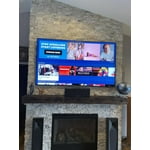
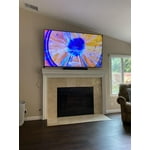


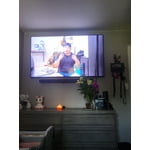
 +297 images
TV has great features
[This review was collected as part of a promotion.] I use my tv for gaming and streaming from my computer it has great features and a beautiful picture I love the remote you can just plug it in and charge it overall it was a great addition to my family
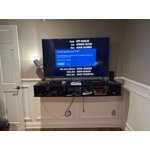
Amazing Picture quality and features
[This review was collected as part of a promotion.] This tv is great. I had a previous samsung fail on me but these qled are much better. Basically this is samsungs version of Oled. Amazing lifelike picture, fast wifi, and tons of features. Apps work great and no lag.
Easy to Navigate
[This review was collected as part of a promotion.] I use my Samsung for watching TV and it fits my purposes perfectly. I do not enjoy having to spend all day setting everything up with a new TV and this TV makes it seamless and easy to navigate. Just follow the prompts and within no time you are enjoying great sounds and pictures coming from your Samsung.
Fantastic Picture/Great for Gaming
[This review was collected as part of a promotion.] I mainly use my Samsung Q70A for streaming and gaming(PS5/Switch). The picture looks perfect and streams 4K effortlessly. Whether it's Netflix, HBO, or Prime, the look of whatever you're watching is going to look great. The picture isn't the only thing great about this TV, the sound from the TV speakers projects and fills the room entirely. I'm currently using a Samsung Soundbar and Subwoffer to further enhance this already great viewing experience. Gaming is another reason that continually impresses me about thus TV. Doesn't matter what game I'm playing, this TV improves every aspect, whether it's the graphics, the sound, or frame rate.

Very Pleased
[This review was collected as part of a promotion.] This TV replaced an 11 year old DLP TV which we really enjoyed. The DLP had a very crisp picture but we noticed a very sharp picture difference with the new Samsung model. We occasional see a slight bit of ghosting during a fast movement on screen but overall, the colors are vibrant. I'm still learning the system bud did notice a couple things I'd like to see improved. I'd like to have the ability to move the icons for apps like Netflix to different parts of the tray and would like to hide those apps that are not being used. Even those we have the Dish Network Hopper and Joey system, it was tricky setting up the remote to take advantaged the Dish Network features. I finally figured a work around that satisfies our needs. We had the previous QLED 60 model. The TV stand for that model is different t than this unit. Personally I felt that the previous stand system worked better for my needs.
BobOB, Thank you for purchasing the Samsung Q70A TV and for sharing details of your image quality. To optimize your picture quality, please be sure your firmware is up to date with version 1805.4 which includes picture quality updates. You can check this by going to: Settings > Support > Software Update. Please know that you can customize the Smart Hub by removing apps from or adding apps to the home screen. You can also rearrange apps to your liking. From your Smart Hub: Simply select an app and press and hold the ‘Enter’ button in the middle your remote’s directional button pad. You will see a popup menu with options to move or remove it. From Apps: Home > Apps > Select the desired app. From there, you can add to home, lock, move, reinstall or delete. If there is anything we can do to further assist and improve your user experience, please contact Samsung Customer Support at 1-800-SAMSUNG (ask for TVs), available 8AM - 12AM EST, 7 days a week. For additional support resources, visit us on the Samsung website and click on the ‘Support’ link in the upper right corner of the homepage for: 1) Contact Us: For additional Chat & Text options, choose ‘TVs & Home Theater’ and select your model & topic. 2) Manuals & Software 3) Warranty Info 4) Register a Product: For access to easy warranty support, convenient opt-in to special promos and offers, faster troubleshooting and service, and quick notification of system updates. ~ Samsung Specialist
Love the picture quality.
[This review was collected as part of a promotion.] The picture quality is amazing. The software is easy to use and to navigate. I love that it has every single app that you need for streaming. And on top of that samsung provides you with free TV as well. This is my 3rd TV from Samsung. And they never disappoint.
Good picture
[This review was collected as part of a promotion.] It's great for gaming and YouTube but in dark scenes for movies it's too dark sometimes and close caption when it comes on during dark scenes it creates this white halo which is distracting. Also make sure you turn off all lights around the screen because it will create a weird rainbow streak. It gets annoying. Other than that it does what it's supposed to.
Amazing TV
[This review was collected as part of a promotion.] I use the tv for streaming via apps on the tv as well as console gaming. It has a wonderfully clear picture and is easy to use. Some of the operating system could be better such as needing the ability to force close apps that misbehave. Most of the apps work great except YouTube TV which is horrendous and crashes every time I use it. Gaming is spectacular. Love that it turns on my console when I click on the shortcut. Also love that I can easily connect my Bose Bluetooth headset as well as my Apple AirPods seamlessly and it even asks me to connect again as soon as it senses my AirPods.
Hi JoeyK, I’m happy to hear that you are enjoying your new Q70A QLED 4K Smart TV. Quantum HDR is designed to bring you the full effect of every image with dynamic tone mapping that draws from a wider range of color and brightness than standard HD. Deep blacks, vibrant imagery and detail always shine through. Your experience with the YouTube TV app has been shared with our product teams. Please make sure that Auto Update is turned on so that your apps can stay current with the latest updates and patches. Navigate to the Settings within the App Store and set Auto Update to: On. To optimize the smart TV performance, you can run the Device Care option under the Support Menu. Go to Settings > Support> Device Care > Start Device Care This service checks memory and frees up unused cached memory and closes background apps. I hope these tips help. Should you ever have questions or need help, please call us at 1-800-SAMSUNG (ask for TVs), available 8AM -12AM EST M-F (9AM – 6PM EST Sat). Or text HELP to 62913. For additional support resources, visit us on the Samsung website and click on the ‘Support’ link in the upper right corner of the homepage for: 1) More ‘Contact Us’ options – LiveChat, Facebook, Twitter, Samsung Community, Samsung Members app 2) Manuals & Software 3) Warranty Info 4) Product Registration: For access to easy warranty support, convenient opt-in to special promos and offers, faster troubleshooting and service, and quick notification of system updates. ~ Samsung Specialist
Good quality
[This review was collected as part of a promotion.] This is a wonderful TV but I did wish it got brighter my home has floor to sealing windos and the glare from the windows made it very hard to see I have had other tvs from Samsung and LG but this model just didn't work to well for me during the day but at night its perfect.
GalaxyGuy, Thank you for purchasing the Q70A QLED TV and for sharing your feedback regarding screen reflection. The light conditions of each room environment are different. For optimal glare control, we recommend positioning the TV to minimize incident light falling on the screen or consulting a professional installer. Your TV has several Picture Modes to choose from, allowing you to enjoy content in optimal conditions. Go to Home > Settings > Picture > Picture Mode 1) Standard: Is the default mode suitable for general viewing environments. 2) Natural: Reduces eye strain for a comfortable viewing experience. 3) Movie: Is suitable for watching TV or movies in a dark room. 4) Dynamic: Makes the picture brighter and clearer in bright viewing environments. 5) Filmmaker Mode: You can watch the source content (e.g., movie) as it is. If the image is defined as Filmmaker Mode, it will automatically switch to Filmmaker Mode while watching. You can also go to: Settings > Picture > Expert Settings to manually fine tune your image. Intelligent Mode enables the TV to recognize and analyze the surroundings, noise, content, and your usage patterns to provide the best viewing experience. You can enable Intelligent Mode by going to Home > Settings > General > Intelligent Mode Settings. Adaptive Picture, which is among the options, optimizes brightness and provides the best picture quality in real time, based on the lighting condition and your content. For further assistance with settings adjustments, please contact Samsung Customer Support at 1-800-SAMSUNG (ask for TVs), available 8AM - 12AM EST, 7 days a week. For additional support resources, visit us on the Samsung website and click on the ‘Support’ link in the upper right corner of the homepage for: 1) Contact Us: For additional Chat & Text options, choose ‘TVs & Home Theater’ and select your model & topic. 2) Manuals, Software, & Warranty Info ~ Samsung Specialist
I only purchase Samsung electronics
[This review was collected as part of a promotion.] My favorite on this Tv is the Samsung TV Plus app . I enjoy going thru the different channels finding all kinds of shows , from the old movies /shows to the latest in news . I ask my friends hey did u see this show? They I say no I then say you need a Samsung My favorite is the Dove Channel . Also another feature I really like is the setting app , easy to access and to move around . I only buy Samsung TV's , had bought another like 6 yrs ago I hated it gave it to the grandkid (8 yrs old ) Went out and bought another 36 inch at the time , saved up money and them purchased the 65 that I now have moved the 36 to my bedroom . If I move and have a bigger living room I will save up and get a bigger one !!