Skip to Main Content
Sams Club
Sams Club
Customer reviews for SAMSUNG 85" Class Q7-Series 4K Ultra HD Smart QLED TV - QN85Q7DAAFXZA for
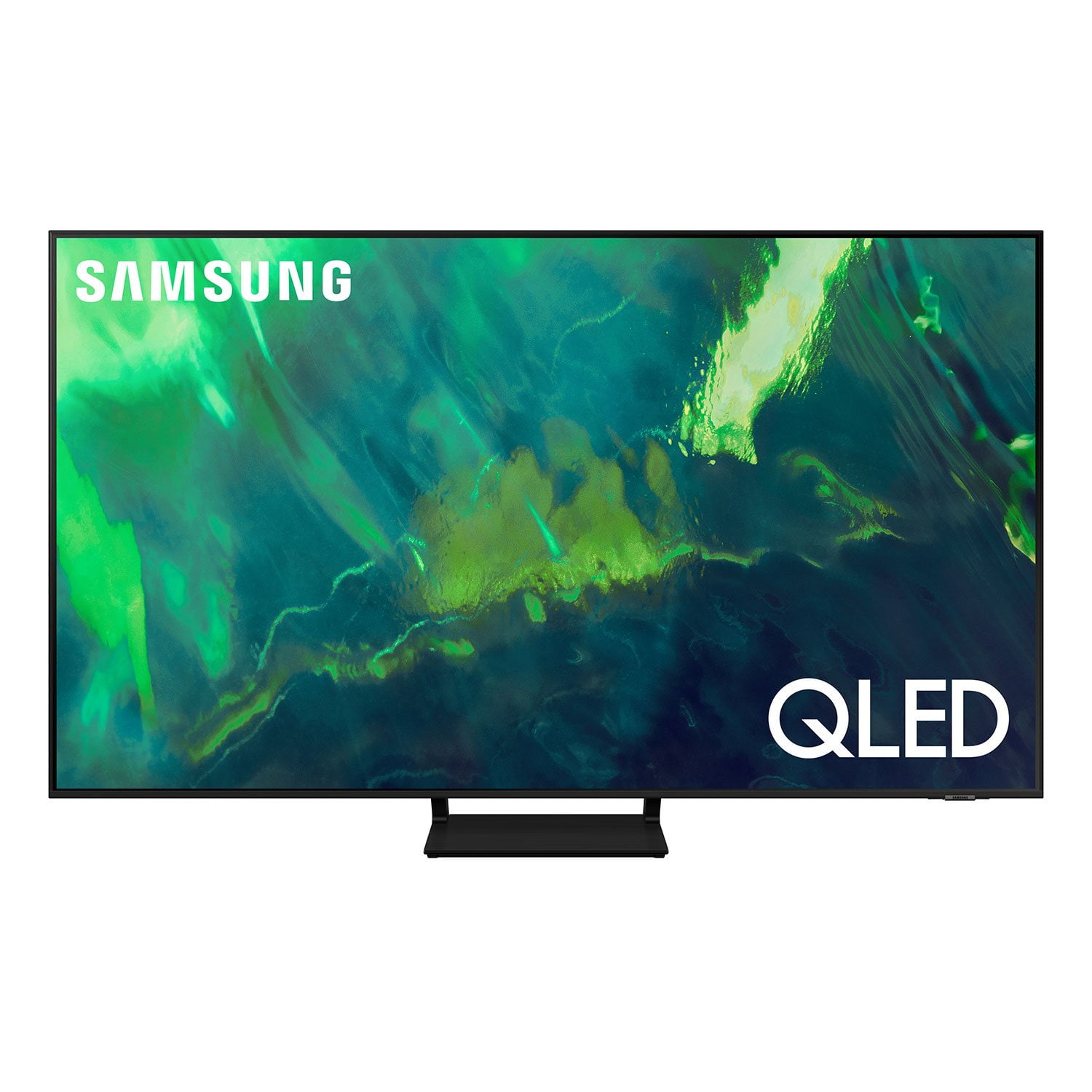
SAMSUNG 85" Class Q7-Series 4K Ultra HD Smart QLED TV - QN85Q7DAAFXZA
4.7 out of 5 stars
stars1,797 ratings1,775 reviews
  1. 5 stars80% (1,432)
  2. 4 stars15% (270)
  3. 3 stars3% (45)
  4. 2 stars1% (22)
  5. 1 star2% (28)
Write a review

Customer photos

  • +297 images
Sort by |
Showing 241-250 of 1,775 reviews
Jun 16, 2022
Wardog
5 out of 5 stars review

Best TV that I have ever had

[This review was collected as part of a promotion.] I've been a samsung fun for years, I have three Samsung tv in my house,phone,tablets,soundbars,laptops. I wanted to buy the best tv I could and I went with this tv and best choice ever. For the price I paid for the tv is great for the tv.

Review from Samsung US
Helpful?6VT5DVUKIND213737353383
Apr 30, 2021
rws2285
5 out of 5 stars review

65" Q70AA QLED 4K UHD TV

[This review was collected as part of a promotion.] I doubt the delivery driver was back in his truck before this thing came out of the box. The physical setup was quick and easy. I was able to get the TV mounted to the legs in place without a second person. The software setup was simple, quick and easy using the Smart Things app. Because this was not my first Samsung product, I already had the app installed and configured. Having services like Spotify already connected to my Samsung account brought everything over to the new TV with having to sign in again. The newer home screen is much cleaner than the old setup. Software wise, the only thing extra I could ask for is some sort of screen time limit and a way to disable TV plus or at least prevent it from starting when I turn on the TV. The first things I watched were a few 4k were a handful of Marvel movies. The picture quality is amazing, much clearer than my older 4k UHD TV. All of the sound is going through a sound bar, so I don't have much to comment about there.

Review from The Insiders
Helpful?6VT5DVUKIND213737353383
reply from Samsung Brand Ambassador

rws2285: I’m happy to hear that setting up your new 2021 Q70A was a quick and easy, and you are enjoying the picture brought to you by our Quantum Processor 4K. Powered by machine learning, our most powerful 4K processor enhances picture from any source into crisp 4K action in each and every scene. Please know that you can choose what your TV does when you turn it on by going to Settings > General > Smart Features 1) When you set Autorun Smart Hub to on, the TV displays the Home Screen automatically when you turn the TV on. 2) If Autorun Last App is set to on, the last used app is automatically run when you turn on the TV. You can turn this function on or off. I hope this tip is useful. If there is anything we can do to further assist and improve your user experience, please do let us know by contacting Samsung Customer Support. You can reach us at 1-800-SAMSUNG (ask for TVs), available 8AM -12AM EST, 7 days a week. Or text HELP to 62913. For additional support resources, visit us on the Samsung website and click on the ‘Support’ link in the upper right corner of the homepage for: 1) More ‘Contact Us’ options – LiveChat, Facebook, Twitter, Samsung Community, Samsung Members app 2) Manuals & Software 3) Warranty Info 4) Product Registration: For access to easy warranty support, convenient opt-in to special promos and offers, faster troubleshooting and service, and quick notification of system updates. ~ Samsung Solutions

Jun 24, 2021
alexis13
5 out of 5 stars review

Is an amazing product overall highly recommend

[This review was collected as part of a promotion.] I use my samsung tv to play video games and to watch tv, mostly sports and its amazing quality to play video games on, my fps and view of the games its always on point. It has amazing features so I can watch youtube and netflix on there. I always am watching youtube and listening to music so it is very nice to have around. When I'm playing any videogames it has top tier sound and I can hear so clearly where people are coming from or just to hear them talk. I highly recommend getting this tv and others of this brand as well.

Review from Samsung US
Helpful?6VT5DVUKIND213737353383
Apr 14, 2021
Amanji1
5 out of 5 stars review

The Best Picture clarity yet

[This review was collected as part of a promotion.] I use my Samsung TV mostly for streaming and sharing family videos and pictures from my Note 20 Ultra phone and connectivity is seamless. I can sit with the whole family and enjoy movies and home videos in the quality it was meant to be seen in. Samsung TV is one the best choices I've made to my home ecosystem, to make life more enjoyable. Thank you Samsung.

Review from Samsung US
Helpful?6VT5DVUKIND213737353383
Oct 5, 2021
GreatSamsungTv
5 out of 5 stars review

Best TV Ever Owned

[This review was collected as part of a promotion.] My Samsung TV is wonderful, watching movies is soooo good. Unlike any experience that I have ever had before!! When playing video games its like im in the game. The picture quality is so good, that I forget that I'm watching this wonderful TV lol. Great job Samsung!!!

Review from Samsung US
Helpful?6VT5DVUKIND213737353383
Jun 23, 2021
Alfoso
5 out of 5 stars review

Fixed the Q70t issues

[This review was collected as part of a promotion.] I previously owned the Q70t version and it had issues with the hdmi 2.1 port not to mention terrible 700 nits brightness for hdr content. This TV fixes those two issues. One thing I'd like to see are more local dimming zones since other brands have that feature and more in this price range.

Review from Samsung US
Helpful?6VT5DVUKIND213737353383
Jun 29, 2021
Nicanor53
5 out of 5 stars review

This Television has fantastic features

[This review was collected as part of a promotion.] When my previous television ( A sharp Aquos) left me in total darkness, I hit Google and started a search for a replacement television. Most reviews pointed to Samsung, and after various debates settled on the Q70A serie. Found the Q80A was higher than my budget allowed. Upon purchasing it discovered a world of perfect viewing. This model went above my expectations. Thought that the 65 inches would be too big ( didn't want to replace my beautiful stand) and since the television has a center mount, it makes it easier to place on any stand , large or small. Since It has a minuscule almost invisible frame, it's big screen looks good in any room. This television comes equipped with many great features, and it is great for users who are interested in playing games. (The Q70A processes a smooth gaming capabilities). I personally prefer to watch movies and sports. I highlighted recommend this Model . It has a high contrast ratio, great brightness and fantastic mixture of colors, as well as a potent sound System, that gives user a Unique experience in television viewing.

Review from Samsung US
Helpful?6VT5DVUKIND213737353383
Oct 6, 2022
Samsungfan
5 out of 5 stars review

Great Picture Quality

[This review was collected as part of a promotion.] I purchased this TV to replace one that got fried from a power surge throught my coax cable and, when they say things happen for a reason, the purchase of this TV was it. The picture and sound quality are great, especially when coupled with the Tizen Smart TV system and all of the apps that it offers. It's easy to navigate between apps via the solar powered remote. If you watch sports that are broadcast in 4K, you will feel like you are there. Movies come in great, although I would make sure you create a theater like setting and keep glare to a minimum.

Review from Samsung US
Helpful?6VT5DVUKIND213737353383
Apr 23, 2021
Aar0n
5 out of 5 stars review

Great Upgrade

[This review was collected as part of a promotion.] This Samsung is an awesome upgrade. You get a lot of features for a really good price. It has several viewing features that are great for movies and tv shows. Works great in a living room that has a lot of light coming in, the tv is able to adjust to the lighting were it doesn't become hard to watch

Review from Samsung US
Helpful?6VT5DVUKIND213737353383
Jul 24, 2021
JforL
4 out of 5 stars review

Below average internal speaker

[This review was collected as part of a promotion.] Installation and set up relatively easy. Internal speaker quality below average. Access to owner's manual difficult. Picture quality is what would be expected for the price. Had to call customer service within a couple of hours of getting unit out of Box All issues were resolved regarding picture quality. During setup feature there was an automatic registration of serial number yesterday however process registered the wrong serial number

Review from Samsung US
Helpful?6VT5DVUKIND213737353383
reply from Samsung Brand Ambassador

JforL, Thank you for choosing Samsung's Q70A TV and for your review. We appreciate you sharing your experience with us. If the picture you are seeing out-of-the-box are still not to your liking, there are several picture settings you may want to try adjusting. You can select the Picture Mode that provides the best viewing experience. Go to Home > Settings > Picture > Picture Mode 1) Standard: Is the default mode suitable for general viewing environments. 2) Natural: Reduces eye strain for a comfortable viewing experience. 3) Movie: Is suitable for watching TV or movies in a dark room. 4) Dynamic: Makes the picture brighter and clearer in bright viewing environments. 5) Filmmaker Mode: You can watch the source content (e.g., movie) as it is. If the image is defined as Filmmaker Mode, it will automatically switch to Filmmaker Mode while watching. You can also go to: Settings > Picture > Expert Settings > to manually fine tune your image. There are also several sound settings you can adjust to suit your personal sound preferences. Change the Sound Mode by going to: Settings > Sound > Sound Mode You can also customize the sound with Expert Settings by going to: Settings > Sound > Expert Settings One of the features of your TV is OTS Lite (Object Tracking Sound Lite) which means that there are strategically placed dynamic speakers that track the action and move the sound around you. If you have, or plan on adding a Samsung Q-Series Soundbar, please take advantage of Q-Symphony which synchronizes both your TV speakers and soundbar to give you an excellent surround experience. You can download the Q70A TV's User Manual, e-Manual, Remote Control Leaflet, and Quick Setup Guide on Samsung's website by clicking "Support" > "Manuals & Software" > "TVs & Home Theater" > "TVs". From there, you can select the Q70A TV under "4K QLED TVs” > “A Model Lineup" and download the guides you would like. The e-Manual is also embedded into the TV itself under Settings > Support > Open e-Manual. I hope this helps. Should you ever have questions or need help, please call us at 1-800-SAMSUNG (ask for TVs), available 8AM -12AM EST M-F (9AM – 6PM EST Sat). Or text HELP to 62913. For additional support resources, visit us on the Samsung website and click on the ‘Support’ link in the upper right corner of the homepage for: 1) More ‘Contact Us’ options – LiveChat, Facebook, Twitter, Samsung Community, Samsung Members app 2) Manuals & Software 3) Warranty Info 4) Product Registration: For access to easy warranty support, convenient opt-in to special promos and offers, faster troubleshooting and service, and quick notification of system updates. ~ Samsung Specialist