Skip to Main Content
Sam's Club
Sam's Club
All Departments
All Services
Customer reviews for Epson EcoTank ET-2400 Special Edition All-in-One Inkjet Printer, 1 Bonus Black Ink Bottle for
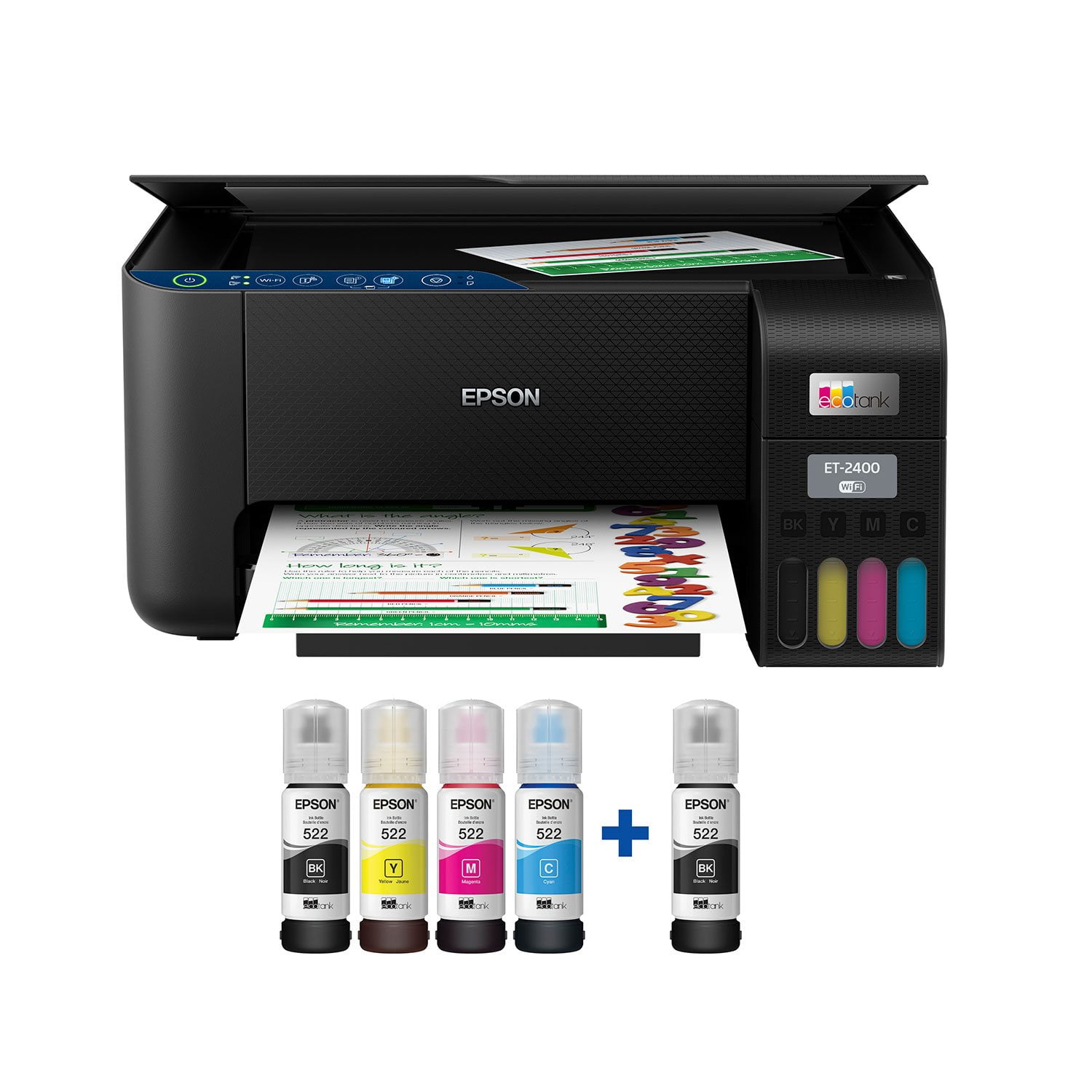
Epson EcoTank ET-2400 Special Edition All-in-One Inkjet Printer, 1 Bonus Black Ink Bottle
3.5 out of 5 stars
stars
1,066 ratings909 reviews
  1. 5 stars49% (521)
  2. 4 stars10% (107)
  3. 3 stars8% (89)
  4. 2 stars8% (84)
  5. 1 star25% (265)
Sort by |
Showing 791-800 of 909 reviews
Oct 29, 2023
Reviewer name: meanmac
2 out of 5 stars
2 out of 5 stars review

Another one bites the dust

Ordered ET-2400 Nov 20, 2022. Delivered Nov 21, 2022. Worked well and often until Sept 2023 when the cyan gradually stopped printing. I tied many nozzle cleanings and other fixes in vain. I am still using the original bottle of cyan ink which came with the printer. Next time I will follow the reviews and go elsewhere. Not quite one year, still under warranty, but from other reviews, good luck getting help.

Review from walmart.com
Helpful?4LX71UKRGV4H13724301252
Jul 1, 2024
Reviewer name: Terri 47
5 out of 5 stars
5 out of 5 stars review

Getting the run program off the enternet.

I brought it last week, just got it up and running Saturday the 29 of June because it was hard to get the download program off the enternet to hook up the printer to my computer. I tried everything I could think of but anything worked. But Saturday everything came together for me and my printer is hooked up to Wi-Fi also which I had not before Thank You. But I think you should put the run program in the box with the printers.

Review from epson.com
Helpful?4LX71UKRGV4H13724301252
Oct 1, 2022
Reviewer name: TylerZ
4 out of 5 stars
4 out of 5 stars review

Smart Buy

“This is a review for the Epson EcoTank ET-2400 Wireless Color Printer that I received free of charge to do a beta test and review.” It did not play any role in my opinion of the printer. I was able to get the printer unpacked and ready to use in about 30 minutes. For me this was a short amount of time and had no issues while doing so. I followed the paper guide in the box and things went smoothly. The weight and size of this is really nice and performs as well as larger all in ones. The printer has ink tanks which you use the included ink and bottles to fill. These are extra larger tanks so will last a lot longer. Plus it is so easy to fill, no need to buy ink cartridges and will save a lot of money over the life of the printer. You are able to print from your computer or a mobile device, either Android or IOS using their app. You can also adjust the print settings using the app. I was impressed with the overall printing of this using all the different ways it allows you. The printer’s LCD screen is a good size and is touch intuitive. You can copy and scan from the LCD screen on the printer. Using your computer or mobile devices you can print, copy or scan. The printing speed it pretty quick and never experienced any problems while sending any type of document to be printed. The quality if the prints, no matter how I did them, were really good. The colors are bright; they came out dry and did not smudge at all. The printer tray accepts 100 pages if paper. I used it to print from the tray into the scanner, from the scanner, did duplex printing and also from my laptop and smart phone. Not once did it jam or did the print que not work. I currently have a large office printer and honestly, this works just as good. I would recommend this to anyone, even a business owner who wants to save money on ink and still have all the functions of a good all in one printer. The only reason I gave it 4 stars instead of 5 is the fact I have not been using it for a longer time so do not know how well it will last.

Review from epson.com
Helpful?4LX71UKRGV4H13724301252
May 28, 2025
Reviewer name: Leenda
2 out of 5 stars
2 out of 5 stars review

T 2400 wireless Epson printer

I have spent hours trying to get it connected with my MacBook, including long conversations with Epson support people. I am now at a point where sometimes it will print a document after several tries. It has been very time consuming, frustrating and disappointing. I would probably give it more stars if I could get it to print wirelessly.

Review from epson.com
Helpful?4LX71UKRGV4H13724301252
Mar 21, 2024
Reviewer name: TommyVi
2 out of 5 stars
2 out of 5 stars review

Very disappointed

When you print photos on good glossy quality paper, the sheet get stucked inside the printer and you have to start one again, with waste of ink and paper. And when the print goes through, sometimes it shows colored stripes at the bottom of the page. This happens 2 out of 5 times you try to print a photo. It works fine only when you print regular documents, but not photos. Very disappointed

Review from epson.com
Helpful?4LX71UKRGV4H13724301252
Jan 2, 2025
Reviewer name: Lynzee
4 out of 5 stars
4 out of 5 stars review

Great everyday printer

Printer does great at home. Worked great for a couple years then it sat for a year not my yellow is clogged. Make sure you print monthly to make sure the head doesn’t get clogged. Once it is clogged there is no coming back unless you take the whole printer apart.

Review from epson.com
Helpful?4LX71UKRGV4H13724301252
Sep 22, 2022
Reviewer name: mdthompson12
5 out of 5 stars
5 out of 5 stars review

Easy to setup and use, great little powerhouse!

This is a review for the Epson EcoTank ET-2400 Wireless Color Printer that I received free of charge to do a beta test and review. I’ve had the printer for a couple of weeks now, and I have to say that I am very happy with the quality and speed of the printer. The setup was very quick and easy, including the filling of the ink tanks. The ink charging took a while, but once that was completed the printer was ready to go and did a great job printing both via wireless from my laptop and phone, and directly connected via a USB cable to my laptop. Scanning from the flatbed-only, was also quick and easy to my laptop. It’s compact size (slightly bigger than a shoebox) makes it an easy fit for most locations. I had forgotten how loud an inkjet-type of printer can be (regardless of brand), but once I got over that, I’ve become accustomed to the additional sound when printing. The paper is added through a rear paper feeder and though it doesn’t have an auto flip for two-sided printing, you can manually print on both sides using the printing interface. The Epson ink refill bottles can be purchased for about $14 at online retailers, or about $55 for one of each color in a single package. Obviously, there are cheaper alternatives, but buyer beware. I’m not sure what the actual copy count will be per bottle, but Epson states “Epson’s Eco Tank replacement ink bottles deliver thousands of pages (1), plus genuine Epson quality. Save up to 80 percent on ink with low-cost replacement ink bottles vs. ink cartridges (2). Plus, exclusive, uniquely keyed Eco Fit bottles make it easy to fill each color tank.” Also, “One set of Epson ink bottles is equivalent to about 90 ink cartridges1 - saving you up to $1,000 for every ink replacement set!”. Nothing but positives so far in putting this printer through its paces!

Review from epson.com
Helpful?4LX71UKRGV4H13724301252
Feb 21, 2025
Reviewer name: Motospamber
4 out of 5 stars
4 out of 5 stars review

does great, but not brilliant colors

I had an epson 2800 (which does use a different ink bottle) and a piece of copper came out of it, but my son had knocked it down and it stopped feeding paper. I went ahead and got this model out of urgency, it does just fine! It's even using HP paper without being finicky. Every now and then i get a little sludgey smear of ink. I print once a week because my 2800 got clogged on blue and running the cleaning commands use a lot of printer life, especially power clean. Scanner works well snd the epson app is really helpful

Helpful?4LX71UKRGV4H13724301252
Apr 1, 2023
Reviewer name: Cristopher
1 out of 5 stars
1 out of 5 stars review

DO NOT BUY !!!!

ATTENTION DO NOT BUY THIS PRINTER, This printer is a nightmare it doesn’t have AirPrint so you won’t be able to print from your iOS device it’s not easy to use and the support center will not help you with your issues I’ve been waiting on them, I don’t even have 2 months of use and it broke down all lights flashing and now it’s not working and nobody helps on the customer support they said they will and nothing has happened since DO NOT BUY

Review from walmart.com
Helpful?4LX71UKRGV4H13724301252
reply from Epson

Hello Cristopher, we apologize for your disappointing experience with the ET-2400 printer. Epson considers all feedback to improve the performance and quality of our products. Epson also provides helpful information on FAQs and self-help tools on the product support web page at https://epson.com/Support/Printers/All-In-Ones/ET-Series/Epson-ET-2400/s/SPT_C11CJ67201#questions. Your printer also includes a 1-year Limited Warranty plus free lifetime technical support. Please get in touch with our support team at (562) 276-4382 between 7 am - 4 pm (PT), Monday - Friday, if you need further assistance.<br />Sincerely, Sam - The Epson Team

Mar 31, 2023
Reviewer name: Angee
1 out of 5 stars
1 out of 5 stars review

Prints Dull

I've only printed about 5 pages and the colors are so dull. I am not able to print from my cell phone. Also, there so many downloads and you don't know which ones are important. It lists "Recommended" but there are other ones. It is not very clear.

Review from epson.com
Helpful?4LX71UKRGV4H13724301252