Skip to Main Content
Sam's Club
Sam's Club
All Departments
All Services
Customer reviews for Epson EcoTank ET-2400 Special Edition All-in-One Inkjet Printer, 1 Bonus Black Ink Bottle for
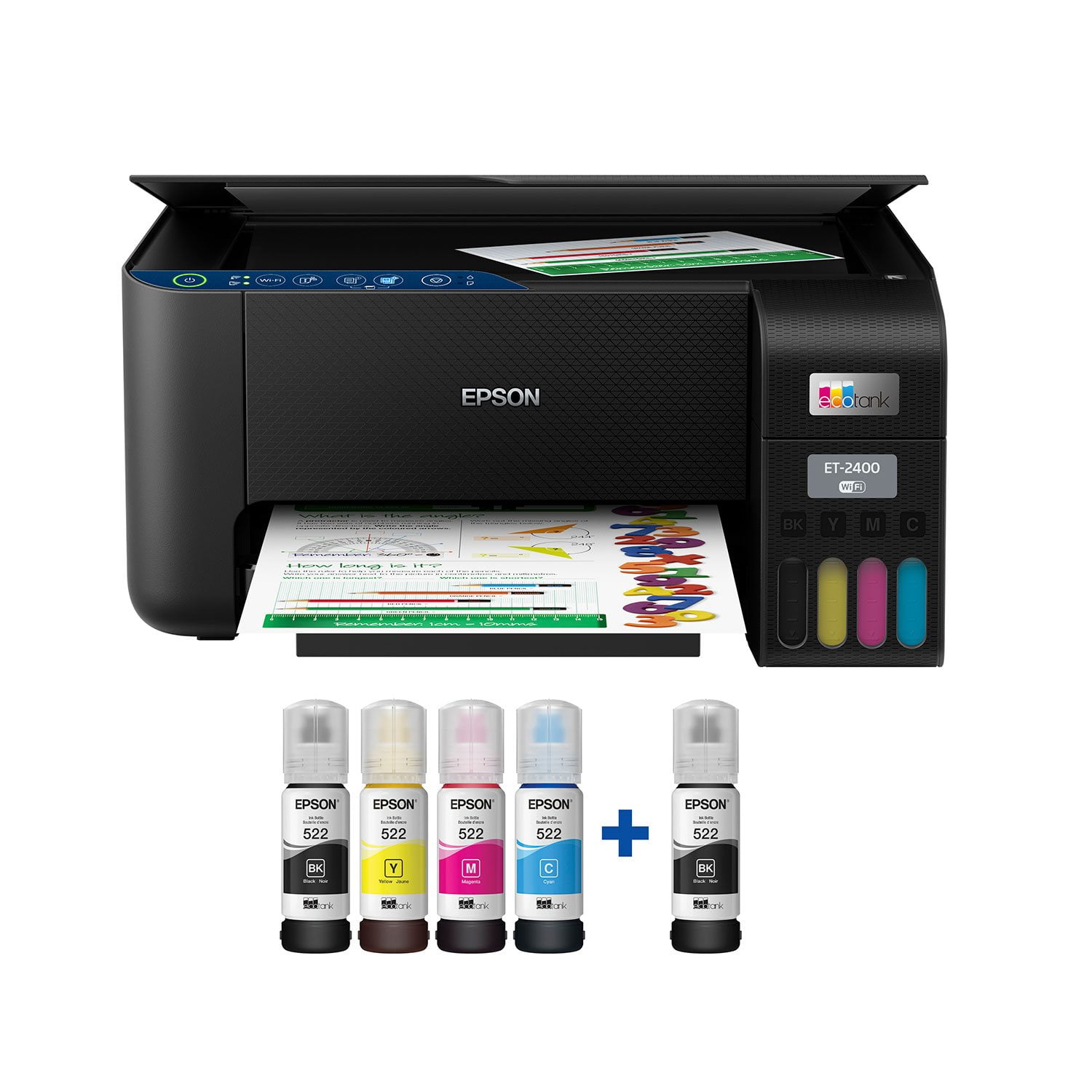
Epson EcoTank ET-2400 Special Edition All-in-One Inkjet Printer, 1 Bonus Black Ink Bottle
3.5 out of 5 stars
stars
1,032 ratings875 reviews
  1. 5 stars49% (509)
  2. 4 stars10% (105)
  3. 3 stars9% (88)
  4. 2 stars8% (81)
  5. 1 star24% (249)

Member photos

Sort by |
Showing 321-330 of 875 reviews
Jul 10, 2025
Brittani
2 out of 5 stars review

Verified Purchase

Epson great this model sucks

If this has a battery I’m not aware, this is not user friendly at all! I had an epson previously and I loved it ! This one is such a headache to print or connect too! If I was able I would return and find the one I had before.

Review from walmart.com
Helpful?6TBS3KBVF6I113724301252
reply from Epson

Hi Brittani, Sorry you are having issues with your Epson printer. Your ET-2400 includes a 1-year limited warranty, plus free technical support for the life of your product. Our Epson Advanced Support Team would be happy to help and can be reached at 1-800-241-5794; Hours: Monday – Friday, 7 a.m. – 4 p.m. PT. Regards, Alissa A. – The Epson Team.

Jun 18, 2025
andres
2 out of 5 stars review

Verified Purchase

Outdated Epson App %26 No AirPrint

You have to use their app which is outdated. It won't print out photos by their resolution automatically. Evening navigating their app sucks, on top of that, the setup used 1/4 of my black ink.

Review from walmart.com
Helpful?6TBS3KBVF6I113724301252
reply from Epson

Hi Andres, thank you for sharing your experience. Epson takes into consideration all feedback to improve the performance and quality of our products. We will forward your feedback to the relevant Epson department, as we are always looking to make future Epson products better. Your product includes a 1-year limited warranty. Our Epson Support Team would be happy to help you and can be reached at (562) 276-4382; Hours: Monday – Friday, 7 a.m. to 4 p.m. (PT). Once again, thank you. Regards, Joseph – The Epson Team.

Apr 1, 2026
Mike333
3 out of 5 stars review

Too complicated

I purchased this because my old print was having issues. I am using USB connection and the startup guide was filled with for me superfluous information, I really do not need a scanner or fax. I will not be printing from my cell phone. I wish Epson had an Engineer who could remember the K.I.S.S. principle (Keep It Simple Stupid). I do like the ink tanks but not being asked if they are filled, after filling them.

Review from epson.com
Helpful?6TBS3KBVF6I113724301252
Apr 29, 2026
kjp6776
3 out of 5 stars review

Good print result, but hoops jumps for WiFi working

Getting my MAC's connected and working with WiFi is not easy. I was a IT dude and did not these hoops etc. to get the printer working. Normally WiFi is an easy thing, but this Epson was very applications and documentation. It not some working good, but getting there was several hoops to get there.

Review from epson.com
Helpful?6TBS3KBVF6I113724301252
May 3, 2026
Nova Scotian
2 out of 5 stars review

Average at best

I have an ecotank 2800 and a 2400. The 2800 is an absolute workhorse, the 2400 I am constantly trouble shooting. I finally gave up and bought a second 2800. No complaints about the ink or quality of print, but the printer itself was not great because it was hard to get working properly for any length of time.

Review from epson.com
Helpful?6TBS3KBVF6I113724301252
Apr 17, 2026
007 Greg
4 out of 5 stars review

Great value at a very reasonable price

Our HP printer went on the fritz so we bought this printer to avoid expensive cartridges in the future. Once we got through the start up stage, we have found this printer 4 times faster and half the size. We are loving the value we can foresee in our future!

Review from epson.com
Helpful?6TBS3KBVF6I113724301252
Apr 13, 2026
ECharles
4 out of 5 stars review

Install and first pages

Install and first pages were easy enough by following the instruction correctly. I have a WiFi home network with multiple extenders, about half using the same network name and password setup. I haven't tried to setup my cell phone to print... If I want to print a phone file I can transfer file with a flash drive... The WiFi setup didn't require me to look up network and password details. The process of installing, connecting, updating and printing a couple pages was easy enough... I installed mostly to do taxes ... I had learned to mostly print to PDFs when my last printer aged out of usefulness, store those on my external hard drives... uses less paper and helps me try to reduce clutter... used to print a lot to paper... I found the ink filling easy enough to do... My last printer used black toner cartridge... will be curious if the liquid ink will stretch as far... but easy enough to see ink levels and to fill..the tanks hold a bit more than a fill, and topping off is suggested... no cartridge surprises...the print quality was clear enough... I haven't tested the scanner interface yet... I am interested in building an e-book from scans of old diary pages from WWII ... not the current priority at this point ... taxes focus...so far so good... I did find with my last printer that the support for older printers tend to move on to newer products as the computers get updated beyond practical support... I was noticing the Adobe offer... that turns into a subscription... I don't do many subscriptions... and back when Adobe was sold on disks I had gotten a couple different versions bundled with products like printers and pens like Bamboo ... I still have the disks and if I have an urge to play with Adobe graphics again I suspect the disks would still work... but I don't do enough artwork at Adobe levels to support a subscription that auto renews from the trial version... As far as warranties go if a products can't perform for a reasonable lifetime... time to switch brands... Epson ink technology I am curious how well it performs over time... toner works well in black only version... I see my new Epson can go black only...

Review from epson.com
Helpful?6TBS3KBVF6I113724301252
May 27, 2026
anonymous
3 out of 5 stars review

No AirPrint

This printer does not have AirPrint. If your an Apple user then spend more for a model that has AirPrint. You can use Epson iPrint. But, it’s just an extra steps to be able to print from an iPhone or iPad. But, overall the print quality and ink tank is a winner.

Helpful?6TBS3KBVF6I113724301252
May 24, 2026
Sapphire
5 out of 5 stars review

Great printer and scanner at a great price!

I bought the Epson EcoTank 2400 yesterday and set it up today. If it continues performing this well for the next ten years, I’ll be very happy with this purchase. I bought it to replace my old Canon MP190. The print quality on the Canon suddenly became very poor, which may honestly have been more of a cartridge issue than a printer issue, but testing that would have been expensive. On top of that, the printer was old enough that modern operating systems no longer support the scanner drivers, so I couldn’t even use the flatbed scanner anymore. At that point, replacing the whole printer made more sense. The ET-2400 is not quite as wide as the MP190 which is a nice plus. The biggest advantage of the EcoTank line is the refillable ink tanks. Printer ink is already expensive, but traditional cartridges also include microchips and hardware that drive the cost even higher. With this printer, I can refill only the specific color I need instead of replacing an entire color cartridge because one channel ran out. I mostly print proxies and alternate art for Magic: The Gathering, so I regularly print nearly full-page, full-color images (eight cards per page). Because of that, image quality matters a lot to me. I also wanted a working flatbed scanner so I could scan my paintings instead of photographing them. I did not use the wireless features. Instead, I connected the printer directly to my computer with a USB cable after downloading Epson’s management software. Setup was straightforward, the software updated itself automatically after asking permission, and my computer recognized the printer immediately. It showed up in Photoshop right away with no issues. The only thing I disliked during setup was that the registration process appears to require opting into marketing emails. I’ll unsubscribe later. Print Quality: Colors are bright and vibrant, blacks are deep and dark, and the images come out crisp and clean. Some reviewers mentioned getting “light gray” blacks, but I haven’t experienced that problem at all. Scanning: The flatbed scanner is slightly too small for a full 9x12 painting, but I expected that and don’t consider it a flaw. The scans came out vibrant, sharp, and detailed. It couldn’t fully capture the shimmer of my metallic paints, but that’s normal — I usually need angled lighting in photographs to show metallic effects accurately anyway.

Review from epson.com
Helpful?6TBS3KBVF6I113724301252
May 8, 2026
idontcarewhatyou call me
1 out of 5 stars review

I should have read the reviews first.

wish i had read the reviews for this before purchasing. It is LOUD , moves across the table when printing. VERY DIFFICULT to set up. still not working after one hour of set ups. FIRST it says paper jam there is no paper jam, Off and on again, now its printing weird messages not related to what i wanted to print. ( someone one else former printer returned.. ??) refilling is drippy not like the older model. . I have many regrets. MANY.

Review from epson.com
Helpful?6TBS3KBVF6I113724301252