Skip to Main Content
Sam's Club
Sam's Club
All Departments
All Services
Customer reviews for Epson FastFoto FF-680W Wireless High-Speed Photo & Document Scanning System, EPSB11B237201 for
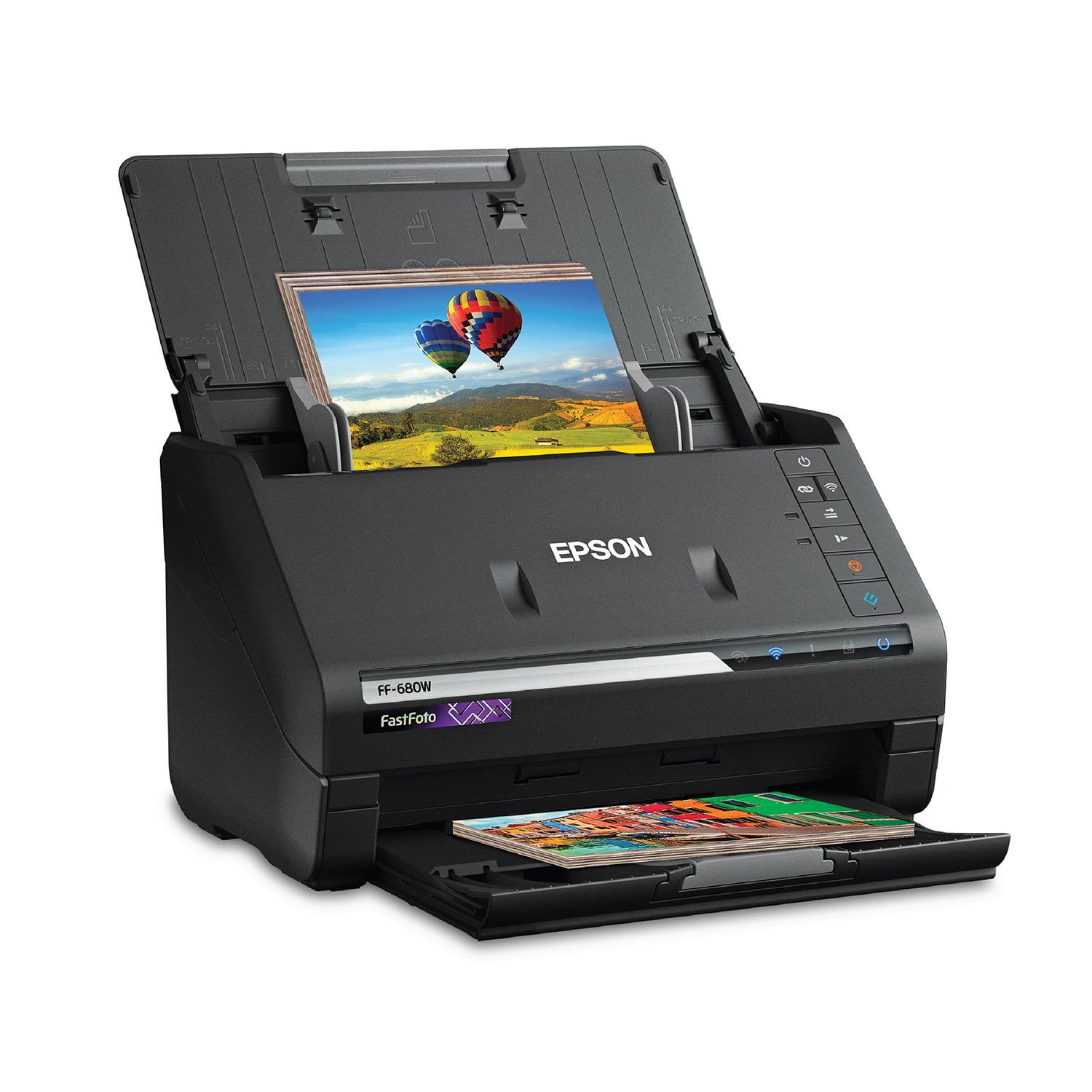
Epson FastFoto FF-680W Wireless High-Speed Photo & Document Scanning System, EPSB11B237201
4.2 out of 5 stars
stars
359 ratings359 reviews
  1. 5 stars65% (232)
  2. 4 stars14% (49)
  3. 3 stars6% (22)
  4. 2 stars6% (21)
  5. 1 star10% (35)
Sort by |
Showing 201-210 of 359 reviews
Jun 20, 2019
Reviewer name: Robygirl71
5 out of 5 stars
5 out of 5 stars review

Best one ever!!!

I received this 2 weeks ago.Im more than happy with the product.Great size,easy set up,fits in small area.Fast,easy to use.Great photos and perfect documents.Ive had other brands in the past.This meets every detail and offers great customer service.Came with a few sheets of paper.Thats the only dwn.fall.For price more paper should have been offered.“This is a review for the Epson FastFoto FF-680W Wireless High-speed Photo and Document Scanner System that I received free of charge to do a beta test and review.”

Review from epson.com
Helpful?2L701BNQDYIU13682020542
Jun 11, 2019
Reviewer name: littlelost
5 out of 5 stars
5 out of 5 stars review

High Quality

My first try at connecting the Epson scanner didnt go smoothly. I first tried connecting through a usb cord which may have been my problem. I uninstalled the software then reinstalled and went the wifi route and everthing went great. I was up and running in no time. I am starting a new scrapbook project with my husbands army photos and the Epson FastFotoFF-680W Wireless High-speed Photo and Document Scanner System is perfect for scanning and uploading his pictures. I have scanned about every size photo there is and none got stuck. The software is going to be a huge timesaver. I'm including an example of a photo taken in 1982 that has aged over the years plus the version the software enhanced in just seconds. Scanning his documents were just as easy. I am very impressed and excited to get on with the rest of the projects I have been putting off for years. I would recommend this scanner to anyone looking for a high quality product. You won't be disappointed. This is a review for the Epson FastFoto FF-680W Wireless High-speed Photo and Document Scanner System that I received free of charge to do a beta test and review.

Review from epson.com
Helpful?2L701BNQDYIU13682020542
Dec 30, 2020
Reviewer name: Andrew_S
5 out of 5 stars
5 out of 5 stars review

The FF-680W scanner can't be beat

50,000 scans and counting! Maybe 20 jams but more than half are size and thickness problems (Mother-in-law leaving blank post-it on the back of random pictures...). Scans about 30-40 pictures at a time. Takes the same amount of time to post process on High resolution, curled photo, red eye, and angled photo settings. Wish it had a bin and 100's of pictures could be scanned at once. Will not scan large postage stamp size photos from the 40's. If you have Polaroid pictures you have to change to the Polaroid picture setting (thickness problem and will jam..). Has a little trouble with very dark photos. Does not remember the last album name setting but this is easily inputted. Does not turn 90 degree photos upright. If you set it up it also scans the back of the picture's notes. Leave the setting on and raise the threshold. Postcards come out funny sometimes. No problem in USB mode. Scanning in-law's photo albums now. Pictures are on a Synology NAS and available to all family members. So far 2.5Tb of picture data! Have not tried documents but soon.

Review from epson.com
Helpful?2L701BNQDYIU13682020542
Jan 1, 2019
Reviewer name: kcdrjim
5 out of 5 stars
5 out of 5 stars review

Epson makes the best scanners!

When I first looked at the picture of this scanner, it was hard to believe it was designed to scan pictures. It looked like my previous scanner, which was a fast document scanner. This one will scan documents just fine, but it is a very fast picture scanner, and it does a great job! Everything is pretty well automated, as to where the pictures go, etc. I love the speed and the quality of the picture scans. I could not be happier.

Review from epson.com
Helpful?2L701BNQDYIU13682020542
Jun 15, 2019
Reviewer name: JCar1
5 out of 5 stars
5 out of 5 stars review

Innovative & Very Impressive !!

Right out of the box this product has easy to follow instructions on the "start here" paper to download and install drivers, also helpful instructions on how to connect to the wireless network, which my laptop easily found and paired with by using the wi-fi connect button located on the scanner. A usb cord is provided just in case there is no wi-fi, or user preference. I am amazed by the speed the scanner takes to scan photos, documents and the resolution levels which range from 300 dpi (takes 1 sec.), 600 dpi (takes 3 sec) and 1200 dpi (takes 10 sec). This Wireless High-speed Scanning System has a setting for panoramic and instant photos, which are great for Polaroids, and can scan up to 36 photos at a time depending on size and thickness. The scanner feed functioned properly every time and had no jam or scanning feed issues. I save receipts and lots of old photos that I am wanting to save digitally onto google Onedrive and can be uploaded to Dropbox as well as enhance when scanning, so this Epson FastFoto Scanner System is perfect and ideal for my needs! The provided carrier sheet included is best when used for protecting wrinkled, fragile, old and valuable pictures & documents. I like that Epson included a downloadable pdf format user manual that can be printed too (120 pages long) to get more information and details of Epson FastFoto scanner and advanced settings. Although I miss having physical installation cd discs, I think it's easier having the link to download everything the scanner needs and can set itself up.Despite having the auto rotation checked in advanced settings, when editing scanned pictures, I still had to click the rotate twice to get pictures positioned upright, but other than that I love how much better looking, brighter with higher clarity and image quality resulting from every scan! This is a review for the Epson FastFoto FF-680W Wireless High-speed Photo and Document Scanner System that I received free of charge to do a beta test and review.”

Review from epson.com
Helpful?2L701BNQDYIU13682020542
Apr 28, 2023
Reviewer name: 1 Guy
5 out of 5 stars
5 out of 5 stars review

Verified Purchase

GS

The Epson FastFoto made my task so much easier saving photos to my computer, well worth the money

Review from epson.com
Helpful?2L701BNQDYIU13682020542
May 3, 2024
Reviewer name: milo
1 out of 5 stars
1 out of 5 stars review

Verified Purchase

its not compatible with my windows 11 system

Review from walmart.com
Helpful?2L701BNQDYIU13682020542
reply from Epson

Hi Milo, we thank you for your feedback and apologize for the disappointing experience you’re having with your Epson FF-680W. The latest drivers are available for download from your product’s support page at https://www.epson.com/support/ff680w. Should you need further assistance, please call the Epson Support Team at (562) 276-4382 between 7 a.m. – 4 p.m. (PT), Monday – Friday. Sincerely, Jospeh – The Epson Team

Oct 14, 2022
Reviewer name: Elizabeth H
5 out of 5 stars
5 out of 5 stars review

Verified Purchase

Worth the investment

Very pleased with the scanner. Easy to set up and very fast. Worth the investment.

Review from epson.com
Helpful?2L701BNQDYIU13682020542
May 14, 2021
Reviewer name: YOUDONTNEEDTHIS
5 out of 5 stars
5 out of 5 stars review

Verified Purchase

Finally available.

Fast...sofware and setting were a little confusing.

Review from epson.com
Helpful?2L701BNQDYIU13682020542
Aug 28, 2023
Reviewer name: dp
1 out of 5 stars
1 out of 5 stars review

Verified Purchase

not high quality

constant cleaning to remove lines

Review from walmart.com
Helpful?2L701BNQDYIU13682020542
reply from Epson

Hi dp, we apologize that you are having issues with your scanner. Your Epson Epson FastFoto FF-680Wincludes free technical support for the life of your product. Our Epson Support Team would be happy to help and can be reached at (562) 276-4382 between 7 am - 4 pm (PT), Monday - Friday. Sincerely, Tony – The Epson Team.