
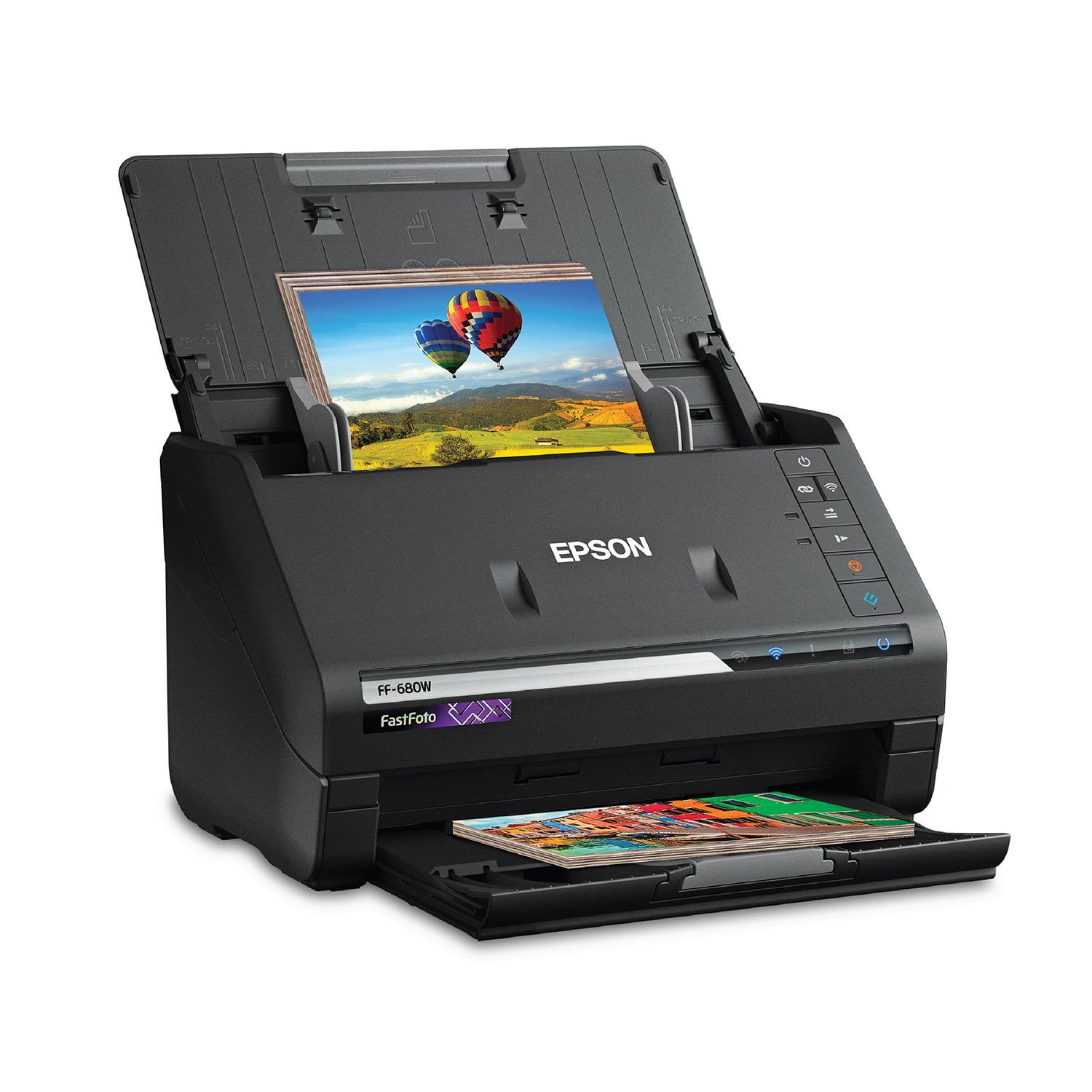
 Customer reviews for Epson FastFoto FF-680W Wireless High-Speed Photo & Document Scanning System, EPSB11B237201 for
Setup Instructions Horrible
I have not yet used the Scanner. I have been trying to set it up for 2 days. The website identified for getting started did not work. I had to search the internet and youtube to figure out how to set it up. I sure hope the instructions for using the scanner are better.
A Real Time Saver!
I actually had the model before this one, and preferred it better. The wireless function on this is nice, but it is cumbersome to switch from wired to wireless and back. The previous model was also easier to switch to thicker documents and pictures. But that said, the Epson scanner makes going through large numbers of pictures and documents a breeze! It is amazingly fast, and the scans look terrific. I like how easy it is to change the resolution, too. Don't scan large numbers of pictures without this. Life is too short.
Excellent Scanner
I received a small and light equipment to scan photos and documents and it is excellent. I am not very expert with the electronics but I managed to install the software following the instructions, it took a while but I could do it without any problem and with the newest version of it, it is currently connected to the PC through the USB cable that it brings, but also I can connect to it from my cell phone to scan and send the file to Google Drive, which is the program I use to archive my documents. I'm using it to basically scan the hundreds of drawings my 7-year-old daughter has made since she learned to hold a pencil, so the arrangement of the tray as a common printer is quite practical for that, and I have to emphasize that it is very quick the process because I can put several of the drawings at once and thus keep me unoccupied, in terms of the quality of the image is excellent and maintains the details and colors, I can almost say that it improves and highlights the colors. My family in the distance is happy to see the album I'm completing on Facebook with my new team and my daughter happy to see her artwork on the computer. Thank you so much. This is a review for the Epson FastFoto FF-680W Wireless High-speed Photo and Document Scanner System that I received free of charge to do a beta test and review. "
Best one ever!!!
I received this 2 weeks ago.Im more than happy with the product.Great size,easy set up,fits in small area.Fast,easy to use.Great photos and perfect documents.Ive had other brands in the past.This meets every detail and offers great customer service.Came with a few sheets of paper.Thats the only dwn.fall.For price more paper should have been offered.“This is a review for the Epson FastFoto FF-680W Wireless High-speed Photo and Document Scanner System that I received free of charge to do a beta test and review.”
Very Impressive
The Epson FastFoto scanner is an amazing machine! I was very impressed at the scanning ability, quality of scans, and setup of the product. First of all, the directions for setting up the scanner are super easy to follow. They are written in clear English, with drawings to help understand how to do it. Literally anyone could set this up. You don't actually have to assemble any parts. So easy. It provides a website link so that you can download the software and drivers directly from the internet (as opposed to sending a disc containing the driver). I actually prefer this because who really needs more discs around anymore. The download itself took about 5 minutes, which was very quick in my opinion. After setup was complete, it pops up with a window to easily register your device. I also received a firmware update immediately after installation, which I chose to install. Overall, my setup experience was excellent. Using this scanner is super easy and intuitive as well. Simply load your documents or pictures, up to 37 at a time, and press the scan button. The scanner truly is fast and it pulls them right through without issues. I had no issues with jamming or anything being crooked the entire time I tested this scanner. You can adjust the paper input for different widths of documents of pictures, which is very handy. After you scan your pictures, there are a variety of editing tools you can use. It has the option to automatically enhance/correct pictures as you scan them, and you can choose whether to save the original AND enhanced version or just the enhanced. I really liked how the enhanced pictures looked, so I chose just to save the enhanced ones. Probably my favorite part about this scanner is the ability to categorize photos and documents into different folders. You can easily create a subfolder each time you scan, and you can add a title and specific date for the group. You can choose a month, year, or there is the option to choose a season. I made a folder for Summer 2019 and have added pictures of my kids from this summer so far. I easily made folder for each of my kids pictures, and I made folders for work projects too. It's so easy to organize everything! After scanning, you can also edit the photos if you desire. There are options to rotate, crop, enhance photos, remove red eye, etc. which are all very useful to me. The editing interface is great! It's very simple, intuitive, and easy to use. A couple small issues I ran into while using this scanner: First of all, when editing photos, the program minimizes the window after each edit. This is a little annoying to me because I want to edit many pictures at once, and I have to keep pulling the window back up. Second of all, when using the feature to enhance photos while scanning, it wants to save a random negative-looking copy of the picture too. I deleted every one of these because it looks like my photo but in all white. It also saved the normal picture and the enhanced picture. So I was getting 3 versions of a photo for each scan, which made the sorting and editing process longer than I would like. Overall the benefits of this awesome scanner definitely outweigh the negative aspects. I will continue to use this scanner for both work and personal purposes. It's very efficient and easy to use. It goes above and beyond what I could have ever expected for a scanner like this! This is a review for the Epson FastFoto FF-680W Wireless High-speed Photo and Document Scanner System that I received free of charge to do a beta test and review.
Great Desktop Scanner
The Epson FastFoto FF680W is a great compact size scanner that does not take up too much space.I was really impressed with the size and the ability to scan the picture within a reasonable time. The Epson FastFoto FF-680W can scan both sides of the document or picture.It tool me less than 1 minute to scan 30 photos. When using the scanner to restore or edit photos i find it easier to use Epson Scan Smart Software you can crop help remove red eyes and many more features. Not only did I use the scanner for my pictures but once they were finished It was easy for me to upload to my dropbox account. I was able to scan receipts to my business folder so I can later use it for my tax purposes for next year. This compact size scanner is a great edition to my small business .This is a review for the Epson FastFoto FF-680W Wireless High-speed Photo and Document Scanner System that I received free of charge to do a beta test and review.”
fast scanner, tidy footprint, if-y software.
using my 250mbps cable internet wifi service, with 5 x 5 reception, the software indicates it can't find the scanner-often, althought the correct wifi LED is fully illustrated as 'on the network'. there is no easy way to check this, or re-add the wifi connection, as the WPS function is very slow and one thinks it has timed out. Using the oem setup file for the scanner is the only way to reset or search for another wifi signal, add it manually then, and save it (using a static iP this time, which is selectable). I've experienced this same issue maybe 4 times over the time i've owned the ff 680w. Other than that, i like it's speed and quality of scans. If you don't select the proper 'start' button, you'll be in foto scan instead of document scan, with no easy way to adjust to document scan while within the foto scan software page.
The Epson FF-680W is one awesome little scanner
The Epson was very easy to setup and connect the my Wi-Fi. The software is simple to understand and start scanning immediately! This scanner can scan both sides a a page at the same time which makes scanning super fast.And scans are saved in PDF format It took 11 seconds to scan 8 pages - both sides with pictures, It took 25 seconds to scan 8 pictures at 200dpi Overall I really like this scanner *This is a review for the Epson Fastfoto FF680W Wireless High-speed Photo and Document Scanner system that I received free of charge to do a beta test and review*
Love it!
This scanner is cute, small and amazing. It scans pictures beautifully and scans both sides of the photo at ones. Easy to organize the photos while saving. I have also ended up using it for documents. It can scan reams of documents at a fast clip and good quality. I plan to use it to archive a lot of family letters, etc. It also scans both sides of the document at once as needed - WOW. You can also change the dpi for both photos and documents. You can ask it to correct photos and it saves both the original and the corrected photo so you can choose the best one later or keep them both.
Epson Smart Scan Quits Workin
The Epson SmartScan sometime works and some times not. It has recently been reinstalled multiple times will not work at all. Cannot connect, this is odd since the Epson FF software works. Foto software cuts off the edges of the picture so borderless pics are missing the edges. Bummer when writing on the back goes to the edge.