Skip to Main Content
Sam's Club
Sam's Club
Customer reviews for Epson FastFoto FF-680W Wireless High-Speed Photo & Document Scanning System, EPSB11B237201 for
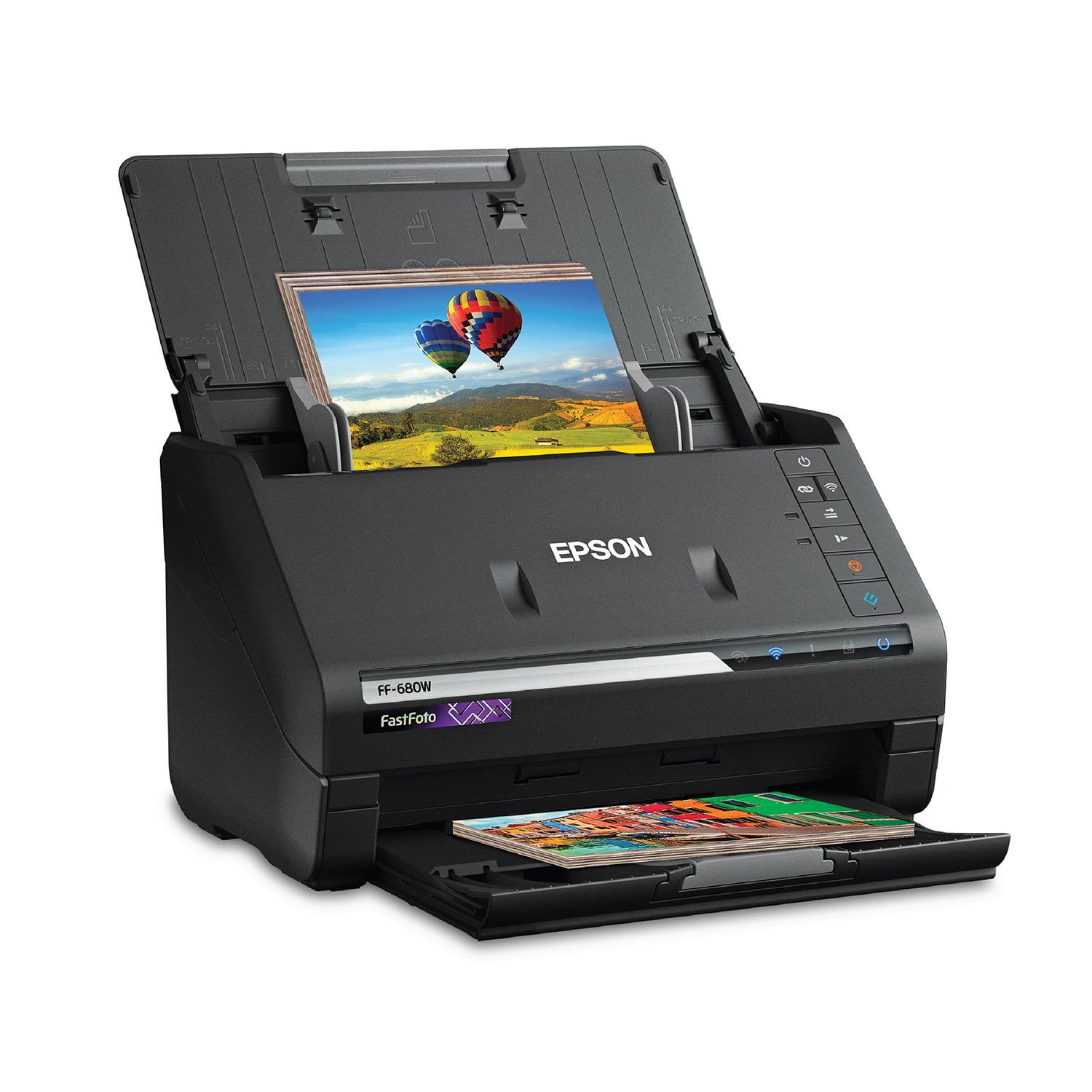
Epson FastFoto FF-680W Wireless High-Speed Photo & Document Scanning System, EPSB11B237201
4.2 out of 5 stars
stars352 ratings352 reviews
  1. 5 stars64% (226)
  2. 4 stars14% (49)
  3. 3 stars6% (22)
  4. 2 stars6% (21)
  5. 1 star10% (34)
Sort by |
Showing 161-170 of 352 reviews
Jun 16, 2019
Nottheguru
5 out of 5 stars review

Easy to use.

I received this scanner a few days ago and I’m pleasantly surprised at the quality of the photos that were transported to my computer. It is lite weight and compact so it fits on the desk quite nicely. I was able to scan multiple photos at once and organize them efficiently on my computer. I’m looking forward to using it on a variety of projects. This is a review for the Epson FastFoto FF-680W Wireless High-speed Photo and Document Scanner System that I received free of charge to do a beta test and review.

Review from epson.com
Helpful?2L701BNQDYIU13682020542
Jun 20, 2019
Robygirl71
5 out of 5 stars review

Best one ever!!!

I received this 2 weeks ago.Im more than happy with the product.Great size,easy set up,fits in small area.Fast,easy to use.Great photos and perfect documents.Ive had other brands in the past.This meets every detail and offers great customer service.Came with a few sheets of paper.Thats the only dwn.fall.For price more paper should have been offered.“This is a review for the Epson FastFoto FF-680W Wireless High-speed Photo and Document Scanner System that I received free of charge to do a beta test and review.”

Review from epson.com
Helpful?2L701BNQDYIU13682020542
Dec 29, 2022
TeeJay2022
4 out of 5 stars review

Needlessly complicated network setup that relies on WPS.

I have only scanned a few photos. I watched all the same reviews you probably did and image quality is excellent. However like many others, connecting this scanner to your existing wireless network is needlessly complicated. WPS was never a great implementation for many and many routers no longer even support. We have Unifi system which does not. I wanted a WiFi connection as tethering with USB cable (USB 2... really?) was not practical due to space issues. So I went through the Epson instructions for network connection, many, many times. I used the network scanning application, pushed WiFi buttons... and the scanner just never appeared in ANY list on my iMac. So frustrating. Save yourself some time and just use your phone to setup. 1. get the phone app. I used Epson FastFoto for iPhone. I assume Android will be same. 2. Take a picture of the label on the back of the scanner so that you can have the password for the 'SSID-Direct' network 3. Follow the instructions on the app. You will need to go to your phone network settings and you will see the network being broadcast by the scanner. Enter your password. 4. Once you have connected to your scanner's broadcast SSID network, you will then see your home network. App will ask you to enter the password for your home network. 5. Once you enter that, your scanner will then connect to your home network. 6. Go to your iMac or PC and run setup again. Now you will see your scanner listed and just click on it. Follow the instructions. You are all set. I would change to 5 star once Epson addresses the network connection and eliminates WPS as a method.

Review from epson.com
Helpful?2L701BNQDYIU13682020542
Mar 6, 2021
WhitHarr
5 out of 5 stars review

Excellent purchase

I purchased this several months ago and it has been superb for use with paper documents. It does not handle photos well if they have any kind of additional sticker attached to the back which thicken them, otherwise it has worked seamlessly. Super-fast and reliable!

Review from epson.com
Helpful?2L701BNQDYIU13682020542
Jun 22, 2019
ode2k
5 out of 5 stars review

A great high-speed scanner for documents and photos

The Epson FastFoto FF-680W is a great photo/document scanner that packs a lot of speed and features for its size. This scanner is an incredible product and a huge timesaver if you have a lot of documents and photos to scan and categorize. Hardware: The FF-680W is relatively small for a high-speed scanner, and the build quality is excellent. The fact it can scan photos at 80ppm is incredible, and the quality stands out up to 1200dpi. It connects to your computer via USB 3.0 or Wi-Fi connection which is a simple setup using WPS. I love the fact that the paper tray folds down right on top of the scanner body to make it as compact as possible, and it’s very smooth and easy to get ready to scan again. The ability to scan duplex and drop out blank pages saves so much time and works extremely well. Software: The Epson document and photo scanning software applications are filled with the important functions and are very easy to use. Just a few clicks and you can change whatever settings you want. It’s extremely fast and user-friendly to scan documents using your smartphone or computer and send them to Google Drive, Dropbox, or other cloud storage. The software features auto-enhance, crop, auto-rotate, and they work very well and fast while scanning. This is a review for the Epson FastFoto FF-680W Wireless High-speed Photo and Document Scanner System that I received free of charge to do a beta test and review.

Review from epson.com
Helpful?2L701BNQDYIU13682020542
Jan 14, 2020
FBake
3 out of 5 stars review

Forget the WiFi connection

I chose this photo scanner because I read the reviews and it sounded like the right one for me. Unfortunately I am unable to connect it to my WiFi because my Netgear (Orbi) router does not separate the 2.4 GHZ from the 5 G. The scanner will only connect to the WiFi using a separate 2.4 band. I learned this after spending hours with Epson, Spectrum, Netgear and paid a systems consultant. I decided to keep the scanner and use it with the USB connection. Very disappointed.

Review from epson.com
Helpful?2L701BNQDYIU13682020542
May 22, 2019
Stacey12345
5 out of 5 stars review

Good thin picture scanner

This wont scan Polaroid pictures or pictures that are think from any backing. Other than that issue with a few pictures. I love this scanner. I have had thousands of pictures to scan for years and didnt want to spend the money. I have scanned about 3/4 of my pictures in one afternoon. I would definitely spend the money on this scanner again!!

Review from epson.com
Helpful?2L701BNQDYIU13682020542
Apr 17, 2020
Photography buff
5 out of 5 stars review

Great Photo Scanner!

I bought this to be able to digitize the thousands (really, thousands) of our old family photos! It is easy to set up and scan the photos. I love the feature that enhances the color and clarity of these photos some of which are very old and some that are more recent. I can put in a stack of photos to scan and while they scan, I can prepare files on my computer to organize them. In addition, I found some very old letters which I scanned. I took advantage of the editing feature to crop and enlarge these letters. Wonderful! I am excited to preserve these letters and documents which are slowly deteriorating! Now I can have digitized photos to give to my sons rather than the big number of photos! A winner! I highly recommend this scanner! Have fun!

Review from epson.com
Helpful?2L701BNQDYIU13682020542
Jun 13, 2019
Julianna89
5 out of 5 stars review

Very Impressive

The Epson FastFoto scanner is an amazing machine! I was very impressed at the scanning ability, quality of scans, and setup of the product. First of all, the directions for setting up the scanner are super easy to follow. They are written in clear English, with drawings to help understand how to do it. Literally anyone could set this up. You don't actually have to assemble any parts. So easy. It provides a website link so that you can download the software and drivers directly from the internet (as opposed to sending a disc containing the driver). I actually prefer this because who really needs more discs around anymore. The download itself took about 5 minutes, which was very quick in my opinion. After setup was complete, it pops up with a window to easily register your device. I also received a firmware update immediately after installation, which I chose to install. Overall, my setup experience was excellent. Using this scanner is super easy and intuitive as well. Simply load your documents or pictures, up to 37 at a time, and press the scan button. The scanner truly is fast and it pulls them right through without issues. I had no issues with jamming or anything being crooked the entire time I tested this scanner. You can adjust the paper input for different widths of documents of pictures, which is very handy. After you scan your pictures, there are a variety of editing tools you can use. It has the option to automatically enhance/correct pictures as you scan them, and you can choose whether to save the original AND enhanced version or just the enhanced. I really liked how the enhanced pictures looked, so I chose just to save the enhanced ones. Probably my favorite part about this scanner is the ability to categorize photos and documents into different folders. You can easily create a subfolder each time you scan, and you can add a title and specific date for the group. You can choose a month, year, or there is the option to choose a season. I made a folder for Summer 2019 and have added pictures of my kids from this summer so far. I easily made folder for each of my kids pictures, and I made folders for work projects too. It's so easy to organize everything! After scanning, you can also edit the photos if you desire. There are options to rotate, crop, enhance photos, remove red eye, etc. which are all very useful to me. The editing interface is great! It's very simple, intuitive, and easy to use. A couple small issues I ran into while using this scanner: First of all, when editing photos, the program minimizes the window after each edit. This is a little annoying to me because I want to edit many pictures at once, and I have to keep pulling the window back up. Second of all, when using the feature to enhance photos while scanning, it wants to save a random negative-looking copy of the picture too. I deleted every one of these because it looks like my photo but in all white. It also saved the normal picture and the enhanced picture. So I was getting 3 versions of a photo for each scan, which made the sorting and editing process longer than I would like. Overall the benefits of this awesome scanner definitely outweigh the negative aspects. I will continue to use this scanner for both work and personal purposes. It's very efficient and easy to use. It goes above and beyond what I could have ever expected for a scanner like this! This is a review for the Epson FastFoto FF-680W Wireless High-speed Photo and Document Scanner System that I received free of charge to do a beta test and review.

Review from epson.com
Helpful?2L701BNQDYIU13682020542
Feb 27, 2020
Amyt
2 out of 5 stars review

So Far not impressed

So far I am not impressed. The directions for setup up were far from great. One page that left a lot of information or critical steps out. Once set up, it was easy to use but then getting back into the program is confusing. You have to reinstall it every time.

Review from epson.com
Helpful?2L701BNQDYIU13682020542