Skip to Main Content
Sam's Club
Sam's Club
All Departments
All Services
Customer reviews for Epson FastFoto FF-680W Wireless High-Speed Photo & Document Scanning System, EPSB11B237201 for
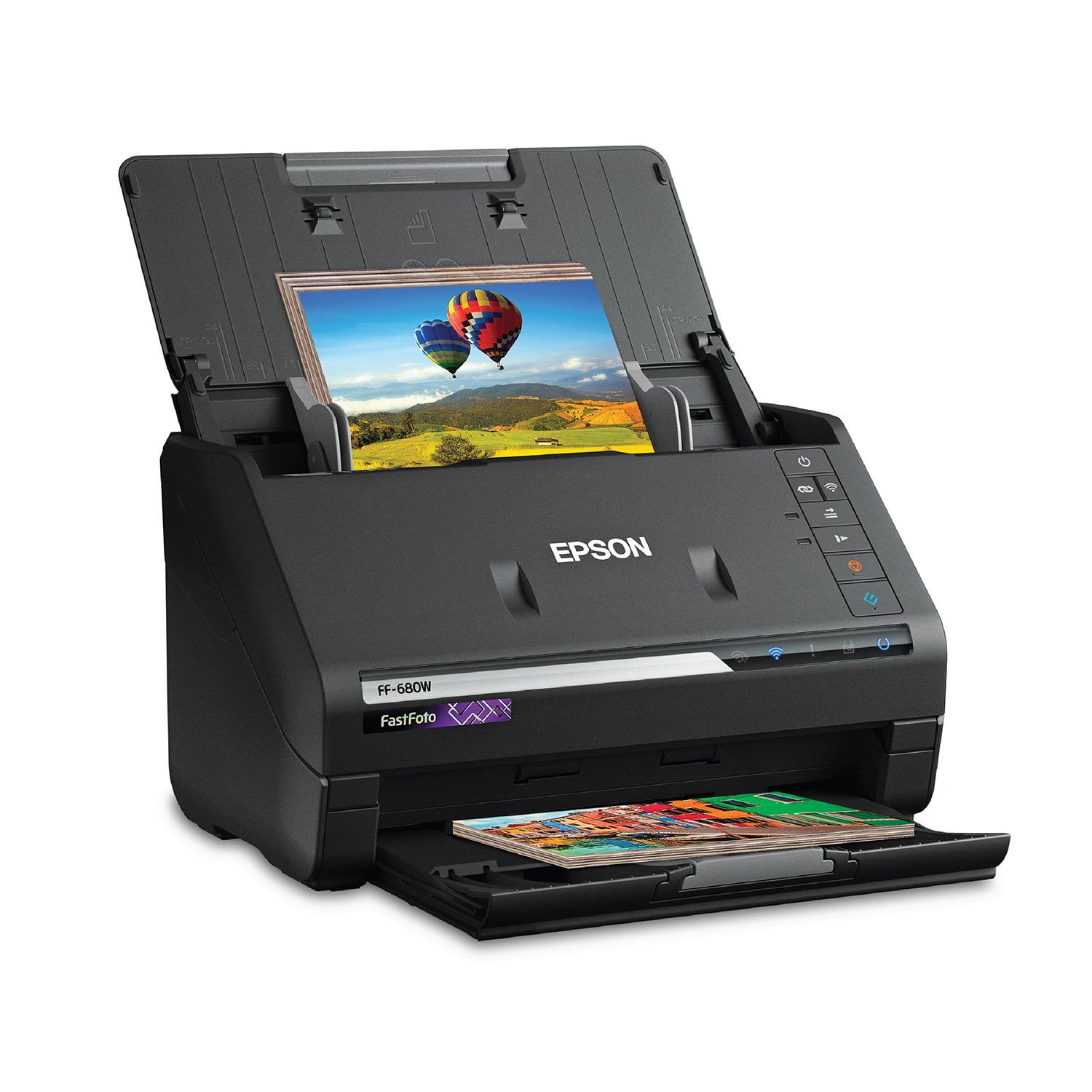
Epson FastFoto FF-680W Wireless High-Speed Photo & Document Scanning System, EPSB11B237201
4.2 out of 5 stars
stars
355 ratings355 reviews
  1. 5 stars65% (229)
  2. 4 stars14% (49)
  3. 3 stars6% (22)
  4. 2 stars6% (21)
  5. 1 star10% (34)
Sort by |
Showing 151-160 of 355 reviews
Jun 27, 2019
Farcountry
5 out of 5 stars review

Fast! Fast! Fast! - I’ve never seen anything as amazing!

I bought this for myself for Christmas, hoping to scan all the family photos. Because there is no scan driver for an iPad at this time, I was unable to use the scanner. I borrowed a laptop from a friend and was able to scan just fine. The photos scan very fast, does batch scanning, even clears up imperfections and red-eyes. I absolutely love it! The only thing they could do better is to have a downloadable app/driver for mobile devices so I don’t have to borrow my friends laptop to use it. I can run my TV as a remote with my phone and tablet, I should be able to work computer equipment as well.

Review from epson.com
Helpful?2L701BNQDYIU13682020542
Jan 28, 2019
The C
5 out of 5 stars review

Great Product

I do some slides for friends and family for birthdays. I have done 4 this year parents for their kids 18th birthday. Scanning photos has never been easier. The quality is very good with a great enhancement feature. After understanding how the folders can be organized, the organization of photos became a very pleasant feature. Scanning documents is very fast. As I understand it though, you only can scan a document as a picture. Thats okay for archiving. All in all, I really like this machine.

Review from epson.com
Helpful?2L701BNQDYIU13682020542
Dec 29, 2022
TeeJay2022
4 out of 5 stars review

Needlessly complicated network setup that relies on WPS.

I have only scanned a few photos. I watched all the same reviews you probably did and image quality is excellent. However like many others, connecting this scanner to your existing wireless network is needlessly complicated. WPS was never a great implementation for many and many routers no longer even support. We have Unifi system which does not. I wanted a WiFi connection as tethering with USB cable (USB 2... really?) was not practical due to space issues. So I went through the Epson instructions for network connection, many, many times. I used the network scanning application, pushed WiFi buttons... and the scanner just never appeared in ANY list on my iMac. So frustrating. Save yourself some time and just use your phone to setup. 1. get the phone app. I used Epson FastFoto for iPhone. I assume Android will be same. 2. Take a picture of the label on the back of the scanner so that you can have the password for the 'SSID-Direct' network 3. Follow the instructions on the app. You will need to go to your phone network settings and you will see the network being broadcast by the scanner. Enter your password. 4. Once you have connected to your scanner's broadcast SSID network, you will then see your home network. App will ask you to enter the password for your home network. 5. Once you enter that, your scanner will then connect to your home network. 6. Go to your iMac or PC and run setup again. Now you will see your scanner listed and just click on it. Follow the instructions. You are all set. I would change to 5 star once Epson addresses the network connection and eliminates WPS as a method.

Review from epson.com
Helpful?2L701BNQDYIU13682020542
Feb 27, 2020
Amyt
2 out of 5 stars review

So Far not impressed

So far I am not impressed. The directions for setup up were far from great. One page that left a lot of information or critical steps out. Once set up, it was easy to use but then getting back into the program is confusing. You have to reinstall it every time.

Review from epson.com
Helpful?2L701BNQDYIU13682020542
May 22, 2019
Stacey12345
5 out of 5 stars review

Good thin picture scanner

This wont scan Polaroid pictures or pictures that are think from any backing. Other than that issue with a few pictures. I love this scanner. I have had thousands of pictures to scan for years and didnt want to spend the money. I have scanned about 3/4 of my pictures in one afternoon. I would definitely spend the money on this scanner again!!

Review from epson.com
Helpful?2L701BNQDYIU13682020542
Jun 15, 2019
Richard63
5 out of 5 stars review

Very efficient and fast on scanning my photos and receipts

The Epson FastFoto FF-680W Wireless High-speed Photo and Document Scanner is an very nice scanner! I really like the fast scanning abilities, the quality of scans, and very easy setup of the scanner. I was really impressed with the extremely easy setup and setup of the scanner. The provided instructions are very easy to follow and very intuitive. Instructions also provide driver links to Epsom’s website. I always configure computer hardware with the latest drivers from manufacturers websites for less problems and best performance and compatibility. The scanner is easy to operate. You can load multiple documents or photos and press the scan button to do the whole job. It scans very fast. Very nice when you have lots of documents or photos to scan. It saves a lot of time. It comes with some nice editing and correction software to fix the scratches or red eye in photos. Also if you need to rotate some images to the proper orientation or to crop them. The only issue I ran into was some very old photos I had were curved a little and jammed in scanner during scan. I had no problem straightening them out a little and re running the scan. I seen on other reviews that some people had scanner path marks added to their photos. I did not experience this issue with my photos. They came back out with no added marks. I really enjoy using this scanner. It will get me off my seat and finally get all my photos digitized and also scan all my receipts so they will be preserved if ever needed for warranty repairs or returns. This is a review for the Epson FastFoto FF-680W Wireless High-speed Photo and Document Scanner System that I received free of charge to do a beta test and review.

Review from epson.com
Helpful?2L701BNQDYIU13682020542
Jan 8, 2020
Paul515
5 out of 5 stars review

Super fast, clean, sharp pictures in high resolution

I bought this scanner 2 weeks ago and WOW is it fast and easy to use. I use the highest resolution 1,200 DPI and my pictures come out great. I am scanning thousands of family pictures and I love the feature that gives you 2 pictures - one original and one adjusted by the machine, which is generally better than the original picture. I have scanned 2,000 pictures so far (1,000 yesterday), and no problems with dust showing on the pictures at all. What a huge advance over flat bed scanners!!!!! I am super pleased! Paul Herr

Review from epson.com
Helpful?2L701BNQDYIU13682020542
Jul 10, 2025
Ashleygrm
1 out of 5 stars review

Does not work

If I could leave less than one star I would. This scanner is literally the worst in existence. I have to scan photos one by one and often it “jams” and I have to check my computer to see which photos scan, and if you use Microsoft, it will absolutely not show up in order. I have had to sort through thousands of photos when this scanner … you know, doesn’t scan. One by one. One by one. It brags it can take 30 photos at a time. Let me tell you. It. Does. Not.

Review from epson.com
Helpful?2L701BNQDYIU13682020542
Nov 6, 2022
angelbee
5 out of 5 stars review

Great Quality Scans

I was looking for a good scanner for months. It was more than I wanted to spend, but worth it to get these high quality digital copies of my old photos. It will detect if there is writing on the back of the pictures and scan that too. It lets you compare the original photos with the fixed up ones. Only thing I would change is I wish it could scan documents too.

Review from epson.com
Helpful?2L701BNQDYIU13682020542
Jun 15, 2019
JCar1
5 out of 5 stars review

Innovative & Very Impressive !!

Right out of the box this product has easy to follow instructions on the "start here" paper to download and install drivers, also helpful instructions on how to connect to the wireless network, which my laptop easily found and paired with by using the wi-fi connect button located on the scanner. A usb cord is provided just in case there is no wi-fi, or user preference. I am amazed by the speed the scanner takes to scan photos, documents and the resolution levels which range from 300 dpi (takes 1 sec.), 600 dpi (takes 3 sec) and 1200 dpi (takes 10 sec). This Wireless High-speed Scanning System has a setting for panoramic and instant photos, which are great for Polaroids, and can scan up to 36 photos at a time depending on size and thickness. The scanner feed functioned properly every time and had no jam or scanning feed issues. I save receipts and lots of old photos that I am wanting to save digitally onto google Onedrive and can be uploaded to Dropbox as well as enhance when scanning, so this Epson FastFoto Scanner System is perfect and ideal for my needs! The provided carrier sheet included is best when used for protecting wrinkled, fragile, old and valuable pictures & documents. I like that Epson included a downloadable pdf format user manual that can be printed too (120 pages long) to get more information and details of Epson FastFoto scanner and advanced settings. Although I miss having physical installation cd discs, I think it's easier having the link to download everything the scanner needs and can set itself up.Despite having the auto rotation checked in advanced settings, when editing scanned pictures, I still had to click the rotate twice to get pictures positioned upright, but other than that I love how much better looking, brighter with higher clarity and image quality resulting from every scan! This is a review for the Epson FastFoto FF-680W Wireless High-speed Photo and Document Scanner System that I received free of charge to do a beta test and review.”

Review from epson.com
Helpful?2L701BNQDYIU13682020542