Skip to Main Content
Sam's Club
Sam's Club
Customer reviews for Epson FastFoto FF-680W Wireless High-Speed Photo & Document Scanning System, EPSB11B237201 for
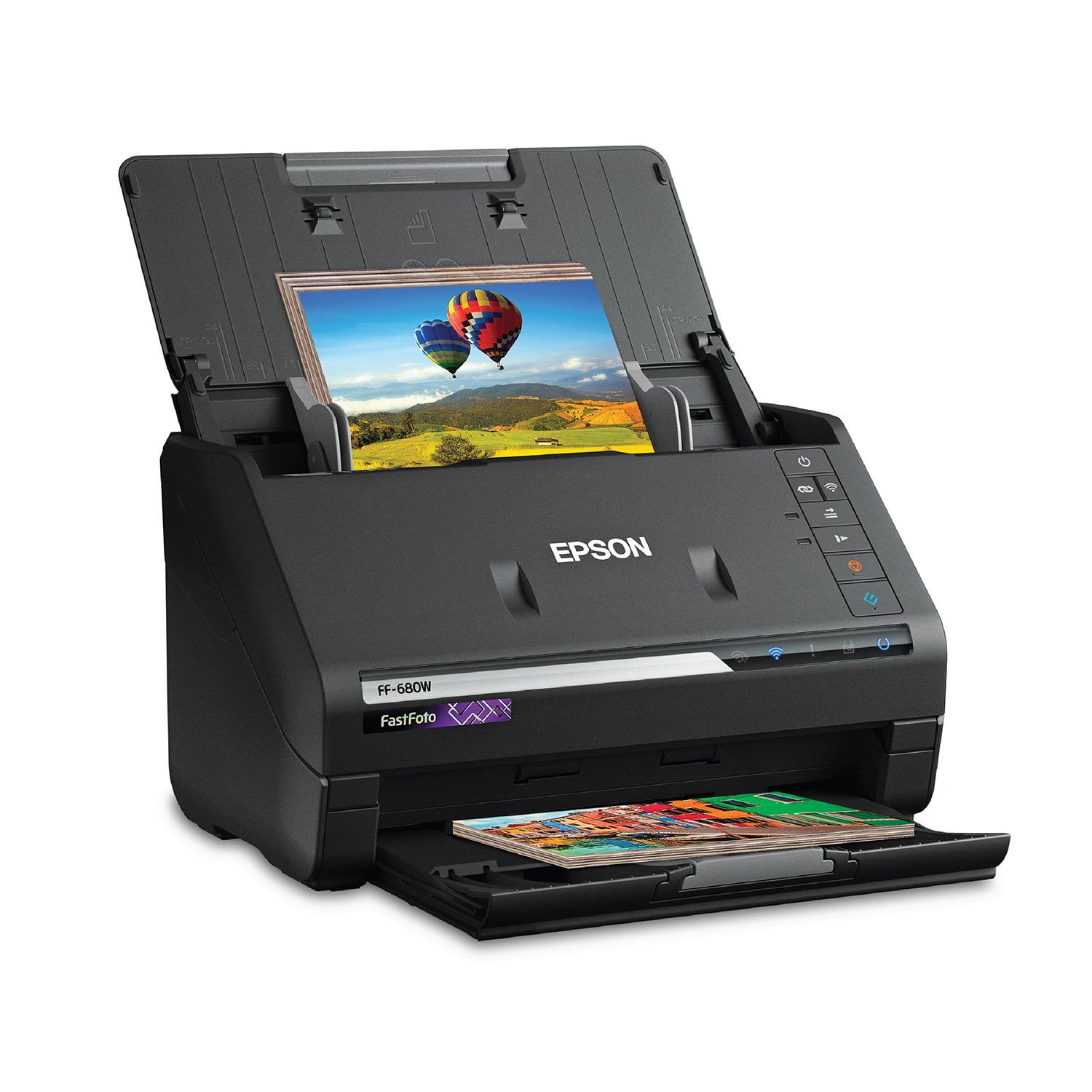
Epson FastFoto FF-680W Wireless High-Speed Photo & Document Scanning System, EPSB11B237201
4.2 out of 5 stars
stars352 ratings352 reviews
  1. 5 stars64% (226)
  2. 4 stars14% (49)
  3. 3 stars6% (22)
  4. 2 stars6% (21)
  5. 1 star10% (34)
Sort by |
Showing 121-130 of 352 reviews
Dec 10, 2018
AlexArt
5 out of 5 stars review

No regrets...Awesome!

I really did my homework before I purchased this scanner because it is not cheap. Time is precious, so I was counting on it being as fast as the specs said, and it absolutely delivered. Took just 5 minutes or so to get set up on wifi...excellent quality scans, too. I will say it looks cheap, not particularly heavy, but it is worth every penny.

Review from epson.com
Helpful?2L701BNQDYIU13682020542
Dec 30, 2020
Andrew_S
5 out of 5 stars review

The FF-680W scanner can't be beat

50,000 scans and counting! Maybe 20 jams but more than half are size and thickness problems (Mother-in-law leaving blank post-it on the back of random pictures...). Scans about 30-40 pictures at a time. Takes the same amount of time to post process on High resolution, curled photo, red eye, and angled photo settings. Wish it had a bin and 100's of pictures could be scanned at once. Will not scan large postage stamp size photos from the 40's. If you have Polaroid pictures you have to change to the Polaroid picture setting (thickness problem and will jam..). Has a little trouble with very dark photos. Does not remember the last album name setting but this is easily inputted. Does not turn 90 degree photos upright. If you set it up it also scans the back of the picture's notes. Leave the setting on and raise the threshold. Postcards come out funny sometimes. No problem in USB mode. Scanning in-law's photo albums now. Pictures are on a Synology NAS and available to all family members. So far 2.5Tb of picture data! Have not tried documents but soon.

Review from epson.com
Helpful?2L701BNQDYIU13682020542
Apr 15, 2019
mrjoebee
5 out of 5 stars review

Fast and high quality scans

I bought this to scanner to preserve some antique photos - the scanner was extremely fast (even saving at 600 dpi), the quality of the scans was fantastic, and the machine treated these photos gently enough that it did not damage them in the least. The option to save an enhanced version of the photo without manually tweaking it in photo editing software, as well, is a bonus. I am extremely pleased with this purchase and recommend it for anyone looking to archive photos.

Review from epson.com
Helpful?2L701BNQDYIU13682020542
Dec 27, 2020
Mikesepsontrials
1 out of 5 stars review

It started Registration

So far the software is very cumbersome like old printers. Registration is all manual and didn't pull Serial number via WIFI or USB for some reason, Had to manually enter all contact information. Then it asked me if I wanted to leave a review and when I clicked yes it opened in explorer instead of preferred browser. We will see if the rest of this product is old school.

Review from epson.com
Helpful?2L701BNQDYIU13682020542
May 17, 2021
MAYatCC
1 out of 5 stars review

After Windows 10 Update - Epson FF-680W Cannot Connect

The scanner was working very well but then when Windows 10 Updated, the Epson SmartScan stop working and cannot connect with computer. It was NOT a cable problem. I tried three different cables. But it could not recognized my computer or connect. Even when trying to download the Epson software again and trying to setup with USB connection, it would not recognize my computer. I had difficulty trying to do it even over WIFI. FINALLY, had to use a cable connection with my WIFI router. I am watching to see if this EPSON FF-680W is becoming glitchy with connecting problems.

Review from epson.com
Helpful?2L701BNQDYIU13682020542
Mar 4, 2021
Lever2000
5 out of 5 stars review

Very pleased with this scanner

This is a great scanner. I am using it to scan all my old paper photos from the days of using a film camera. The software that goes with it is great and easy to use, although it could be a bit more intuitive. But once you scan a few batches of pics you easily get the hang of it. I am pleased with the quality of the scans.

Review from epson.com
Helpful?2L701BNQDYIU13682020542
Aug 1, 2019
Old Geezer
4 out of 5 stars review

My Review - Epson FastFoto FF-680W

I bought this scanner becasue I had an enormous number of old photos to scan and individual scans would have been inpossible. It does deliver high quality, but not excellent scans. I have not yet used it for documents. The feeder is excellent. Having said that, it was extemely difficult to set it up for wireless operation. The instructions were dated with older names of the apps that were needed. The instructions were inadequate. Once I used the direct connect to my laptop, the wirelss set-up went flawlessly. Epson should have explained this. The addition of more photo editing options would be a big enhancemnt as well as more choices for the file archetecture. Overall, a very good scanner although a bit on the priey side.

Review from epson.com
Helpful?2L701BNQDYIU13682020542
Feb 24, 2025
WV Forensic Engineer
3 out of 5 stars review

Great Scanner - Degraded Scanning Software Capabilities

I purchased the FF-680W to expand the capabilities of my forensic investigation and engineering practice, replacing an 8-yr old DS-560 (this was a workhorse). I needed improved photo scanning capabilities and the 680 aptly meets those demands. The file management abilities of "Document Management Pro" that came with the DS-560 spoiled me. I was able to have several custom quick scan tabs that allowed a quick scan with documents scanned with detailed settings and stored at select locations (i.e. documents, checks, photos). I attempted to create customized actions in the Epson ScanSmart that came with the 680 and learned that similar customized actions are no longer available. Hence, additional steps are needed to store documents at your select locations after changing the settings for the nature of instrument saved.

Review from epson.com
Helpful?2L701BNQDYIU13682020542
Jan 30, 2021
miipal
4 out of 5 stars review

fast scanner, tidy footprint, if-y software.

using my 250mbps cable internet wifi service, with 5 x 5 reception, the software indicates it can't find the scanner-often, althought the correct wifi LED is fully illustrated as 'on the network'. there is no easy way to check this, or re-add the wifi connection, as the WPS function is very slow and one thinks it has timed out. Using the oem setup file for the scanner is the only way to reset or search for another wifi signal, add it manually then, and save it (using a static iP this time, which is selectable). I've experienced this same issue maybe 4 times over the time i've owned the ff 680w. Other than that, i like it's speed and quality of scans. If you don't select the proper 'start' button, you'll be in foto scan instead of document scan, with no easy way to adjust to document scan while within the foto scan software page.

Review from epson.com
Helpful?2L701BNQDYIU13682020542
Jul 27, 2021
RebekahC
5 out of 5 stars review

Time Saver!

I work in an office at a funeral home. We purchased this scanner because many times families will bring in many family photos to be used in a memorial DVD for their loved one. With our flat bed scanner, scanning 30+ photos is time consuming and many times can cause us to fall behind on our tasks. But since we've gotten the Epson scanner, we can scan multiple photos at once which is extremely helpful for our time sensitive tasks. My colleague and I were also pleasantly surprised at the quality at some of the touching up/ enhancements that it can give to older and faded photos. All in all, we are very happy with our scanner and thankful for the amount of time it has saved us in the short time we've had it.

Review from epson.com
Helpful?2L701BNQDYIU13682020542