Skip to Main Content
Sam's Club
Sam's Club
All Departments
All Services
Customer reviews for Epson FastFoto FF-680W Wireless High-Speed Photo & Document Scanning System, EPSB11B237201 for
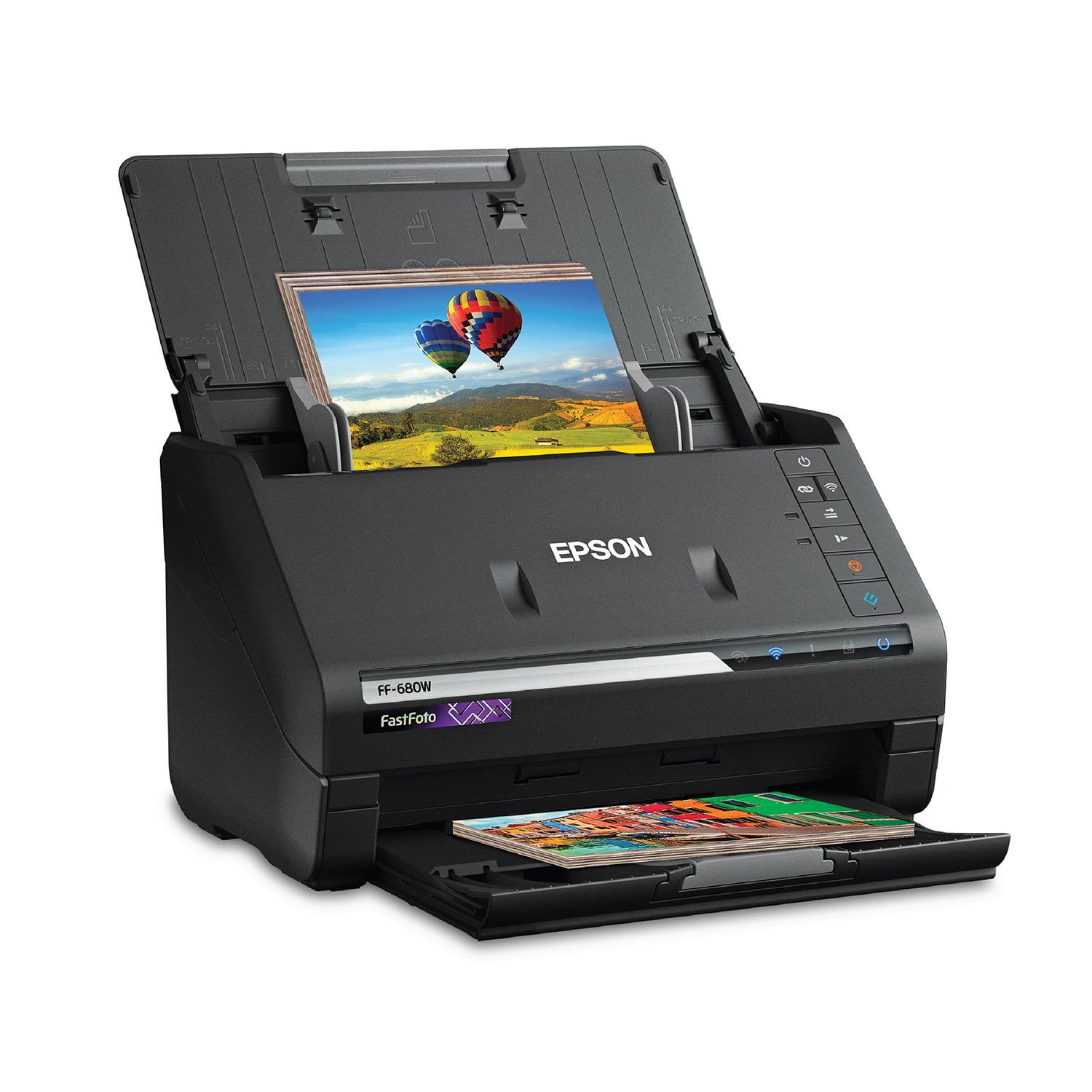
Epson FastFoto FF-680W Wireless High-Speed Photo & Document Scanning System, EPSB11B237201
4.2 out of 5 stars
stars
359 ratings359 reviews
  1. 5 stars65% (232)
  2. 4 stars14% (49)
  3. 3 stars6% (22)
  4. 2 stars6% (21)
  5. 1 star10% (35)
Sort by |
Showing 111-120 of 359 reviews
Jun 17, 2019
Reviewer name: djasinski
5 out of 5 stars
5 out of 5 stars review

Fast, precise, and intuitive. Best scanner available!!!

This is without a doubt the best scanner that I have ever owned. I was originally interested it the Epson FastFoto FF-680W Wireless Hight Speed Photo and Document Scanner for use only as a document scanner and it sure does impress. It will auto feed and scan double sided documents faster than I thought possible. The optical character recognition software does a great job reading and converting the text. The free trial of the included receipt manager is a great bonus. I will continue to use every day for scanning documents. But where this scanner truly shines at scanning photos. It can scan not only the front, but the back of a photo (dates/hand written notes/etc) quickly and with great quality. And the included software will auto organize, label, and even touch up or restore your old photo prints with great efficiency. Just search the internet for videos of this scanner in action and I guarantee that you will be impressed. The only down side I have found is that when the scanner is connected via wifi, and turned on, your computer will give you constant popup notifications advising that the scanner is ready for use. This can be fixed by disabling the Epson software at startup in your pc setting, but I wish and hope that Epson will fix this issue with a software update soon, and this is a minor flaw in an otherwise great product. I highly recommend the Epson FastFoto FF-680W Wireless High-speed Photo and Document Scanner System to anyone who wants a high-quality product that is easy and intuitive to use. This is a review for the Epson FastFoto FF-680W Wireless High-speed Photo and Document Scanner System that I received free of charge to do a beta test and review.

Review from epson.com
Helpful?2L701BNQDYIU13682020542
Jun 17, 2019
Reviewer name: Becky07
5 out of 5 stars
5 out of 5 stars review

Wonderful Product

The Epson F2F 680 product that I received is new in the box perfect condition with everything in the box, it included the manual instruction and every component needed to function. As I connected from my laptop to the printer and follow the step by step instructions, very easy and explainable I had no complications and no problem getting it to function. Epson scanner guide me visually how to open files to include my documents and my pictures easy unexplainable I found it to be a wonderful tool in a work office, in a house or just for fun. Uploading your pictures so that they won't get ruined and keep them in good self place anytime you want to download or blow up a picture for your home for a friend or just to send to a family member. I found it to be a very convenient product very useful now I don't have to keep bags of receipts, folders of documents. Now I could upload it to a file on my home PC or my laptop and take it with me everywhere I go I can open any documents at any given moment without running around. I have it right at the palm of my hand. Personally I would recommend this product to anyone. This is a review for the Epson FastFoto FF-680W Wireless High-speed Photo and Document Scanner System that I received free of charge to do a beta test and review.

Review from epson.com
Helpful?2L701BNQDYIU13682020542
Mar 22, 2020
Reviewer name: atm1967
3 out of 5 stars
3 out of 5 stars review

Connection via wifi a pain

I have not really used the scanner yet, but the installation via wifi is a royal pain. I use Netgear Orbi and the sync button did NOT work for WPS. After 30 minutes of messing around I just opted for USB connection. It would not be soo difficult to simply let the user put a PW in. I can’t stand WPS!

Review from epson.com
Helpful?2L701BNQDYIU13682020542
Jan 25, 2025
Reviewer name: RCM1957
5 out of 5 stars
5 out of 5 stars review

Happy With It So Far

After searching specifically for a photo scanner I decided on this Epson Scanner. The reviews were mostly positive and although it is expensive I am happy with the scanner. Setup was fairly easy with no issues. I have to say, a lot of what I am scanning are OLD photos and the automatic enhancement of the scanned image is nice. I would recommend this to my friends.

Review from epson.com
Helpful?2L701BNQDYIU13682020542
Oct 25, 2020
Reviewer name: Nancy P
5 out of 5 stars
5 out of 5 stars review

One of the best things I have ever bought

I ended up being forced to buy this scanner to put together a photo montage for my mother’s memorial. The last thing I wanted to spend money on was this scanner. BUT, it is one of the best things I have ever bought!!! It scans lots of photos very quickly and does a beautiful job of capturing the images. I ended up taking all the photos out of my mom’s albums, scanned them all and took ten albums home on a little flash drive. And, the beauty is that I can now share all of these photos with my other family members. I have already created several printed albums already. There is nothing more valueable to us (besides our loved ones) than our photos! This is the perfect way to preserve and share them. If there’s ever a fire, all I have to grab is my trusty flash drive!

Review from epson.com
Helpful?2L701BNQDYIU13682020542
Jan 8, 2022
Reviewer name: Antananarivo
4 out of 5 stars
4 out of 5 stars review

Setup Challenges

1. To register the product it is required to enter the unit's serial number. However, nothing shows where to find the serial number. So, one has to guess which of the numbers on the label to use. 2. Much more importantly, after going through the entire software setup, wifi enabling and registration process, there was no way to get started scanning. Reloaded the software. Still didn't work, and no error message. Only worked once I decided to plug the cable into the computer. 3. Once I got it working, it scanned pictures exceptionally well. The current problem is to figure out where the pictures are once they are scanned and how to share them. Again, hard to find the answer on the help website. 4. Someone more computer-savvy probably wouldn't have these problems ...

Review from epson.com
Helpful?2L701BNQDYIU13682020542
Dec 13, 2021
Reviewer name: TC66
5 out of 5 stars
5 out of 5 stars review

A astonishing experience

I found this product in the closet at home which was bought by Otto and found this product help settle to save and organize most of my photos and documents. It is really save my time to find & review all concerned historical records. It is great to have it ! !

Review from epson.com
Helpful?2L701BNQDYIU13682020542
Feb 11, 2025
Reviewer name: DH24143
1 out of 5 stars
1 out of 5 stars review

NOT a good photo scanner

Bought this unit Feb 2, 2025, it is fast and convenient BUT it is advertised as a photo scanner and it does that BUT the quality of the scan is very poor. I tried adjusting setting but could not get it to do a good job. Wish I had my $659.00 dollar back.

Review from epson.com
Helpful?2L701BNQDYIU13682020542
Aug 31, 2019
Reviewer name: KeithB
5 out of 5 stars
5 out of 5 stars review

A SUPER GREAT PHOTO SCANNER

This thing really works well. I am in the process of converting thousands of old photos to digital. It is much faster than a traditional scanner & gives me a highborns quality 1200 dpi file. I'm copying the files onto individual hard drives for several family members.

Review from epson.com
Helpful?2L701BNQDYIU13682020542
Jun 15, 2019
Reviewer name: Richard63
5 out of 5 stars
5 out of 5 stars review

Very efficient and fast on scanning my photos and receipts

The Epson FastFoto FF-680W Wireless High-speed Photo and Document Scanner is an very nice scanner! I really like the fast scanning abilities, the quality of scans, and very easy setup of the scanner. I was really impressed with the extremely easy setup and setup of the scanner. The provided instructions are very easy to follow and very intuitive. Instructions also provide driver links to Epsom’s website. I always configure computer hardware with the latest drivers from manufacturers websites for less problems and best performance and compatibility. The scanner is easy to operate. You can load multiple documents or photos and press the scan button to do the whole job. It scans very fast. Very nice when you have lots of documents or photos to scan. It saves a lot of time. It comes with some nice editing and correction software to fix the scratches or red eye in photos. Also if you need to rotate some images to the proper orientation or to crop them. The only issue I ran into was some very old photos I had were curved a little and jammed in scanner during scan. I had no problem straightening them out a little and re running the scan. I seen on other reviews that some people had scanner path marks added to their photos. I did not experience this issue with my photos. They came back out with no added marks. I really enjoy using this scanner. It will get me off my seat and finally get all my photos digitized and also scan all my receipts so they will be preserved if ever needed for warranty repairs or returns. This is a review for the Epson FastFoto FF-680W Wireless High-speed Photo and Document Scanner System that I received free of charge to do a beta test and review.

Review from epson.com
Helpful?2L701BNQDYIU13682020542