Skip to Main Content
Sam's Club
Sam's Club
Customer reviews for Epson FastFoto FF-680W Wireless High-Speed Photo & Document Scanning System, EPSB11B237201 for
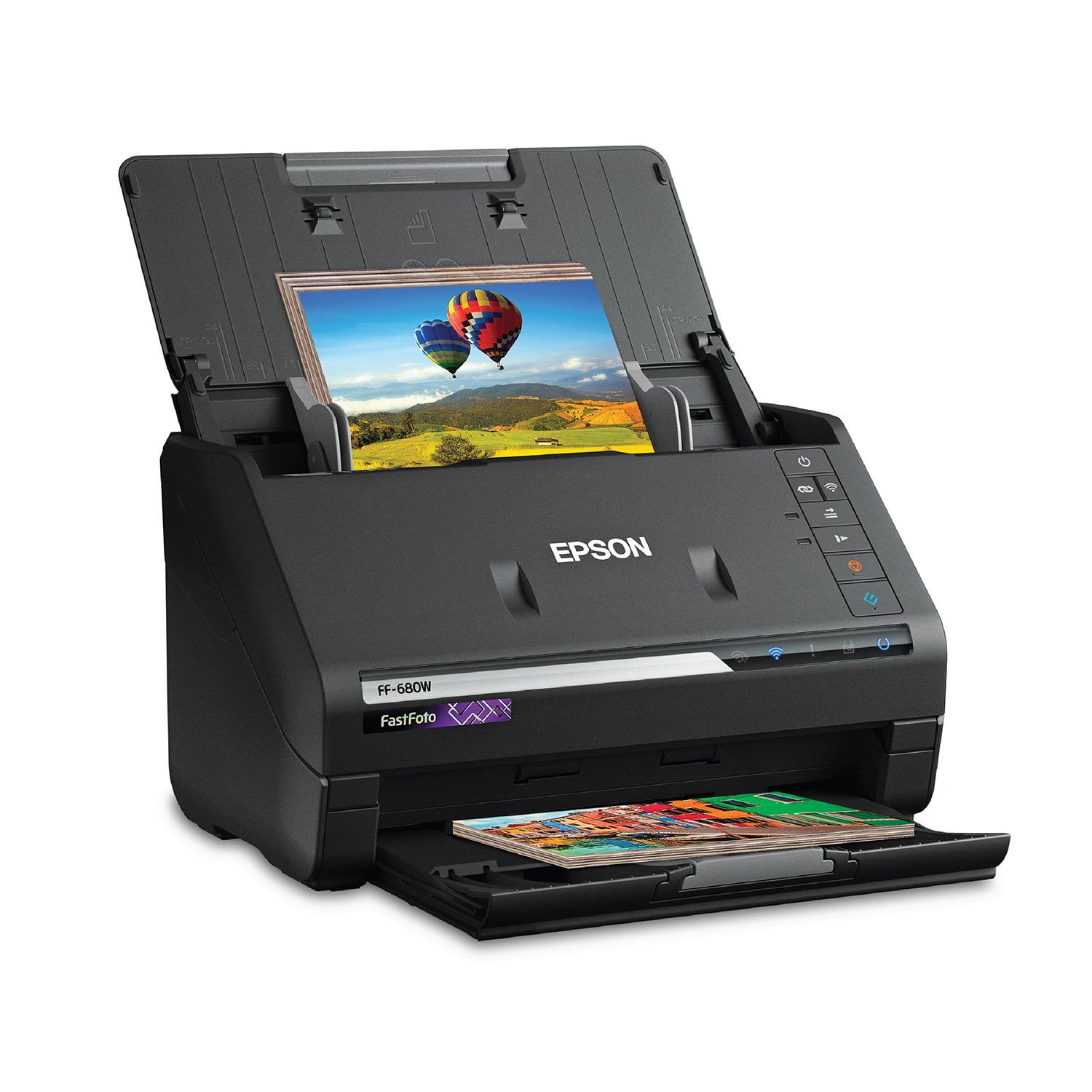
Epson FastFoto FF-680W Wireless High-Speed Photo & Document Scanning System, EPSB11B237201
4.2 out of 5 stars
stars353 ratings353 reviews
  1. 5 stars64% (227)
  2. 4 stars14% (49)
  3. 3 stars6% (22)
  4. 2 stars6% (21)
  5. 1 star10% (34)
Sort by |
Showing 91-100 of 353 reviews
Oct 10, 2018
Steveohreeno
5 out of 5 stars review

Fast & comes with good scanning software

I've scanned about 300 photos now, in three sessions. I've owned scanners for about 20 years, with my photo scanners being flatbed. One document scanner that feeds similar to this one. This is hands down the best photo scanner I've ever owned. Fast and reliable. I really like the Epson FastFoto Software. Clean copies, often color corrected and I especially like how it prompts you at the beginning for a descriptive name to use for the folder in which it stores batches of scans.VERY helpful.

Review from epson.com
Helpful?2L701BNQDYIU13682020542
Oct 23, 2020
Anonymous
5 out of 5 stars review

Best purchase I've made in a long time

Exceptionally easy to install and get it up and running. Initial scanned photos, then documents. I can finally shred those old statements! The video was a little misleading as it should photo's being scanned of various sizes and shapes, which actually requires you to group together same size photos. Auto enhancement of photo's scanned is great. Don't have to modify in my photo editor for most of the photo's scanned. Absolutely worth the prices!

Review from epson.com
Helpful?2L701BNQDYIU13682020542
Mar 4, 2021
Photoeyes
4 out of 5 stars review

Does a nice job of scanning and enhancing the pictures

This has made short work of scanning the hundreds of photos. I do think that the photo naming cold by improved. The page that is used for naming the photos could be improved to provide for a different name for the subfolder instead of using elements of the file name. For instance, if I am scanning pictures of a trip, I would like the subfolder to have the year and the month or season. I don't want the picture names to have that information since it would be redundant.

Review from epson.com
Helpful?2L701BNQDYIU13682020542
Feb 6, 2020
Rick23
4 out of 5 stars review

Excellent product until it quit working

I used this product for a year. Just as it was approaching the end of the warranty, it quit saving documents. Would get to the save screen and freeze. I called customer service, and they tried troubleshooting it. Nothing worked. They shipped me another one which arrived quickly as promised. Will review again if there are additional problems.

Review from epson.com
Helpful?2L701BNQDYIU13682020542
May 25, 2022
Steveburg
2 out of 5 stars review

Unable to connect to WIFI

Well, setup is not easy! I have the latest router from Comcast Xfinity and because it does not have a WPA button, I'm screwed. Back to the old USB I guess. I'd expect after paying $600 for this darned thing that it would have the latest and greatest technology. Apparently not.

Review from epson.com
Helpful?2L701BNQDYIU13682020542
Jan 1, 2019
kcdrjim
5 out of 5 stars review

Epson makes the best scanners!

When I first looked at the picture of this scanner, it was hard to believe it was designed to scan pictures. It looked like my previous scanner, which was a fast document scanner. This one will scan documents just fine, but it is a very fast picture scanner, and it does a great job! Everything is pretty well automated, as to where the pictures go, etc. I love the speed and the quality of the picture scans. I could not be happier.

Review from epson.com
Helpful?2L701BNQDYIU13682020542
Jul 27, 2021
RebekahC
5 out of 5 stars review

Time Saver!

I work in an office at a funeral home. We purchased this scanner because many times families will bring in many family photos to be used in a memorial DVD for their loved one. With our flat bed scanner, scanning 30+ photos is time consuming and many times can cause us to fall behind on our tasks. But since we've gotten the Epson scanner, we can scan multiple photos at once which is extremely helpful for our time sensitive tasks. My colleague and I were also pleasantly surprised at the quality at some of the touching up/ enhancements that it can give to older and faded photos. All in all, we are very happy with our scanner and thankful for the amount of time it has saved us in the short time we've had it.

Review from epson.com
Helpful?2L701BNQDYIU13682020542
Dec 29, 2022
TeeJay2022
4 out of 5 stars review

Needlessly complicated network setup that relies on WPS.

I have only scanned a few photos. I watched all the same reviews you probably did and image quality is excellent. However like many others, connecting this scanner to your existing wireless network is needlessly complicated. WPS was never a great implementation for many and many routers no longer even support. We have Unifi system which does not. I wanted a WiFi connection as tethering with USB cable (USB 2... really?) was not practical due to space issues. So I went through the Epson instructions for network connection, many, many times. I used the network scanning application, pushed WiFi buttons... and the scanner just never appeared in ANY list on my iMac. So frustrating. Save yourself some time and just use your phone to setup. 1. get the phone app. I used Epson FastFoto for iPhone. I assume Android will be same. 2. Take a picture of the label on the back of the scanner so that you can have the password for the 'SSID-Direct' network 3. Follow the instructions on the app. You will need to go to your phone network settings and you will see the network being broadcast by the scanner. Enter your password. 4. Once you have connected to your scanner's broadcast SSID network, you will then see your home network. App will ask you to enter the password for your home network. 5. Once you enter that, your scanner will then connect to your home network. 6. Go to your iMac or PC and run setup again. Now you will see your scanner listed and just click on it. Follow the instructions. You are all set. I would change to 5 star once Epson addresses the network connection and eliminates WPS as a method.

Review from epson.com
Helpful?2L701BNQDYIU13682020542
Jan 13, 2021
Tinsel
4 out of 5 stars review

Digitizing 50 years of Picture taking

The scanner is incredibly fast. A regular roll of 36 Prints can be done in under 60 seconds, however that is on the 300dpi setting. The images are not particularly high quality at that setting. I then put the scanner on the highest setting of 1200dpi while better images still not like my 6.1 Megapixel SLR images. This is the reason for only four stars. Operationally the scanner is great with only a few jams due to sticky photos. Cleaning the lens is easy enough as the whole mechanism open up for easy access, with the possibly too frequent auto reminder to clean your scanner lenses there should no problem with remembering to clean them. For the task I set out to do this is making that job very easy and quick. So far I have scanned over 4500 photos and no problems

Review from epson.com
Helpful?2L701BNQDYIU13682020542
Jun 17, 2019
Amit21
5 out of 5 stars review

Awesome!!!

Epson - FastFoto FF-680W Wireless Photo and Document Duplex Scanner is AWESOME!! The quality and ease of use is fantastic. I would recommend it. We all have those boxes of photos and documents from our children that we never quite got in that scrap book. This scanner lets that . An incredibly designed and well-functioning device. I feel very safe with putting my photos through it. The speed is remarkable. There are many excellent features that make organizing the photos easy. Photo retouch options is also very helpful. The Epson will make a second copy with improved color and contrast. Amazing results. It also has a function that will copy notes that are on the back of the photo. I feel very safe with putting my photos through it. Its speed is remarkable. There are many excellent features that make organizing the photos easy. Also helpful is the photo retouch options. The Epson will make a second copy with improved color and contrast. It also has a function that will copy notes that are on the back of the photo. “This is a review for the Epson FastFoto FF-680W Wireless High-speed Photo and Document Scanner System that I received free of charge to do a beta test and review.”

Review from epson.com
Helpful?2L701BNQDYIU13682020542