Skip to Main Content
Sams Club
Sams Club
Customer reviews for LG 29" UltraWide IPS Display, Full HD, Monitor for
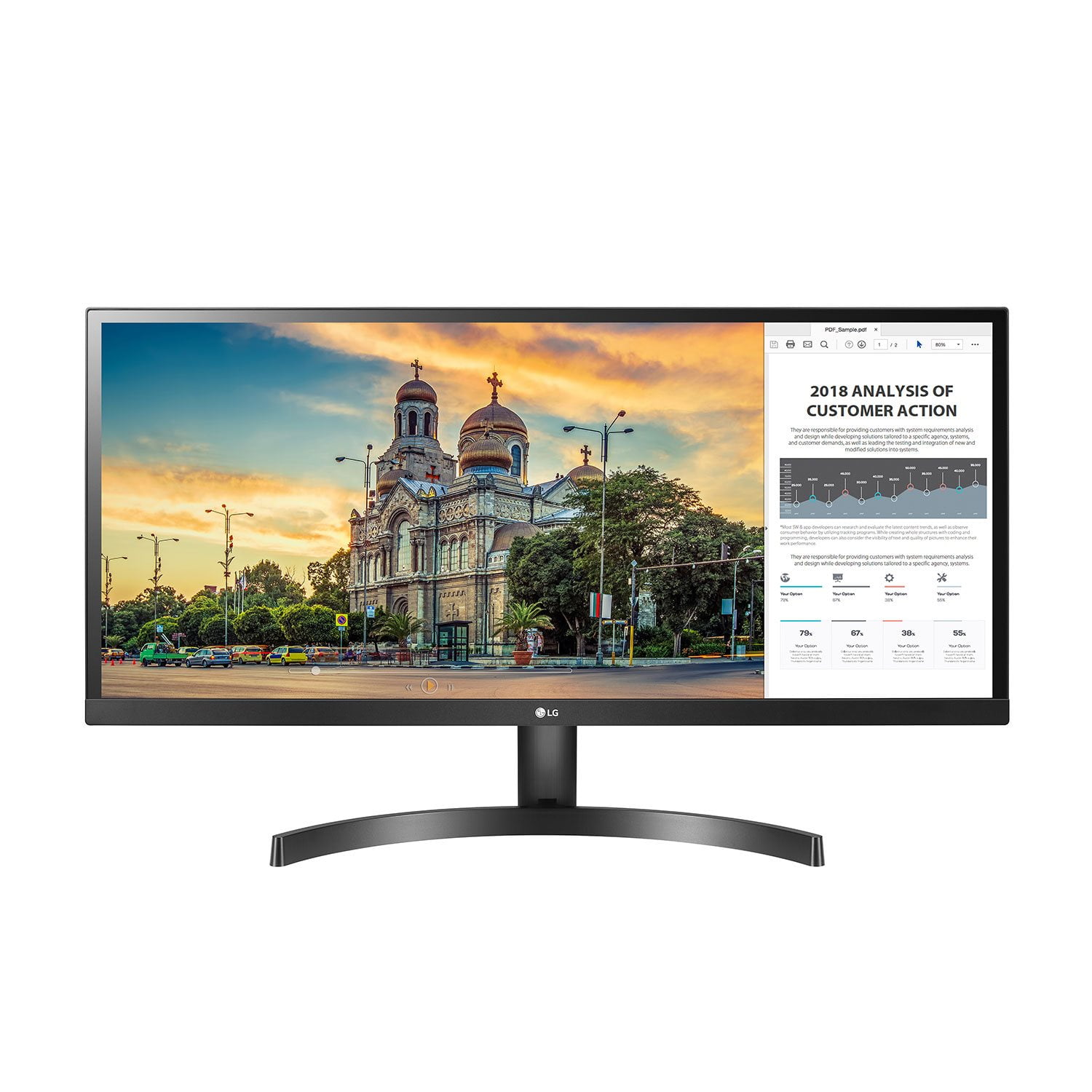
LG 29" UltraWide IPS Display, Full HD, Monitor
4.4 out of 5 stars
stars293 ratings166 reviews
  1. 5 stars67% (197)
  2. 4 stars19% (57)
  3. 3 stars5% (15)
  4. 2 stars4% (11)
  5. 1 star4% (13)
Sort by |
Showing 61-70 of 166 reviews
May 7, 2021
stev8468
5 out of 5 stars review

Verified Purchase

Great Monitor

[This review was collected as part of a promotion.] This is a great monitor for business or playtime the screen size lets you know what you have been missing, all of the games I play look great and you see more

Review from lg.com
Helpful?5D4WXOHSORS013666065609
Jun 14, 2021
jskfjkg76
3 out of 5 stars review

Great but doesn't work with M1 MacBooks

I hold this at 3 stars because LG is a reputable brand and the ultrawide monitor is a market leader; however, if you have a MacBook with an M1 chip, beware that it's documented the issues this monitor has. I was foolish and didn't research beforehand. The MacBook can't put out the resolution of the ultrawide without a third party program (that costs money). So your image will either be grossly stretched or centered with a bunch of wasted real estate on the sides. I also feel misled because the drivers needed to get the features on the box (split screen, onscreen controls, etc.) do not exist according to LG's website for this model. It also came with a CD for the instruction manual. What year was this produced? I wanted to like it, but ultimately it was unusable.

Helpful?5D4WXOHSORS013666065609
reply from Supplier Response

We are sorry to hear that your unit did not meet your needs/expectations. This is not the quality we expect from our products. We are continuously working to improve the quality of our products and anticipate market demands that drive customer satisfaction. If you ever have any questions please reach out to our support team on Facebook at @LGUSSupport. To speak with an agent via phone, you can call 800.243.0000 We apologize for any inconvenience this caused. ^Venette

Jun 13, 2019
GiikDigit
2 out of 5 stars review

After 5 - 6 months, the monitor had problems

I bought this monitor because of the width and the split screen software. After installing the split screen software, I found it not helping so I uninstalled it and plus windows 10 split screen feature is much better. Then after about 5 months of using, the monitor began to show horizontal gray lines across the screen. Then, one day the monitor displayed most of the stuffs on the screen purple and green. No matter how I tried to adjust the color, I always ended up having those same colors. So I had to return it to the store.

Helpful?5D4WXOHSORS013666065609
reply from Supplier Response

We hate to hear that, but would love to be able to help. We would be happy to see what's going on. Drop us a line on Twitter at @LGUSSupport or on Facebook https://www.facebook.com/LGUSA/ so we can get more info and see what we can do. ^CP

Mar 12, 2019
jfazny
4 out of 5 stars review

Overall very good

Monitor w/ on-screen control works very nicely. I did connect it using Dell dock-station DVI output thru DVI-HDMI adapter. Once in a while screen goes black for a second. Only other issue is placement of power connector. My VESA mount supports to 80x80mm up to 200x200mm incl 100x100 for this monitor. However the mount plate covers the power cord port. Why would you do that? Only a 100x100 maximum plate would fit this sizable monitor. Moving the power port a few inches to side would have eliminated this issue. Having started to look for different mount plate, but monitor stand does not adjust to proper eye level and therefore noticing I am leaning over = bad for back!

Helpful?5D4WXOHSORS013666065609
Jun 18, 2018
RTDitt
5 out of 5 stars review

Split Screen is Worth the Money

After looking for a newer monitor to replace a 10 plus year old monitor I never knew that there was technology like Split Screen (IPS). It definitely comes in handy when you need to balance your budget with your bank account, or in my case when you are in grad school where it helps to have screens side by side for doing online assignments with the online book open on the other side of the monitor. Key Note: If you do not have Windows 10 you will need to call the LG Customer Service to have them help you find the correct software download to utilize the split screen capability. I only have Windows 8.1 and after talking to them for over 30 plus minutes they were able to find the correct software to download from the LG website. The "On-Screen Control" software does not work with Windows 8.1. I would have never been able to figure this out from the user manual they provide with the monitor. So save yourself some time and call Customer Service if you cannot figure out what to download within the first 10 minutes. Overall it is much better than my old VGA plug-in monitor, and it was on sale when I bought it!

Helpful?5D4WXOHSORS013666065609
Feb 11, 2021
Linda G
5 out of 5 stars review

Verified Purchase

Well worth the money!

Love love love this computer monitor!

Helpful?5D4WXOHSORS013666065609
Sep 20, 2020
Anonymous
5 out of 5 stars review

Verified Purchase

Perfect for what as needed!

Purchase for working from home. Needed more room and this was perfect.

Helpful?5D4WXOHSORS013666065609
Apr 13, 2021
M N
4 out of 5 stars review

Verified Purchase

Awesome Monitor

Great quality picture! Would definitely recommend this monitor.

Helpful?5D4WXOHSORS013666065609
Dec 23, 2020
Yadav
5 out of 5 stars review

Verified Purchase

Great Product

Love this product . It made very easy to work on.

Helpful?5D4WXOHSORS013666065609
Oct 22, 2020
Tommy
5 out of 5 stars review

Verified Purchase

Awesome Monitor

Best investment I have ever made in a monitor

Helpful?5D4WXOHSORS013666065609