Skip to Main Content
Sams Club
Sams Club
Customer reviews for ASUS ROG Ally 7" Gaming Handheld Console for
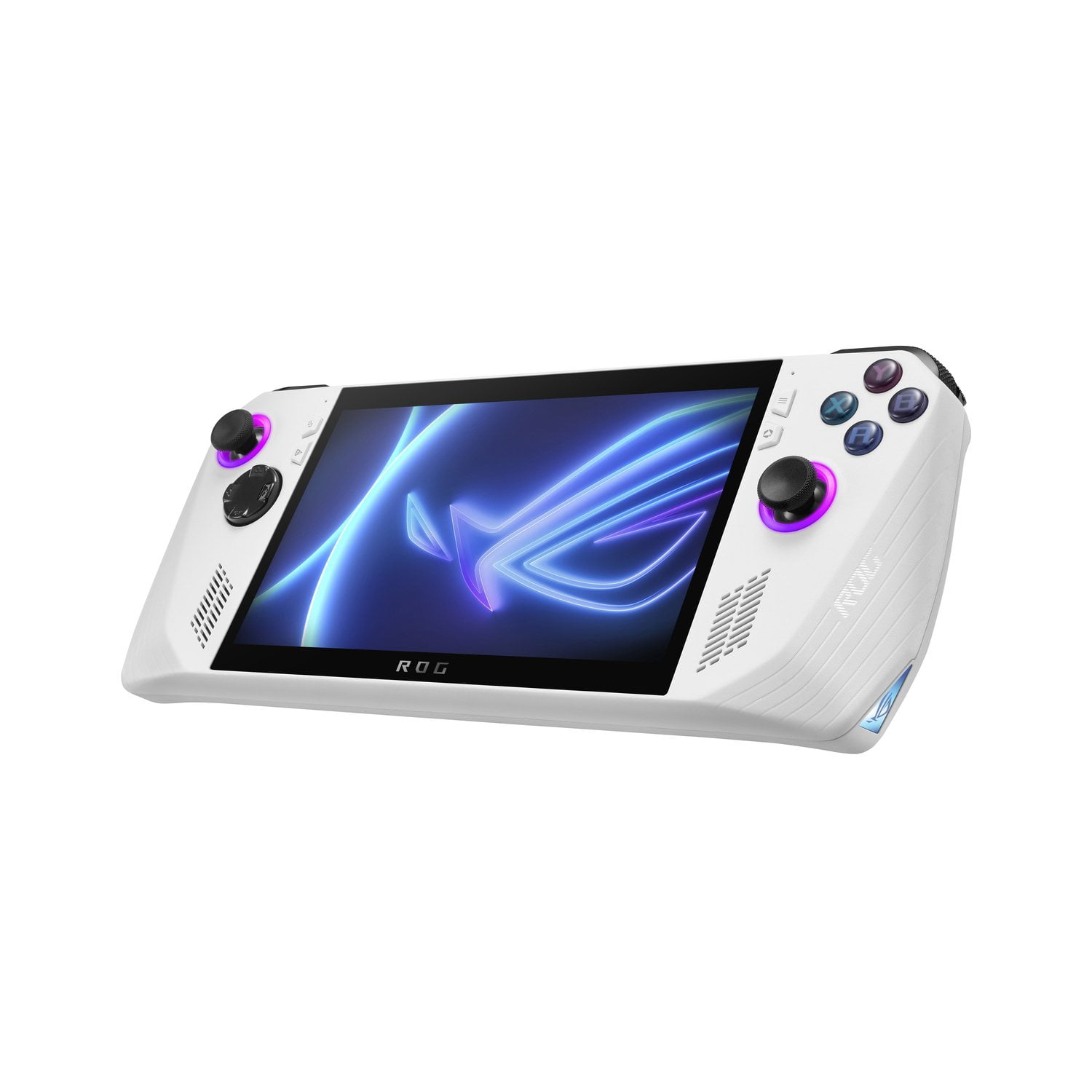
ASUS ROG Ally 7" Gaming Handheld Console
4.1 out of 5 stars
stars369 ratings354 reviews
  1. 5 stars59% (219)
  2. 4 stars18% (68)
  3. 3 stars8% (28)
  4. 2 stars5% (20)
  5. 1 star9% (34)
Write a review

Customer photos

Sort by |
Showing 231-240 of 354 reviews
Oct 20, 2024
Samantha
5 out of 5 stars review

Verified Purchase

So much better than a Steam Deck

I love this item. They made it so easy to buy too!

Helpful?3W50U2KFR8YR13630557682
Jan 5, 2024
CMCA
5 out of 5 stars review

Verified Purchase

Nice hand held like a PC

Nice is like a PC in the palms of your hands unlimited video gaming

Review from https://www.asus.com
Helpful?3W50U2KFR8YR13630557682
Mar 25, 2024
Maddie
3 out of 5 stars review

Verified Purchase

Meh

Not very user friendly, a bit too heavy, and battery life is super short.

Review from https://www.asus.com
Helpful?3W50U2KFR8YR13630557682
reply from CLM

Dear Maddie, We do understand your disappointment with the product and the inconvenience this may have caused if you are exoereincing difficulty using the device. This handheld gaming device runs a full version of Windows 11. Please allow some time to get use to it. For helpful tips on how to use the ROG Ally, please visit: https://rog.asus.com/articles/guides/15-tips--shortcuts-to-set-up-and-optimize-your-rog-ally/. Should you need further assistance with the product, please email me at cl-rodel@asus.com and I would be more than happy to help. Or, you are most welcome to call Product Support Hotline at: 1(888) 678-3688. Also, you can chat with an ASUS live support agent from the link: https://www.asus.com/us/support/article/1135/. Thank you for choosing an ASUS product. Regards, Rodel ASUS Customer Loyalty

Feb 14, 2024
Katie d
1 out of 5 stars review

Verified Purchase

Don’t buy

I couldn’t get it to stop freezing or to tell me I need to plug it into the ac adaptor.

Review from https://www.asus.com
Helpful?3W50U2KFR8YR13630557682
reply from CLM

Dear Katie D, We do understand your disappointment with the product and the inconvenience this may have caused if are experiencing system freeze. If the ROG Ally is freezing up while cloud gaming, or accessing web applications, please ensure the unit has access to an established router and internet service is working properly since this will definitely affect system stability and performance. If internet connection is stable, please update Windows and reinstall the Armoury Crate utility software. If these steps were performed to no avail, please do a Cloud Recovery as a last resort Should you need further assistance with the product, please email me at cl-rodel@asus.com and I would be more than happy to help. Or you are most welcome to call Product Support Hotline at: 1(888) 678-3688. Also, you can chat with an ASUS live support agent from the link: https://www.asus.com/us/support/article/1135/. Thank you for choosing an ASUS product. Regards, Rodel ASUS Customer Loyalty

Jan 2, 2024
akaosm1
2 out of 5 stars review

Verified Purchase

Sadly, Left Joystick X-axis BAD!

Unfortunately, the left joystick X axis doesn't work! Everything else on the unit is GREAT!

Review from https://www.asus.com
Helpful?3W50U2KFR8YR13630557682
reply from CLM

Dear Akaosm1, We certainly understand your disappointment and the inconvenience this may have caused if the joystick has issues. All ASUS products undergo intensive quality control testing and inspections, and are built to last. If the left joystick X-axis is not working, please check if Windows, drivers and BIOS are up to date. Updates for the ROG Ally are posted at: https://rog.asus.com/us/gaming-handhelds/rog-ally/rog-ally-2023/helpdesk_download/. Furthermore, update the Armoury Crate utility software if outdated and reconfigure your joystick settings. If problem persist after doing the troubleshooting tips, please do a cloud recovery. For helpful tips on how to run a cloud recovery, please visit: https://www.asus.com/us/support/faq/1050478/. If you need further assistance with the product, please email me at cl-rodel@asus.com and I would be more than happy to help. Or, you are most welcome to call Product Support Hotline at: 1(888) 678-3688. Also, you can chat with an ASUS live support agent from the link: https://www.asus.com/us/support/article/1135/. Thank you for choosing an ASUS product. Regards, Rodel ASUS Customer Loyalty

Jul 30, 2024
Jessi D
5 out of 5 stars review

Verified Purchase

Love it!

Love this thing! I can play so many games on the go!

Review from https://www.asus.com
Helpful?3W50U2KFR8YR13630557682
May 7, 2025
Anonymous
5 out of 5 stars review

Verified Purchase

10 outta 10👍👍

Impressive little handheld gaming pc. Awesome and TY ROG👍🤙

Review from https://www.asus.com
Helpful?3W50U2KFR8YR13630557682
Dec 26, 2023
Prophetgomode
3 out of 5 stars review

Verified Purchase

Almost

I like it but it's hard to play madden 24 and the battery life is horrible

Review from https://www.asus.com
Helpful?3W50U2KFR8YR13630557682
reply from CLM

Dear Prophetgomode, We do understand your disappointment with the product and the inconvenience this may have caused if you are having issues. Madden 24 plays well on this ROG Ally, please check if Windows, driver and the game are up to date. Furthermore, if playing the game online, please check if the device has access to a working internet since poor and unstable internet connection will definitely affect system performance. Since gaming eats lots of power or system resources and drains the battery faster than normal, we recommend to connect the AC adapter for uninterruptable gaming experience. Should you need further assistance with the product, please email me at cl-rodel@asus.com and I would be more than happy to help. Or, you are most welcome to call Product Support Hotline at: 1(888) 678-3688. Also, you can chat with an ASUS live support agent from the link: https://www.asus.com/us/support/article/1135/. Thank you for choosing an ASUS product. Regards, Rodel ASUS Customer Loyalty

Apr 5, 2024
BeryZilla
3 out of 5 stars review

Verified Purchase

It's okay...

Buttons aren't pre mapped like other similar devices you have to manually map every button

Review from https://www.asus.com
Helpful?3W50U2KFR8YR13630557682
reply from CLM

Dear BeryZilla, We do understand the inconvenience this may have caused if it didn't meet your expectations. The ROG Ally is a first hybrid device that runs full version of Windows 11 so it is not like any other handheld gaming device, the buttons may need to be remapped for a more personalize and unique gaming experience. Should you need further assistance with the product, please email me at cl-rodel@asus.com and I will be more than happy to help. Or, you are most welcome to call Product Support Hotline at: 1(888) 678-3688. Also, you can chat with an ASUS live support agent from the link: https://www.asus.com/us/support/article/1135/. Thank you for choosing an ASUS product. Regards, Rodel ASUS Customer Loyalty

Dec 21, 2023
Rdawg
5 out of 5 stars review

Verified Purchase

Rog Ally

Great console great gameplay and has everything I could want in a. Gaming console

Review from https://www.asus.com
Helpful?3W50U2KFR8YR13630557682