Skip to Main Content
Sams Club
Sams Club
Customer reviews for Brother LC2013PKS Innobella Ink, Cyan/Magenta/Yellow (3 pk.) for
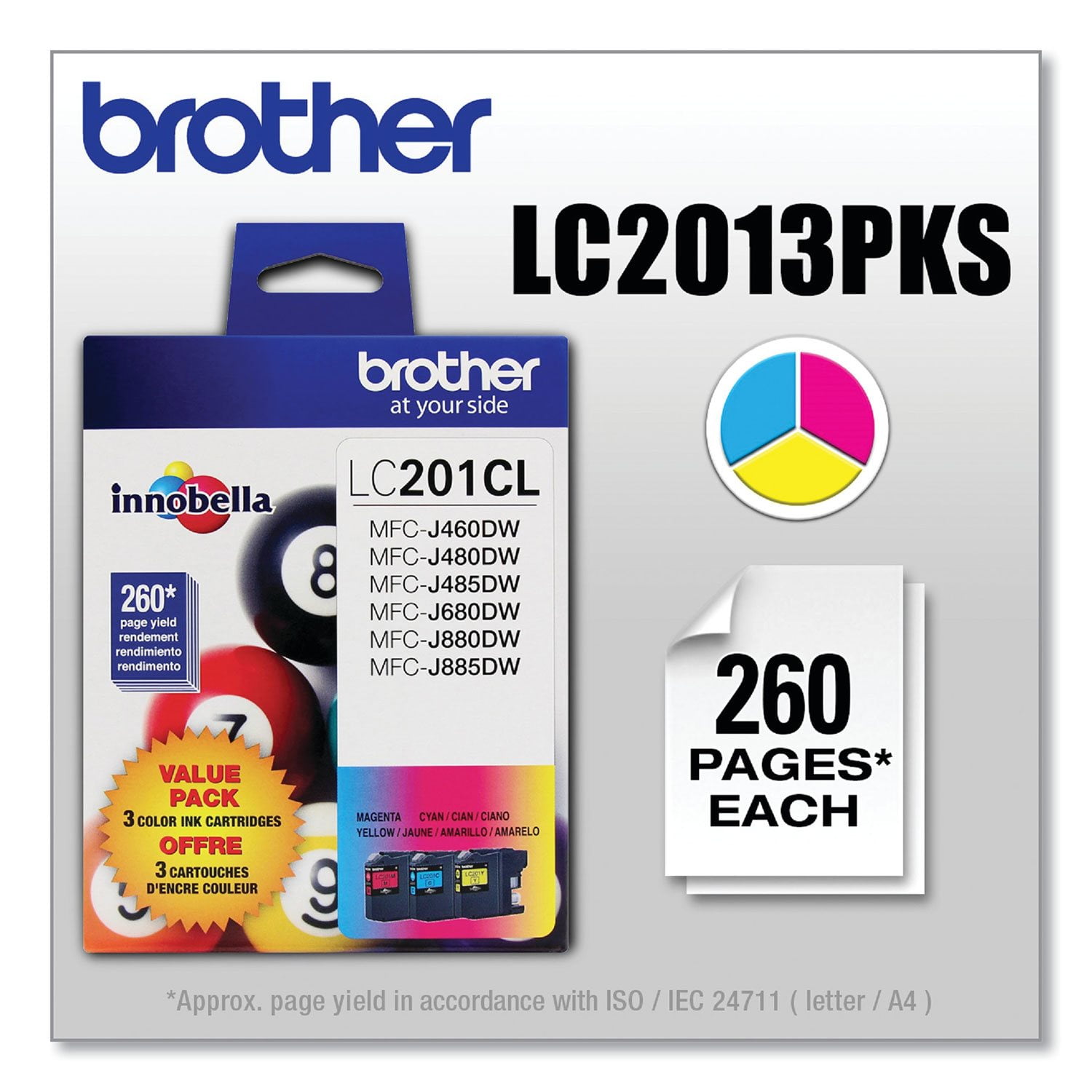
Brother LC2013PKS Innobella Ink, Cyan/Magenta/Yellow (3 pk.)
3.7 out of 5 stars
stars36 ratings31 reviews
  1. 5 stars58% (21)
  2. 4 stars8% (3)
  3. 3 stars6% (2)
  4. 2 stars3% (1)
  5. 1 star25% (9)
Sort by |
Showing 11-20 of 31 reviews
Jan 15, 2021
RICH
1 out of 5 stars review

WORST CARTRIDGES EVER

LC201 & LC203 COLOR OR BLACK. ORIGINAL INNOBELLA. I NEVER PRINT IN COLOR, HOWEVER WHEN THEN MACHINE DECIDES TO GET FINICKY, IT WILL TELL ME "CANNOT PRINT" OR "CANNOT IDENTIFY CARTRIDGE" OR "OUT OF INK" . IT;S DIFFICULT FOR THE MACHINE TO IDENTIFY BRAND NEW CARTRIDGES RIGHT OUT OF THE WRAPPER.

Review from brother-usa.com
Helpful?6Q8E4EP1Z0W313618810619
reply from Brother Customer Service

We are sorry to hear that you are experiencing issues with the Brother LC2013PKS cartridges. We have many helpful resources on our support website which may help. If the issue persists, please contact Brother Customer Service directly at https://www.brother-usa.com/brother-support

Aug 20, 2020
Patrick SF
1 out of 5 stars review

ink cartridges empty out quickly or malfunction

A few months ago, I bought this 3-color set and a black cartridge. All 4 cartridges emptied out after just I printed out about 10 pages (black and white, with no color) because I print infrequently, and apparently the cartridges all dried out. A month ago, I bought another 3-color set and another black cartridge. This time the printer would not recognize the yellow cartridge, with error message that it is empty even though it is not. (I had not printed any color pages, and there is plenty of yellow ink in the clear square window.) Also, I can't print out any black pages (grayscale printing setting) because the one yellow cartridge is erroneously recognized as empty.

Review from brother-usa.com
Helpful?6Q8E4EP1Z0W313618810619
reply from Customer Service

Hello Patrick, We understand you are frustrated with the ink yield. We have many helpful resources on our support website which may help. If you continue to have an issue, please reach out to us directly.

Sep 14, 2022
Anita
3 out of 5 stars review

agree with 1 star reviews

Many times machine says empty, I keep printing until is refuses to print. Then I remove cartridge and shake it. (Also make sure printer is level) Sometimes I get a few more prints out of it. Whenever possible I print black and white only. Remove unnecessary graphics from printing.

Review from brother-usa.com
Helpful?6Q8E4EP1Z0W313618810619
Jun 26, 2020
arik08
1 out of 5 stars review

Ink volume down 20% without usage

The inks installed on Monday, 3 colors plus 1 black. We printed 1 page black. Currently all 3 colors showed about 75% left and the black about 85%. This is crazy! The previous sets of ink were gone after printing less than 50 pages black and maybe 20 pages color (it’s maybe 10!). What’s up Brother? Fix it!

Review from brother-usa.com
Helpful?6Q8E4EP1Z0W313618810619
reply from Customer Service

Hi, We are sorry that you are unhappy with your cartridge purchase. Please verify you have purchased a new Brother Genuine cartridge by following the steps on this website: https://www.brother-usa.com/supplies/ink-and-toner/security If you have any questions about your Genuine cartridge, please contact Brother customer service at 877-276-8437.

May 13, 2022
Sunnydios
2 out of 5 stars review

Never fails hehe

Brother can you do better, these cartridges are always empty! You should pay your customers to buy them, it’s no wonder you always see Brother printers at the thrift store , it’s better to buy another brand, the ink (colored )will break the bank. Smh

Review from brother-usa.com
Helpful?6Q8E4EP1Z0W313618810619
reply from Brother Customer Service

We understand you're experiencing issues with your Brother LC2013PK ink cartridges. We'd like to help. Please contact our Customer Service department and we will work with you to resolve this issue. Brother Customer Support Team is available to assist you direct: www.brother-usa.com/brother-support

Jul 18, 2018
Nate
4 out of 5 stars review

Nice ink, but...

The cartridges were new and sealed. However, i was annoyed once I installed them, because the ink levels shown on my printer's LCD screen were not "full". Like, I don't get that.

Review from walmart.com
Helpful?6Q8E4EP1Z0W313618810619
May 23, 2019
43Grandma
4 out of 5 stars review

Pleased

It is hard to find off brand printer cartridges for a decent price so I bought these. They work fine just wish the black was included. I bought it separate.

Review from walmart.com
Helpful?6Q8E4EP1Z0W313618810619
Dec 16, 2020
Timbo
1 out of 5 stars review

No Value

I printed a few pages and out of ink. I buy Brother Brand Cartridge so I will not have problems, but I would have to buy these by the case load to keep printing. I'm not sure if I will have to buy another printer.

Review from brother-usa.com
Helpful?6Q8E4EP1Z0W313618810619
reply from Customer Service

Hello, stated page yields for genuine Brother cartridges are based on the ISO testing standards. The number of pages that can be printed with a cartridge is affected by several factors, including paper size, number of pages per print job, amount of print on each page, font size, and print content (graphics, charts, etc.). Print jobs with large text fonts, graphics, charts, and/or large amount of solid coverage (black or any given color) will use much more ink and will shorten the life of the ink cartridge.

Aug 8, 2018
Sharon
4 out of 5 stars review

Great price but this printer goes through ink fast and if you need one color, you have to replace all three. No bearing on Walmart though, it's just not a great printer

Review from walmart.com
Helpful?6Q8E4EP1Z0W313618810619
Sep 8, 2023
Marcie Loffredo
5 out of 5 stars review

AWESOME INK

Very pleased with the speed of delivery, packaging, and quality of the ink. I highly recommend this product and all printer ink products with Brother.

Review from brother-usa.com
Helpful?6Q8E4EP1Z0W313618810619