Skip to Main Content
Sam's Club
Sam's Club
Customer reviews for SAMSUNG C-Series 2.0 Soundbar with Built-in Subwoofer for
SAMSUNG C-Series 2.0 Soundbar with Built-in Subwoofer

Member photos

  • +29 images
Sort by |
Showing 71-80 of 430 reviews
Aug 1, 2024
JoAnn
1 out of 5 stars review

Verified Purchase

An inferior product.

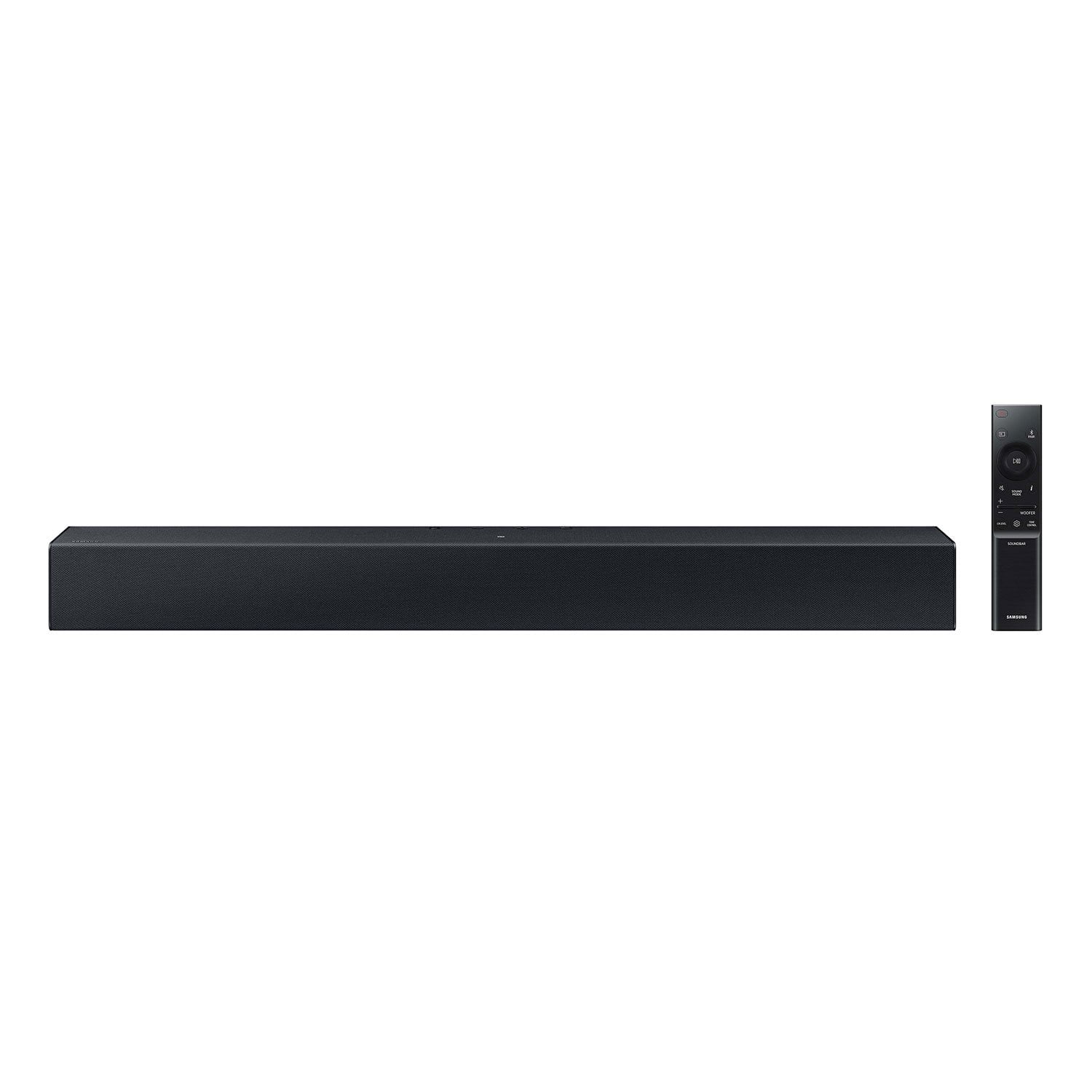
The controls are on the top of the unit so they are not visible from across the room. It shouts (No usb connection)

Review from walmart.com
Helpful?1RFO10C7CO4E13617356790
reply from Samsung

JoAnn,<br /><br />Thank you for taking a moment to review Samsung&#39;s HW-C400 Soundbar.<br /><br />Updating the firmware on your soundbar gives you all the benefits of the latest improvements. When an update is available, you can update the Soundbar by connecting the USB drive that contains the update firmware to the SERVICE port of the Soundbar.<br /><br />1.Go to the Samsung Electronics website (www.samsung.com) → click on the “Support” option in the upper right corner. <br />2.Click on “Manuals &amp; Software” from the pop-up list &gt; TVs &amp; Home Theater &gt; Home Theater &gt; Select your model<br />2. Download the firmware file (USB type). <br />3. Unzip the file to create a folder with the file name. <br />4. Store the created folder in a USB and then connect it to the Soundbar. <br />5. A sequence of “UPDATE” &gt; “BYE” &gt; “ON” will appear on the display 3 times. This will take around 6 minutes.<br /> - During update, do not turn it off or remove the USB. <br /> - If “UPDATE” does not appear on the display window, remove the power cord from the Soundbar and then reconnect it.<br /> - When the latest Version is installed, no update is performed. <br /> - Depending on the USB type, update may not be supported.<br />6. After the 3 cycles are complete, the Soundbar will restart and last source used will appear on the display for about 20 seconds and then it will go off (“UPDATE” &gt; “BYE” &gt; “ON”) 3 times “D.IN” &gt; off<br /><br />If you need more help, Samsung is here for you. Please call us at 1-800-SAMSUNG, 8AM - 12AM EST (Ask for Soundbars), 7 days a week. Our Live Chat agents are also available by clicking on the ‘Support’ link on our website.<br /><br />~ Samsung Solutions

May 10, 2024
Jessica
3 out of 5 stars review

Verified Purchase

Pointless

I bought it because my Samsung tv volume is so low. This bar does not make it any louder than the tv itself. Not worth the purchase

Review from walmart.com
Helpful?1RFO10C7CO4E13617356790
reply from Samsung

Jessica,<br /><br />I am sorry to hear that you are not completely satisfied with the overall volume of the HW-C400 Soundbar. If you don&#39;t have a surround system, you will probably want to select PCM audio on your TV. You&#39;ll get much louder volume that way, and potentially better sound quality. <br /><br />If your Digital Output Audio Format isn&#39;t set to PCM, for instance if you have a Dolby option selected, then you will likely notice decreased maximum volume. Dolby options are designed for surround systems (like 3.1.2 or 7.1), whereas PCM provides great sound quality for stereo speakers.<br /><br />On a Samsung TV this can be found at Home &gt; Settings &gt; Sound &gt; Expert Settings. (It can also be found in the Quick Settings.)<br /><br />I hope this helps. For further assistance with settings, features, or functions, please contact Samsung Customer Support. Please call us at 1-800-SAMSUNG, 8AM - 12AM EST (Ask for Soundbars), 7 days a week. Our Live Chat agents are also available by clicking on the ‘Support’ link on our website.<br /><br />~ Samsung Solutions

Dec 10, 2023
WalmartCustomer
5 out of 5 stars review

Verified Purchase

[This review was collected as part of a promotion.] Great price and sound from review I’ve read, can’t wait to gift it to my dad.

Review from walmart.com
Helpful?1RFO10C7CO4E13617356790
Dec 2, 2023
Anonymous
5 out of 5 stars review

Verified Purchase

Soundbar

The soundbar is great, very good sound. It didn’t come with the optical cable required, so I had to make an extra trip to the store.

Review from walmart.com
Helpful?1RFO10C7CO4E13617356790
Oct 15, 2023
vaughn
3 out of 5 stars review

Verified Purchase

Samsung soundbars

[This review was collected as part of a promotion.] it was adequate but it could use a lot more range and power

Review from walmart.com
Helpful?1RFO10C7CO4E13617356790
reply from Samsung

Hi vaughn,<br /><br />I’m sorry to hear that you’re not fully satisfied with the sound quality of your HW-C400 soundbar. We value your feedback and will share it with our teams.<br /><br />Did you know you can optimize your audio performance to your liking by pressing the SOUND MODE button on your soundbar remote and then selecting the desired sound effect by choosing SURROUND SOUND or STANDARD.<br /><br />By pressing the TONE CONTROL button, you can adjust the volume of the treble or bass sound. Press the button to select TREBLE or BASS and then adjust the volume between -6~&#43;6 by using the Up/Down buttons.<br /><br />Press and hold the SOUND CONTROL button for about 5 seconds to adjust the sound for each frequency band. 150Hz, 300Hz, 600Hz, 1.2kHz, 2.5kHz, 5kHz, and 10kHz are selectable using the Left/Right buttons and each can be adjusted to a setting between -6 to &#43;6 using the Up/Down buttons. (Make sure the Sound mode is set to “STANDARD”.<br /><br />Additionally, using the WOOFER button on the remote, you can adjust the subwoofer’s volume between -6 to &#43;6 by toggling the button up or down. To set the subwoofer volume level to 0, press the button down.<br /><br />I hope these tips help you enjoy your new product. <br />You can always contact us for further help at 1-800-SAMSUNG (Ask for Soundbars), 8 AM – 12 AM EST, 7 days a week. Our LiveChat agents are also available by clicking on the ‘Support’ link on our website.<br /><br />~ Samsung Solutions

Feb 9, 2024
DaveTV
5 out of 5 stars review

Verified Purchase

Great Soundbar

The soundbar was very easy to set up and sounds nice. For the price we are very pleased with the quality of the soundbar.

Review from walmart.com
Helpful?1RFO10C7CO4E13617356790
Dec 30, 2023
WalmartCustomer
5 out of 5 stars review

Verified Purchase

[This review was collected as part of a promotion.] The Samsung soundbar had a build-in woofer and a slim profile. And it was reasonably priced.

Review from walmart.com
Helpful?1RFO10C7CO4E13617356790
Nov 7, 2023
Brad
3 out of 5 stars review

Verified Purchase

Good, but not speech enhancing.

Good volume of mid and low frequency sounds, but I bought it hoping for speech enhancement which it does not do.

Review from walmart.com
Helpful?1RFO10C7CO4E13617356790
reply from Samsung

Hello Brad,<br /><br />Thank you for sharing your review of the HW-C400 Samsung Soundbar. I am sorry to see that it did not live up to your expectations.<br /><br />You can take advantage of a feature this Soundbar has which is called Voice Enhancement. It will improve the overall dialogue from all of your content. <br /><br />When you press the Sound Control button (which looks like a gear) on the provided Soundbar remote, you will see the middle LED flash white each time. By pressing this button three times you will hear the Soundbar speak the features out loud, Sync &gt; Night mode &gt; Voice enhancement in this order.<br /><br />When the Soundbar says Voice Enhancement, use the UP/DOWN buttons (the top and bottom of the circle pad) to turn this feature on or off.<br /><br />If we can help with anything else, please call us at 1-800-SAMSUNG (Ask for Soundbars), 8 AM – 12 AM EST, 7 days a week. LiveChat with an agent as well as manuals, software, and warranty info can be found at the ‘Support’ link on our Samsung website.<br /><br />~ Samsung Solutions

Jul 27, 2024
Eric
1 out of 5 stars review

Verified Purchase

Sound

The volume is terrible. TV at half is louder and better quality. Do not purchase unless you plan to be whispered to sleep.

Review from walmart.com
Helpful?1RFO10C7CO4E13617356790
reply from Samsung

Hi Eric,<br /><br />Thank you for taking a moment to review the HW-C400 Soundbar.<br /><br />You can optimize your audio performance to your liking by pressing the SOUND MODE button on your soundbar remote and then selecting the desired sound effect by choosing SURROUND SOUND or STANDARD.<br /><br />By pressing the TONE CONTROL button, you can adjust the volume of the treble or bass sound. Press the button to select TREBLE or BASS and then adjust the volume between -6~&#43;6 by using the Up/Down buttons.<br /><br />Press and hold the SOUND CONTROL button for about 5 seconds to adjust the sound for each frequency band. 150Hz, 300Hz, 600Hz, 1.2kHz, 2.5kHz, 5kHz, and 10kHz are selectable using the Left/Right buttons and each can be adjusted to a setting between -6 to &#43;6 using the Up/Down buttons. (Make sure the Sound mode is set to “STANDARD”.<br /><br />Additionally, using the WOOFER button on the remote, you can adjust the subwoofer’s volume between -6 to &#43;6 by toggling the button up or down. To set the subwoofer volume level to 0, press the button down.<br /><br />If we can help with anything else, please call us at 1-800-SAMSUNG (Ask for Soundbars), 8 AM – 12 AM EST, 7 days a week. Live Chat with an agent as well as manuals, software, and warranty info can be found at the ‘Support’ link on our Samsung website.<br /><br />~ Samsung Solutions

Oct 9, 2023
Tamara
5 out of 5 stars review

Verified Purchase

[This review was collected as part of a promotion.] This sound bar sounds fantastic, it was easy to install and the remote works well.

Review from walmart.com
Helpful?1RFO10C7CO4E13617356790