Skip to Main Content
Sam's Club
Sam's Club
Customer reviews for SAMSUNG C-Series 2.0 Soundbar with Built-in Subwoofer for
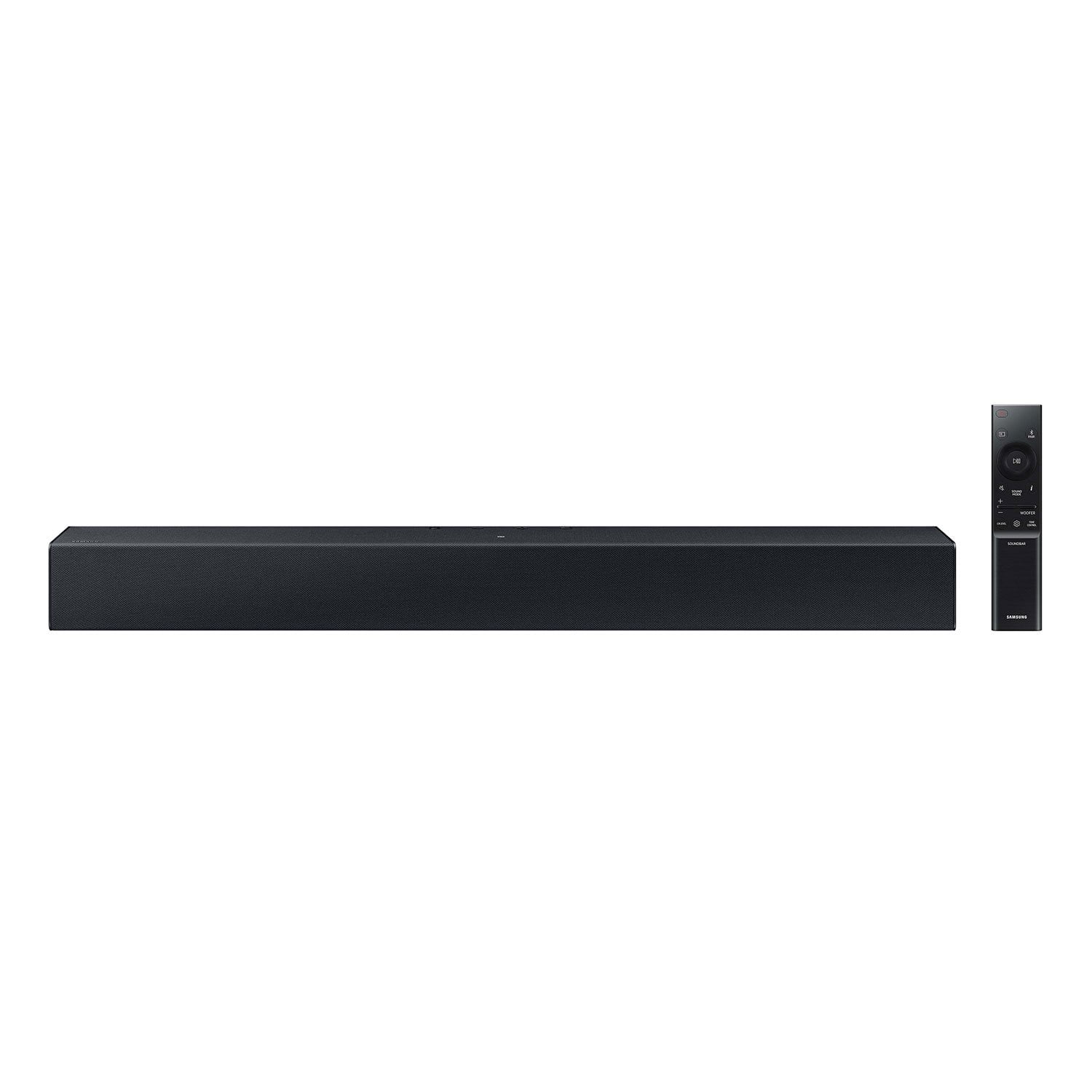
SAMSUNG C-Series 2.0 Soundbar with Built-in Subwoofer

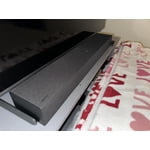
Member photos

  • +29 images
Sort by |
Showing 91-100 of 430 reviews
Sep 27, 2023
Marie
4 out of 5 stars review

Verified Purchase

Ok, for the price.

For the price it’s ok, the downside, takes a while for the volume to adjust up and down. Won’t pair to remote.

Review from walmart.com
Helpful?1RFO10C7CO4E13617356790
reply from Samsung

Hello Marie,<br /><br />Thank you for sharing your experiences with the HW-C400 Soundbar. I am sorry to see that you are not fully satisfied with your purchase. <br /><br />There are a few steps you can take to troubleshoot your Soundbar. <br /><br />Please verify that you are running the latest firmware on your Soundbar. You can download the firmware directly from Samsung’s website by clicking “Support” in the top right corner. Then go to “Manuals &amp; Software” &gt; “TVs &amp; Home Theater” &gt; “Home Theater” &gt; “Sound Bars”. From there, you can select the HW-C400 under Standard. <br /><br />Next, try doing a soft reset, unplug the soundbar from the outlet for roughly 30 seconds and then plug it back in. <br /><br />If this still does not correct your issue, then do a hard reset. With the Soundbar on, press the &#43; &amp; - Volume buttons on the body of the soundbar at the same time for at least 5 seconds, then the Soundbar will be reset.<br /><br />If your soundbar is connected to your TV with an optical cable, you can control the volume and mute the soundbar using your TV&#39;s remote.<br /><br />1) Use the TV remote to navigate to Settings, select Sound, and then select Sound Output on your TV.<br />2) Select your Samsung soundbar, and then select Close. Now you can use your TV remote to adjust volume and mute the soundbar. The soundbar should also turn on and off with the TV.<br /><br />Other manufacturers’ remotes may have to be enabled on your soundbar. First, turn Off the Soundbar. Once powered off, push up and hold the WOOFER button for 5 seconds. Each time you push the WOOFER button up and hold it for 5 seconds, the mode switches in the following order: “OFF-TV REMOTE” (Default mode), “SAMSUNG-TV REMOTE”, “ALL-TV REMOTE”. Please also make sure your speaker settings on the TV are set to External Speaker.<br /><br />You can refer to this article for further details: https://www.samsung.com/us/support/answer/ANS00049279/<br /><br />If we can help with anything else, please call us at 1-800-SAMSUNG (Ask for Soundbars), 8 AM – 12 AM EST, 7 days a week. LiveChat with an agent as well as manuals, software, and warranty info can be found at the ‘Support’ link on our Samsung website.<br /><br />~ Samsung Solutions

Sep 8, 2024
anonymous
1 out of 5 stars review

Verified Purchase

Does not work

It did not work! I tried to get it set up on my tv my son tried and my grandson tried but it never worked

Review from walmart.com
Helpful?1RFO10C7CO4E13617356790
reply from Samsung

Hello Cristie,<br /><br />I’m very sorry for the difficulties you’ve experienced with your Soundbar’s setup. We completely understand your frustrations, and we are here to help.<br /><br />The HW-C400 features two ways to connect to a TV; digital optical audio and Bluetooth wireless audio technology. If your TV is compatible with one of these two audio connections, you should have no issue connecting the soundbar to your TV. Follow the steps below to connect the soundbar to your TV via one of the two available connections:<br /><br />An optical cable is a great way to connect your soundbar to your TV and the method we recommend using for the HW-C400. With optical, you can also connect your devices (cable boxes, video game systems, and Blu-ray players) to the TV, and have the sound output from the TV to the soundbar.<br />1. With the TV and soundbar turned on, connect one end of a digital optical cable to the OPTICAL OUT port on the TV.<br />2. Then, connect the other end to the DIGITAL AUDIO IN (OPTICAL) port on the soundbar.<br />3. Press Source on the remote or soundbar, and then set the soundbar to the D.IN. setting.<br />4. Finally, on the TV, you need to set the speaker output to external speakers.<br /><br />The TV&#39;s sound will now play from the soundbar.<br /><br />Your soundbar is also compatible with a Bluetooth connection to the TV. To connect the soundbar wirelessly, follow the steps below:<br /><br />1) Press the PAIR button on the remote to enter BT PAIRING mode. You can also press the SOURCE button on the top panel and then select BT. “BT” changes to “BT PAIRING” in a few seconds automatically or changes to “BT READY” if there is a connect record. If BT READY appears, press and hold the SOURCE button on the top panel of the Soundbar for more than 5 seconds to display BT PAIRING.<br />2) Select the Bluetooth sound mode on your TV (See your TV&#39;s user manual for assistance)<br />3) Select “[AV] Samsung Soundbar C400 Series” from the list on the TV’s screen. An available Soundbar is indicated with “Need Pairing” or “Paired” on the TV’s Bluetooth device list. To connect the TV to the Soundbar, select the message, and then establish a connection. <br />When the TV is connected, [TV Name] → “BT” appears on the Soundbar’s front display. <br /><br />You should now hear TV sound from the Soundbar. Once you have connected your soundbar for the first time, use the “BT READY” mode to reconnect.<br /><br />If you need more help, Samsung is here for you. Please call us at 1-800-SAMSUNG, 8AM - 12AM EST (Ask for Soundbars), 7 days a week. Our Live Chat agents are also available by clicking on the ‘Support’ link on our website.<br /><br />~ Samsung Solutions

Dec 30, 2023
WalmartCustomer
5 out of 5 stars review

Verified Purchase

[This review was collected as part of a promotion.] The Samsung soundbar had a build-in woofer and a slim profile. And it was reasonably priced.

Review from walmart.com
Helpful?1RFO10C7CO4E13617356790
Feb 16, 2024
WalmartCustomer
5 out of 5 stars review

Verified Purchase

[This review was collected as part of a promotion.] Works great. Recommended when placing order so I knew I had the right thing.

Review from walmart.com
Helpful?1RFO10C7CO4E13617356790
Feb 9, 2024
DaveTV
5 out of 5 stars review

Verified Purchase

Great Soundbar

The soundbar was very easy to set up and sounds nice. For the price we are very pleased with the quality of the soundbar.

Review from walmart.com
Helpful?1RFO10C7CO4E13617356790
Dec 14, 2023
Lonnie
5 out of 5 stars review

Verified Purchase

Sound in seconds

Unpacked sound bar and plugged it in. A couple more moves and everything was working.

Review from walmart.com
Helpful?1RFO10C7CO4E13617356790
Dec 31, 2023
Amy
1 out of 5 stars review

Verified Purchase

It is not very loud at all

Disapointed it is not very loud at all

Review from walmart.com
Helpful?1RFO10C7CO4E13617356790
reply from Samsung

Hello Amy,<br /><br />Thank you for sharing your experiences with the HW-C400, I understand your frustrations with your new Soundbar and we are here to help.<br /><br />You can optimize your audio performance to your liking by pressing the SOUND MODE button on your soundbar remote and then selecting the desired sound effect by choosing SURROUND SOUND or STANDARD.<br /><br />By pressing the TONE CONTROL button, you can adjust the volume of the treble or bass sound. Press the button to select TREBLE or BASS and then adjust the volume between -6~&#43;6 by using the Up/Down buttons.<br /><br />Press and hold the SOUND CONTROL button for about 5 seconds to adjust the sound for each frequency band. 150Hz, 300Hz, 600Hz, 1.2kHz, 2.5kHz, 5kHz, and 10kHz are selectable using the Left/Right buttons and each can be adjusted to a setting between -6 to &#43;6 using the Up/Down buttons. (Make sure the Sound mode is set to “STANDARD”.<br /><br />Additionally, using the WOOFER button on the remote, you can adjust the subwoofer’s volume between -6 to &#43;6 by toggling the button up or down. To set the subwoofer volume level to 0, press the button down.<br /><br />Lastly, we do recommend using this Soundbar with a Digital Optical cable as this will offer the best audio and user experience available.<br /><br />If we can further help with any other issues, please know we are here for you. Just call us at 1-800-SAMSUNG (Ask for Soundbars), 8 AM – 12 AM EST, 7 days a week. Or visit us on the Samsung website and click on the ‘Support’ link for:<br />• LiveChat with an agent<br />• Manuals, Software, &amp; Warranty Info<br /><br />~ Samsung Solutions

Sep 10, 2023
janie
1 out of 5 stars review

Verified Purchase

Going to return does not set up correctly

Review from walmart.com
Helpful?1RFO10C7CO4E13617356790
reply from Samsung

Hello janie,<br /><br />Thank you for your review of the Samsung HW-C400 Soundbar and for sharing your experiences with the issues that have caused you to consider returning your soundbar. Your experience is very important to us and will be shared with our product team.<br /><br />If you have not yet returned your unit, please give us the opportunity to troubleshoot your issue and work toward a solution.<br /><br />You can reach Samsung Support at 1-800-SAMSUNG (ask for Soundbars) 8 AM – 12 AM EST, 7 days a week.<br /><br />We hope to hear from you soon.<br /><br />~Samsung Solutions

Jul 31, 2023
Noemi
5 out of 5 stars review

Verified Purchase

Great sounds await

Easy to install and the sound is truly surround sound.

Helpful?1RFO10C7CO4E13617356790
Oct 9, 2024
Mommy
5 out of 5 stars review

Verified Purchase

Good buy

Easy to understand instructions, sounds great and doesn’t take up too much space.

Review from walmart.com
Helpful?1RFO10C7CO4E13617356790