Skip to Main Content
Sam's Club
Sam's Club
All Departments
All Services
Customer reviews for Samsung Galaxy Buds2 Pro for
Samsung Galaxy Buds2 Pro

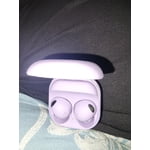
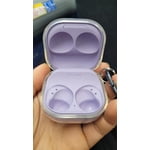
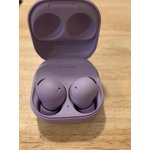
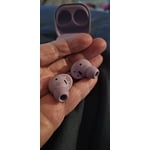
Member photos

  • +2281 images
Sort by |
Showing 191-200 of 7,071 reviews
Jul 24, 2024
TheWaveCarver
4 out of 5 stars review

Verified Purchase

Form and fit... are hit or miss

Fit is okay. Seems to depend on the shape of your ear. Even with aftermarket tips, I find that they occasionally fall out especially while running.

Review from Samsung US
Helpful?0TSVSSLSUST413606811673
Aug 5, 2024
Arun Rajan Jaya
5 out of 5 stars review

Verified Purchase

Awesome!!!
So clear and the ambient sound effect is crazy. I worth the purchase! Go for it if you owns a galaxy device. Won't regret.

Review from Samsung US
Helpful?0TSVSSLSUST413606811673
Jul 15, 2024
tgm1
4 out of 5 stars review

Verified Purchase

Good to go

Great headphones, I wish there was a mute/unmute option while in a call or teams conference (ie double tap one of the ear buds)

Review from Samsung US
Helpful?0TSVSSLSUST413606811673
May 27, 2024
Innell
4 out of 5 stars review

Verified Purchase

Galaxy Bud2 pro graphite

Good quality, truly appreciate the noise isolation feature. They are not noise cancelation earbuds which I think is beneficial for my ears.

Review from Samsung US
Helpful?0TSVSSLSUST413606811673
May 29, 2024
Cleo
2 out of 5 stars review

Verified Purchase

Not the best

Meh! Was expecting better. Sound is not so good and the sound blocking kinda throws me off. No my first pair of galaxy buds

Review from Samsung US
Helpful?0TSVSSLSUST413606811673
reply from Social Commerce

Hi there Cleo, we appreciate you sharing your thoughts with us about your Samsung Galaxy Buds2 Pro. We understand how valuable your listening experience with your device is to you and we'd be happy to help you troubleshoot any aspect that is causing disruption or frustration. We have provided a link to an article to help you troubleshoot the ANC feature. We also recommend going in to the settings of your Samsung Wearables App and adjusting the equalizer setting to the audio profile that best aligns with your preferences. We have also included a link to the Samsung Support Team if you have any additional questions or continue to experience any frustrations. Thank you for being a Samsung customer. -Elizabeth Use Active noise canceling on your Samsung earbuds https://www.samsung.com/us/support/answer/ANS00087243/ Samsung Support smsng.us/Samsung-Support Samsung Community smsng.us/Samsung-Community Facebook smsng.us/Facebook-Messenger X smsng.us/Twitter-Messages

Oct 24, 2024
John Galt
5 out of 5 stars review

Verified Purchase

Quality earbuds

They're fantastic! I really like that they have an active noise canceling mode and an ambient sound mode. The sound quality is great as well.

Review from Samsung US
Helpful?0TSVSSLSUST413606811673
Nov 19, 2024
Cesar
5 out of 5 stars review

Verified Purchase

Amazing

excellent design... super comfortable, the battery lasts a long time... and above all very good sound

Review from Samsung US
Helpful?0TSVSSLSUST413606811673
Oct 11, 2024
Robert Tech
4 out of 5 stars review

Verified Purchase

Need Battery Life

Only thing is that the battery runs down faster than my last pair . Even when turning off Noise Cancelling and Ambient.

Review from Samsung US
Helpful?0TSVSSLSUST413606811673
reply from R&R Team

Hey Robert! We see that you reached out to share your feedback on the Galaxy Buds2 Pro. We appreciate your insight regarding battery life. Designed to deliver an exceptional audio experience, the Galaxy Buds2 Pro features active noise cancellation and an ambient mode for customizable sound. To maximize battery performance, ensure all software is up to date and adjust settings based on your usage needs. By making a few changes, you can conserve battery power, ensuring your earbuds last when you need them most. When not in use, store the earbuds in the charging case with the cover closed, and adjust the notification settings through the Galaxy Wearable app on your connected phone. If you're using iOS, make modifications to the Galaxy Buds app. Your satisfaction is important, and we’re committed to providing the best experience possible. If you have further questions or need assistance, feel free to reach out to us at Samsung Support for further assistance. -Kelvin smsng.us/Samsung-Support smsng.us/Facebook-Messenger smsng.us/X-Messages smsng.us/Samsung-Community smsng.us/Warranty-Info smsng.us/Samsung-Care-Plus

Dec 9, 2024
Anonymous
1 out of 5 stars review

Verified Purchase

Improper fit.

Tried multiple sizes. My phone keeps saying the seal is inadequate. No matter how I mix and match, it keeps saying they don't fit correctly.

Review from Samsung US
Helpful?0TSVSSLSUST413606811673
reply from R&R Team

It's great to hear from you, Caleb. We see that you reached out to share your experience with the Galaxy Buds2 Pro. The Buds2 Pro is designed for a secure fit, ensuring you remain in your comfort zone. When comparing the Galaxy Buds Pro to the Galaxy Buds2 Pro, you'll notice that the Buds2 Pro has a 15% size reduction. This makes them smaller and lighter than ever, providing an even more comfortable and secure wearing experience. We noted your concerns about your earbuds not passing the fit test. To address this, try manually restarting them: insert the earbuds into the charging case and close the lid for at least seven seconds before removing them, allowing them to restart and reconnect automatically to your device. Next, open the Galaxy Wearable app on your connected phone to ensure both earbuds are connected and test their functionality. If the issues persist, you can perform a factory reset to return the earbuds to their default settings. For the Galaxy Buds+, Galaxy Buds Live, Galaxy Buds Pro, and Galaxy Buds2, tap "Earbud settings," then "Reset," and confirm. For Galaxy Buds, tap "About earbuds," then "Reset earbuds," and confirm again. For Gear IconX, tap the "SETTINGS" tab, then "About Gear," followed by "Reset Gear," and confirm. If you continue to experience problems, please visit a Samsung walk-in service center or schedule a repair service online. If this persists, please be sure to reach out to us at Samsung Support. -Kelvin smsng.us/Samsung-Support smsng.us/Facebook-Messenger smsng.us/X-Messages smsng.us/Samsung-Community smsng.us/Warranty-Info smsng.us/Samsung-Care-Plus

Mar 29, 2024
Brad
5 out of 5 stars review

Verified Purchase

Wry Pleased

[This review was collected as part of a promotion.] Sound quality is very good. Easy to use functions. No issues with staying connected.

Review from walmart.com
Helpful?0TSVSSLSUST413606811673