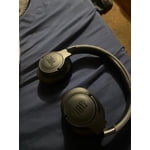
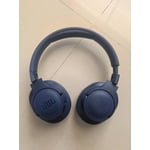
Join Now
Skip to Main Content
Sam's Club
Sam's Club
All Departments
All Services
Customer reviews for JBL Tune 770NC Adaptive Over-Ear Wireless Bluetooth Headphones for
JBL Tune 770NC Adaptive Over-Ear Wireless Bluetooth Headphones
4.3 out of 5 stars
stars
408 ratings287 reviews
  1. 5 stars68% (278)
  2. 4 stars13% (52)
  3. 3 stars7% (30)
  4. 2 stars3% (14)
  5. 1 star8% (34)

Member photos

Sort by |
Showing 241-250 of 287 reviews
Jul 28, 2024
Reviewer name: Rick
3 out of 5 stars
3 out of 5 stars review

Verified Purchase

Not happy

Not very comfortable. I may return them

Helpful?6PBSZZDBPJC813602606888
Sep 28, 2024
Reviewer name: Johnny
5 out of 5 stars
5 out of 5 stars review

Verified Purchase

Great sound.. .wish that the over the ear was a little bigger

Review from walmart.com
Helpful?6PBSZZDBPJC813602606888
Sep 11, 2025
Reviewer name: Keith
1 out of 5 stars
1 out of 5 stars review

Verified Purchase

I called the store to explain what happened

We do scan as you go and I just forgot to tell the customer service representative that I needed to pick up this item

Helpful?6PBSZZDBPJC813602606888
Feb 20, 2025
Reviewer name: Regrets
1 out of 5 stars
1 out of 5 stars review

Don’t Buy Warning

I bought this product and it won’t charge. There are a ton of complaints online about this problem with no resolution from JBL. Recommendation is DO NOT BUY!

Review from jbl.com
Helpful?6PBSZZDBPJC813602606888
reply from Customer Support

We appreciate your feedback. We're here to help. If the power/battery light indicator is OFF 1. Power cycle by pressing and holding the power button for 30 seconds while the unit is not plugged into a power source, to see if the unit will unlock. 2. Use another charging cable AND power adapter rated 5V 1amp to see if the unit will charge. 3. While it's extremely uncommon, try to use another wall outlet to be certain that the issue is not with the outlet. 4. Sand and dirt can get into the product's charging port. Clean the charging port with compressed air. If the power/battery light indicator is ON 1. The charger may not be powerful enough to power the unit and charge the battery. Check the adapter and make sure that the rating is 5V 1amp or higher. 2. Resetting may fix the issue, much in the way rebooting a computer or phone fixes many problems. Note: RESET will wipe all previous settings and pairings, so it will be necessary to pair your unit with your devices again. To Reset 1. Turn the headphones on 2. Press and hold "Volume +" and "Volume -" for more than 5 seconds. The headphones will turn off, and reboot to factory default. You may need to 'forget' the headphones in Bluetooth settings on your phone/tablet in order to pair them again. We can help file a warranty claim If you need further assistance, please contact us.

Oct 2, 2025
Reviewer name: Littlecoral2
5 out of 5 stars
5 out of 5 stars review

Good Stuff

The headphones fit over my ears well and the bass is exactly what I was looking for. The auxiliary cord is also really useful for when I want direct connection

Review from jbl.com
Helpful?6PBSZZDBPJC813602606888
Mar 14, 2025
Reviewer name: ed73
3 out of 5 stars
3 out of 5 stars review

Not Quite Over Ear!

I bought mine about 1-2 months ago, but it is not quite over the ear. Hurts after awhile. I don’t think I have large ears. They do sound great though.

Helpful?6PBSZZDBPJC813602606888
Sep 3, 2025
Reviewer name: Poutine
1 out of 5 stars
1 out of 5 stars review

Terrible waste

Bought 6 months ago and it is emitting this ear splitting sound that can’t be fixed. Somehow it lasted less than all other headphones I’ve had. Waste of money.

Review from jbl.com
Helpful?6PBSZZDBPJC813602606888
reply from Customer Support

Thank you for yoru feedback on our JBL Tune 770NC. If you are using an Equalizer (EQ) in the music app or source device, please try turning it off. We also recomend trying other Bluetooth devices to determine if it is an issue with the source device. If you need more help, please contact us.

Sep 3, 2025
Reviewer name: JB101
2 out of 5 stars
2 out of 5 stars review

Disappointed

Thes sound good when working however I bought a refurbished pair which cuts in and out while using them. I do not have problems with my other headphones.

Review from jbl.com
Helpful?6PBSZZDBPJC813602606888
reply from Customer Support

We appreciate your feedback on our JBL Tune 770NC. To isolate the issue with your headphones, please ensure there are no other wireless devices, walls, and obstacles that can interrupt the Bluetooth connection. Sometimes Bluetooth connection can become corrupt, we recommend unpairing the headphones and manually pairing them again to your device. Also, try pairing your headphones to another device to know if it is an issue with the source device. If you need more help, please contact us.

Apr 22, 2025
Reviewer name: PeppernTito
4 out of 5 stars
4 out of 5 stars review

Good Purchase

Really love the noise cancelling! Works super well! Holds charge for a good amount of time too. Little too soon to give it a 5, we’ll see with time but I’m happy to have these!

Review from jbl.com
Helpful?6PBSZZDBPJC813602606888
Sep 8, 2025
Reviewer name: j1nx
5 out of 5 stars
5 out of 5 stars review

Worth your money

Bought this a couple weeks ago, i’ll say it is such a great buy! The noise canceling is above and beyond and my favorite feature, even at full volume, people around you can’t hear your music. Battery life is great and they’re very comfortable.

Review from jbl.com
Helpful?6PBSZZDBPJC813602606888