Skip to Main Content
Sam's Club
Sam's Club
Customer reviews for SAMSUNG Q-series 5.1 Channel Sound Bar with Wireless Subwoofer, Q-Symphony & Dolby ATMOS Audio for
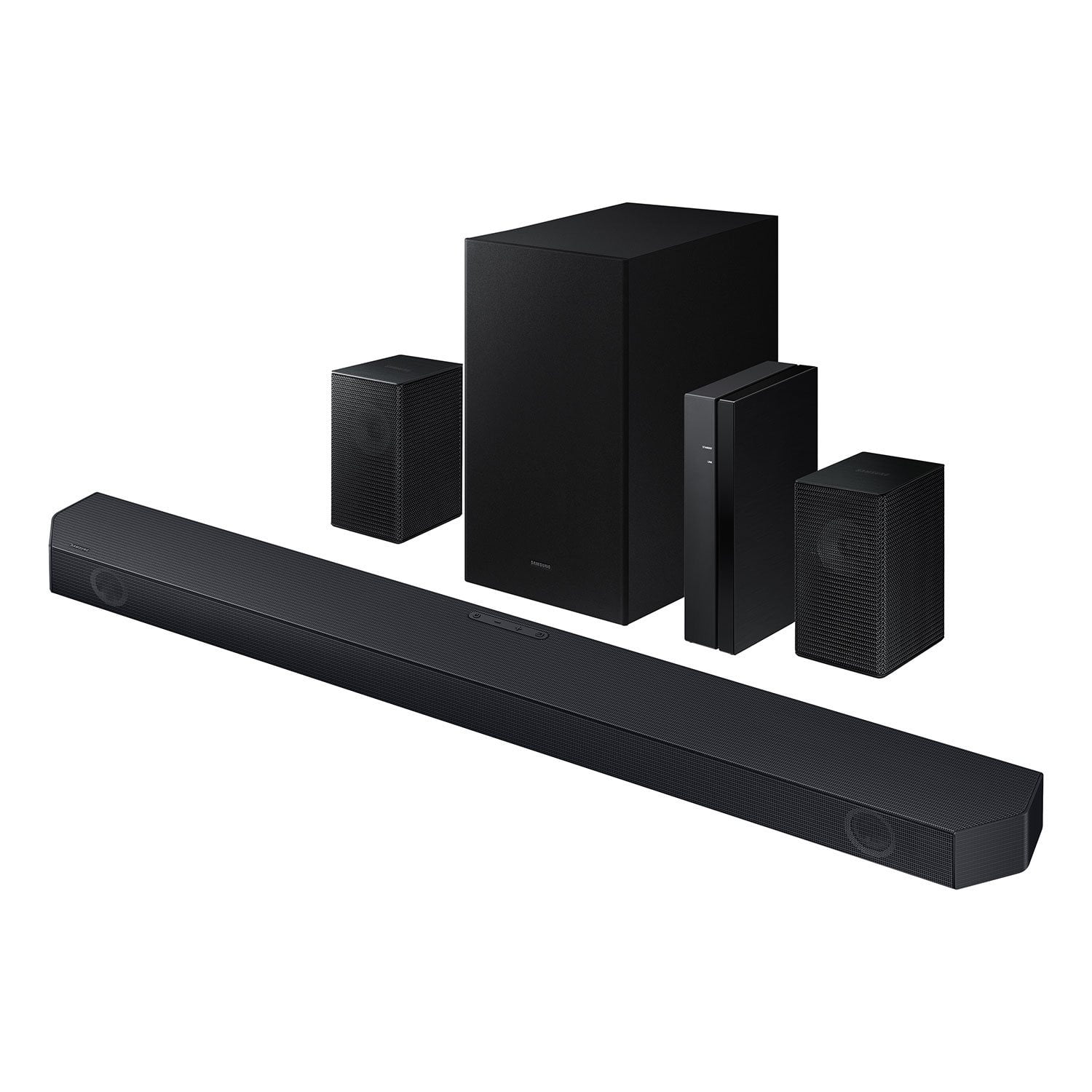
SAMSUNG Q-series 5.1 Channel Sound Bar with Wireless Subwoofer, Q-Symphony & Dolby ATMOS Audio
4.6 out of 5 stars
stars453 ratings338 reviews
  1. 5 stars76% (344)
  2. 4 stars14% (63)
  3. 3 stars5% (24)
  4. 2 stars1% (4)
  5. 1 star4% (18)

Member photos

  • +30 images
Sort by |
Showing 81-90 of 338 reviews
May 19, 2026
rb77
5 out of 5 stars review

Great sound and clarity

[This review was collected as part of a promotion.] sounds great clarity directionality is Immersive and it's easy to synchronize

Review from Samsung US
Helpful?3195MT0SA8FL13599821582
Mar 6, 2026
bak1992
3 out of 5 stars review

Great sound

[This review was collected as part of a promotion.] the sound is terrific. Still having a problem hooking up the wireless speakers. No sound comes out

Review from Samsung US
Helpful?3195MT0SA8FL13599821582
reply from Samsung Solutions

Hi bak1992, Thank you for taking a moment to review the Samsung HW-Q65C Soundbar. To setup the wireless rear speaker kit included with the soundbar, first use the color-coded speaker wires to connect the rear speakers to its wireless module and place these three in the back of your room. Plug the wireless receiver module power cord into an electrical outlet and into the wireless receiver module to turn on the wireless receiver module. Press and hold the ID SET button on the back of the wireless module for at least 5 seconds or until the blue light starts blinking. Turn off your soundbar and press the Up button on the remote for 5 seconds. The ID SET message will appear on the soundbar for a short time and then disappear. After the ID SET process, the soundbar power is automatically turned on. The LINK LED indicator stops blinking and glows a solid blue when a connection is established between the soundbar and the wireless receiver module. If you need more help, Samsung is here for you. Please call us at 1-800-SAMSUNG, 8AM - 12AM EST (Ask for Soundbars), 7 days a week. Live Chat with an agent as well as manuals, software, creating a service ticket, and warranty info can be found at the ‘Support’ link on our Samsung website. ~ Samsung Solutions

Mar 21, 2026
Lindy
5 out of 5 stars review

Q symphony Soundbar

[This review was collected as part of a promotion.] I love this product! The sound clarity, direction, immersive, synchronization and soundstage is worth every dime.

Review from Samsung US
Helpful?3195MT0SA8FL13599821582
Mar 21, 2026
KIM
5 out of 5 stars review

Feels like I'm in a movie theater!

I love the surround sound and deep bass! I had my daughter's boyfriend set it up for me since the instructions were a bit confusing for me. It works very well with my TV, which isn't a Samsung. For the money, this system is well worth it!

Helpful?3195MT0SA8FL13599821582
Mar 6, 2026
RCBT
5 out of 5 stars review

Great Features

[This review was collected as part of a promotion.] Good sound for an average size room. The surround speakers are an added plus for the price. Really like how easy it was to set up and sync with the tv. Needing only 1 remote is great too.

Review from Samsung US
Helpful?3195MT0SA8FL13599821582
Apr 2, 2026
Mike
1 out of 5 stars review

Garbage! Don't waste your $$

Rear speakers don't connect and are not supported by the remote. Looks like Samsung threw them in the box without confirming they pair properly. Samsung Customer service is awful!!! Useless

Helpful?3195MT0SA8FL13599821582
reply from Samsung

Hello Mike,<br /><br />We appreciate you taking a few moments to review the Samsung HW-Q65C Soundbar.<br /><br />To setup the wireless rear speaker kit included with the soundbar, first use the color-coded speaker wires to connect the rear speakers to its wireless module and place these three in the back of your room. Plug the wireless receiver module power cord into an electrical outlet and into the wireless receiver module to turn on the wireless receiver module. <br /><br />Press and hold the ID SET button on the back of the wireless module for at least 5 seconds or until the blue light starts blinking. Turn off your soundbar and press the Up button on the remote for 5 seconds. The ID SET message will appear on the soundbar for a short time and then disappear. After the ID SET process, the soundbar power is automatically turned on. The LINK LED indicator stops blinking and glows a solid blue when a connection is established between the soundbar and the wireless receiver module.<br /><br />If you need more help, Samsung is here for you. Please call us at 1-800-SAMSUNG, Mon – Fri 8 AM – 9 PM EST, Sat &amp; Sun 8 AM – 6 PM EST. Live Chat with an agent as well as manuals, software, creating a service ticket, and warranty info can be found at the ‘Support’ link on our Samsung website.<br /><br />~ Samsung Solutions

Mar 4, 2026
Sweeper5150
3 out of 5 stars review

Great product bad instructions

[This review was collected as part of a promotion.] Great product but lousy instructions. A few clear pictures would really help. The video is not that useful

Review from Samsung US
Helpful?3195MT0SA8FL13599821582
reply from Samsung Solutions

Hi Sweeper5150, We appreciate you taking a few moments to review the HW-Q65C Samsung Soundbar. You can find the full manual for this soundbar by visiting the following link: https://downloadcenter.samsung.com/content/UM/202507/20250723034231001/HW-Q65C_ZA_WUG_03_ENG_250218.0.pdf If we can help with anything else, please call us at 1-800-SAMSUNG (Ask for Soundbars), 8 AM – 12 AM EST, 7 days a week. Live Chat with an agent as well as manuals, software, creating a service ticket, and warranty info can be found at the ‘Support’ link on our Samsung website. ~ Samsung Solutions

Mar 11, 2026
BNEW52
4 out of 5 stars review

Great sounds

[This review was collected as part of a promotion.] best quality to surround sound I have ever experienced in home theater systems and watching movies sports events or whatnot Samson q6 series you can never go wrong with it

Review from Samsung US
Helpful?3195MT0SA8FL13599821582
Mar 31, 2026
Hoppy
3 out of 5 stars review

Not as I thought

[This review was collected as part of a promotion.] Setting this up is not near as hard as to pair...I finally got it to pair but now I have issues increasing volume on rear blutooth speakers included.

Review from Samsung US
Helpful?3195MT0SA8FL13599821582
reply from Samsung Solutions

Hello Hoppy, We appreciate you taking a few moments to review the Samsung HW-Q65C Soundbar. With the wireless Rear Speaker Kit connected you can adjust the volume by using the provided Soundbar remote. Press CH LEVEL and select REAR LEVEL, then use the Up/Down buttons to adjust the volume within a -6 to +6 range. If you need more help, Samsung is here for you. Please call us at 1-800-SAMSUNG, Mon – Fri 8 AM – 9 PM EST, Sat & Sun 8 AM – 6 PM EST. Live Chat with an agent as well as manuals, software, creating a service ticket, and warranty info can be found at the ‘Support’ link on our Samsung website. ~ Samsung Solutions

Apr 5, 2026
Sammy
4 out of 5 stars review

Audio Review

[This review was collected as part of a promotion.] Sound is fine but I wish you could get voice out of all speakers vs just the center. Make it an option to allow voice audio out of Left-Center-Right

Review from Samsung US
Helpful?3195MT0SA8FL13599821582