Skip to Main Content
Sam's Club
Sam's Club
Customer reviews for SAMSUNG Q-series 5.1 Channel Sound Bar with Wireless Subwoofer, Q-Symphony & Dolby ATMOS Audio for
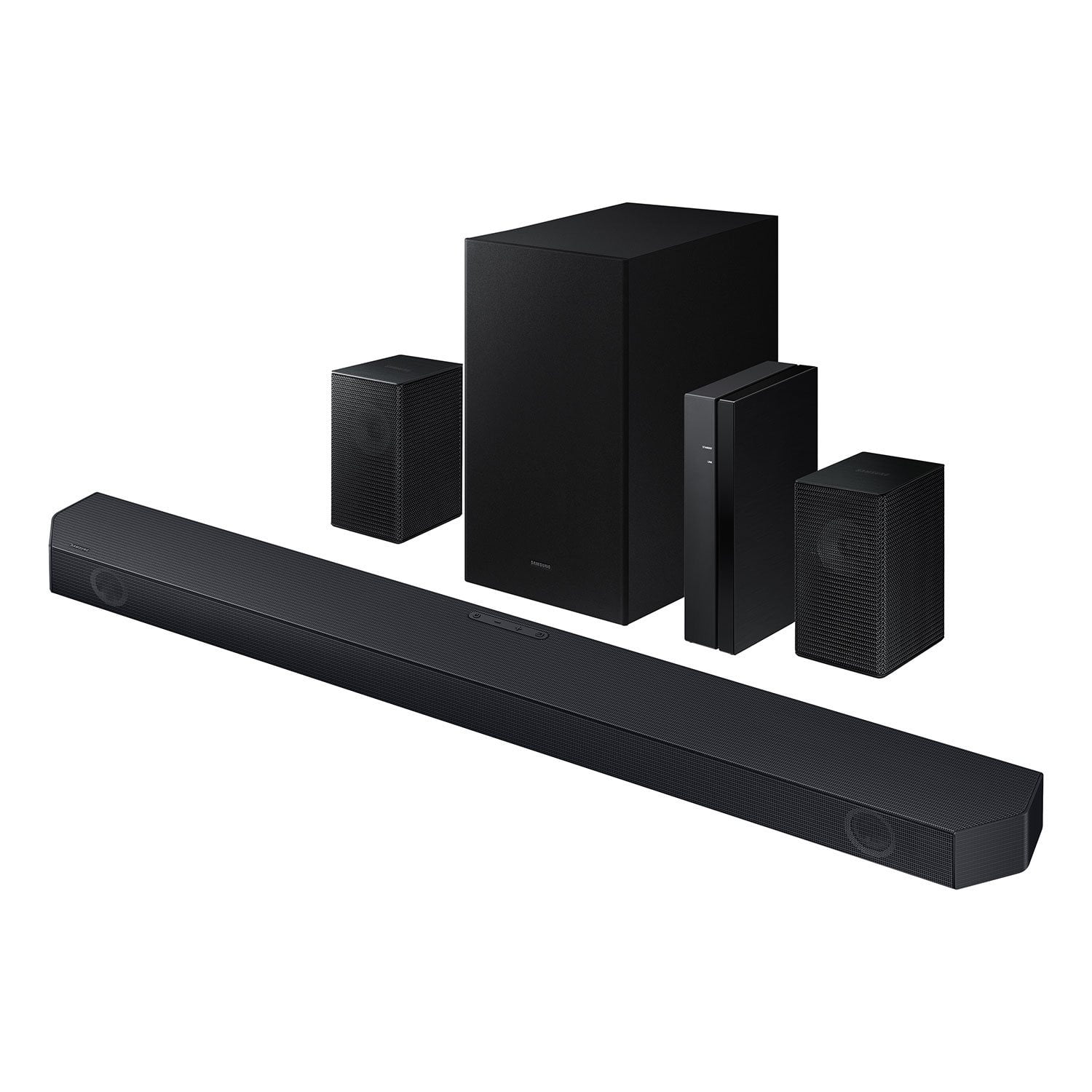
SAMSUNG Q-series 5.1 Channel Sound Bar with Wireless Subwoofer, Q-Symphony & Dolby ATMOS Audio
4.6 out of 5 stars
stars453 ratings338 reviews
  1. 5 stars76% (344)
  2. 4 stars14% (63)
  3. 3 stars5% (24)
  4. 2 stars1% (4)
  5. 1 star4% (18)

Member photos

  • +30 images
Sort by |
Showing 41-50 of 338 reviews
Mar 4, 2026
Anonymous
5 out of 5 stars review

Great sounding sound system

[This review was collected as part of a promotion.] I really like the high end surround sound especially when watching concerts on our TV. I used to install home theater systems for AVI in very expensive systems for wealthy clients. For the money this was a great choice.

Review from Samsung US
Helpful?3195MT0SA8FL13599821582
Mar 7, 2026
Tom O
5 out of 5 stars review

Excellent Sound
[This review was collected as part of a promotion.] This sound system is excellent for smaller to midsize rooms. The sub has more than enough punch for lows and the sound bar does a great job with the dialogue and midrange. The wireless rear speakers add to the perfect listening experience. I have received many compliments on our sound system.

Review from Samsung US
Helpful?3195MT0SA8FL13599821582
Mar 10, 2026
SteveC
3 out of 5 stars review

Set up was easy, Sound stage is small

Pros: The sound bar setup and HDMI eARC works properly. Wireless rear speakers were easy to set up and connect. People are having issues due to the wire on the speaker can be pushed in too far, and the wire insulation is in the terminal. Volume capability is quite good, it will get loud, and the sub woofer is not bad. Wireless technology makes arranging the system easy. Cons: The sound quality is very disappointing. Sounds small and tinny on most programming, the original TV speakers are much more full sounding. There is little depth and no height. Dialog is very clear though. And yes I have tried to adjust modes and levels of the front and rear channels, and boosted the midrange with the equalizer. I am unable to get it to be detected by the smart things app as well. My 2019 Q90r 65 tv is not compatible with the Qsymphony as well, only TVs 2020 and up. As far as Dolby Atmos, I am unable to find programming that put the sound bar in that mode. BTW, there are no up firing drivers for true Atmos anyway.

Helpful?3195MT0SA8FL13599821582
reply from Samsung

Hi SteveC,<br /><br />We appreciate you taking a few moments to review the HW-Q65C Samsung Soundbar. We value your feedback and will share it with our teams. <br /><br />To control the volume of the treble or bass press the TONE CONTROL button, and then adjust the volume between -6 to &#43;6 by using the Up/Down buttons on your soundbar remote. <br /><br />Press and hold the SOUND CONTROL button for about 5 seconds to adjust the sound for each frequency band. 150Hz, 300Hz, 600Hz, 1.2kHz, 2.5kHz, 5kHz, and 10kHz are selectable using the Left/Right buttons and each can be adjusted to a setting between -6 to &#43;6 using the Up/Down buttons. (Make sure the Sound mode is set to “STANDARD”.) <br /><br />Press the CH LEVEL button so you can adjust the volume of each speaker. CENTER LEVEL can be adjusted using the UP/DOWN buttons from -6 to &#43;6.<br /><br />With the Wireless Rear Speaker Kit connected you can adjust the volume by using the provided Soundbar remote. Press CH LEVEL and select REAR LEVEL, then use the Up/Down buttons to adjust the volume within a -6 to &#43;6 range. <br /><br />If you would like louder (or softer) bass from your subwoofer, you can adjust the level by rocking the WOOFER button on the soundbar remote, and then adjusting the level from -6 to &#43;6. To set the subwoofer volume level to 0, press the button in.<br /><br />If you need more help, Samsung is here for you. Please call us at 1-800-SAMSUNG, 8AM - 12AM EST (Ask for Soundbars), 7 days a week. Live Chat with an agent as well as manuals, software, creating a service ticket, and warranty info can be found at the ‘Support’ link on our Samsung website.<br /><br />~ Samsung Solutions

Mar 20, 2026
Pepe Goyo
4 out of 5 stars review

System Sound

[This review was collected as part of a promotion.] Sometimes the system sounds great, but other times it doesn't. I'm not sure whether this is due to the product itself or the soundtrack of the program I'm watching. I would like to be able to easily adjust the sound when the streamed audio changes.

Review from Samsung US
Helpful?3195MT0SA8FL13599821582
Feb 14, 2026
ALLEN
5 out of 5 stars review

Historical context, we had an older 5.1 soundbar system where the the soundbar itself went out after close to 10 years from Vizio This system and the atmos upgrade were very welcome. Incredibly easy to set up. The HDMI Arc connection is very convenient and I have a Google TV streamer connected directly to it with audio pass through. Previously I was using TOSLINK. The output is loud enough to fill any family room or TV room that I have ever been in. I genuinely don't have any negatives to share and believe that you would have to spend double if not more the cost of this product when it's on sale in order to surpass the audio quality it provides.

Helpful?3195MT0SA8FL13599821582
Mar 14, 2026
SamsungHoneyPot
5 out of 5 stars review

SAMSUNG - THE BEST! NOTHING ELSR COMPARES...EVER!

[This review was collected as part of a promotion.] Clear sound, perfect balance of mids, with strong crisp vocals and all encompassing surround sound. A tremendous amount of value received from yet another amazing Samsung product which I used religiously every day. Samsung is my go to for all TV, speakers, appliances, monitors, Laptops and state of the art of entertainment. Well done Samsung -- customer for life! Best - Greg S.

Review from Samsung US
Helpful?3195MT0SA8FL13599821582
Apr 13, 2026
SHK01
2 out of 5 stars review

Low sound

[This review was collected as part of a promotion.] I find this sound very low when connect to my Samsung QLED tv. Volume general needs to be at around 60

Review from Samsung US
Helpful?3195MT0SA8FL13599821582
reply from Samsung Solutions

Hello SHK01, Thank you for taking a few moments to review the HW-Q65C Samsung Soundbar. You can manually optimize your audio experience by pressing the SOUND MODE button to select the desired pre-equalized sound setting. The choices are SURROUND SOUND – GAME – ADAPTIVE SOUND – DTS VIRTUAL:X – STANDARD. To control the volume of the treble or bass press the TONE CONTROL button, and then adjust the volume between -6 to +6 by using the Up/Down buttons on your soundbar remote. Press and hold the SOUND CONTROL button for about 5 seconds to adjust the sound for each frequency band. 150Hz, 300Hz, 600Hz, 1.2kHz, 2.5kHz, 5kHz, and 10kHz are selectable using the Left/Right buttons and each can be adjusted to a setting between -6 to +6 using the Up/Down buttons. (Make sure the Sound mode is set to “STANDARD”.) Press the CH LEVEL button so you can adjust the volume of each speaker. CENTER LEVEL can be adjusted using the UP/DOWN buttons from -6 to +6. With the Wireless Rear Speaker Kit connected you can adjust the volume by using the provided Soundbar remote. Press CH LEVEL and select REAR LEVEL, then use the Up/Down buttons to adjust the volume within a -6 to +6 range. If you would like louder (or softer) bass from your subwoofer, you can adjust the level by rocking the WOOFER button on the soundbar remote, and then adjusting the level from -6 to +6. To set the subwoofer volume level to 0, press the button in. If you need more help, Samsung is here for you. Please call us at 1-800-SAMSUNG, Mon – Fri 8 AM – 9 PM EST, Sat & Sun 8 AM – 6 PM EST. Live Chat with an agent as well as manuals, software, creating a service ticket, and warranty info can be found at the ‘Support’ link on our Samsung website. ~ Samsung Solutions

Apr 29, 2026
BigBadBaj
5 out of 5 stars review

I didn't know one speaker could sound so amazing.

[This review was collected as part of a promotion.] Easy to set up. Phenomenal sound quality. Being able to use it as a speaker for Spotify or Alexa is awesome. Totally immerses you while playing PS5. Every seat in the room sounds great for movies.

Review from Samsung US
Helpful?3195MT0SA8FL13599821582
May 5, 2026
Codyman24
5 out of 5 stars review

Great sounds!

[This review was collected as part of a promotion.] Sound quality is excellent! Dialogue is crisp and clear with no lag at all! Has Dolby atmos so you can get a full immersion!

Review from Samsung US
Helpful?3195MT0SA8FL13599821582
Dec 6, 2025
Yuca26
4 out of 5 stars review

Perfect for video games

[This review was collected as part of a promotion.] ... what can I say, there are many aspects of this bar that I like first and most important for video games is a delight, games like the Call of Duty feel as your enemies walk behind you, or as the shots will pass around you, let's go some of the best purchases I throw and for movies well the same ajahaj

Review from Samsung US
Helpful?3195MT0SA8FL13599821582