Skip to Main Content
Sam's Club
Sam's Club
All Departments
All Services
Customer reviews for SAMSUNG Q-series 5.1 Channel Sound Bar with Wireless Subwoofer, Q-Symphony & Dolby ATMOS Audio for
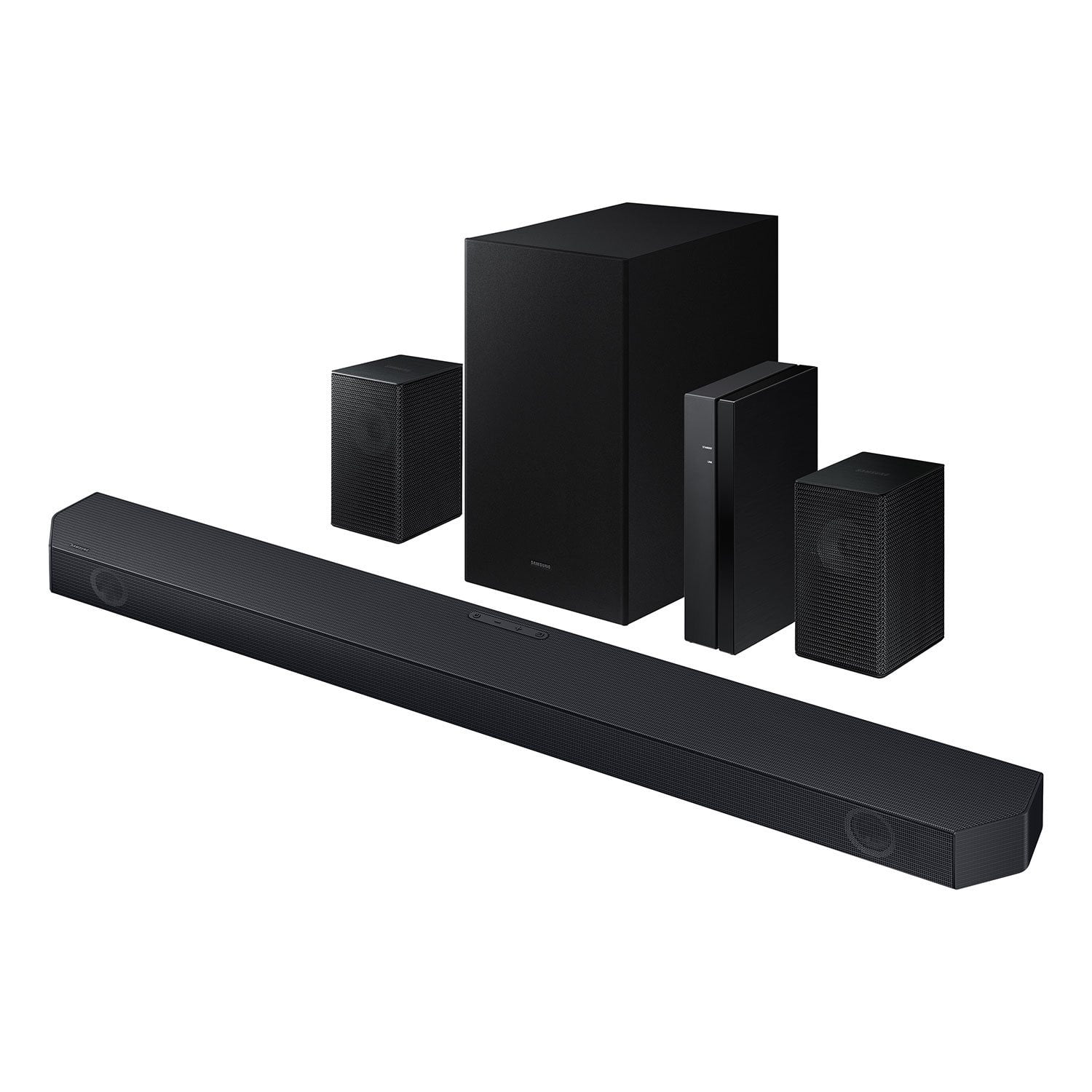
SAMSUNG Q-series 5.1 Channel Sound Bar with Wireless Subwoofer, Q-Symphony & Dolby ATMOS Audio
4.5 out of 5 stars
stars
441 ratings322 reviews
  1. 5 stars75% (330)
  2. 4 stars15% (64)
  3. 3 stars5% (24)
  4. 2 stars1% (5)
  5. 1 star4% (18)
Sort by |
Showing 21-30 of 322 reviews
Mar 10, 2026
SteveC
3 out of 5 stars review

Set up was easy, Sound stage is small

Pros: The sound bar setup and HDMI eARC works properly. Wireless rear speakers were easy to set up and connect. People are having issues due to the wire on the speaker can be pushed in too far, and the wire insulation is in the terminal. Volume capability is quite good, it will get loud, and the sub woofer is not bad. Wireless technology makes arranging the system easy. Cons: The sound quality is very disappointing. Sounds small and tinny on most programming, the original TV speakers are much more full sounding. There is little depth and no height. Dialog is very clear though. And yes I have tried to adjust modes and levels of the front and rear channels, and boosted the midrange with the equalizer. I am unable to get it to be detected by the smart things app as well. My 2019 Q90r 65 tv is not compatible with the Qsymphony as well, only TVs 2020 and up. As far as Dolby Atmos, I am unable to find programming that put the sound bar in that mode. BTW, there are no up firing drivers for true Atmos anyway.

Helpful?3195MT0SA8FL13599821582
reply from Samsung

Hi SteveC,<br /><br />We appreciate you taking a few moments to review the HW-Q65C Samsung Soundbar. We value your feedback and will share it with our teams. <br /><br />To control the volume of the treble or bass press the TONE CONTROL button, and then adjust the volume between -6 to &#43;6 by using the Up/Down buttons on your soundbar remote. <br /><br />Press and hold the SOUND CONTROL button for about 5 seconds to adjust the sound for each frequency band. 150Hz, 300Hz, 600Hz, 1.2kHz, 2.5kHz, 5kHz, and 10kHz are selectable using the Left/Right buttons and each can be adjusted to a setting between -6 to &#43;6 using the Up/Down buttons. (Make sure the Sound mode is set to “STANDARD”.) <br /><br />Press the CH LEVEL button so you can adjust the volume of each speaker. CENTER LEVEL can be adjusted using the UP/DOWN buttons from -6 to &#43;6.<br /><br />With the Wireless Rear Speaker Kit connected you can adjust the volume by using the provided Soundbar remote. Press CH LEVEL and select REAR LEVEL, then use the Up/Down buttons to adjust the volume within a -6 to &#43;6 range. <br /><br />If you would like louder (or softer) bass from your subwoofer, you can adjust the level by rocking the WOOFER button on the soundbar remote, and then adjusting the level from -6 to &#43;6. To set the subwoofer volume level to 0, press the button in.<br /><br />If you need more help, Samsung is here for you. Please call us at 1-800-SAMSUNG, 8AM - 12AM EST (Ask for Soundbars), 7 days a week. Live Chat with an agent as well as manuals, software, creating a service ticket, and warranty info can be found at the ‘Support’ link on our Samsung website.<br /><br />~ Samsung Solutions

Jun 20, 2026
Victor
5 out of 5 stars review

Verified Purchase

Altavoces

Es perfecto el sonido

Helpful?3195MT0SA8FL13599821582
Aug 3, 2025
WS
5 out of 5 stars review

Verified Purchase

Great performance and value!

This system is excellent for the price! Sound is good and perfectly synchronized with our television.

Helpful?3195MT0SA8FL13599821582
Sep 30, 2024
Chris
5 out of 5 stars review

Verified Purchase

Great value system

Awesome sound from such a small device. No stereo receiver needed. If you have it set with a Samsung TV it will automatically power on with said tv. Output is great especially with Atmos movies/show and with video games from both PC and PlayStation alike.

Helpful?3195MT0SA8FL13599821582
Jul 21, 2026
RAYNADA
2 out of 5 stars review

Don't Do It!!

The display goes across an extremely small screen. There's really nothing spectacular about these speakers, they're constantly muting for no reason and i have to power off / on to make the sound play. I wouldn't recommend these. I've had these over a year and I wish I could get something better.

Helpful?3195MT0SA8FL13599821582
reply from Samsung

Hello RAYNADA,<br /><br />Thank you for taking a few moments to review the HW-Q65C Soundbar. We’re sorry your experience didn’t match your expectations. Your feedback is very important to us as we continuously strive for best-in-class product and service.<br /><br />Updating the firmware on your soundbar gives you all the benefits of the latest improvements. When an update is available, you can update the Soundbar by connecting the USB drive that contains the update firmware to the SERVICE port of the Soundbar.<br /><br />1.Go to the Samsung Electronics website (www.samsung.com) → click on the “Support” option in the upper right corner. <br />2.Click on “Manuals &amp; Software” from the pop-up list &gt; TVs &amp; Home Theater &gt; Home Theater &gt; Select your model<br />2. Download the firmware file (USB type). <br />3. Unzip the file to create a folder with the file name. <br />4. Store the created folder in a USB and then connect it to the Soundbar. <br />5. A sequence of “UPDATE” &gt; “BYE” &gt; “ON” will appear on the display 3 times. This will take around 6 minutes.<br /> - During update, do not turn it off or remove the USB. <br /> - If “UPDATE” does not appear on the display window, remove the power cord from the Soundbar and then reconnect it.<br /> - When the latest Version is installed, no update is performed. <br /> - Depending on the USB type, update may not be supported.<br />6. After the 3 cycles are complete, the Soundbar will restart and last source used will appear on the display for about 20 seconds and then it will go off (“UPDATE” &gt; “BYE” &gt; “ON”) 3 times “D.IN” &gt; off<br /><br />If you need more help, Samsung is here for you. Please call us at 1-800-SAMSUNG, Mon – Fri 8 AM – 9 PM EST, Sat &amp; Sun 8 AM – 6 PM EST. Live Chat with an agent as well as manuals, software, creating a service ticket, and warranty info can be found at the ‘Support’ link on our Samsung website.<br /><br />~ Samsung Solutions

Aug 11, 2025
Arkansas Pop
4 out of 5 stars review

Verified Purchase

Great sound

It paired to my Samsung TV easily

Helpful?3195MT0SA8FL13599821582
Sep 9, 2025
Marci
5 out of 5 stars review

Verified Purchase

Sound system

Affordable easy to install and sounds great

Helpful?3195MT0SA8FL13599821582
Nov 21, 2025
Rock
2 out of 5 stars review

Disappointing Purchase

The sound bar itself sounds pretty good, but the subwoofer rarely if ever has any sound coming out of it. We are very disappointed with this purchase. We purchased it since we are happy with our Samsung tv and thought that they would pair good together.

Helpful?3195MT0SA8FL13599821582
reply from Samsung

Hi Rock,<br /><br />Thank you for sharing your review of the HW-Q65C Soundbar. We value your feedback and will share it with our teams. <br /><br />If there is anything we can do to improve your enjoyment, such as helping to optimize settings for your specific sound scenario, please contact Samsung Customer Support. Just give us a call at 1-800-SAMSUNG (Ask for Soundbars), 8AM - 12AM EST, 7 days a week. Our Live Chat agents are also available by clicking on the ‘Support’ link on our website.<br /><br />~ Samsung Solutions

Jun 16, 2026
William
5 out of 5 stars review

Pay a little more, get a lot more sound

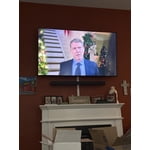
This package is a deal, I mean really! Apparently Samsung produced more than they could sell. I have hearing loss and needed something that would provide surround sound in our great room (combined living room, kitchen, dining room). My sound bar is mounted on top of our Samsung TV with brackets. The wired satellite speakers are on top of kitchen cabinets and they're wired to the provided transceiver that I located inside of a cabinet within reach of an electrical outlet. Of course your situation may vary. After installation, press the [Sound] button until a blue light comes on the transceiver to indicate synchronization. The wireless low-frequency sub-woofer is in a corner of our dining room and it synchronized at the same time. Audio improvement is everything I expected. This sound bar will work with other brands of TVs over HDMI (eARC) or optical cables. Set your TV internal sound options to surround sound mode. Experiment with the Sound button on the provided soundbar remote until you get the balance you prefer. The reason that i went to this level of detail is to warn the timid. Get a geek friend to help you.

Helpful?3195MT0SA8FL13599821582
Jun 15, 2026
Codyzle
5 out of 5 stars review

Love my soundbar!!

[This review was collected as part of a promotion.] Love my soundbar, the clarity on dialogue has been drastically improved and the surround soundstave is incredible for the size of the soundbae creating great immersion!! Absolutely love my samsung soundbar!!

Review from Samsung US
Helpful?3195MT0SA8FL13599821582