Skip to Main Content
Sam's Club
Sam's Club
Customer reviews for SAMSUNG Q-series 5.1 Channel Sound Bar with Wireless Subwoofer, Q-Symphony & Dolby ATMOS Audio for
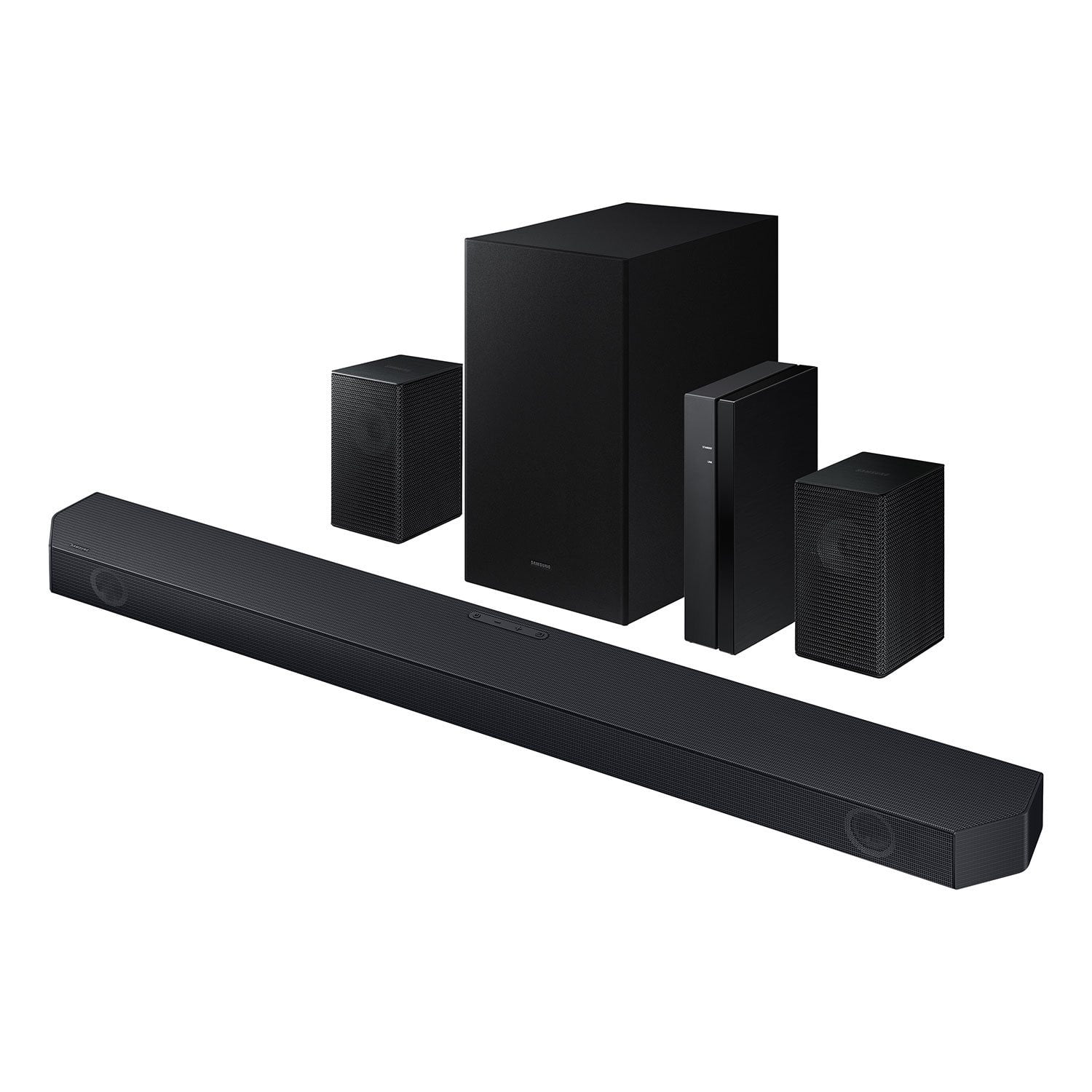
SAMSUNG Q-series 5.1 Channel Sound Bar with Wireless Subwoofer, Q-Symphony & Dolby ATMOS Audio
4.6 out of 5 stars
stars453 ratings338 reviews
  1. 5 stars76% (344)
  2. 4 stars14% (63)
  3. 3 stars5% (24)
  4. 2 stars1% (4)
  5. 1 star4% (18)

Member photos

  • +30 images
Sort by |
Showing 251-260 of 338 reviews
Dec 8, 2024
DerekSomeone
5 out of 5 stars review

The Q symphony is a game changer.

[This review was collected as part of a promotion.] Bought this as a replacement for my Boise, with a new Samsung TV. I love the integration of the TV speakers with the surround sound. Movies are more like experiences now.

Review from Samsung US
Helpful?3195MT0SA8FL13599821582
Dec 10, 2024
Jordansthegoat
5 out of 5 stars review

Must buy or try

[This review was collected as part of a promotion.] This surround sound was mind blowing to say the least. It is worth wvery penny..... very very happy customer. And thank you samsung for the opportunity to experience this you guys are awesome

Review from Samsung US
Helpful?3195MT0SA8FL13599821582
May 3, 2025
Thubl24
3 out of 5 stars review

Good for the money

[This review was collected as part of a promotion.] Setup and overall connection with the tv is great, easy to setup with no problem. Sound is just OK in are large open room, may sound better in a smaller area.

Review from Samsung US
Helpful?3195MT0SA8FL13599821582
reply from Samsung Solutions

Hello Thubl24, Thank you for taking a few moments to review the Samsung HW-Q65C Soundbar. You can adjust the Treble and Bass by pressing the TONE CONTROL button then use the UP/DOWN buttons to change the levels between -6 to +6. By pressing the CH LEVEL button, you can adjust the volume of the available channels. Each time you press the CH LEVEL button it will switch to a different channel such as Center, Front Top, or Rear Level. After selecting the channel you wish to adjust, use the UP/DOWN buttons on the provided Soundbar remote to adjust the volume between -6 to +6. If you would like louder (or softer) bass from your subwoofer, you can adjust the level by rocking the WOOFER button on the soundbar remote, and then adjusting the level from -6 to +6. To set the subwoofer volume level to 0, press the button in. With the sound mode set to Standard, press and hold the Sound Control button for about 5 seconds to adjust the sound for each frequency band for precise audio adjustments. 150Hz, 300Hz, 600Hz, 1.2kHz, 2.5kHz, 5kHz, and 10kHz are selectable using the Left/Right buttons and each can be adjusted to a setting between -6 to +6 using the Up/Down buttons. If you need more help, Samsung is here for you. Please call us at 1-800-SAMSUNG, 8AM - 12AM EST (Ask for Soundbars), 7 days a week. Our Live Chat agents are also available by clicking on the ‘Support’ link on our website. ~ Samsung Solutions

Sep 24, 2024
Don2cruise1
5 out of 5 stars review

Sound quality, surround sound, and base are great!

I bought the sound bar three months ago and have been very happy with it. It works as one with the TV, and the sound quality, surround sound, and base are great!

Helpful?3195MT0SA8FL13599821582
Mar 19, 2025
Bplatt
5 out of 5 stars review

Fantastic Sound Quality

[This review was collected as part of a promotion.] Fantastic sound quality for a reasonable price….. look no further for a perfectly compatible sound system for your Samsung TV!

Review from Samsung US
Helpful?3195MT0SA8FL13599821582
Apr 23, 2025
BlackPanther
5 out of 5 stars review

Loving the overall experience

[This review was collected as part of a promotion.] Perfect set of things included to optimize your Sourround sound mode. Flexible of positioning the small speaker and the woofers.

Review from Samsung US
Helpful?3195MT0SA8FL13599821582
Jul 27, 2024
Will2000
5 out of 5 stars review

This product is great!

[This review was collected as part of a promotion.] The sound on this unit is perfect. It booms when it needs to and is one of the best sound systems I have owned.

Review from Samsung US
Helpful?3195MT0SA8FL13599821582
Dec 25, 2024
Paulkdjdjjd
3 out of 5 stars review

Not bad.it needs a better DSP

[This review was collected as part of a promotion.] Out of the box it didn't sound well. I gave to fiddle with the remote settings. This model could use a automatic room correction setting

Review from Samsung US
Helpful?3195MT0SA8FL13599821582
reply from Samsung Solutions

Hello Paulkdjdjjd, Thank you for taking a moment to review the Samsung HW-Q65C Soundbar. You can adjust the Treble and Bass by pressing the TONE CONTROL button then use the UP/DOWN buttons to change the levels between -6 to +6. By pressing the CH LEVEL button, you can adjust the volume of the available channels. Each time you press the CH LEVEL button it will switch to a different channel such as Center, Front Top, or Rear Level. After selecting the channel you wish to adjust, use the UP/DOWN buttons on the provided Soundbar remote to adjust the volume between -6 to +6. If you would like louder (or softer) bass from your subwoofer, you can adjust the level by rocking the WOOFER button on the soundbar remote, and then adjusting the level from -6 to +6. To set the subwoofer volume level to 0, press the button in. With the sound mode set to Standard, press and hold the Sound Control button for about 5 seconds to adjust the sound for each frequency band for precise audio adjustments. 150Hz, 300Hz, 600Hz, 1.2kHz, 2.5kHz, 5kHz, and 10kHz are selectable using the Left/Right buttons and each can be adjusted to a setting between -6 to +6 using the Up/Down buttons. If you need more help, Samsung is here for you. Please call us at 1-800-SAMSUNG, 8AM - 12AM EST (Ask for Soundbars), 7 days a week. Our Live Chat agents are also available by clicking on the ‘Support’ link on our website. ~ Samsung Solutions

Apr 19, 2025
Ronald
5 out of 5 stars review

Amazing sound

[This review was collected as part of a promotion.] Such high quality sound. It blew my mom away when she could finally hear the TV without it being at full volume

Review from Samsung US
Helpful?3195MT0SA8FL13599821582
Dec 2, 2024
Ninja9
5 out of 5 stars review

This product has great features.

[This review was collected as part of a promotion.] I use my samsung audio device for streaming music. It's the best audio I've ever had. And would definitely recommend it period

Review from Samsung US
Helpful?3195MT0SA8FL13599821582