Skip to Main Content
Sams Club
Sams Club
Customer reviews for SAMSUNG 11.1.4 Channel Sound Bar with Wireless Subwoofer, Q-Symphony & Dolby ATMOS Audio for
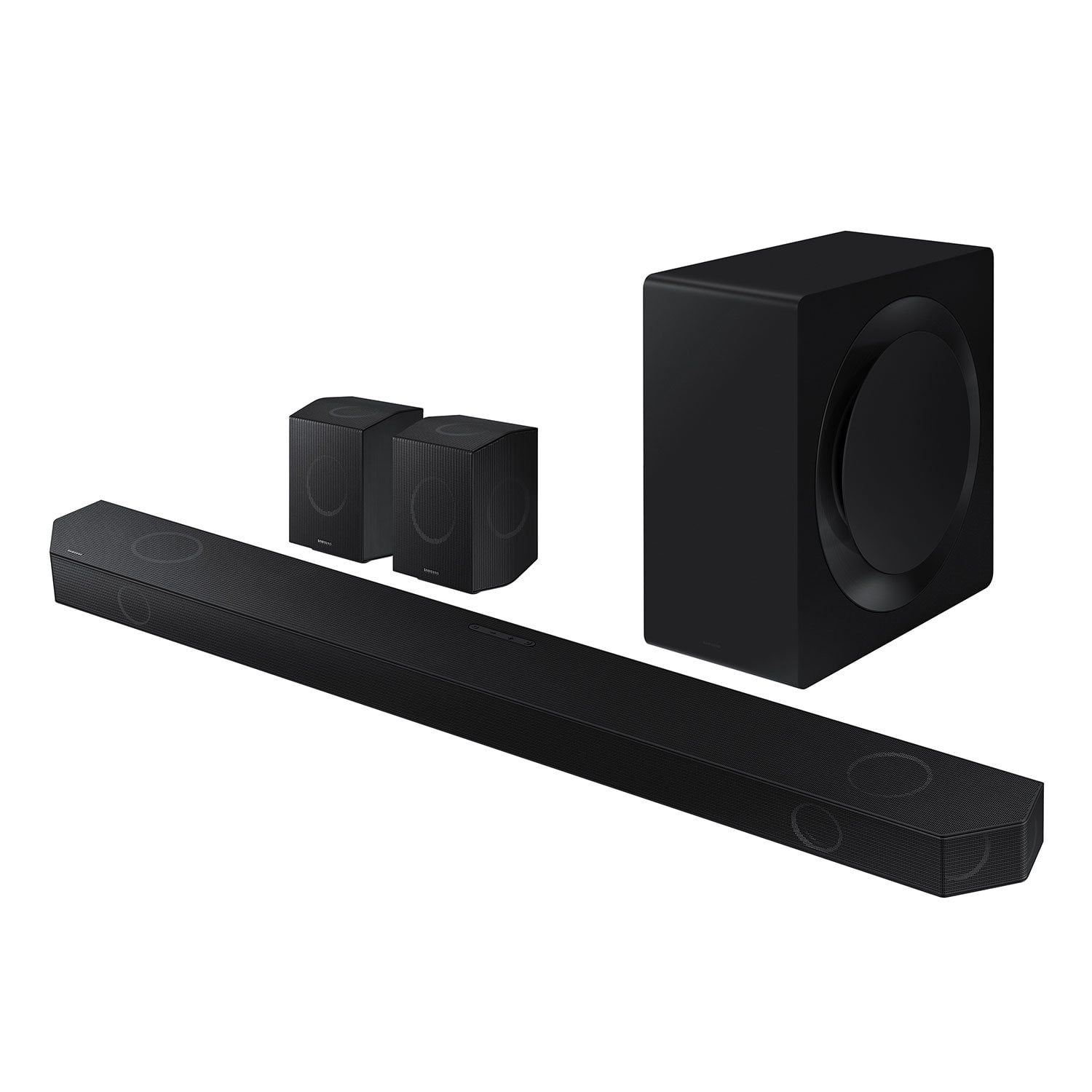
SAMSUNG 11.1.4 Channel Sound Bar with Wireless Subwoofer, Q-Symphony & Dolby ATMOS Audio
4.6 out of 5 stars
stars849 ratings849 reviews
  1. 5 stars79% (668)
  2. 4 stars12% (106)
  3. 3 stars3% (25)
  4. 2 stars2% (13)
  5. 1 star4% (37)

Member photos

  • +263 images
Sort by |
Showing 841-849 of 849 reviews
Apr 27, 2024
Heavy D
5 out of 5 stars review

Q symphony is another level

I am very impressed with my surround system, very impressive and neat sound.

Review from Samsung US
Helpful?0WSCS8GR8B8W13575772414
Feb 5, 2025
Warwiz
5 out of 5 stars review

Everything works as advertised or better.

This is one of the best audio devices I have ever owned.

Review from Samsung US
Helpful?0WSCS8GR8B8W13575772414
Nov 12, 2024
Damian85
5 out of 5 stars review

Great Soundbar

Best soundbar I’ve ever used. Great upgrade from the Q990C

Review from Samsung Canada
Helpful?0WSCS8GR8B8W13575772414
Mar 23, 2025
annoyed
1 out of 5 stars review

stuck in e-arc

Worked great recommended it to a friend and they brick it with an update.

Review from Samsung US
Helpful?0WSCS8GR8B8W13575772414
reply from Samsung Solutions

Hello annoyed, We appreciate your feedback regarding the issues you are experiencing with your HW-Q990D Soundbar. Please contact us for service and a Support agent will gladly help get this fixed. At your earliest convenience, please reach out to Samsung Customer Support at 1-800-SAMSUNG (Ask for Soundbars), 8 AM – 12 AM EST, 7 days a week. Our Live Chat agents are also available by clicking on the ‘Support’ link on our website. ~ Samsung Solutions

Mar 5, 2025
Carbuff55
5 out of 5 stars review

Best of Everything

I have nothing but Samsung electronics. The best of everything.

Review from Samsung US
Helpful?0WSCS8GR8B8W13575772414
Jun 3, 2024
Scubasteve7640
5 out of 5 stars review

Good sound bar really like it

Very good sound bar. Only con is the display is not great

Review from Samsung Canada
Helpful?0WSCS8GR8B8W13575772414
Dec 7, 2024
Simon
1 out of 5 stars review

Garbage

Absolute piece of garbage, keeps disconnecting from app and needs constant reinstall to work.

Review from Samsung US
Helpful?0WSCS8GR8B8W13575772414
reply from Samsung Solutions

Hi Simon, Thank you for sharing your review of Samsung’s HW-Q990D Soundbar. We’re sorry your experience didn’t match your expectations. Your feedback is very important to us as we continuously strive for best-in-class product and service. Updating the firmware on your soundbar gives you all the benefits of the latest improvements. When the Soundbar is connected to the Internet, Auto Update allows software to update automatically even when the Soundbar is turned off. You can also update by using the SmartThings app. If not connected to the internet, you can download it onto a USB device, and then upload it to your soundbar - no wireless connection required. Connect the USB drive that contains the update firmware to the SERVICE port of the Soundbar. 1.Go to the Samsung Electronics website (www.samsung.com) → click on the “Support” option in the upper left corner. 2.Click on “Manuals & Software” from the pop-up list > TVs & Home Theater > Home Theater > Select your model 2. Download the firmware file (USB type). 3. Unzip the file to create a folder with the file name. 4. Store the created folder in a USB and then connect it to the Soundbar. 5. A sequence of “UPDATE” > “BYE” > “ON” will appear on the display 3 times. This will take around 6 minutes. - During update, do not turn it off or remove the USB. - If “UPDATE” does not appear on the display window, remove the power cord from the Soundbar and then reconnect it. - When the latest version is installed, no update is performed. - Depending on the USB type, update may not be supported. 6. After the 3 cycles are complete, the Soundbar will restart and last source used will appear on the display for about 20 seconds and then it will go off (“UPDATE” > “BYE” > “ON”) 3 times “D.IN” > off If your soundbar fails to update or is experiencing problems, please contact Samsung Customer Support. Just give us a call at 1-800-SAMSUNG (Ask for Soundbars), 8AM - 12AM EST, 7 days a week. Our Live Chat agents are also available by clicking on the ‘Support’ link on our website. ~ Samsung Solutions

Mar 19, 2025
Cwill520
1 out of 5 stars review

Bricked

Bricked, this is totally unacceptable. Absolutely shady business practices by Samsung

Review from Samsung US
Helpful?0WSCS8GR8B8W13575772414
reply from Samsung Solutions

Hi Cwill520, We appreciate your feedback regarding the issues you are experiencing with your HW-Q990D Soundbar. Please contact us for service and a Support agent will gladly help get this fixed. At your earliest convenience, please reach out to Samsung Customer Support at 1-800-SAMSUNG (Ask for Soundbars), 8 AM – 12 AM EST, 7 days a week. Our Live Chat agents are also available by clicking on the ‘Support’ link on our website. ~ Samsung Solutions

Mar 18, 2025
bricked
1 out of 5 stars review

bricked after update

My soundbar is bricked after update. No answer yet.

Review from Samsung US
Helpful?0WSCS8GR8B8W13575772414
reply from Samsung Solutions

Hello bricked, We appreciate your feedback regarding the issues you are experiencing with your HW-Q990D Soundbar. Please contact us for service and a Support agent will gladly help get this fixed. At your earliest convenience, please reach out to Samsung Customer Support at 1-800-SAMSUNG (Ask for Soundbars), 8 AM – 12 AM EST, 7 days a week. Our Live Chat agents are also available by clicking on the ‘Support’ link on our website. ~ Samsung Solutions