Skip to Main Content
Sams Club
Sams Club
Customer reviews for SAMSUNG 11.1.4 Channel Sound Bar with Wireless Subwoofer, Q-Symphony & Dolby ATMOS Audio for
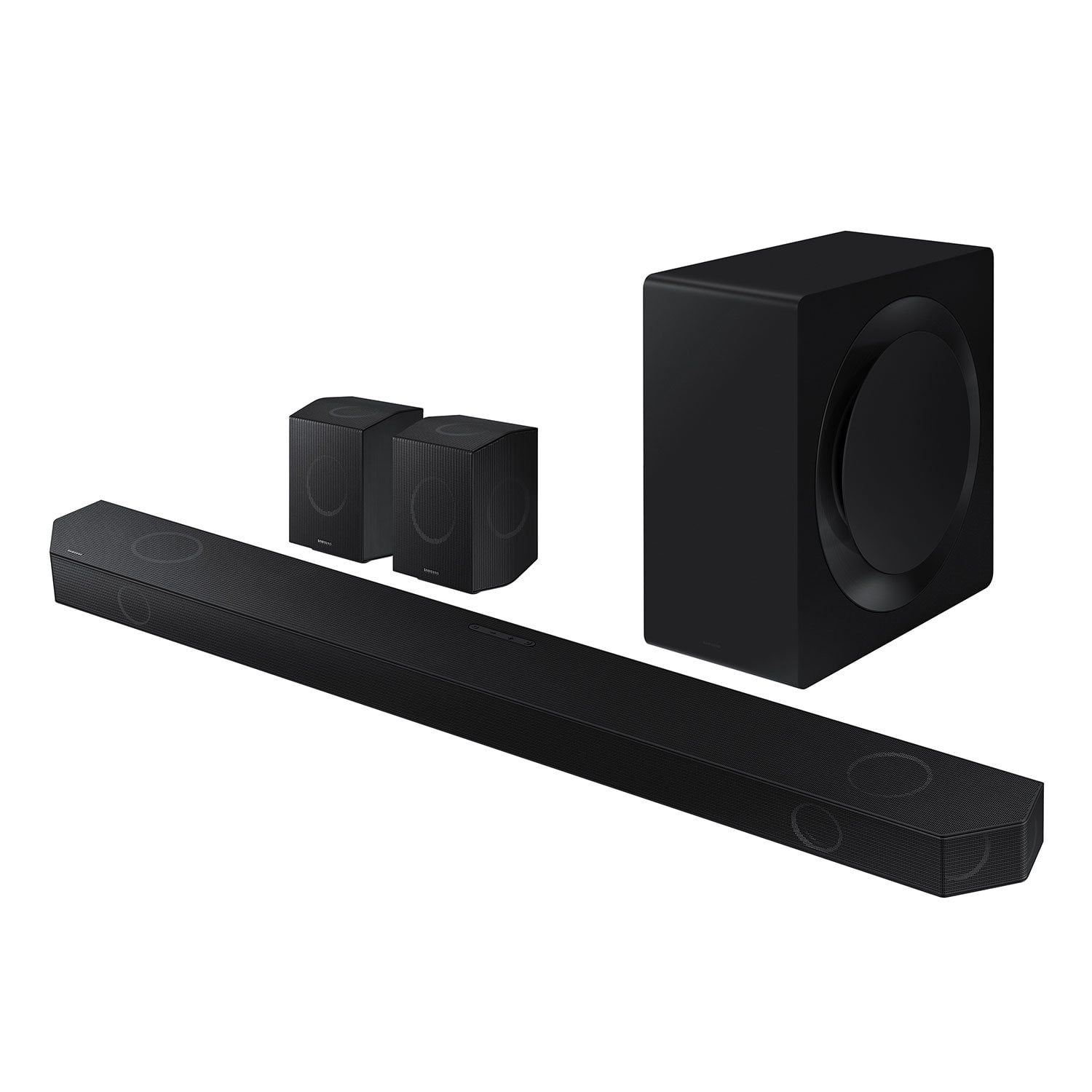
SAMSUNG 11.1.4 Channel Sound Bar with Wireless Subwoofer, Q-Symphony & Dolby ATMOS Audio
4.6 out of 5 stars
stars849 ratings849 reviews
  1. 5 stars79% (668)
  2. 4 stars12% (106)
  3. 3 stars3% (25)
  4. 2 stars2% (13)
  5. 1 star4% (37)

Member photos

  • +263 images
Sort by |
Showing 831-840 of 849 reviews
Mar 18, 2025
bricked
1 out of 5 stars review

bricked after update

My soundbar is bricked after update. No answer yet.

Review from Samsung US
Helpful?0WSCS8GR8B8W13575772414
reply from Samsung Solutions

Hello bricked, We appreciate your feedback regarding the issues you are experiencing with your HW-Q990D Soundbar. Please contact us for service and a Support agent will gladly help get this fixed. At your earliest convenience, please reach out to Samsung Customer Support at 1-800-SAMSUNG (Ask for Soundbars), 8 AM – 12 AM EST, 7 days a week. Our Live Chat agents are also available by clicking on the ‘Support’ link on our website. ~ Samsung Solutions

Feb 21, 2025
BuzzSaw
5 out of 5 stars review

Sounds great

Sounds great, better than I thought it would and would recommend it

Review from Samsung US
Helpful?0WSCS8GR8B8W13575772414
Jun 12, 2024
Dimebag
5 out of 5 stars review

Awesome product

I've had it for 2 weeks and I love it highly recommend

Review from Samsung US
Helpful?0WSCS8GR8B8W13575772414
Nov 12, 2024
Damian85
5 out of 5 stars review

Great Soundbar

Best soundbar I’ve ever used. Great upgrade from the Q990C

Review from Samsung Canada
Helpful?0WSCS8GR8B8W13575772414
Mar 23, 2025
annoyed
1 out of 5 stars review

stuck in e-arc

Worked great recommended it to a friend and they brick it with an update.

Review from Samsung US
Helpful?0WSCS8GR8B8W13575772414
reply from Samsung Solutions

Hello annoyed, We appreciate your feedback regarding the issues you are experiencing with your HW-Q990D Soundbar. Please contact us for service and a Support agent will gladly help get this fixed. At your earliest convenience, please reach out to Samsung Customer Support at 1-800-SAMSUNG (Ask for Soundbars), 8 AM – 12 AM EST, 7 days a week. Our Live Chat agents are also available by clicking on the ‘Support’ link on our website. ~ Samsung Solutions

Dec 19, 2024
Anonymous
5 out of 5 stars review

Excellent Sound

Very excellent quality and great sound quality and quick installation.

Review from Samsung Canada
Helpful?0WSCS8GR8B8W13575772414
Jan 13, 2025
Rabims
5 out of 5 stars review

Full featured - state of art

Nice product with wifi and app control and healthy audible sound

Review from Samsung US
Helpful?0WSCS8GR8B8W13575772414
Apr 27, 2024
Heavy D
5 out of 5 stars review

Q symphony is another level

I am very impressed with my surround system, very impressive and neat sound.

Review from Samsung US
Helpful?0WSCS8GR8B8W13575772414
Feb 20, 2025
Anil
1 out of 5 stars review

Worst product of samsung

Not worth it for the price tag With that same money add little more to get sonos, dont buy it

Review from Samsung US
Helpful?0WSCS8GR8B8W13575772414
reply from Samsung Solutions

Hello Anil, We appreciate you providing your feedback and experience with the HW-Q990D soundbar. Please know there are a wide range of audio adjustments available to tune the sound to your liking. You can manually optimize your audio experience by pressing the SOUND CONTROL button (which looks like a gear), you can set the audio function such as Auto EQ, Spacefit sound, AVA, Voice Enhance mode, Night mode, Sync, Surround speaker mode, Virtual. The desired item can be adjusted using the Up/Down buttons. Alternatively, you can press and hold the SOUND CONTROL button for about 5 seconds to adjust the sound for each frequency band. 150Hz, 300Hz, 600Hz, 1.2kHz, 2.5kHz, 5kHz, and 10kHz are selectable using the Left/Right buttons and each can be adjusted to a setting between -6 to +6 using the Up/Down buttons. You can try quickly optimizing the audio by pressing the SOUND MODE button on your remote, and then select the desired sound effect by choosing STANDARD, SURROUND SOUND, GAME, or ADAPTIVE SOUND. To control the volume of each speaker, press the CH LEVEL button on the provided remote. Then select CENTER LEVEL, SIDE LEVEL, WIDE LEVEL, FRONT TOP LEVEL, REAR LEVEL, or REAR TOP LEVEL. Once you find the channel you are looking for, adjust the volume between -6 to +6 by using the Up/Down buttons. There are multiple ways to control the bass levels for your new Soundbar. 1) Using the WOOFER button on the provided Soundbar remote. Use the woofer button by pushing forward or pulling backward on the button itself to adjust the bass levels between -12 or -6/+6. If you want to reset the bass to 0 then push the button in. 2) When you press the TONE CONTROL button, you can adjust the treble or bass levels between -6/+6. Alternatively, you can adjust all of these same settings and more within the SmartThings app. Download the app for your iOS or Android device and then connect your Soundbar to Wi-Fi. From here, you will be able to adjust all of the same settings as the provided remote, but with the added benefit of being able to see the changes on your smart device. I hope these tips help you enjoy your new product. You can always contact us for further help at 1-800-SAMSUNG (Ask for Soundbars), 8 AM – 12 AM EST, 7 days a week. Our Live Chat agents are also available by clicking on the ‘Support’ link on our website. ~ Samsung Solutions

Mar 18, 2025
AusSamsung
1 out of 5 stars review

Update bricked device

Bricked after the 1020.7 update. No recourse with Samsung.

Review from Samsung US
Helpful?0WSCS8GR8B8W13575772414
reply from Samsung Solutions

Hello AusSamsung, We appreciate your feedback regarding the issues you are experiencing with your HW-Q990D Soundbar. Please contact us for service and a Support agent will gladly help get this fixed. At your earliest convenience, please reach out to Samsung Customer Support at 1-800-SAMSUNG (Ask for Soundbars), 8 AM – 12 AM EST, 7 days a week. Our Live Chat agents are also available by clicking on the ‘Support’ link on our website. ~ Samsung Solutions