
Great features, nicely made, many applications to use it for
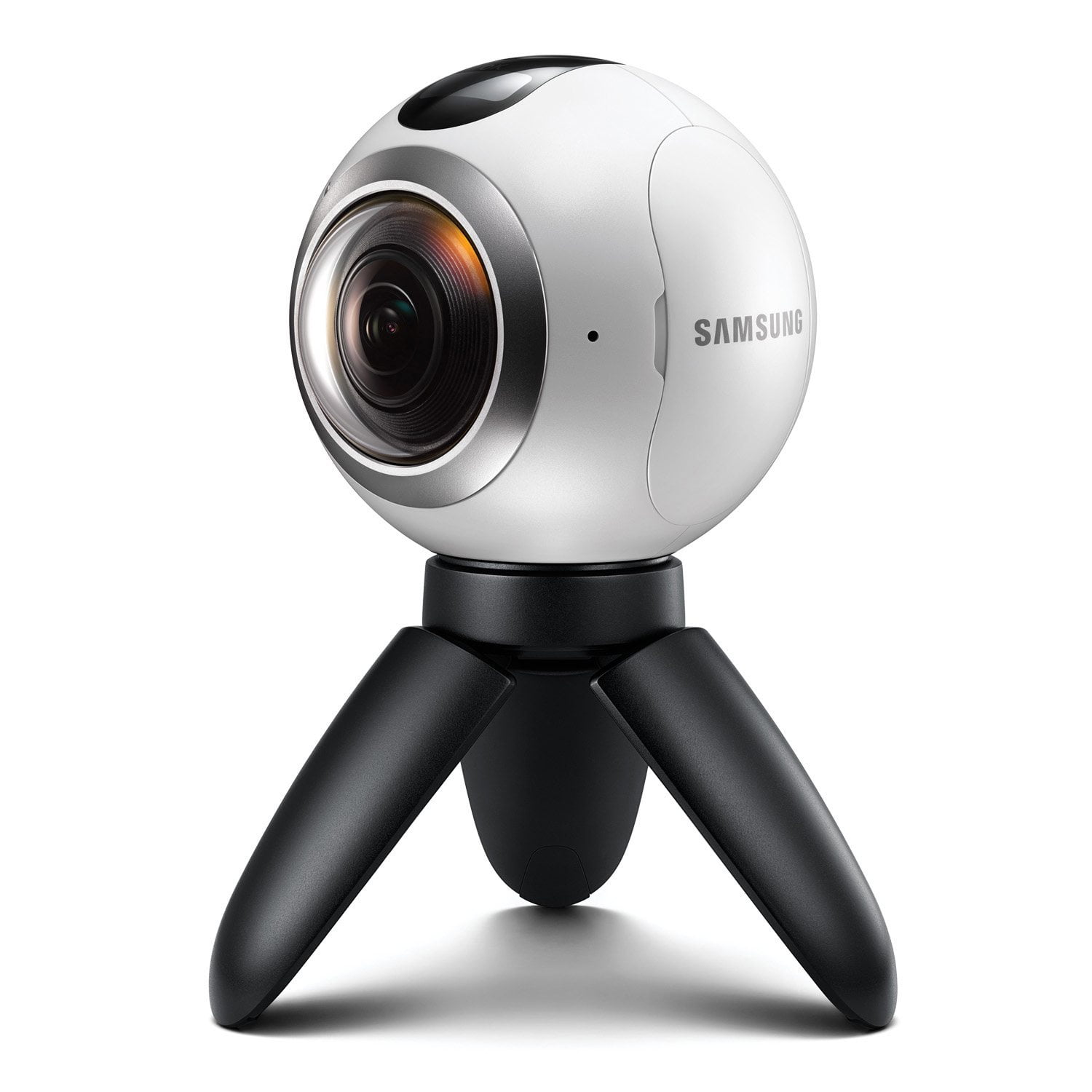
Samsung Gear 360 Review I was kindly selected by theinsiders to trial this little beauty. Now this review is impartial as I've had to shell out towards it and isn't a freebee. The package arrived in a plain brown box, no clue to the contents. In fact I didn't even have a shipping confirmation (unlike the Gear S3 which is also on the way) and the card through the door said it was in the recycling bin! Now if I had to write a review on delivery companies I could write a book! On opening the box I was presented with an EVO plus 128GB microSDXC card with an SD adapter (class 10 80MB/s read and 20MB/s write), Gear 360 and some literature. It's quite useful having the microSD I didn't have the expense and delay in getting the Gear 360 going (or stealing one from another device I already own). The Gear 360 itself came in a cylinder type package made of clear Perspex. The outer packaging states 3840x1920 video resolution, F2.0 dual lens and time lapse video. It's recommended to have a compatible smartphone (S6/edge/+/Note5/S7/edge) for using the Gear 360 manager or compatible PC to create 360 degree content. I happen to have the S7 Edge so will be using that for the purposes of testing. Within the Gear package itself it's resting through this doughnut type cover, taking this out reveals the spider type legs (or tripod) which open up to rest the device on a table or something else relatively flat. As the legs go to one fixed position there isn't the option of putting on an uneven surface although you can unscrew and put your own on (not sure if it's an ISO fitting but will be trying it on my bike mount). Also inside is the battery (Samsung Li-on 3.85v / 1350 mAh), USB charge cable, wrist strap, quick start guide, lens cleaning cloth (rather large one) and a handy grey soft carry pouch. The wrist strap fits on the tripod, there's two little holes that it pushes in and out of. A little tricky but third attempt managed to do it. On the Gear 360 there's a hatch cover and once opened reveals the microSD card and battery slot. The USB connector is also inside here so plugged all three in, hooked up the USB end to my PC and left to charge (red light went to green). Opposite side to the hatch cover is two buttons. Top button allows for Bluetooth pairing and menu options (will go through those later) and the bottom button is the main power and back button (used in conjunction with the menu button). Top of the device is the LCD display, a little tiny but gives you an idea of the option you have selected and a red button for taking a photo or starting video recording. As previously stated the tripod unscrews, it does look like a standard fitting and will be giving that a go. Now one thing, the Gear 360 is surprising heavy. 149 grams without the tripod and 208 with the tripod and wrist strap attached. For simple operation you can power on and use without the smartphone. Pressing menu presents the following options; Time lapse, Video looping, Settings, Video, Photo. Other than settings the other options start recording in the selected mode. If you hold down the menu button you get the Gear 360 Manager pairing, Remote Control and Google Street View options. I used the first option to pair to my S7 Edge smartphone. Within settings you can switch the lens, change video and photo size, alter the time lapse video size, configure timer settings, decide what auto power off times you would like and format the SD card. I've left all of these stock for now. Gear 360 Manager application – I downloaded this from the Play Store, it's a decent sized download of 92MB. Pairing is fairly simple, load the Gear 360 manager up and you will see a Connect option at the top right. Using the menu button, hold it down a couple of seconds until Gear 360 Manger appears in the LCD display and press the red button on the top. The light on the side will flash blue/red/green. Press the Connect option within the application and you're away. The application allows for a few settings, main ones of use are battery status and reset and format options. I believe this application also allows for updating the Gear 360 firmware (mine is C200GLU0API1). Within Gear 360 Manager it's split into mobile device (your smartphone) and Gear 360. Any photos or videos you take on the Gear 360 can be saved back to your smartphone. It does this using the Bluetooth connection so no need to swop microSD cards into a home PC. It's not the fastest option considering I have a decent smartphone but is certainly the most convenient. I did transfer a file of 246MB and took a couple of minutes. It's also worth noting whilst accessing the device remotely you cannot record video or take a photo. One minor niggle, not the Gear 360 itself but the software. It does not allow you to change where you save to on the smartphone and defaults to internal memory. As I have a 128GB microSD and only 32GB internal (space is becoming a premium with only applications installed) I would prefer the option to save to external memory. So, what does it look like? Well it's kind of strange at first and trying to work out how it's taken photos, stitched them together seamlessly and then allows you to pan (and zoom) around the whole 360-degree experience. The quality is impressive. Within the application, you can change to automatic motion view when you move your smartphone around the picture changes relative to the axis you present. There's also a dual, panoramic, round and stretched view you can play with too. I haven't road tested yet but the software comes with a View on Gear VR option. I have the Oculus VR set from S7 Edge promotion; it's time to get those out as some point and get dizzy. A 360-degree photo was 5.89MB, it really depends on how much detail it picks up due to lighting conditions but not too big considering it's 7200 x 3600 resolution. A video of 5 minutes was 1091MB at 2560x1280 resolution. The application allows you to share the photos; because not all devices can view 360-degree content it extrapolates these to flat images. I've uploaded a few to twitter but will be adding more content as I push this through more tests and hopefully get it attached to the bike (it does fit the mount and for anyone wondering I'm using the Intempo Action camera bike mount). First thoughts; nicely presented package, it's well built and great to have a carry case with it. A few minor tweaks to the software would be nice.
great hardware and lovely 360 day time pictures but problematic software.
The Samsung Gear 360 can capture high-resolution content with 3840x1920 dual lens video (and single lens up to 2560x1440), as well as 30MP images via a duo of 15MP sensors with fish-eye lenses – each lens viewing 180 degrees. It has an expandable memory, and special features such as Wi-Fi direct, NFC, and Bluetooth connectivity. The Gear 360 is dust- and splash-proof. Launched along the Samsung Galaxy S7 and Galaxy S7 edge, it requires a Samsung smartphone in order to work. I used my Samsung S6 edge to trial the device. The device is quite unusual: it looks like an eye ball with 2 lenses. However, it feels solidly built with 3 buttons (one to switch on, a record button and menu button). The problem is that I keep accidentally pressing the ‘on' button when holding the device, because of its position. The camera has a small tripod for users to hold, or to let you stand the device, but it is too small to do much with. I also found that since the sides of the tripod are quite smooth, they can be tricky to hold on to in poor weather. The device has a removable battery, which is good if you need to use it for a long time as you can buy a spare one to have ready and I've managed to get a few days-worth of work out of the device on one charge. It can also be charged via micro usb and used at the same time. Functionality: I'm quite new to the 360-degree photography, though I've heard that this device is amongst the cheapest to provide such type of photography. The two lenses cover 180 degrees each and take a picture at the same time, giving you a 360- degree picture once your phone is used to ‘stitch' the two views together. I found the pictures that I took during the day were of very good quality with crisp colours and the stitching of the photography was quite good, though I could see the points at which they had been stitched. I did find however that focusing can be quite tricky since you can't point focus like on a regular camera. The camera did do ok in reduced lighting, but I found that as with most camera phones, the sharpness of the pictures reduces. I've attached some pictures to this review from the device. You can also use the phone to work like a live view finder, by connecting to the device via Bluetooth and this shows you exactly what you are looking at. I used this feature after the birth of my son, capturing a 360- degree view of the hospital room and looking back at it now, I'm happy that I could capture the atmosphere of such a special moment in this way. I've not really played about with the video recording much, but from what I've done so far, I can see that the video quality is good, as is the sound quality, but the syncing with sound can be problematic. Sharing pictures and videos are easy via the phone by using apps like Whatsapp, but without the software to show the picture as 360-degrees, it doesn't do justice to the images. The Samsung Gear 360 can be used on its own without the phone via the buttons on the device, making it much like an action camera. However, you have little clue what you are taking pictures of- a problem we have grown used to living without thanks to digital photography. I think something that would have been useful to provide with the device would have been some form of deal with the VR headset to really appreciate the photography and the video. Overall: I'm intrigued by this type of device and I want to get more opportunities to use the video setting. I think the device is well built though a bit let down the by software and the tripod would be much easier to handle with some ridges or grooves along the feet. For a gadget fan, it's a lovely new type of gizmo which I look forward to further trialling.
Great camera quality
The 2 cameras are amazing in quality. Pictures and videos are very clear and not pixelated, the design is a little strange but serves its purpose. When using the Gear 360, there are many features that are useful which can be easily accessed from your phone using the companion app. Overall I think it is an amazing product however I believe it is slightly over priced.
Great quality 360 camera
I must admit, I did not know what to expect with this camera as I never considered a 360 camera because I always have my DSLR camera at hand but I must admit I did reach for it when I was on holiday abroad, as it is great for vlogging and the quality of the videos are amazing. I would consider adding a 360 camera to my camera collection as you may think you have no use for it but once its brought you realise that you have been missing out on many memory capturing possibilities. I especially love the option to use either dual or single lens and time lapse feature. I would consider taking this on my skiing holidays as the images/videos would be breathtaking and even though I do not own a VR headset, I would definitely think about purchasing one as it would enhance the fun of the gadget. As much as I praise this camera, I do think i would like for them to consider using an app that would not be connected only through bluetooth option as it drains my battery alot more than wifi especially as I use alot of social media apps. The upload to from my mobile takes ages for a video longer than 10 minutes, though their is an option to upload from the computer. Other than that I think in terms of what is currently on the market for 360 cameras, I would highly recommend this ball of fun as you would regret the investment of amazing memories! #insidersgear360
Interesting camera and fun to use but improvements to be made
You are able to use as 360 camera or 180 for a really wide shot. I've found that you can take the still and view them using google cardboard as well as the Samsung headset. The cons: I've had intermittent issues connecting the phone to the camera, usually when I have poor mobile signal. The stitching is not great, and the quality is average. The general post processing is a bit cumbersome. As a 1st gen consumer 360 camera, it is good but sure that it will be improved on.
Great little gadget & great for videos
I was very excited to try the new Samsung Gear 360. In my every day life I am always using Facebook to share pictures and videos and hoped this device would make it a lot more interesting (and I do love trying out something different)! First experience unpacking the camera from the box was very good. All very easy to use (although I do miss just a basic instruction manual). I instantly was able to get it set up with my phone (and I am no technical wizard!) It was night time so I was interested to test it out with artificial light. In my opinion, sadly it's not at it's best in low light. I used my cats to test it out and found the small red light always seems to light them up. It's not so much of a problem, when moved away at distance but with the shape of the lens, I really wanted some nice rounded 'cat nose' photos! It's better in day light but still seems to be a niggling issue that irritates me using the camera. The photos are 'often' in focus. I find I have to keep it very still and sometimes by the time it takes to click the photo, my cats head has moved and I have a blurry photo! I am on holiday later this month and do feel this camera will come into it's own when we are looking at beautiful scenery in the right light. I feel it's definitely more of an outdoor - catch great photos whilst travelling - type camera, more than a 'photo people at a party' type camera in my opinion. It's very easy to use and to hold. I like the little tripod which makes it both easy to hold on to but also quite solid to set up and take a still photo- As I've said, I do feel the tripod will often be needed to get a great image. It's easy to upload onto social media - Photos are very quick. Videos take a little longer so best to keep them short as possible unless you want to wait 30 minutes for it to upload! It's designed very well and is so easy to use in live mode with my Samsung Galaxy S6. Overall, I am very pleased and feel I will probably keep the camera to take with me whilst we are travelling but I'm not sure how much use it will get in every day life. I also hope it's sturdy enough to be put in my bag. whilst away and hope the lens won't get scratched. Overall, I'd say a nice little gadget but can be a little difficult to get clear, non blurry images. I love the video element, which is absolutely perfect but needs a little more improvement on the photo side. The 'red light' on the front of the camera is my greatest irritation on using it! 5/5 for video and 3.5/5 for photos. It's a handy tool but will not be replacing my normal camera.
Capturing the action
I recently moved from an Apple phone to Samsung because of the extra gadgets you can get so was excited to get my hands on this camera. I like outdoor sports – mountain biking, adventure racing and although I have other digital cameras, I don't have anything that can record in 360. First impressions when I opened the box is it looks good and the set-up was straight forward. I've been using it a lot since I got it – mainly outdoors but I also used it on a mates stag do (noisy) and the videos were great quality with good sound. I'm hoping to go snowboarding before the end of the season so am looking into helmet fixing next… I like this and would hesitate to recommend it to other Samsung users
Great bit of kit...Get there before your friends do!
Well 2016 is out of the way...thank God but what a way to start the new year. During the Christmas period my 360 and the Gear S3 Watch arrived and I have to say I am really enjoying using and testing them out. The 360 was the first to arrive and within minutes it was out of the box. Even the packaging looks smart with its circular design window display. Samsung really have thought about everything with this camera. As a photographer I like to see what new technology can bring so first I wanted to undertsand how the camera worked. Being a "Brit" of course ..instruction manual..whats that? Whos got time for that anyway. We just want to be able to get it out of the box and use it. So I ventured on pressing a few buttons to see what each did and it powered up. I linked it up to my Samsung S7 Edge phone using the app and we were all systems go. Full 360 shooting. In good light the camera was working well without zooming. In Low light the camera performed great at full aperture but when you zoomed in the noise increased. For me looking for Hi resolution images this camera does a great job out side in good light capturing the colours fantastically but indoor is a little more tricky. Taking stills is easy with a quick buttons on the side of the ball. I got the family (wife and 2 kids) and we went for a walk up on some local hills and we got some great shots there using the highest resolution the camera offers. The kids enjoyed using it too as it was easy enough to hold using the collapsed tripod which is included in the packaging. As an action camera competing with the other major brands the Samsung 360 really competes and over performs in my view. Theres lots that can be done with it from family gatherings, blogging, attaching to your bike using a gorilla tripod, trekkiing biking, dance classes. I even saw one cute video done on the 360 which showed a little child playing hide and seek with their Dad. He had strapped the 360 to his chest, put the camera in single lens mode and sent the child of to find him. It was a great insight into a childs world and how they they think about things. In summary - Great looking bit of kit your friends will want...Get there first and enjoy:)
Wow
[This review was collected as part of a promotion.] What a fantastic device! Right off the bat, great experience taking it out of the box. It feels high quality, has a good weight in your hands, and is something you can place to blend into the background. It comes with a USB cable for charging, and a rubber ring you place the Gear 360 into to serve as a stable stand. An indicator light with different colors gives you an unobtrusive idea of the current battery status or what operation is running. Sounds and tones are on by default from the device which can be turned down in volume or muted altogether. It paired seamlessly with my galaxy s8 via the app and within a minute was looking through the camera. Picture quality is fantastic. You can use your finger to swivel the view on your phone. You can pinch in and out to zoom. Resolution is great and even worked well in low light situations. There are different camera modes, including panoramic, dual screen or individual screen which makes for a highly customizable experience. A little screen on the gear 360 device gives little status updates, battery life and other information. It sits below a large record or shutter button which is an ergonomic location. It does come with a slot for a micro SD card which was not included. On the bottom is a standard screw-in for a third-party tripod device which would be great if you're planning on taking this out to the wild. It can also be used in motion, though I haven't tested this feature out yet. Whether you're using this recreationally while on your bike, skateboard, camping or hiking, or as a webcam or for vlogging, this is a very neat device. I highly recommend it.
Great Resolution
[This review was collected as part of a promotion.] I love how the Gear 360 can record live videos - and include the surroundings so clearly. It was easy to use after reading the user guide. I liked that not only the picture is clear , the sounds are great as well. Great job Samsung.