Skip to Main Content
Sam's Club
Sam's Club
All Departments
All Services
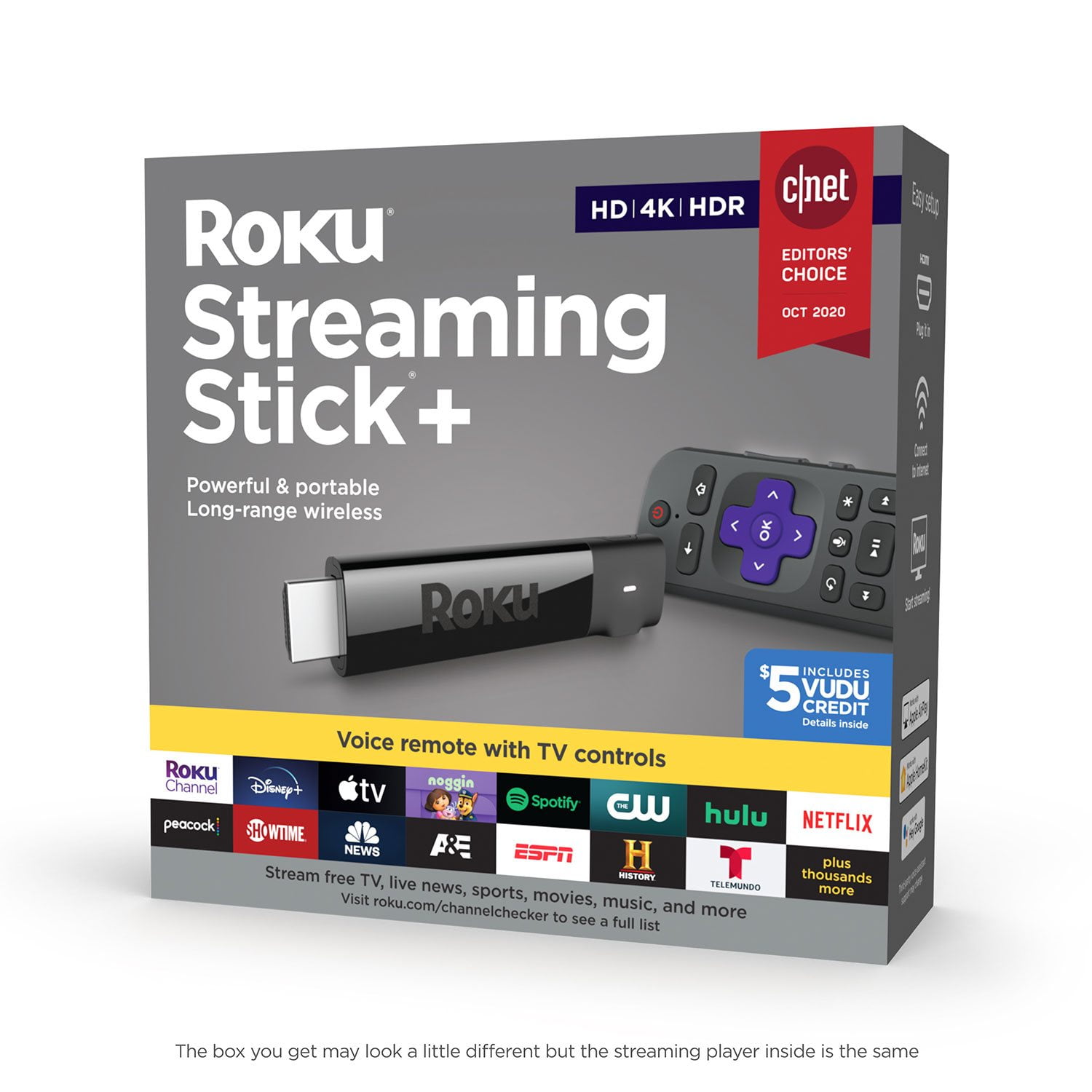
Customer reviews for Roku Streaming Stick+ HD/4K/HDR Streaming Device with Long-range Wireless and Voice Remote with TV Controls for
Roku Streaming Stick+ HD/4K/HDR Streaming Device with Long-range Wireless and Voice Remote with TV Controls
4.6 out of 5 stars
stars
4,767 ratings4,412 reviews
  1. 5 stars75% (3,597)
  2. 4 stars14% (688)
  3. 3 stars4% (196)
  4. 2 stars2% (110)
  5. 1 star4% (176)
Sort by |
Showing 51-60 of 4,412 reviews
Mar 30, 2021
Frankie
4 out of 5 stars review

Verified Purchase

Parental controls?

I love the app neutrality. But, parental controls are lacking. I had to create a separate email address to manage the other Roku. I don't like that I can't set time limits...unless this is a feature I am overlooking. Other than that, it is great.

Helpful?3POE4PQDG786665260513
reply from Supplier Response

Hi Frankie, thanks so much for your feedback! We&#39;re happy to know that you&#39;re enjoying the player overall. Regarding parental controls, we offer a few varieties to help meet our users needs. To learn more about the options available, we invite you to visit https://support.roku.com/article/208755938.<br /><br />Happy Streaming!<br />Roku Customer Advocate

Feb 10, 2019
Fuster
5 out of 5 stars review

Verified Purchase

Great Features for Multiple Platforms

The picture is much clearer than my older Roku. The Voice Command is a nice feature that saves time because you can initiate it from anywhere without having to go to a search menu.

Helpful?3POE4PQDG786665260513
Dec 25, 2019
Journey
5 out of 5 stars review

Verified Purchase

My first roku

First time trying to cut the cord. This is easy to use, (after a few hours playing with it). Great sale price $30. Maybe next improvement would be lit keys. I went with Hulu subscription. Was best channels for me.

Helpful?3POE4PQDG786665260513
Dec 19, 2020
JimC
2 out of 5 stars review

Didn't work on intended TV (to replace Roku 2)

I purchased this to undate from a Roku 2 we use on a 2008 720p plasma TV accepting 1080p inputs with HDCP 1.2. The Roku 2 still works fine w/ minor occasional issues that are resolved by un-plugging / re-plugging power... but I thought it was time to upgrade. However, I've only gotten a "black screen" from the Streaming Stick +. I've searched all the hints on the Roku Community... and have tried multiple HDMI ports (including the one used w/ the Roku 2), I've used it (successfully) on another TV and updated its firmware, I've tried setting it to 720p (on that other TV) and then moving to its intended TV... I've tried various turn on sequences, power cycling the TV, going though the menus on the Streaming Stick remote (counting the button sequences required to do so... executing them w/ the "black screen") to try gettiing it to auto-calibrate on HDMI w/ the TV... all to no avail. While it sees to work OK on the other TV (a somewhat newer 1080p LED TV)... we rarely watch that smaller TV. So far, not very happy w/ this device for what we purchased it for. Going back to the Roku 2.

Review from roku.com
Helpful?3POE4PQDG786665260513
Jun 28, 2018
Kaerie
5 out of 5 stars review

Hospital lifesaver

We picked up another Roku so our daughter could have access to our streaming services while in the hospital. As she is probably going to be there for most of the next 6-8 for leukemia treatment, being able to make her feel more at home is a true blessing. And the Roku is so affordable - it's nice to have one less thing to worry about right now.

Review from roku.com
Helpful?3POE4PQDG786665260513
Oct 5, 2018
Barney
1 out of 5 stars review

No Netflix HDR

It goes haywire if I play a Netflix HDR title and I have to reboot the Roku to get back a usable interface. I was told by Netflix Support that only the Roku Premiere+ and Roku Ultra are supported. Here is the link they sent me: https://help.netflix.com/en/node/42384

Review from roku.com
Helpful?3POE4PQDG786665260513
Nov 23, 2017
Steve T
4 out of 5 stars review

Enjoying it

I am enjoying the Roku. One reason we got it was to reduce our cable bill by renting one less cable box and the Roku certainly accomplishes that goal for us. The only thing I don't like about it is when I select my cable provider and have to navigate to channel 254, I must keep clicking the down arrow - 254 times in this case - unless I can do a search.

Review from roku.com
Helpful?3POE4PQDG786665260513
May 19, 2020
DispleasedPurchaser
1 out of 5 stars review

Overheats within 20 minutes

This product has poor thermal design. After watching a 4K program for 20 minutes, I received a warning on my tv that my Roku is overheating. It's plugged into the back of my TV as it is designed to do. It's not inside of a cabinet and it has plenty of ventilation. I've had previous generations of Roku's and I've never had a problem like this. If they're going to sell my information to advertisers the least they could do is design a device that works properly.

Review from roku.com
Helpful?3POE4PQDG786665260513
Nov 25, 2020
Reefstar
5 out of 5 stars review

Just Ignore the complaints

We've had ours for a couple years. It's a great product. Ignore the idiotic complaints. Most of them are not even actual Roku issues. I.e. “doesn't have a web browser”. Roku never said it did! So maybe do your own research first, don't blame the product. “Roku wouldn't connect”, that's a problem with your network. One guy “replaced the mother-board in his TV” ... are you serious? Hey... maybe next time try the Roku stick on a different TV first. We've been very happy with it, you likely will too.

Review from roku.com
Helpful?3POE4PQDG786665260513
Feb 22, 2018
Disappointed Dan
2 out of 5 stars review

Terrible tech support.

If the HDCP Unauthorized message would stop popping up, perhaps my review would be positive. To make matters worse, HORRIBLE TECH SUPPORT. I cannot get a response to my issue regardless of submission method. Chat, email, and what's worse than no human to speak with via phone!

Review from roku.com
Helpful?3POE4PQDG786665260513