Skip to Main Content
Sam's Club
Sam's Club
All Departments
All Services
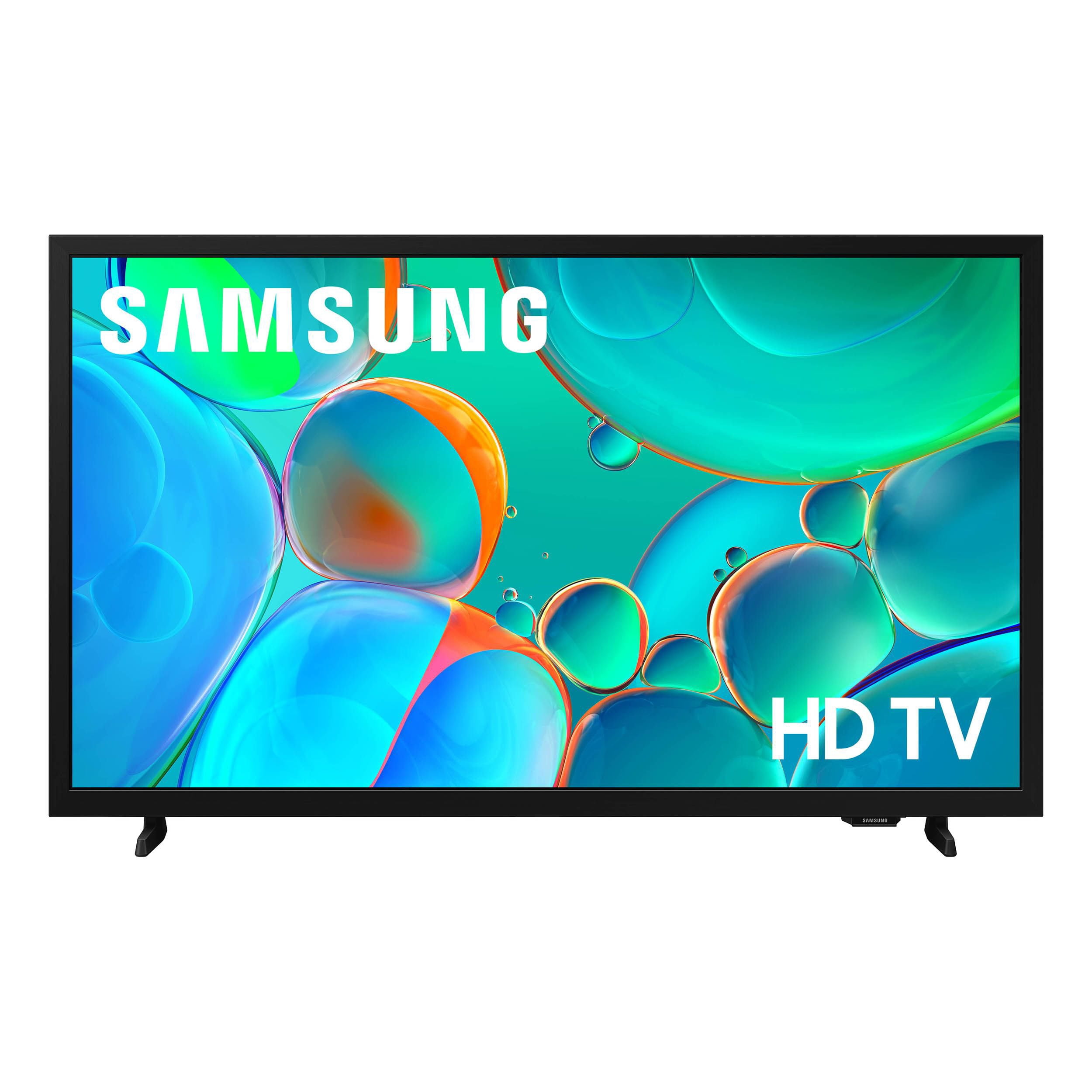
Customer reviews for SAMSUNG 32” Class H5000F Series LED HD Smart Tizen TV for
SAMSUNG 32” Class H5000F Series LED HD Smart Tizen TV
4.6 out of 5 stars
stars
3,092 ratings3,089 reviews
  1. 5 stars76% (2,344)
  2. 4 stars16% (501)
  3. 3 stars4% (126)
  4. 2 stars2% (53)
  5. 1 star2% (68)
Sort by |
Showing 1,691-1,700 of 3,089 reviews
May 25, 2026
Reviewer name: Carmen
5 out of 5 stars
5 out of 5 stars review

Awesome features and incredible apps

[This review was collected as part of a promotion.] I absolutely love my Samsung Smart T. V. The color, brightness, etc is absolutely amazing. I love that I can download any apps from my phone on to my T. V. Give 5 outta 5 stars👍👍👌👌👍👍

Review from Samsung US
Helpful?3BXE5P3J9PH420390161112
Feb 17, 2026
Reviewer name: Luckygirl
5 out of 5 stars
5 out of 5 stars review

Great all of it!

[This review was collected as part of a promotion.] tell her great the brightness great security all of it interface terrific terrific terrific with this great great all of it I couldn't be happier

Review from Samsung US
Helpful?3BXE5P3J9PH420390161112
Mar 9, 2026
Reviewer name: Obie
3 out of 5 stars
3 out of 5 stars review

All Apps Are Created Equal

[This review was collected as part of a promotion.] In its day, the H5000F was top of the line but now it's outdated. The remote as a mouse feature is still cool but I can't get a few apps like HBO MAX without a Firestick being connected

Review from Samsung US
Helpful?3BXE5P3J9PH420390161112
reply from Samsung Advisor

Hi Obie, Thank you for sharing your experience. Please know that you can customize your Home screen by installing, removing or adding your favorite apps to the Home screen. Here's how: Searching for & Installing Apps 1. From the Home screen, press left on the remote’s directional pad. 2. Navigate to and select Search. 3. Using the search bar, enter the content or app you’d like to find. 4. Navigate to and select the app you’d like to install, then select Install. Note: Previously installed apps can be accessed on the Settings screen. Adding & Managing Apps on Home Screen 1. Go to App Settings (these can be found at the bottom of the Apps screen) and select the app you want to move. The following options will be available: a. Add to Home: Move the app to your desired location on the Home screen. b. Delete: Delete app. c. Lock/Unlock: Lock the app with a PIN so only you can use it. When the app is selected again, you will be prompted to enter the PIN to unlock it. d. Reinstall: Reinstall the app. e. View Details: View the app’s information and details. If you need more help with app management, please don’t hesitate to reach Samsung Support at 1-800-SAMSUNG, available daily from 8AM - 12AM EST. You can also visit the Samsung website and click on ‘Support’ for: • Live Chat • Manuals, Software, & Warranty Info ~ Samsung Advisor

Apr 20, 2026
Reviewer name: Lovenina
5 out of 5 stars
5 out of 5 stars review

Amazing Tv

[This review was collected as part of a promotion.] I love my tv it has great picture it really does have great sound as well the interface is amazing and very secure its bright colors and contrast is amazing very immersive

Review from Samsung US
Helpful?3BXE5P3J9PH420390161112
May 26, 2026
Reviewer name: 4Missy
4 out of 5 stars
4 out of 5 stars review

Solid TV

[This review was collected as part of a promotion.] Solid TV thst has stood the test of time and my children. No major problems. The contrast could be sharper, but still a great picture.

Review from Samsung US
Helpful?3BXE5P3J9PH420390161112
Mar 23, 2026
Reviewer name: LuvSamsung7
5 out of 5 stars
5 out of 5 stars review

Beautiful

[This review was collected as part of a promotion.] I think Samsung has the most beautiful picture compared to other brands. Beautiful color, brightness is perfect.

Review from Samsung US
Helpful?3BXE5P3J9PH420390161112
Feb 25, 2026
Reviewer name: Double903
4 out of 5 stars
4 out of 5 stars review

Top tier

[This review was collected as part of a promotion.] It's a good TV. I wish the same model was made in 55". I will definitely be purchasing a Samsung for my living room. Samsung is always a win.

Review from Samsung US
Helpful?3BXE5P3J9PH420390161112
Mar 23, 2026
Reviewer name: BIggsVerde
4 out of 5 stars
4 out of 5 stars review

Great purchase!

[This review was collected as part of a promotion.] The interface can be clunky/slow at times. Overall though the picture quality is great for the size.

Review from Samsung US
Helpful?3BXE5P3J9PH420390161112
Feb 28, 2026
Reviewer name: Origami2k
4 out of 5 stars
4 out of 5 stars review

Great picture for a small space

[This review was collected as part of a promotion.] This TV is perfect for smaller rooms. The picture looks clear and bright, and the smart features are easy to use. It's lightweight, simple to set up, and works great for streaming shows and movies!

Review from Samsung US
Helpful?3BXE5P3J9PH420390161112
Apr 4, 2026
Reviewer name: Honkykat2
5 out of 5 stars
5 out of 5 stars review

Great features

[This review was collected as part of a promotion.] My Samsung TV has great features. The colors are brilliant and with this many features It truly made my TV viewing more personal and pleasurable. Thank you for making such a quality product.

Review from Samsung US
Helpful?3BXE5P3J9PH420390161112